Dun & Bradstreet is widely considered a gold standard for firmographic information, but its official company data API (Direct+) is primarily designed for enterprise customers.
This guide shows you how to retrieve publicly available company data with or without code and use it in AI applications and workflows. You’ll learn how to build an affordable D&B API with Apify.
Dun & Bradstreet API: The official route to company data
D&B Direct+ is Dun & Bradstreet’s official API solution. It provides access to 2,500+ attributes and proprietary analytics from 600M+ companies worldwide. Use cases include enriching prospect records, maintaining supplier data, and identifying business risks and opportunities.
The main challenge with D&B Direct+ is that access, pricing, data packages, rate limits, and quotas depend on commercial agreements with Dun & Bradstreet. There’s no standard plan you can sign up for online. Enterprise customers need to go through a sales and onboarding process. Pricing is bespoke, and API access can cost up to a few thousand dollars per month.
For developers, startups, and SMBs, these requirements can make D&B data difficult to access for smaller projects and experimentation.
Company data API without an enterprise contract
You don’t need a D&B Direct+ contract to access Dun & Bradstreet data. You can extract public company information from D&B profile pages using web scraping.
However, building a reliable scraping operation and wrapping it in an API isn’t easy. You must deal with anti-scraping protections such as CAPTCHAs and browser fingerprinting. Plus, Dun & Bradstreet triggers a Cloudflare verification for most requests that don't come from a US IP address. Building a D&B scraping-based API also involves scaling, backend development, and DevOps challenges.
Apify handles that infrastructure for you. An Apify Actor handles the scraping and exposes the extracted data through the Apify API. This lets you build a custom company data API as an alternative to the costly D&B API (Direct+).
What company data can you retrieve via web scraping?
D&B company pages expose useful firmographic and business information:
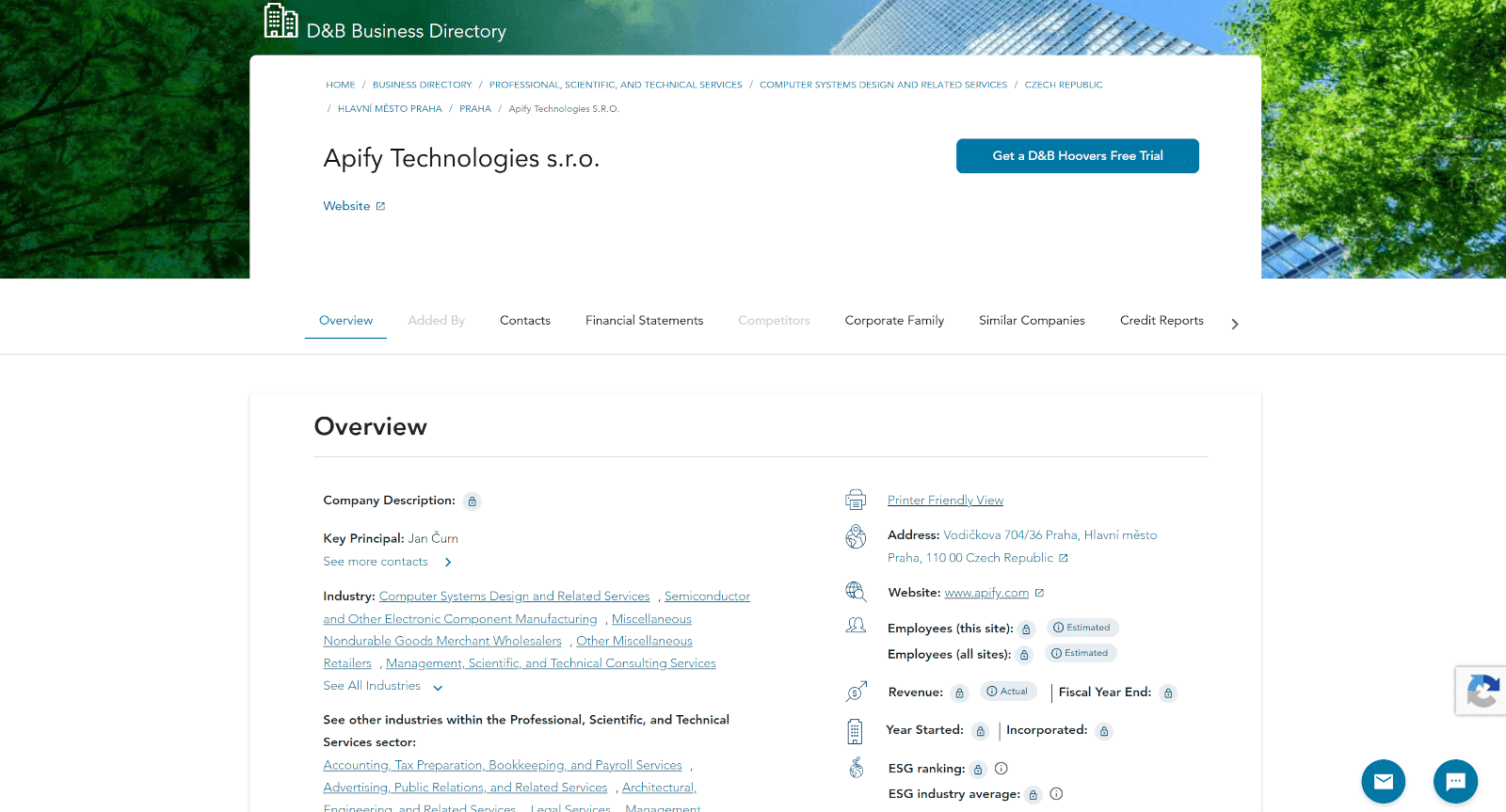
Dun & Bradstreet company data fields you can gather through web scraping include:
| Data field | Description |
|---|---|
| Company name | Official company name listed on the profile |
| Website | Company website URL |
| Key principal | Primary executive or decision-maker listed |
| Principal names | Names of listed company principals |
| Principal titles | Job titles of listed principals |
| Address | Company's listed business address |
| City, region, country | Location details for the company |
| Industry | Primary industry classification |
| Industry sector | Broader industry sector |
| Employees | Modeled employee count, when available |
| Revenue | Modelled revenue, when available |
| Year started | Year the company started operations |
| Year incorporated | Company incorporation year |
| Competitors | Competitors identified by D&B |
| Corporate family | Related companies and corporate relationships |
How to get Dun & Bradstreet data with Apify
Apify is the largest marketplace of tools for AI, with thousands of ready-made Actors for web extraction and business automation.
An Actor for this use case is Dun & Bradstreet Scraper, which lets you access publicly available D&B company and article data.
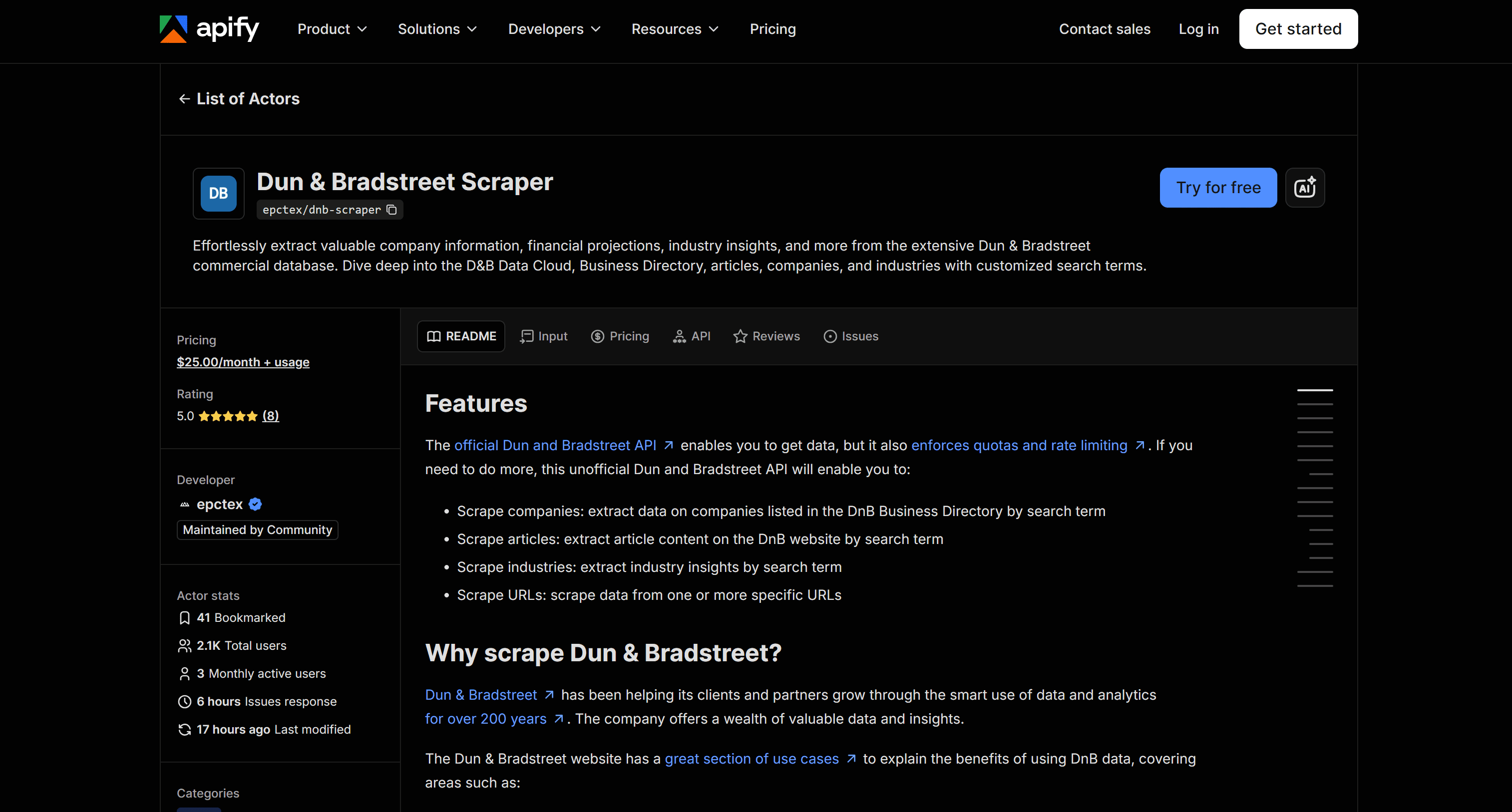
It accepts company profile URLs or keywords to search for companies on the Dun & Bradstreet website. The Actor scrapes the selected pages and returns each company as a structured object, with fields such as company name, website, location, industry, key principal, and competitors.
Like any other Actor, it can be called via Apify API to access its scraped dataset in JSON. This means Dun & Bradstreet Scraper can act as a company data API or business data API, without the enterprise requirements of the official D&B API.
The Actor can also act as a source of data for AI. That’s possible thanks to Apify AI integrations, whether through MCP or official plugins for LangChain, LlamaIndex, Dify, and other AI frameworks.
How to retrieve D&B data with no code using Apify
Learn how to use Dun & Bradstreet Scraper to retrieve D&B data in a no-code workflow.
Step #1: Open the Dun & Bradstreet Scraper
Start by creating an Apify account if you haven’t already. Otherwise, log in. In Apify Console, open Apify Store and search for “dun & bradstreet scraper”:
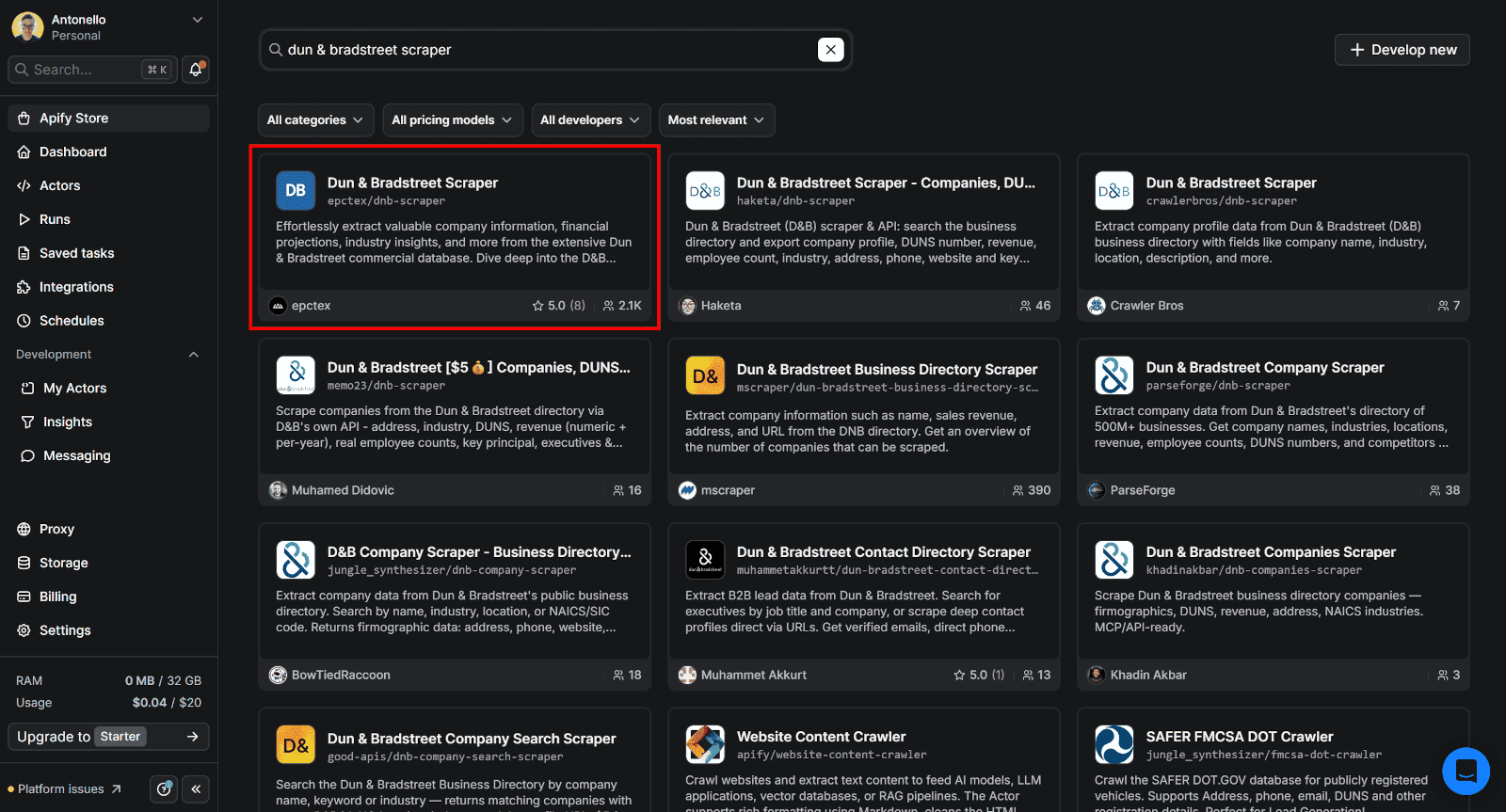
Select Dun & Bradstreet Scraper to reach the Actor's page:
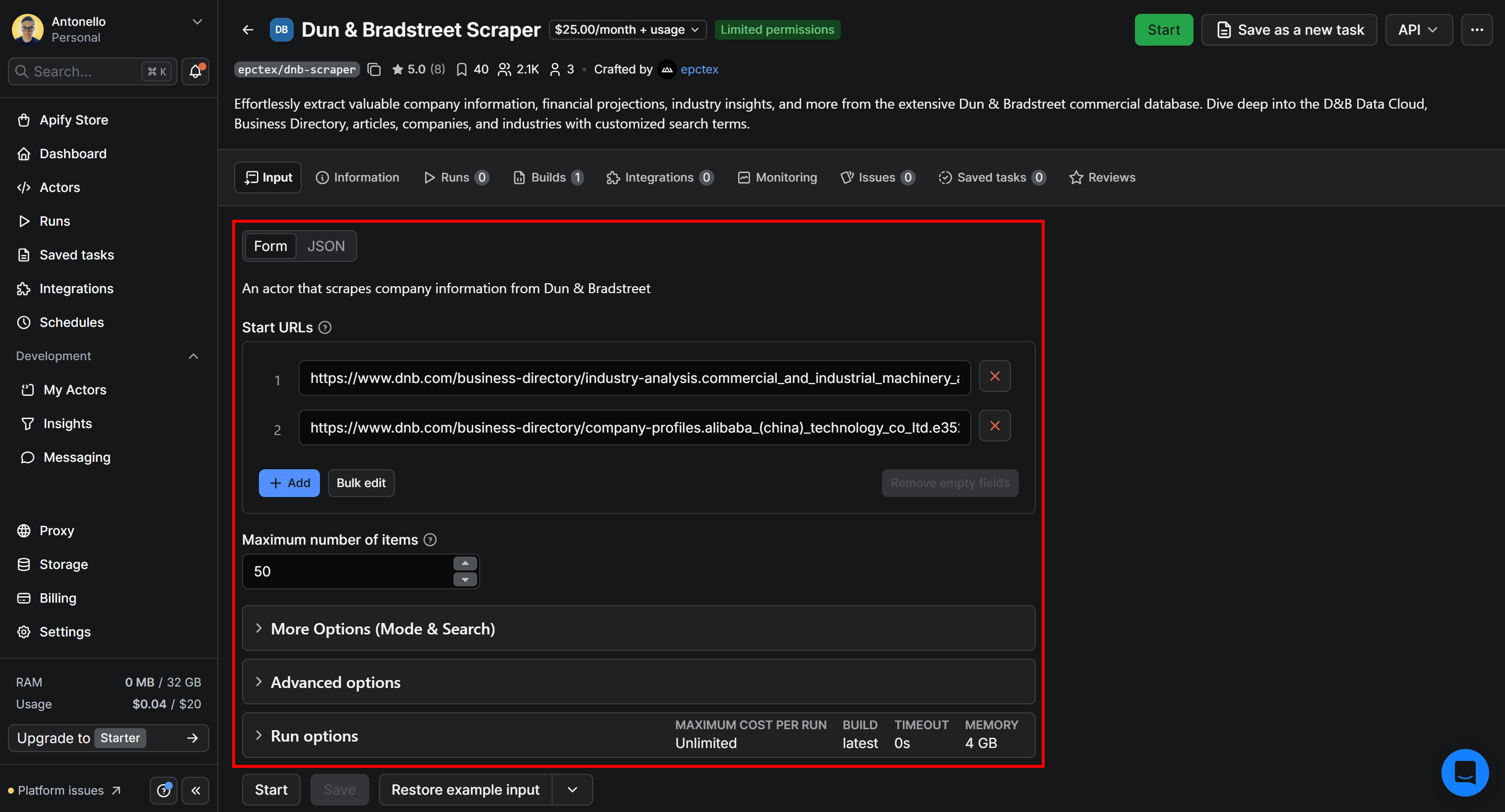
You’ll see a visual form where you can configure the Actor's input to run it from Apify Console, without writing any code.
Step #2: Configure and run the Actor
Suppose you want to scrape three Dun & Bradstreet companies: NVIDIA, Alibaba, and Mistral.
Open the D&B Business Directory page in your browser and search for each company. Then, copy their company page URLs:
https://www.dnb.com/business-directory/company-profiles.nvidia_corporation.05d1c7d8cadd126cda3ae62daffa10c8.html
https://www.dnb.com/business-directory/company-profiles.alibaba_(china)_technology_co_ltd.e3529c2476c569b9912000545d3314d6.htmlhttps://www.dnb.com/business-directory/company-profiles.mistral_ai.339836acd76560caab2b4a841b3fa05e.html
Paste the URLs into the Start URLs input:
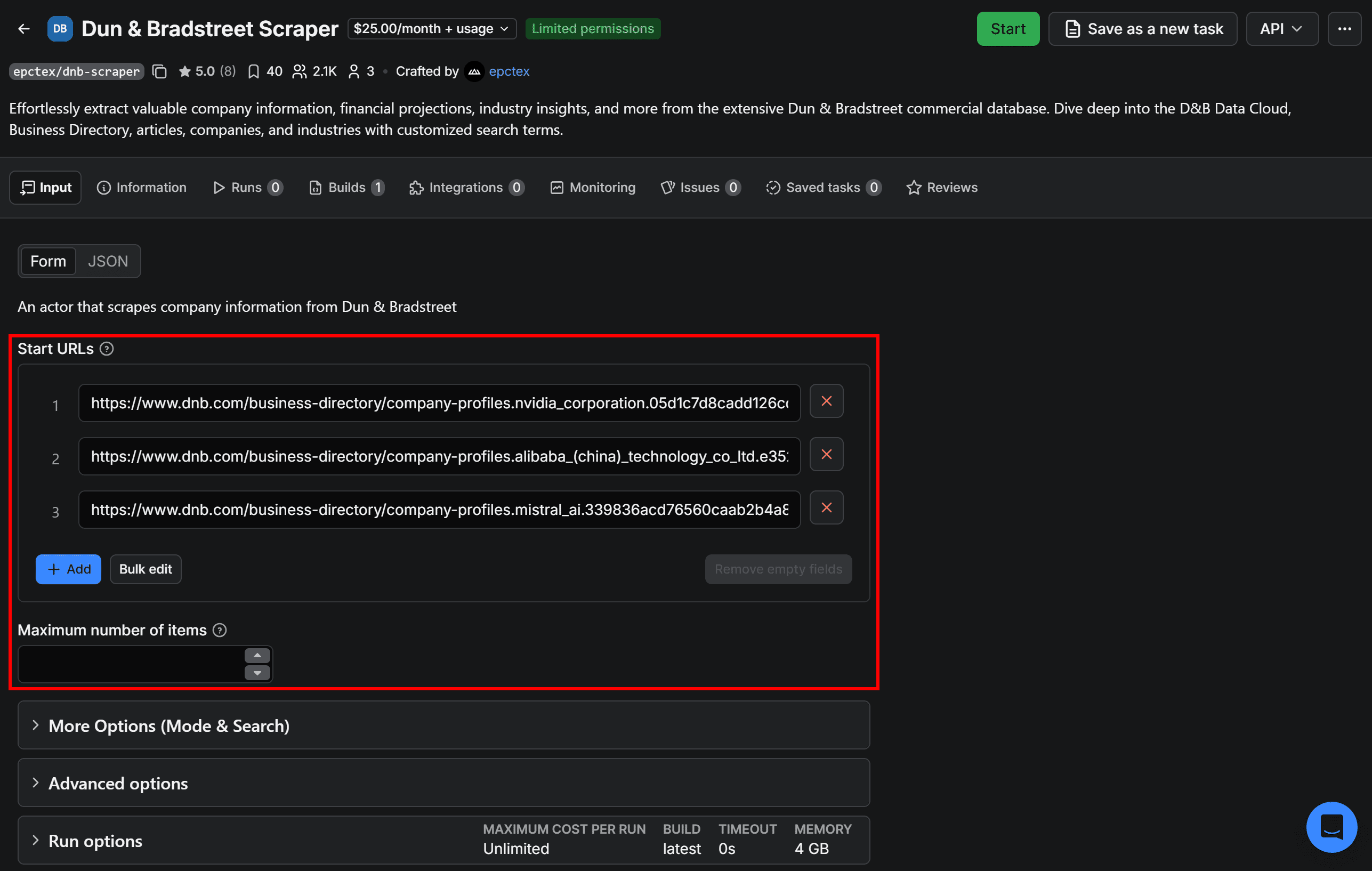
Blank out Maximum number of items to set its default behavior, which is retrieving all data for every URL you provide. Leave all other fields at their values.
Once you’ve configured the Actor’s input, click Start in the top-right corner:

Rent the Actor by accepting the free trial terms. Click Save & Start to launch the run, then wait for the Dun & Bradstreet data to appear.
Step #3: Explore the results
After the run ends, you’ll get a resulting dataset like this:
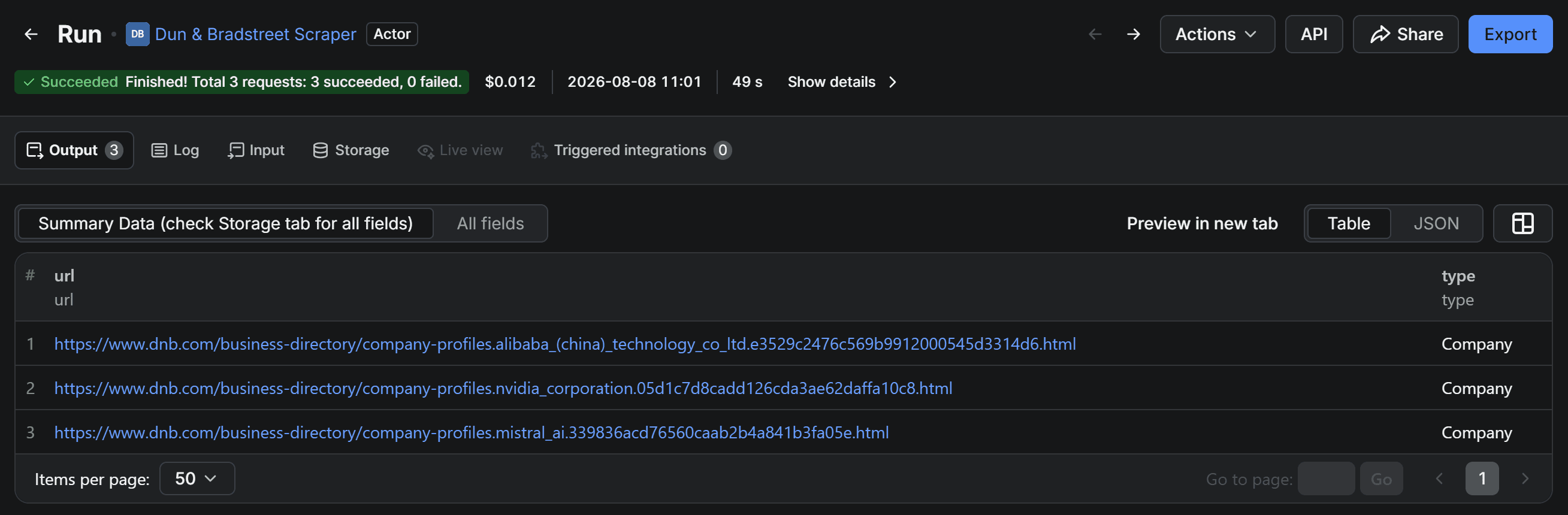
The output table for Dun & Bradstreet Scraper shows only a quick summary of the scraped data. To access all D&B data, select All fields:
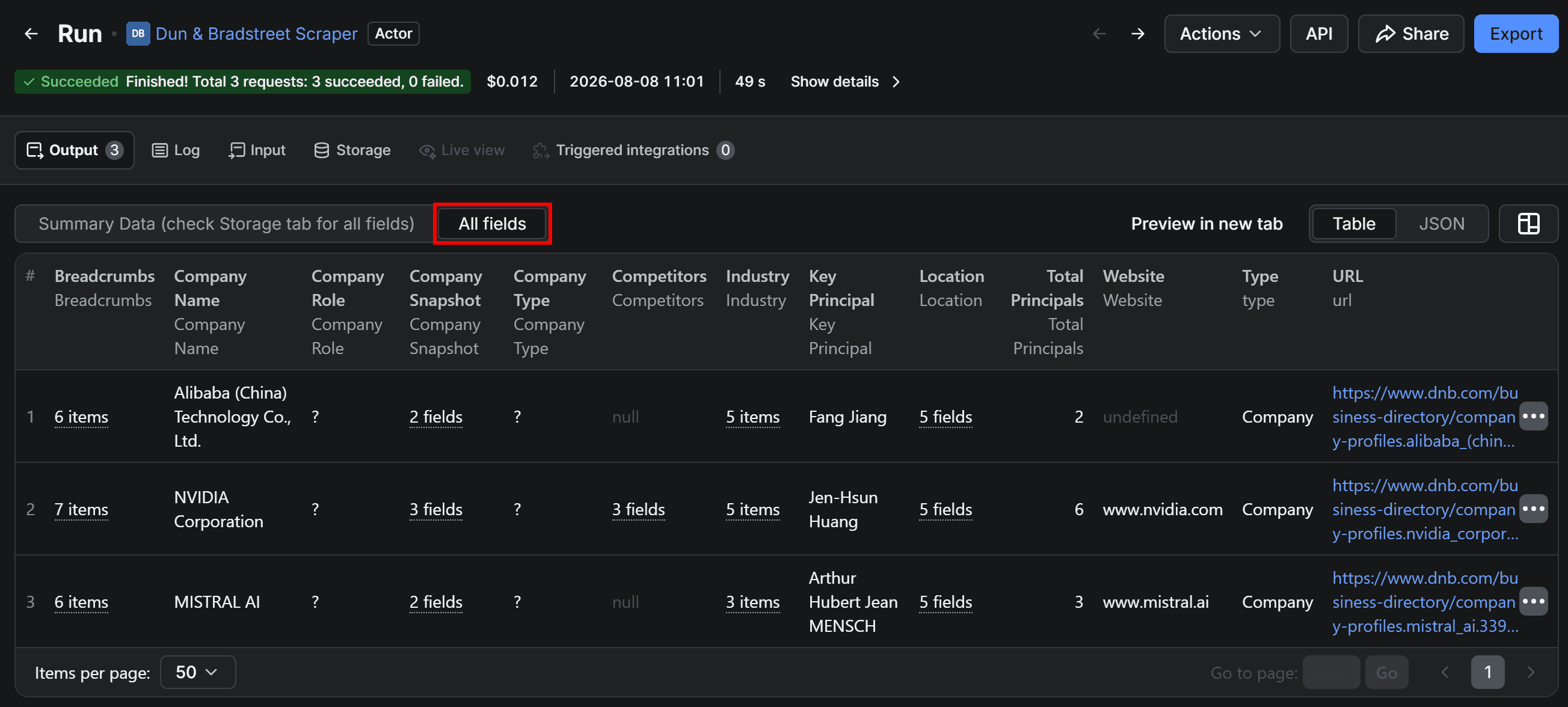
In the All fields table, you can see all scraped data. For structured fields (e.g., Company Snapshot, Competitors, and Industry), click them to view their contents.
Alternatively, switch to the JSON view:
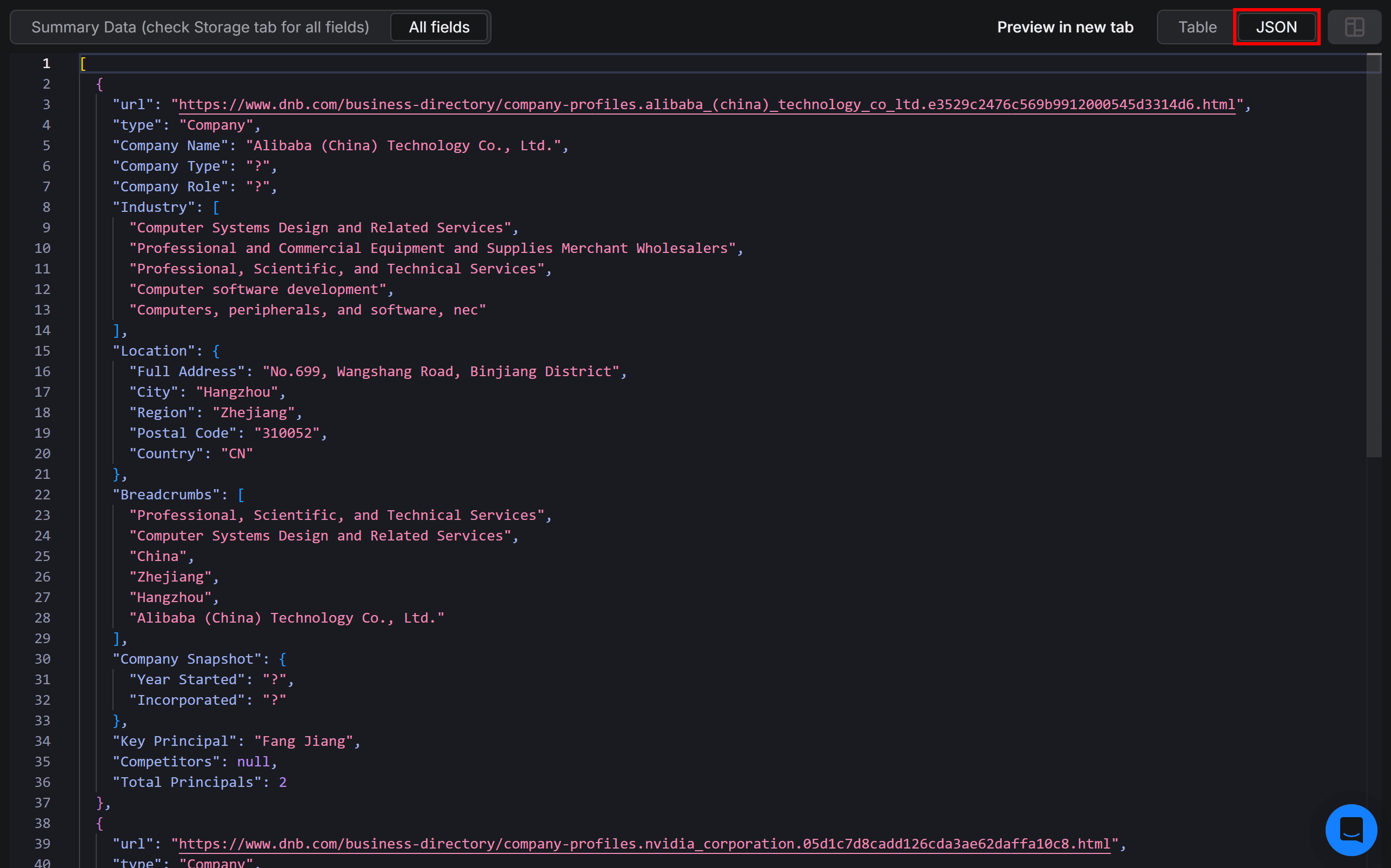
This gives you a clear view of all the Dun & Bradstreet data retrieved by the Actor.
Step #4: Export the dataset
On the Actor’s run page, click Export in the top-right corner:
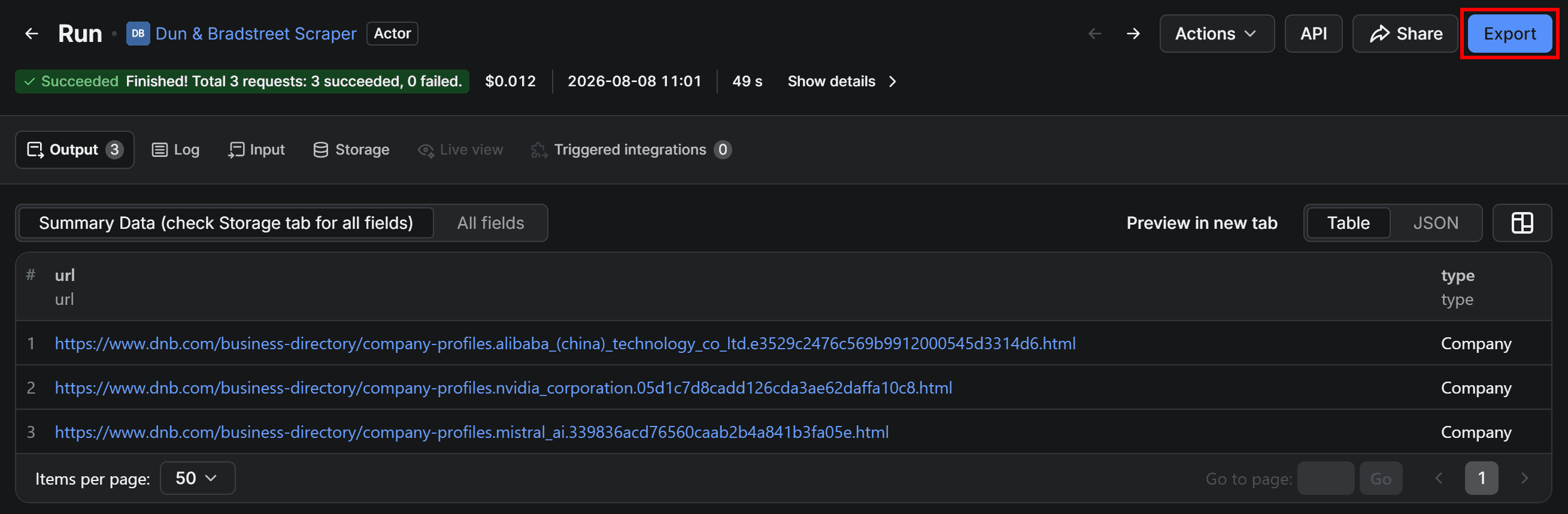
The Export dataset modal will appear, allowing you to export the dataset in JSON, XLS, CSV, or other formats.
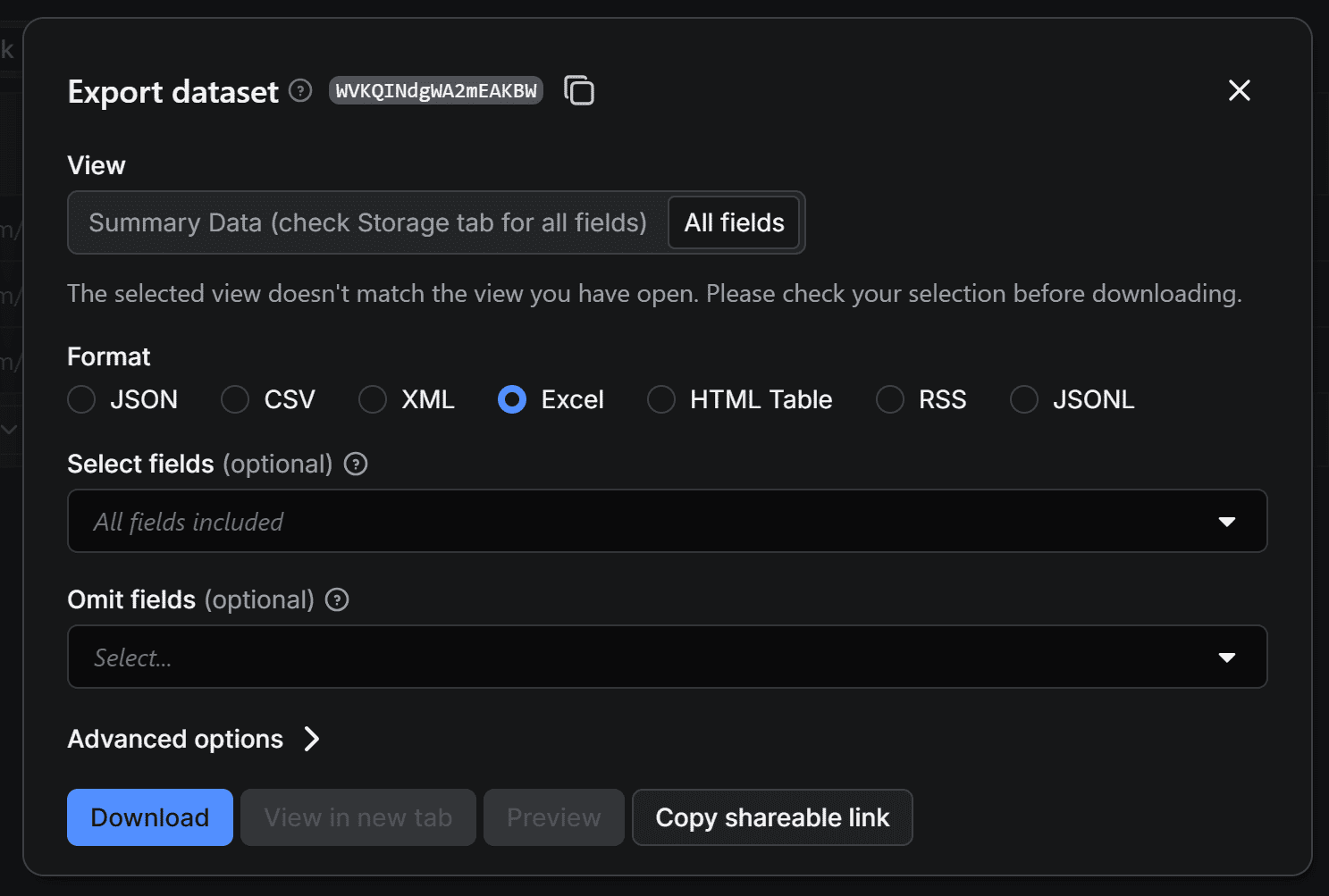
For example, select Excel and press Download.
A dataset_dnb-scraper_<timestamp>.xlsx file will be downloaded. Open it to view the exported data:

The file contains a flat version of the scraped Dun & Bradstreet data. Filter and explore the data in Excel or import it into your data analysis pipeline.
How to use the company data API in your AI workflow
Here, you’ll see how to turn Dun & Bradstreet Scraper into a company data API that supplies firmographic information to an LLM.
You’ll build a Python script that:
- Calls the Actor via API;
- Retrieves the scraped D&B data;
- Converts it to JSON;
- Passes it directly to an OpenAI model for AI processing.
Prerequisites
To follow this tutorial, make sure you have:
- An Apify API token.
- An OpenAI API key.
- Python 3.11+ installed locally.
You’ll also need a Python project. Install the required libraries with:
pip install apify-client openai
These are:
apify-client: The Apify API client for Python, used to call Dun & Bradstreet Scraper via API.openai: To process the data retrieved from the Apify-powered DnB API with an OpenAI LLM.
Step #1: Trigger the Actor through the Apify API
On the Dun & Bradstreet Scraper Actor page, select API > API clients:

In the API clients modal, switch to the Python tab:
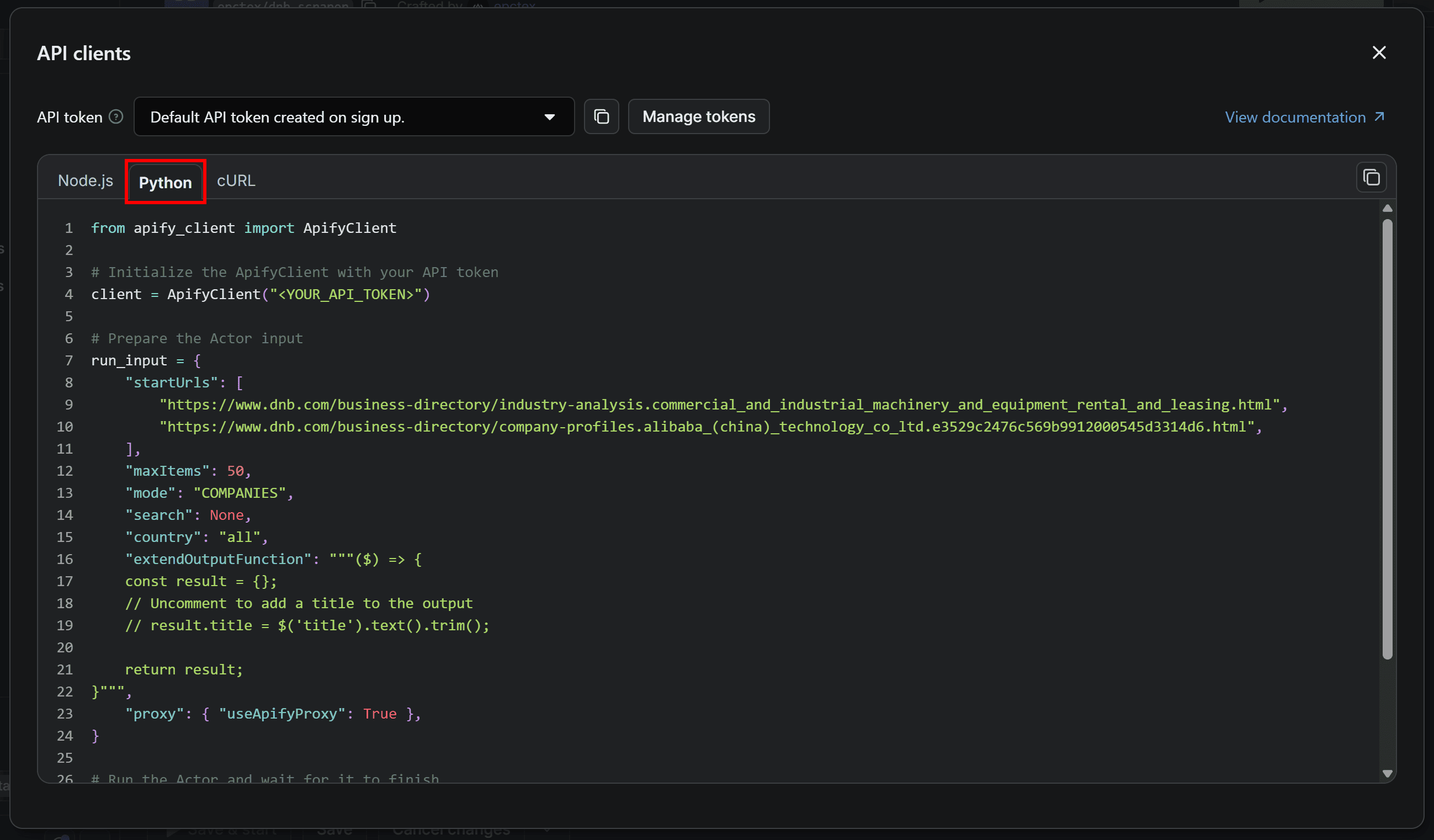
You’ll get a simple Python snippet that:
- Configures a Dun & Bradstreet Scraper run;
- Launches the Actor via the Apify API client for Python;
- Waits until the Actor finishes;
- Gets the resulting dataset ID;
- Fetches and iterates through the results.
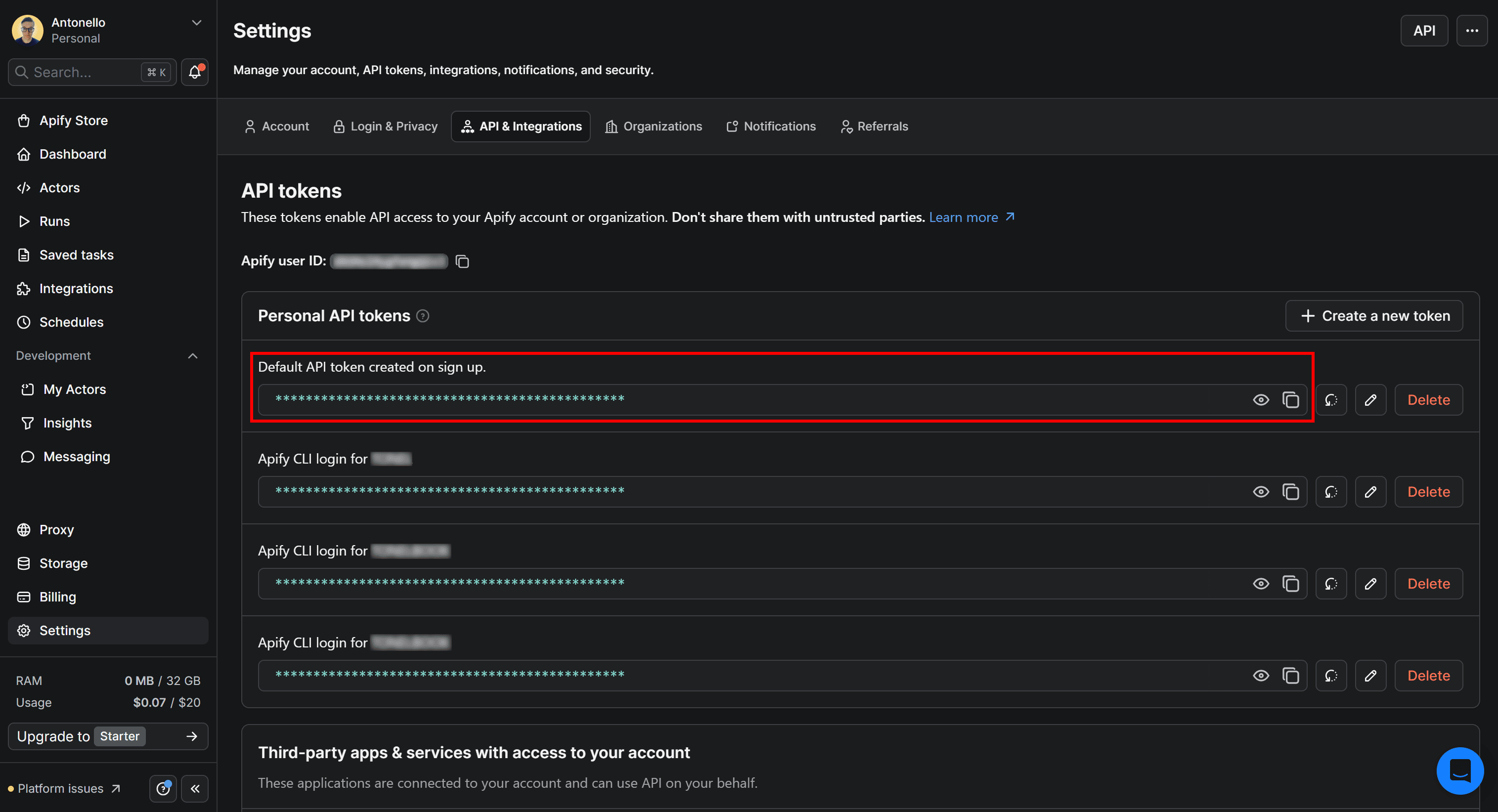
The snippet provided in Apify Console contains a <YOUR_API_TOKEN> placeholder. You need to replace it with your Apify API token, which you can find in the Settings > API & Integrations section of Apify Console. You can also access that page by clicking Manage tokens:
The returned snippet configures a sample input for the Dun & Bradstreet Scraper Actor. Adapt the run_input object to specify your target URLs and the desired behavior. Get a JSON version of the Actor’s input from Apify Console:
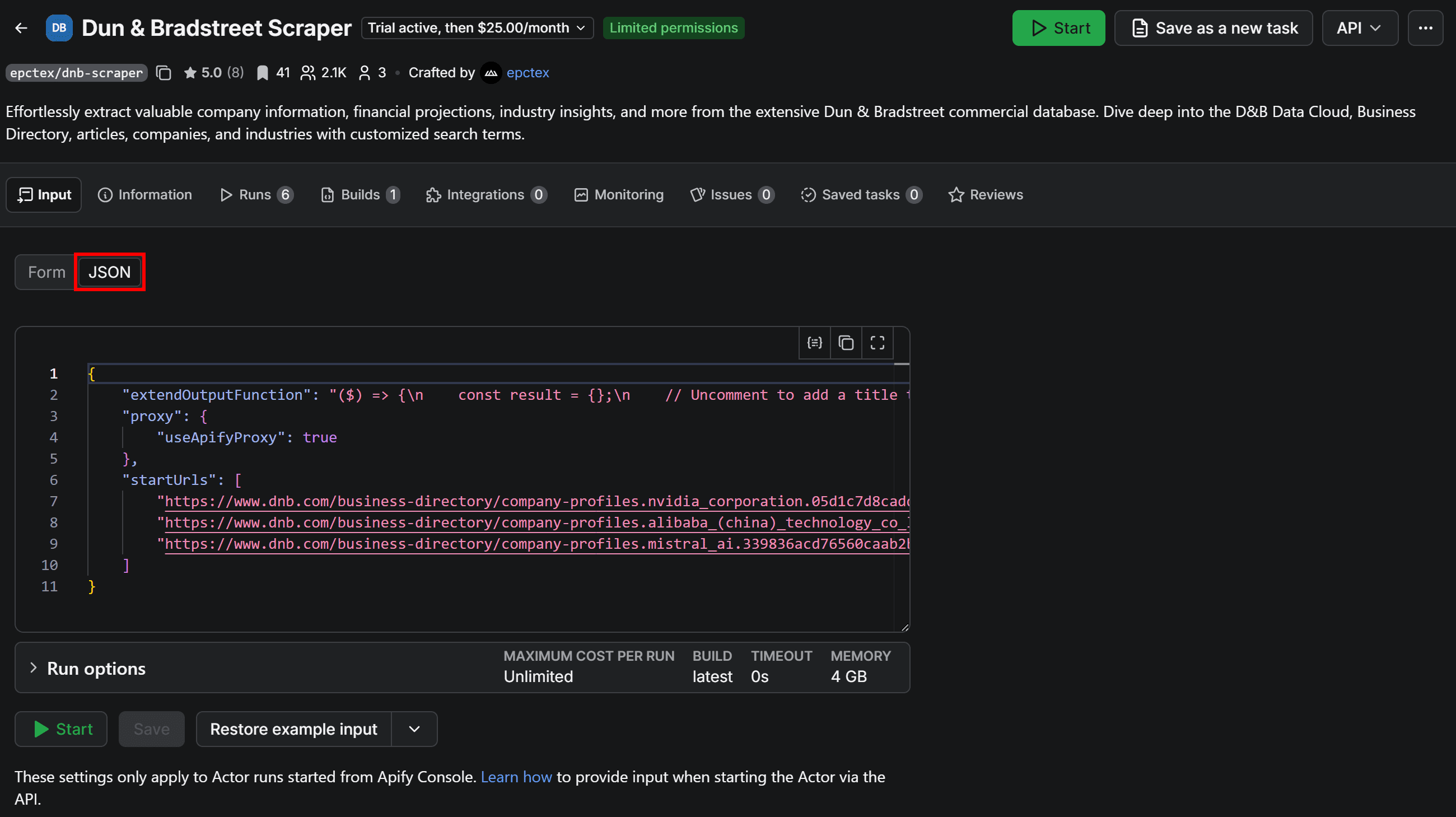
You can easily adapt that JSON to a Python object. Add a constant for the Apify API token, update run_input, and you’ll get the following snippet:
from apify_client import ApifyClient

# Replace <YOUR_API_TOKEN> with your actual Apify API token
APIFY_API_TOKEN = "<YOUR_API_TOKEN>"
# Initialize the ApifyClient
client = ApifyClient(APIFY_API_TOKEN)

# Prepare the Actor input
run_input = {
  "extendOutputFunction": "($) => {\n    const result = {};\n    // Uncomment to add a title to the output\n    // result.title = $('title').text().trim();\n\n    return result;\n}",
  "proxy": {
    "useApifyProxy": True
  },
  "startUrls": [
    "https://www.dnb.com/business-directory/company-profiles.nvidia_corporation.05d1c7d8cadd126cda3ae62daffa10c8.html",
    "https://www.dnb.com/business-directory/company-profiles.alibaba_(china)_technology_co_ltd.e3529c2476c569b9912000545d3314d6.html",
    "https://www.dnb.com/business-directory/company-profiles.mistral_ai.339836acd76560caab2b4a841b3fa05e.html"
  ],
  "mode": "COMPANIES",
  "country": "all"
}

# Run the Actor and wait for it to finish
run = client.actor("WeOty7LW7tLRrD2UD").call(run_input=run_input)

# Fetch and print Actor results from the run's dataset (if there are any)
for item in client.dataset(run.default_dataset_id).iterate_items():
    print(item)
Step #2: Retrieve structured company data
Execute the Python script, and you’ll get an output like this:
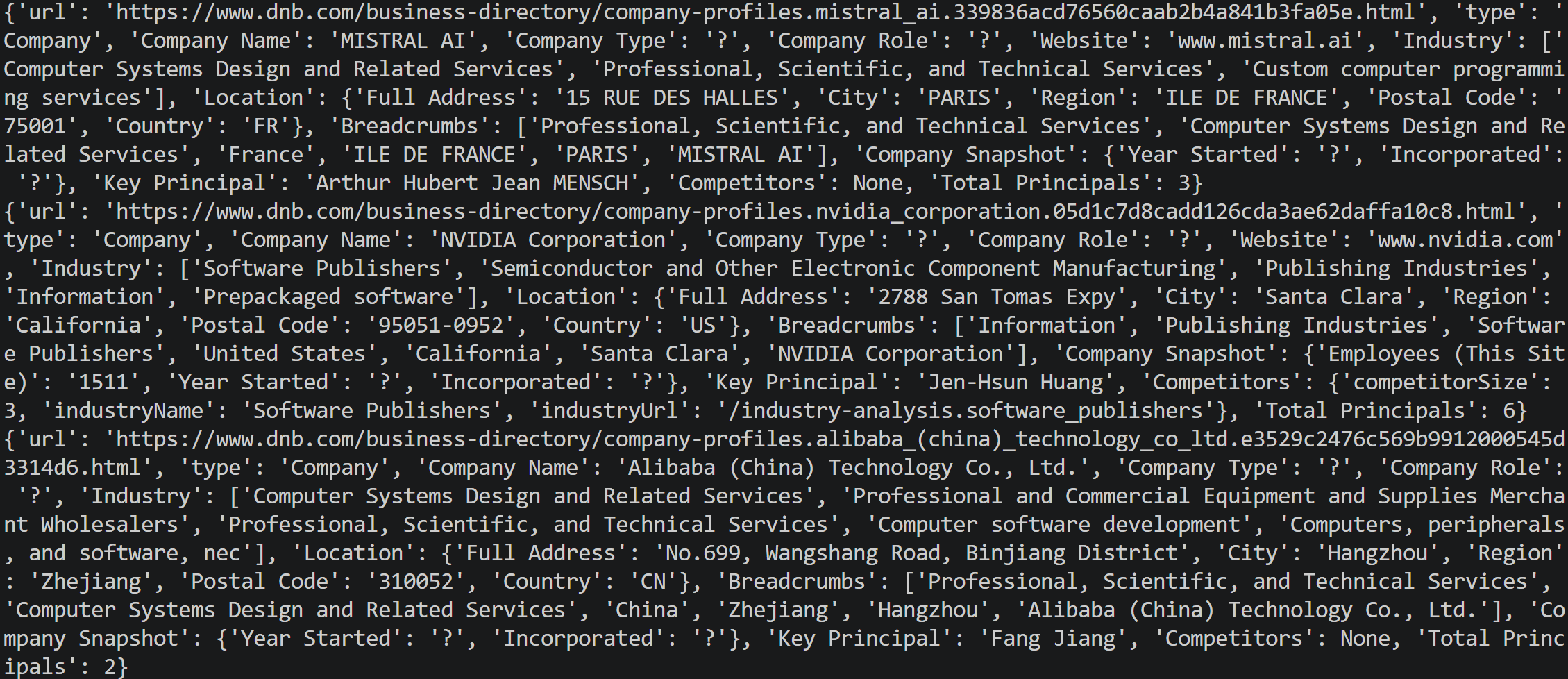
Note how each item in the dataset is a Python object containing data fields populated by scraping the corresponding Dun & Bradstreet company page.
The Actor-based company data API returns a dataset that you can export to JSON with:
import json

companies = client.dataset(run.default_dataset_id).list_items().items

with open("dnb_companies.json", "w", encoding="utf-8") as f:
    json.dump(companies, f, indent=2, ensure_ascii=False)
The snippet creates a dnb_companies.json file containing the retrieved company data:
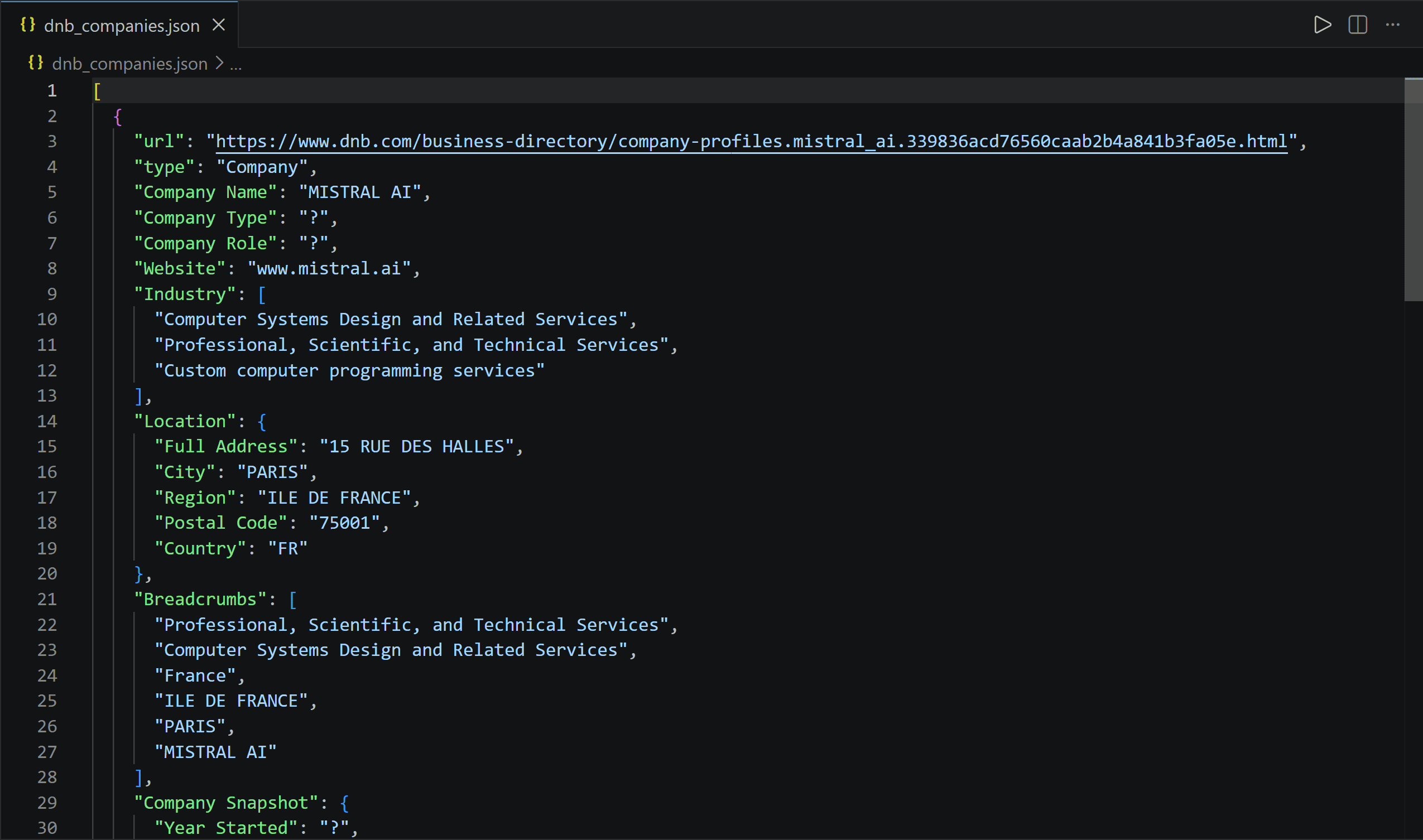
The resulting file corresponds to the JSON version of the dataset you can download from Apify Console. That’s much better suited as data for AI than the raw HTML of D&B pages.
Step #3: Feed company data into an LLM
The easiest way to analyze the Dun & Bradstreet company information is to pass it directly to an LLM. The idea is to:
- Use the Dun & Bradstreet Scraper as a company data API through Apify;
- Collect the D&B data;
- Serialize it as JSON and embed it into an OpenAI prompt.
For example, you can ask the LLM to produce a Markdown comparing the companies by summarizing their similarities and differences:
from apify_client import ApifyClient
import json
from openai import OpenAI

# Replace <YOUR_OPENAI_API_KEY> with your actual OpenAI API key
OPENAI_API_KEY = "<YOUR_OPENAI_API_KEY>"

# D&B data retrieval logic via Apify...
companies = client.dataset(run.default_dataset_id).list_items().items

# Initialize the OpenAI API client
openai_client = OpenAI(api_key=OPENAI_API_KEY)

# Analzye the scraped D&B data with an LLM
response = openai_client.responses.create(
    model="gpt-5.4-mini",
    instructions="You are a business data analyst who responds in plain Markdown.",
    input=f"""
Compare the companies in this dataset and create a Markdown table covering company name, country, city, industry, website, key principal, and number of principals. After the table, summarize the most important similarities and differences between the companies.

DATASET:
{json.dumps(companies, indent=2, ensure_ascii=False)}
""",
)

with open("dnb_companies_report.md", "w", encoding="utf-8") as f:
    f.write(response.output_text)
The result will be a Markdown report saved as dnb_companies_report.md.
This is just one example of what you can do with your Apify-backed D&B API. By changing the prompt, you can use the same code to identify potential competitors, summarize company profiles, or build business research workflows around Dun and Bradstreet data.
Step #4: Final code
Put everything together, and you’ll get the following Python code:
# pip install apify-client openai

from apify_client import ApifyClient
import json
from openai import OpenAI

# Replace <YOUR_OPENAI_API_KEY> with your actual OpenAI API key
OPENAI_API_KEY = "<YOUR_OPENAI_API_KEY>"
# Replace <YOUR_API_TOKEN> with your actual Apify API token
APIFY_API_TOKEN = "<YOUR_API_TOKEN>"

# Initialize the ApifyClient
client = ApifyClient(APIFY_API_TOKEN)

# Prepare the Actor input
run_input = {
  "extendOutputFunction": "($) => {\n    const result = {};\n    // Uncomment to add a title to the output\n    // result.title = $('title').text().trim();\n\n    return result;\n}",
  "proxy": {
    "useApifyProxy": True
  },
  "startUrls": [
    "https://www.dnb.com/business-directory/company-profiles.nvidia_corporation.05d1c7d8cadd126cda3ae62daffa10c8.html",
    "https://www.dnb.com/business-directory/company-profiles.alibaba_(china)_technology_co_ltd.e3529c2476c569b9912000545d3314d6.html",
    "https://www.dnb.com/business-directory/company-profiles.mistral_ai.339836acd76560caab2b4a841b3fa05e.html"
  ],
  "mode": "COMPANIES",
  "country": "all"
}

# Run the Actor and wait for it to finish
run = client.actor("WeOty7LW7tLRrD2UD").call(run_input=run_input)

# Fetch the results from the run's dataset
companies = client.dataset(run.default_dataset_id).list_items().items

# Initialize the OpenAI API client
openai_client = OpenAI(api_key=OPENAI_API_KEY)

# Analzye the scraped D&B data with an LLM
response = openai_client.responses.create(
    model="gpt-5.4-mini",
    instructions="You are a business data analyst who responds in plain Markdown.",
    input=f"""
Compare the companies in this dataset and create a Markdown table covering company name, country, city, industry, website, key principal, and number of principals. After the table, summarize the most important similarities and differences between the companies.

DATASET:
{json.dumps(companies, indent=2, ensure_ascii=False)}
""",
)

# Export the AI-generated report to a Markdown file
with open("dnb_companies_report.md", "w", encoding="utf-8") as f:
    f.write(response.output_text)
Run the script, and it’ll generate a dnb_companies_report.md file containing a report like this:
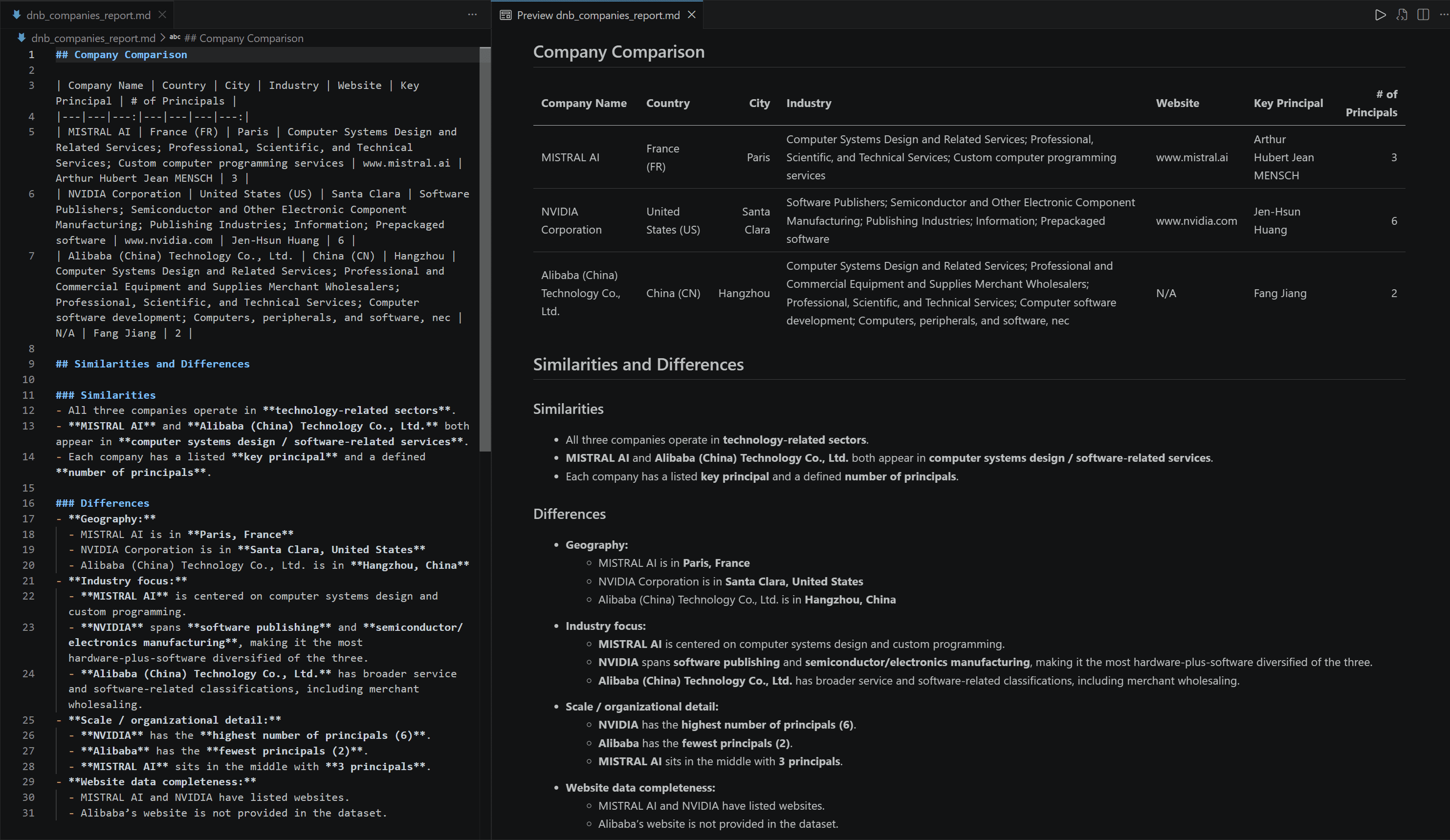
The report is fully backed by the data retrieved via your custom company data API, implemented with Apify's Dun & Bradstreet Scraper.
Build AI workflows connected to your company data API
The Python example above is just one way to connect your business data API to an AI workflow. Apify provides other methods to integrate scraped D&B data directly with AI agents and automation platforms.
The Apify MCP server lets MCP-compatible clients such as Claude, ChatGPT, Grok, and Cursor discover Actors, run them, and retrieve their results. This means an AI agent can trigger Dun & Bradstreet Scraper on demand whenever it needs fresh company information.
You can also connect your Actor-based business data API to workflows built with n8n, Make, Zapier, and Gumloop. A typical pipeline involves these steps:
- Retrieve D&B data through the Apify Actor using Apify’s official integration node;
- Feed the scraped company data to an LLM for analysis;
- Send the results by email or store them in a database.
Some relevant use cases supported by an Apify-powered D&B API include:
| Use case | Description |
|---|---|
| CRM enrichment | Append firmographic and operational data to customer records. |
| Lead scoring | Enrich prospect profiles with company financials to prioritize high-potential sales targets. |
| Company research | Research companies and identify potential customers, accounts, or business opportunities. |
| Competitor mapping | Identify and compare direct and indirect competitors across industries and regions. |
| Sales intelligence | Generate actionable market insights and account intelligence for sales and account management teams. |
For more ideas on implementing similar workflows, check out the following resources:
- Automated market research: Build end-to-end workflows from one platform
- How to collect TikTok Shop product data for sales intelligence
- Marketing intelligence tools: build your own AI pipeline
- How to use web scraping for lead generation
- Extract contact details from Google Maps and enrich it in one run
Conclusion
D&B Direct+ offers programmatic access to Dun & Bradstreet company data, but it’s expensive and requires enterprise contracts. You can collect some of the same information more affordably by scraping D&B company pages.
Apify provides the infrastructure and tools to build your own company data API. Dun & Bradstreet Scraper returns publicly scraped data from D&B pages. You can integrate this Actor with AI agents through Apify MCP or call it in custom workflows via API.
FAQ
What is the Dun & Bradstreet API?
The Dun & Bradstreet API (Direct+) provides programmatic access to D&B business data. It targets enterprises that need structured company information for applications, data enrichment, risk analysis, and other business use cases.
Can I access Dun & Bradstreet data without Direct+?
Yes, you can collect company data without using the enterprise D&B API by scraping public Dun & Bradstreet API company profiles. A scraper can collect the available information from those pages and return it as structured data for further processing.
What company data can I retrieve by scraping Dun & Bradstreet?
Scraping Dun & Bradstreet gives you access to firmographic fields such as company name, website, industry, address, location, and key principals. Available fields vary by company profile, and some information may be missing or unavailable.
What is the difference between a company data API and a business data API?
The terms company data API and business data API are often used interchangeably, but they can have different scopes. The first focuses on firmographic, corporate structure, and financial information about registered companies. The latter covers a broader range of information, including local businesses, storefronts, consumer reviews, and public listings.
Can I use company data with ChatGPT or Claude?
Yes, a company data API can be integrated with several AI tools, including ChatGPT and Claude. Apify supports this directly through its MCP server, which ChatGPT, Claude, and other MCP-compatible AI assistants can natively connect to.