
Companies increasingly rely on automation to handle market research tasks such as competitor intelligence, price benchmarking, customer review analysis, and social sentiment monitoring. Yet most workflows remain fragmented, split across vertical tools that create data silos, tool sprawl, and inconsistent insights.
This article shows a more unified approach using Apify as a central layer for automated market research. You’ll see how to build a real end-to-end competitive intelligence workflow that connects multiple data sources into a single report.
How to define a market research automation strategy
To build an effective automated market research pipeline, you need a clear strategy. This involves the following steps.
1. Set your research goal
Start by setting clear business objectives, such as:
- Competitor intelligence: Monitor competitor ads, positioning, messaging, rankings, product launches, and customer perception over time.
- Market validation: Evaluate product demand, competitor saturation, customer pain points, and audience interest before launching a product.
- Pricing analysis: Track competitor pricing, discounts, product availability, and promotions to better understand market positioning.
- Customer sentiment: Analyze reviews, ratings, and online discussions to identify recurring complaints, feature requests, and satisfaction trends.
- Trend discovery: Monitor emerging products, viral topics, search demand, and customer conversations to spot market opportunities early.
- Lead and market mapping: Identify companies, locations, decision-makers, or local competitors within a target market or region.
2. Define target KPIs
Once you define a goal, select the key performance indicators (KPIs) that help measure it. These depend heavily on the selected goals.
For example, in a competitor intelligence workflow, you can track Google ranking position changes, estimated organic traffic changes (% month-over-month growth), number of indexed pages, backlink growth rate, and review count growth per competitor.
For pricing analysis goals, you can measure average price per SKU, price variance across competitors (% difference between lowest and highest price), discount frequency (number of discounts per month), and average discount depth (% off).
3. Select the right data sources
The quality of your research depends on where your analysis data comes from and how frequently this data is updated. Define the right data sources needed to collect inputs for calculating your KPIs, based on each market research goal.
| Research goal | Possible data sources for KPI measurement |
|---|---|
| Competitor intelligence | Competitor websites (pricing pages, blogs, product pages), Google Search results, Google SERP tracking tools, AI overview results, etc. |
| Market validation | Reddit, Quora, Product Hunt, niche forums, Amazon product pages, Shopify stores, Google Search Trends, etc. |
| Pricing analysis | E-commerce marketplaces (e.g., Amazon, eBay, Walmart), Shopify-powered stores, pricing pages, Google Shopping results, etc. |
| Customer sentiment | Trustpilot, G2, Google Maps reviews, Amazon reviews, Reddit discussions, X (Twitter) posts, YouTube comments, etc. |
| Trend discovery | Google Trends, Google News, TechCrunch, The Verge, Product Hunt, Reddit trending posts, X (Twitter) trending topics, etc. |
| Lead and market mapping | Google Maps, Crunchbase, LinkedIn company pages, ZoomInfo, industry directories (e.g., Clutch, Yelp), etc. |
4. Find the right monitoring cadence
Markets constantly change, which means insights quickly become outdated. Instead of collecting a single snapshot, you must find the right time span (hours, days, weeks, or months) to repeatedly run your workflow. For instance, you might track pricing daily, monitor reviews weekly, and analyze competitors monthly.
How automated market research tools work
Market research automation is usually performed via dedicated tools that combine these building blocks in a single system:
- Data collection: Retrieve structured and unstructured market data using web scraping, APIs, or direct integrations. This also includes data cleaning and preparation tasks, such as formatting the data, removing duplicate fields, and preparing it for further market analysis.
- Monitoring: Once data is collected, scheduling turns it into a continuous process. Instead of one-time snapshots, tools periodically collect data from the same sources over time. This allows you to track changes for regular analysis, get an on-demand view of the market, or follow it in near real time.
- Analysis and AI processing: Analytics pipelines calculate target KPIs from the retrieved data. On top of that, ML systems and AI models enrich the data by generating structured insights and summaries, or aggregating it all into final reports.
- Automation: Automatically send reports via email, trigger alerts when KPIs change, update dashboards, send notifications, or feed data into downstream systems like spreadsheets, presentation API, BI tools, or AI agents.
The biggest challenges with market research automation tools
The main obstacle in the automated market research tool landscape is fragmentation. Most tools are highly specialized and focus on only one aspect:
| Category | Primary focus | Known tools |
|---|---|---|
| Survey tools | Customer feedback | Typeform, SurveyMonkey, Google Forms |
| SEO tools | Search visibility | Ahrefs, Semrush, Moz, AnswerThePublic |
| Social listening | Online conversations | Brandwatch, Hootsuite, Sprout Social |
| Competitor intelligence | Pricing, positioning, and market activity | Similarweb, SpyFu, Crayon |
The problem is that market research is a broad task, and a good strategy goes beyond focusing on a single aspect.
That fragmentation creates operational issues. Instead of working within a single system, teams end up stitching together multiple platforms. The result is overlapping subscriptions, increased workflow complexity, and disconnected insights. Altogether, these challenges make it difficult for companies to build a clear, holistic, reliable view of the market.
Apify’s approach to automated market research
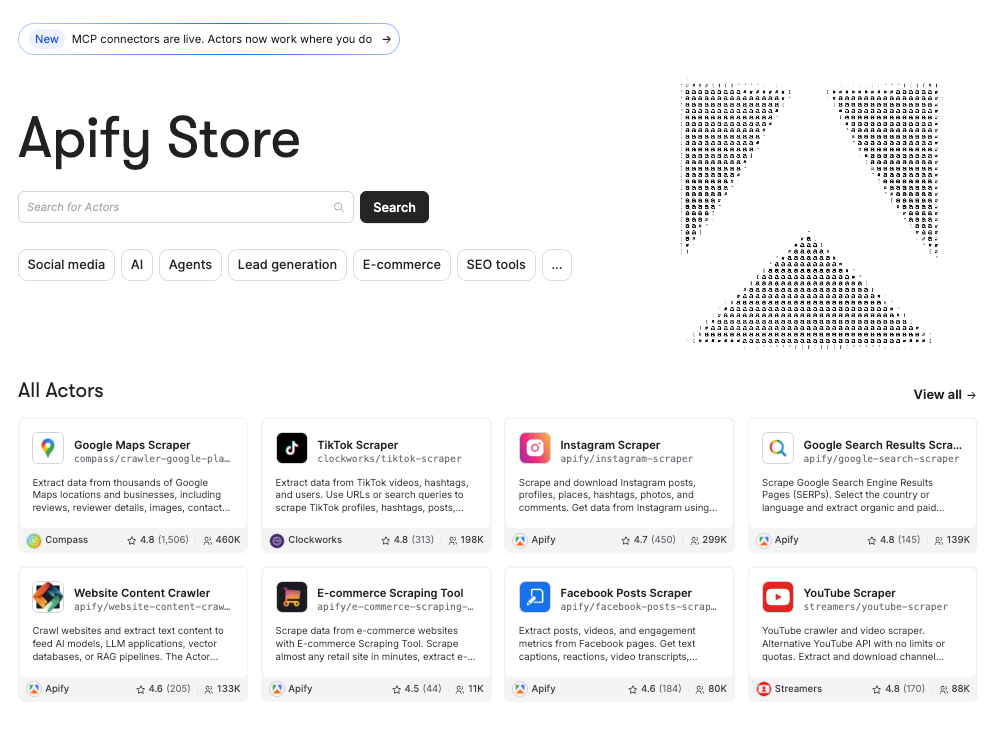
Apify is the largest marketplace of tools for AI. With thousands of Actors, it lets you automate web scraping, competitor tracking, pricing analysis, reviews, social listening, AI analysis, and much more.
Apify provides a unified platform where each Actor is a reusable building block. With just a few clicks, you can run ready-made tools or combine them into workflows tailored to your market research goals.
Instead of stitching together fragmented tools, you can trust Apify as the infrastructure layer for fully customizable market research automation. This approach replaces tool sprawl with a single ecosystem.
Best Apify Actors for market research automation
| Actor name | Goal | Inputs | Outputs | Best for | Built-in AI capabilities |
|---|---|---|---|---|---|
| Competitor Intelligence Hub | Multi-source competitor analysis and benchmarking | Competitor URLs, modules selection, country/language settings | Website, pricing, ads, social, reviews, tech stack, AI report | Price monitoring, competitive intelligence | ✅ |
| Google Ads Scraper | Extract Google Ads for competitor ad analysis | Google Ads Transparency Center advertiser URLs, results limit, scraping options (skip details, OCR, assets download) | Structured dataset with ad metadata, creatives, targeting, impressions, and timestamps | Competitor ad tracking, messaging analysis, and ad strategy benchmarking | ❌ |
| Google Maps Reviews Scraper | Extract Google Maps place reviews and metadata | Place URLs or IDs, max reviews, sort, filters, language, origin | Structured reviews dataset (text, rating, timestamps, reviewer info, images, place data) | Sentiment analysis, reputation tracking | ❌ |
| Amazon Reviews Scraper | Extract Amazon product reviews at scale | ASIN, domain code, filters (rating, pages, keywords) | Review text, ratings, metadata, images, summary stats | Sentiment analysis, price/product feedback | ❌ |
| G2 Reviews Scraper Real-Time | Extract real-time G2 product reviews | G2 URL, limit, sort order, filters (ratings, search) | Structured JSON reviews, markdown, pros/cons summaries | SaaS research, competitor monitoring, sentiment analysis | ❌ |
| Trustpilot Reviews Scraper | Extract and filter Trustpilot company reviews | Company website URL, filters (rating, language, country, pages, proxies) | Structured reviews + company metadata datasets | Competitor analysis, sentiment analysis, lead generation | ❌ |
| Social Media Sentiment Analysis Tool | Scrape social profiles and analyze comment sentiment | Profile name/handles, platform flags, limits, dates, sentiment toggle | Posts, comments, sentiment scores, metadata | Cross-platform social listening and sentiment analysis | ✅ |
| Google Maps Scraper | Extract Google Maps business data for lead generation | Search terms, location, categories, geolocation, filters, URLs | Business listings, reviews, contacts, images, enrichment dataset | Competitor discovery | ❌ |
| Google Search Results Scraper | Scrape Google SERPs for SEO, ads, AI insights | Queries/URLs, country, language, filters, AI modes | Organic & paid results, AI answers, PAA, ads, leads | SEO tracking, competitor research, AEO/GEO analysis | ✅ |
| Similarweb Advanced Scraper | Extract traffic, rankings, competitor intelligence | Domains list, caching settings, stealth options | Traffic metrics, engagement data, competitors, trends | SEO, market research, competitive analysis | ❌ |
| E-commerce Scraping Tool | Scrape product, price, and marketplace data | Product/category URLs, keywords, marketplaces, settings | Product data (price, reviews, sellers, stock, variants) | Price monitoring, product comparison, market research | ❌ |
How to build an automated competitor intelligence workflow in Apify
Apify offers multiple ways to automate market research tasks through its large Actor ecosystem. In this section, we’ll focus on a real-world, end-to-end workflow.
You’ll see how to use the Competitor Intelligence Hub – 7-in-1 Analysis Actor to build an automated market research workflow based on its seven core modules:
- Website Scanner: Crawls competitor pages and extracts titles, metadata, headings, CTAs, contacts, and page structure signals.
- Pricing Detector: Detects pricing pages, extracts prices, currencies, and available plan structures.
- Meta Ads Library: Finds active Meta ads and generates direct Ad Library links for competitors.
- Google Ads Transparency: Checks Google Ads Transparency data and returns advertiser activity links.
- Social Media: Identifies and ranks social profiles and optionally extracts engagement metrics.
- Reviews Aggregator: Collects ratings and reviews from major platforms like Google and Trustpilot.
- Technology Stack: Identifies website technologies, including frameworks, CMS, analytics, and infrastructure.
Finally, the Actor will call Gemini to generate a full competitor analysis report.
Prerequisites
To follow this tutorial, make sure you have:
- An Apify account.
- A Gemini API key for AI-generated competitive intelligence insights.
- A Google account to receive the marked research report results on Google Drive.
Step #1: Find the Actor
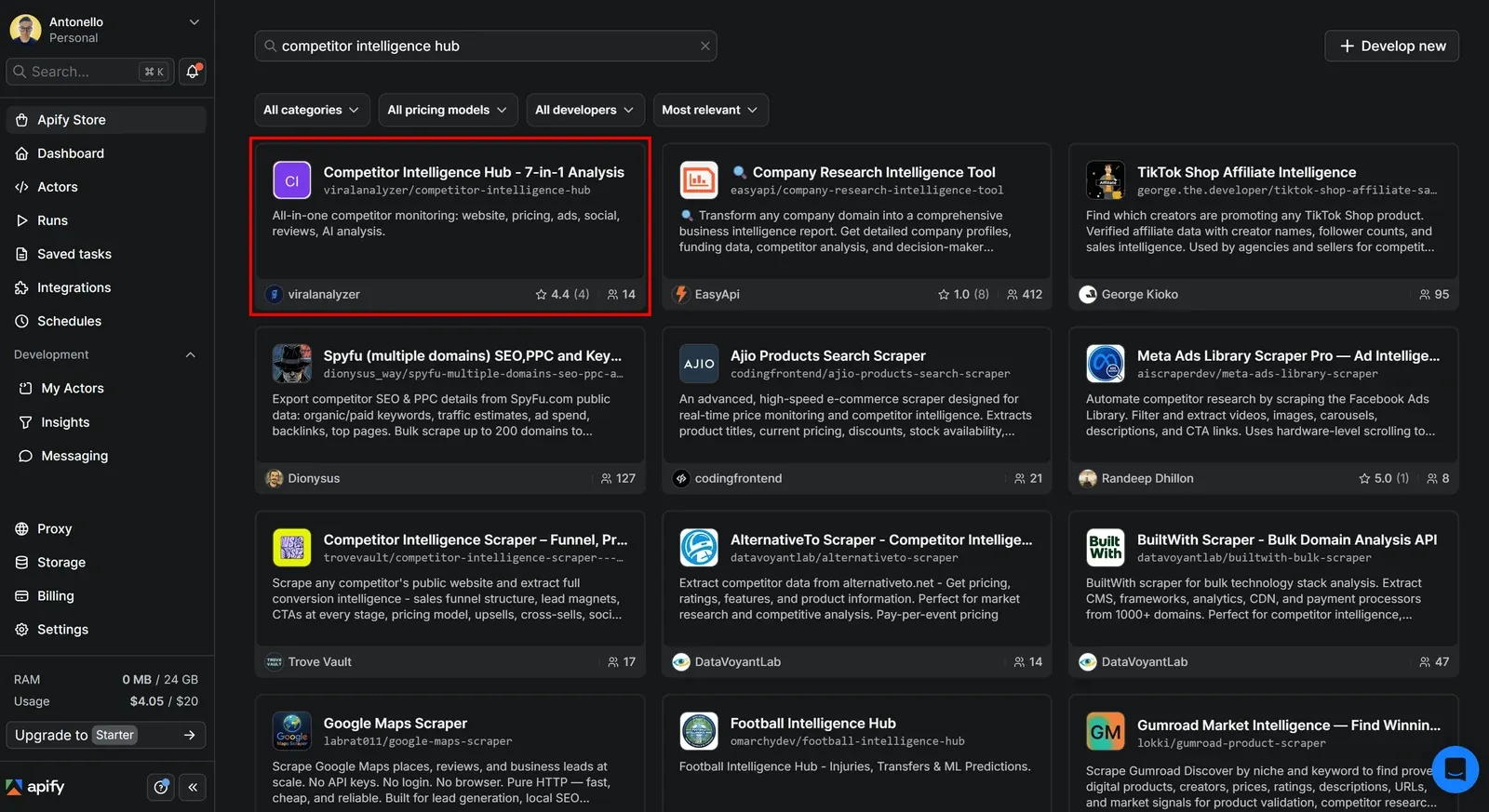
Log in to your Apify account, open Apify Console, then select Apify Store from the left-hand menu. Search for “competitor intelligence hub”, then select the equivalent card:
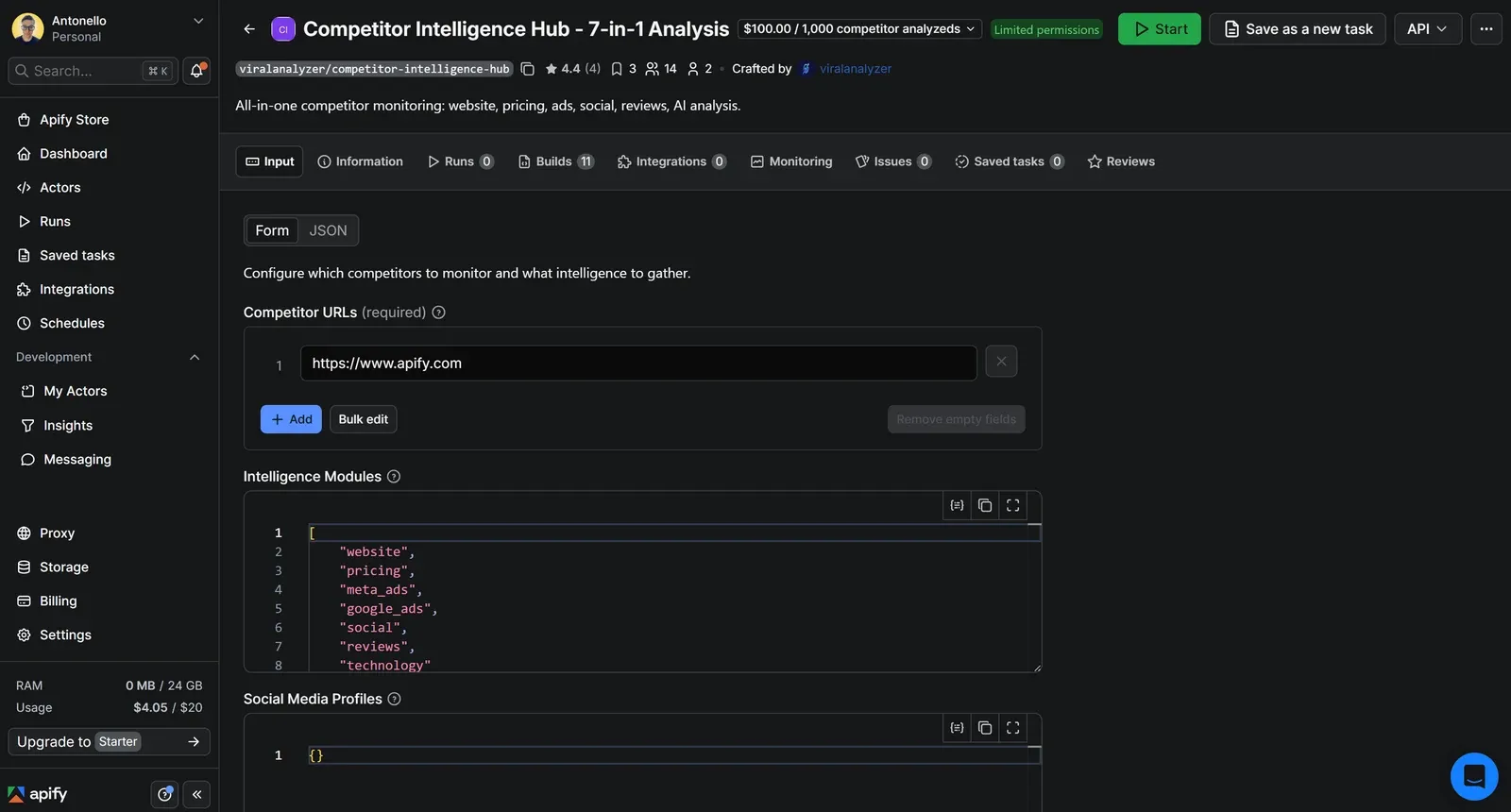
You’ll reach the Competitor Intelligence Hub Actor page:
Step #2: Configure the Actor Run
Assume you’re Obsidian, a popular note-taking and knowledge management application. Your goal is to generate a full competitive analysis against your main competitor: Notion.
Populate the input of Competitor Intelligence Hub as follows:
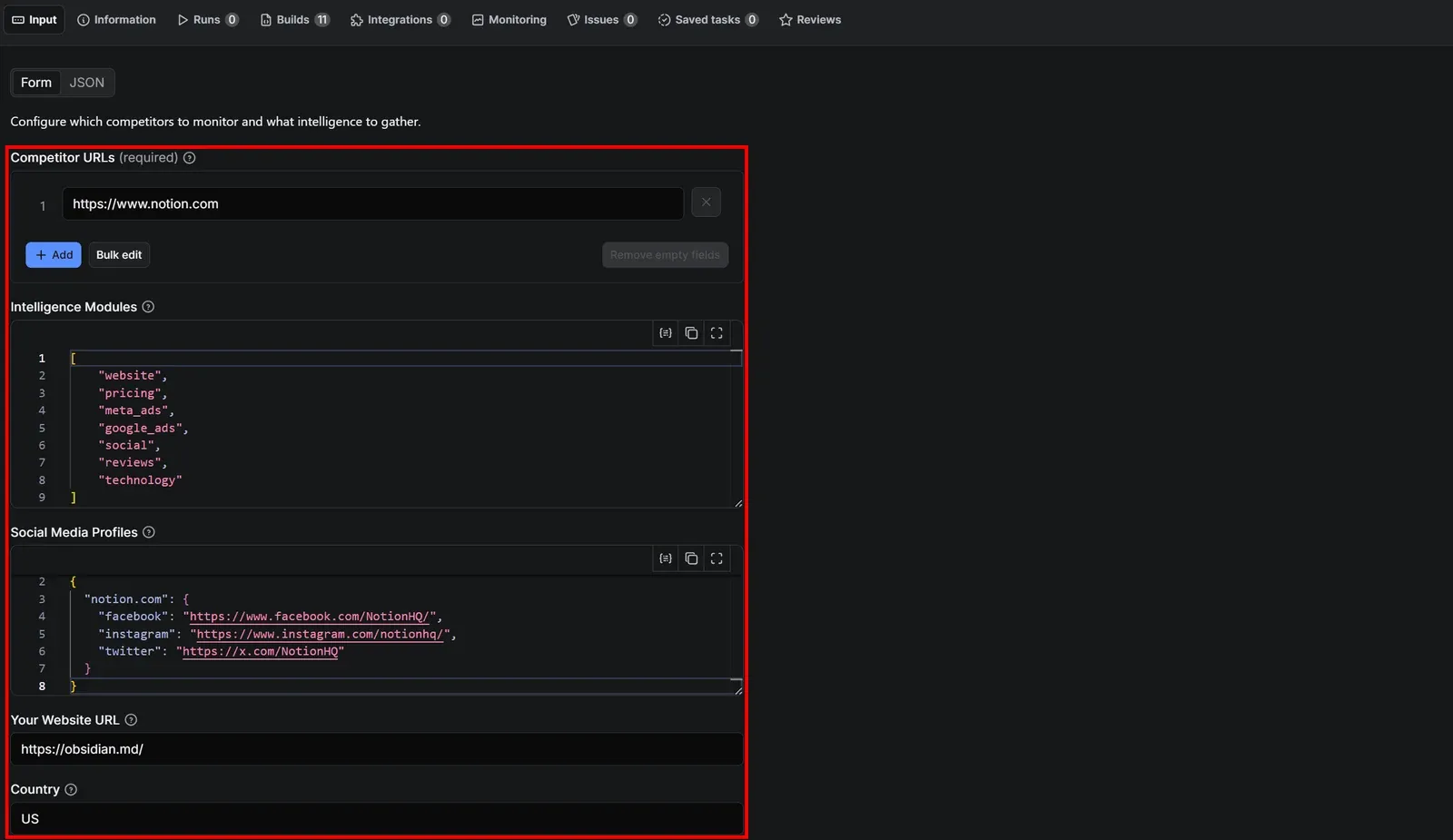
Competitor URLs:
https://www.notion.com
Paste the homepage of your target competitor. It’ll be used for crawling and to generate insights from Google, Trustpilot, Facebook Ads, and other sources.
Intelligence Modules:
[
    "website",
    "pricing",
    "meta_ads",
    "google_ads",
    "social",
    "reviews",
    "technology"
]
Enable all 7 modules to run a complete market research automation workflow.
Social Media Profiles:
{
  "notion.com": {
    "facebook": "https://www.facebook.com/NotionHQ/",
    "instagram": "https://www.instagram.com/notionhq/",
    "twitter": "https://x.com/NotionHQ"
  }
}
An optional JSON structure with a map of competitor social profiles grouped by domain.
Your Website URL:
https://obsidian.md/
Optionally include your own website for side-by-side comparison.
Country: US
Target country for ads and search results.
Max Pages Per Site: 20
Maximum number of pages to crawl per competitor website.
Step #3: Enable AI competitive analysis
To enable the Actor’s AI reporting capabilities, fill out the Language (e.g., en-US ) and Google Gemini API Key fields:

Thanks to this input configuration, Competitor Intelligence Hub will generate an AI competitive report by calling the gemini-2.0-flash model.
Based on the configured input, the Actor will crawl Notion’s website, pricing, ads, social presence, reviews, and tech stack. It’ll then combine all collected data into a structured, AI-enhanced competitive intelligence report. The output will also include a direct comparison with Obsidian.
Run the Actor by clicking Save & start:

The run takes a few minutes to complete.
Note: This Actor uses pay-per-result pricing, costing $0.10 (+ Gemini costs) per competitor analysis. The amount is deducted from your Apify balance. Since the free plan includes $5 in monthly credits, you can use the Actor at no cost within that allowance.
Step #4: Analyze and export results
This is the output you’ll get after the run ends:
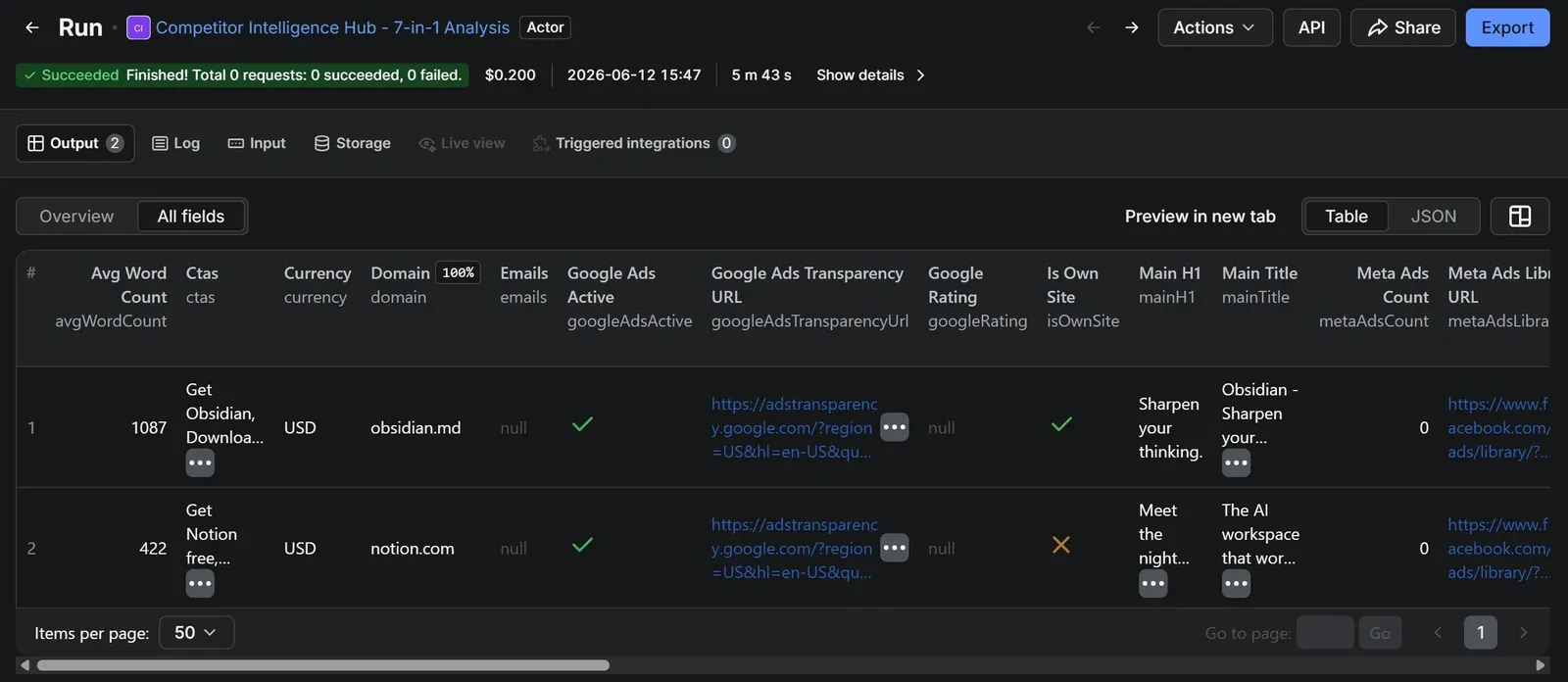
The resulting data contains a structured competitive intelligence snapshot for both Obsidian (your site) and Notion (your competitor). It includes website crawling results, site structure, messaging elements (titles, H1s, CTAs), pricing detection, advertising activity across Meta and Google, discovered social media profiles, review signals, and detected technologies.
It also compares technical stacks, market positioning, content depth, and overall digital presence to support competitive analysis. Note that this run costs $0.20, since two websites were analyzed.
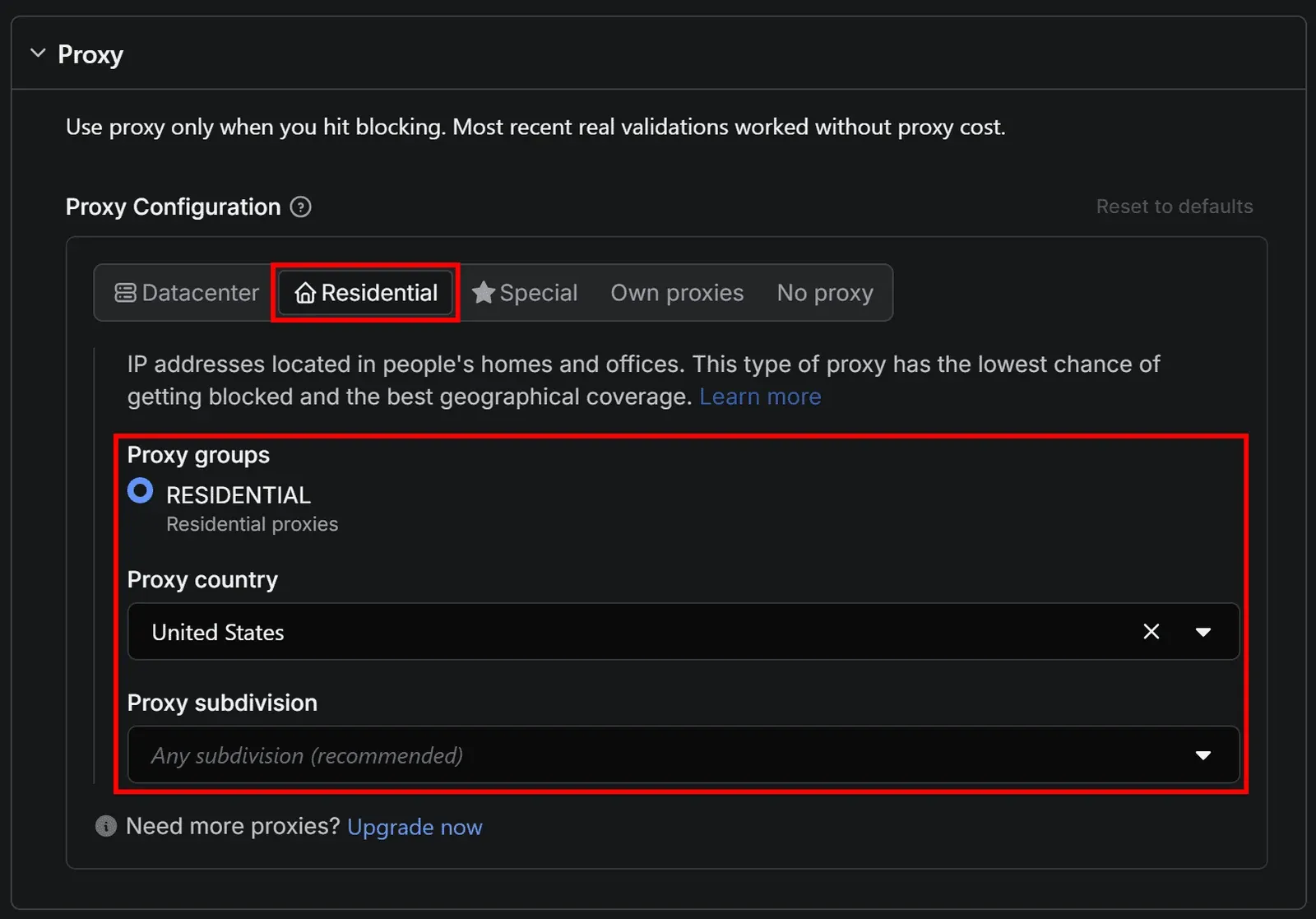
Important: If some pages get blocked (for example, you see 401 or 403 errors in the logs), rerun the Actor by populating the Proxy input field. Make sure the Apify built-in residential proxies are enabled and set the country to match your target market:
Step #5: Add the Google Drive integration
The Actor’s output is now available in Apify Console, where you can export it as a dataset in JSON, XLS, CSV, or other formats.
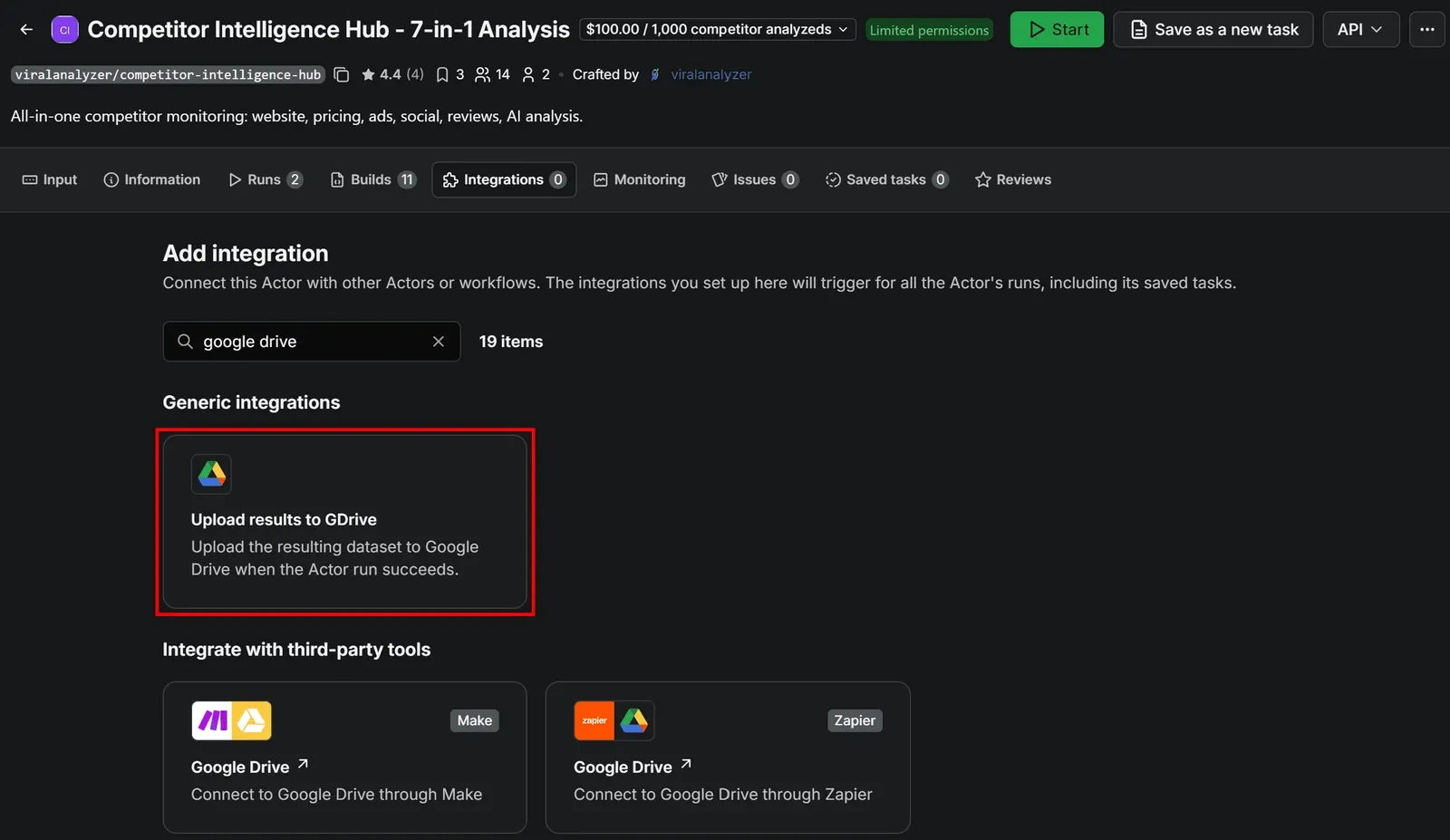
To send the results directly to Google Drive as a Google Sheets document, open the Integrations tab in the Actor page. Here, search and select the Upload results to GDrive integration:
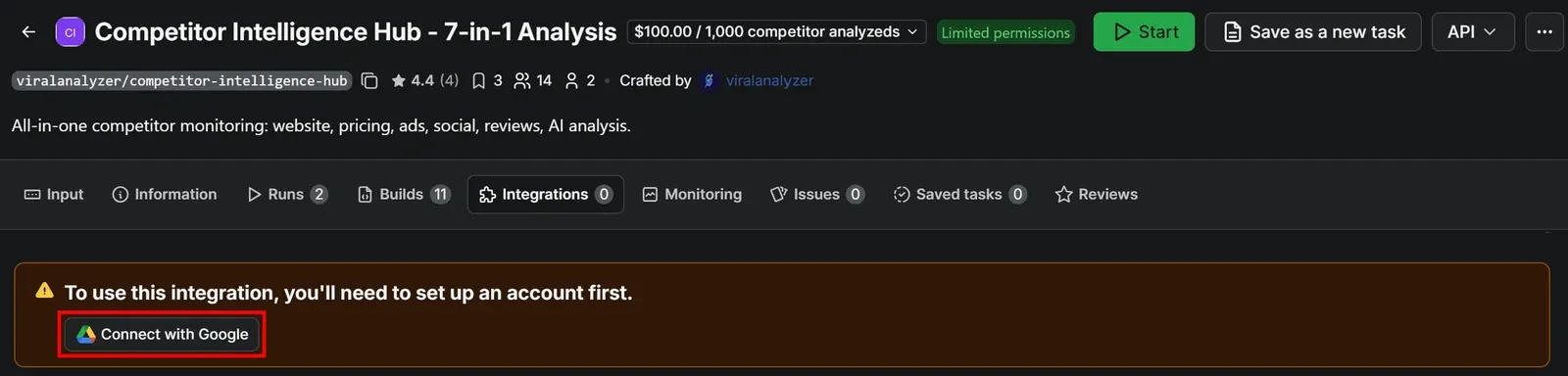
Press Connect with Google and follow the on-screen instructions. Make sure to grant Apify the necessary Google permissions:
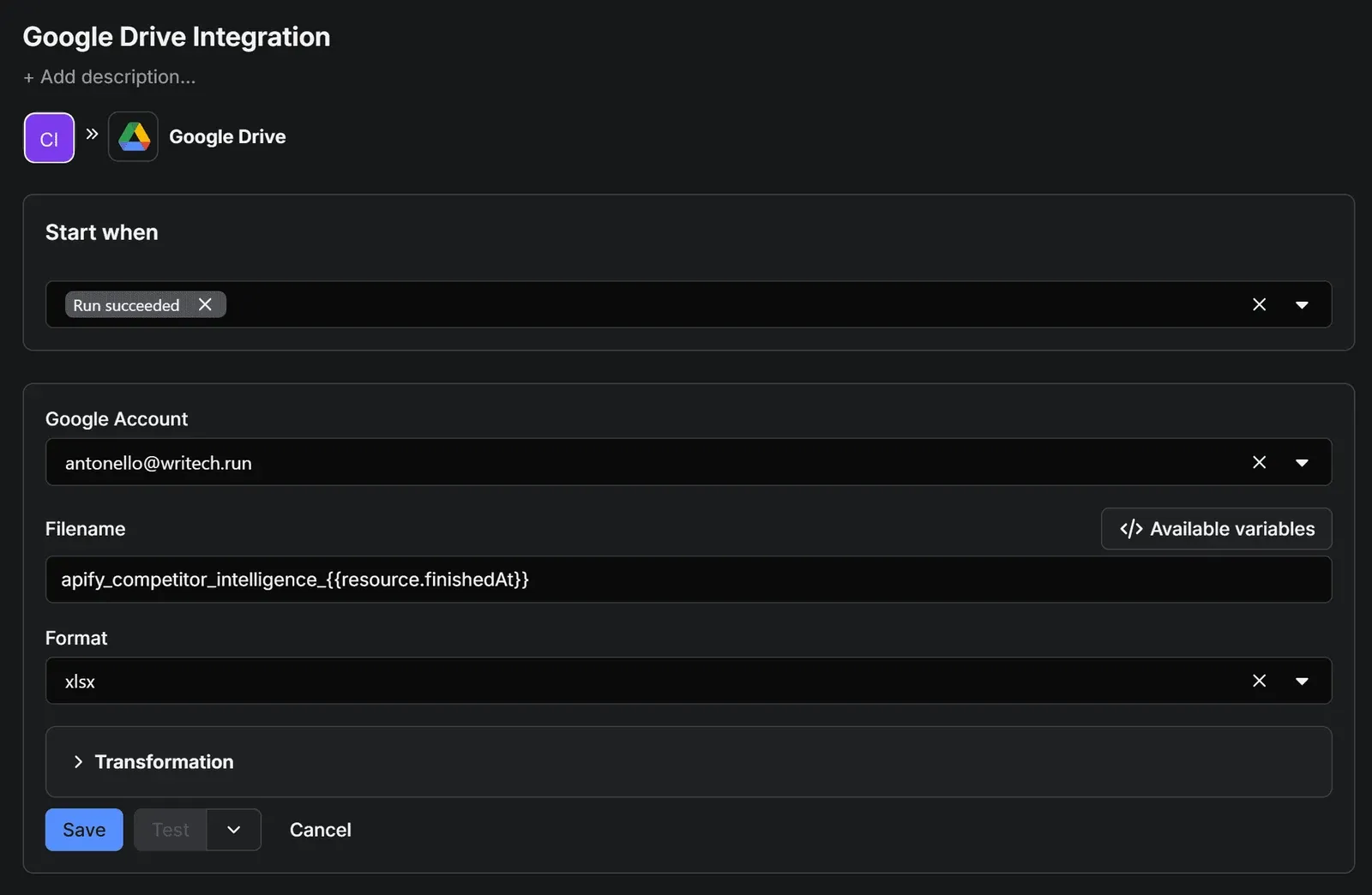
Once connected, you’ll be redirected to the setup page where you can customize how the dataset is uploaded to Google Drive.
Give the integration a name (e.g., “Google Drive Integration”). Then, configure the form as follows:
- Start when:
"Run succeeds"(ensures the upload starts only after the Actor completes successfully). - Google account: Select your connected Google account.
- Filename:
apify_competitor_intelligence_{{resource.finishedAt}} - Format:
xlsx(makes the output easy to open, share, and analyze in Google Sheets).
Note: {{resource.finishedAt}} is a built-in variable representing the Actor run completion time. Adding it to the filename helps distinguish runs and prevents future overwrites.
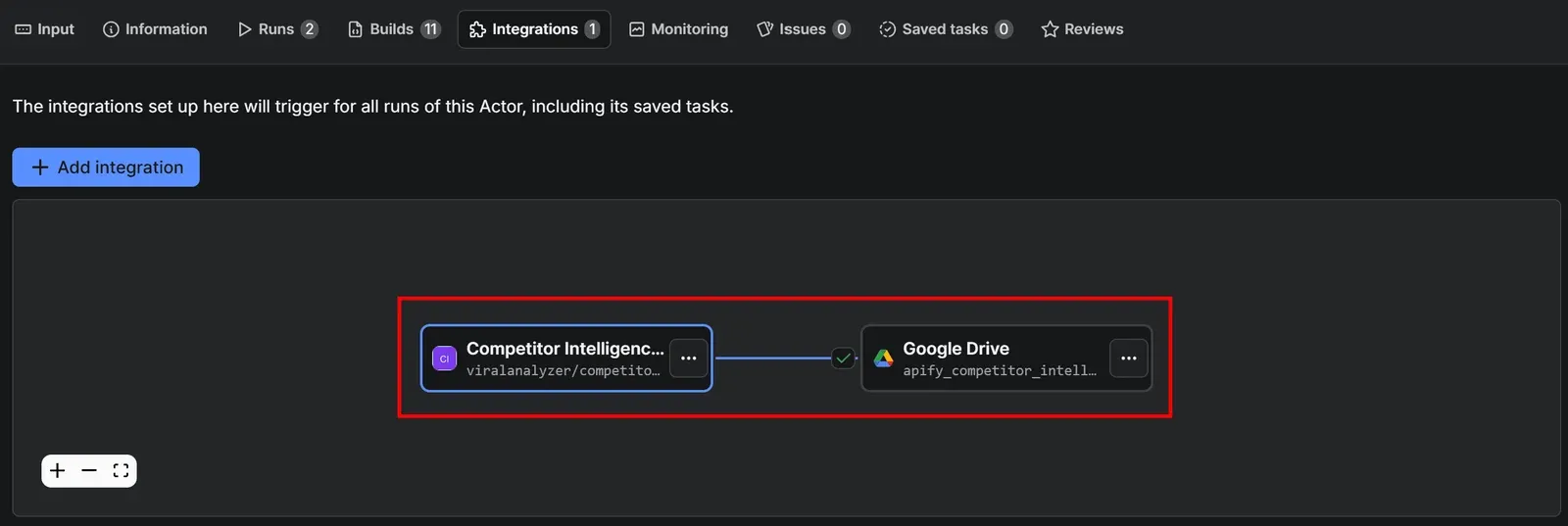
Click Save to add the integration. The Integrations section will now visually display the final automated market research workflow, as shown below:
Step #6: Turn research into a recurring workflow
Market research automation requires continuous analysis. So, configure your workflow to run on a monthly basis.
On the Actor page, open the … menu in the top-right corner and select Schedule Actor:

In the scheduling modal, configure the Actor to run periodically (for example, every first day of the month at 10:00 AM):
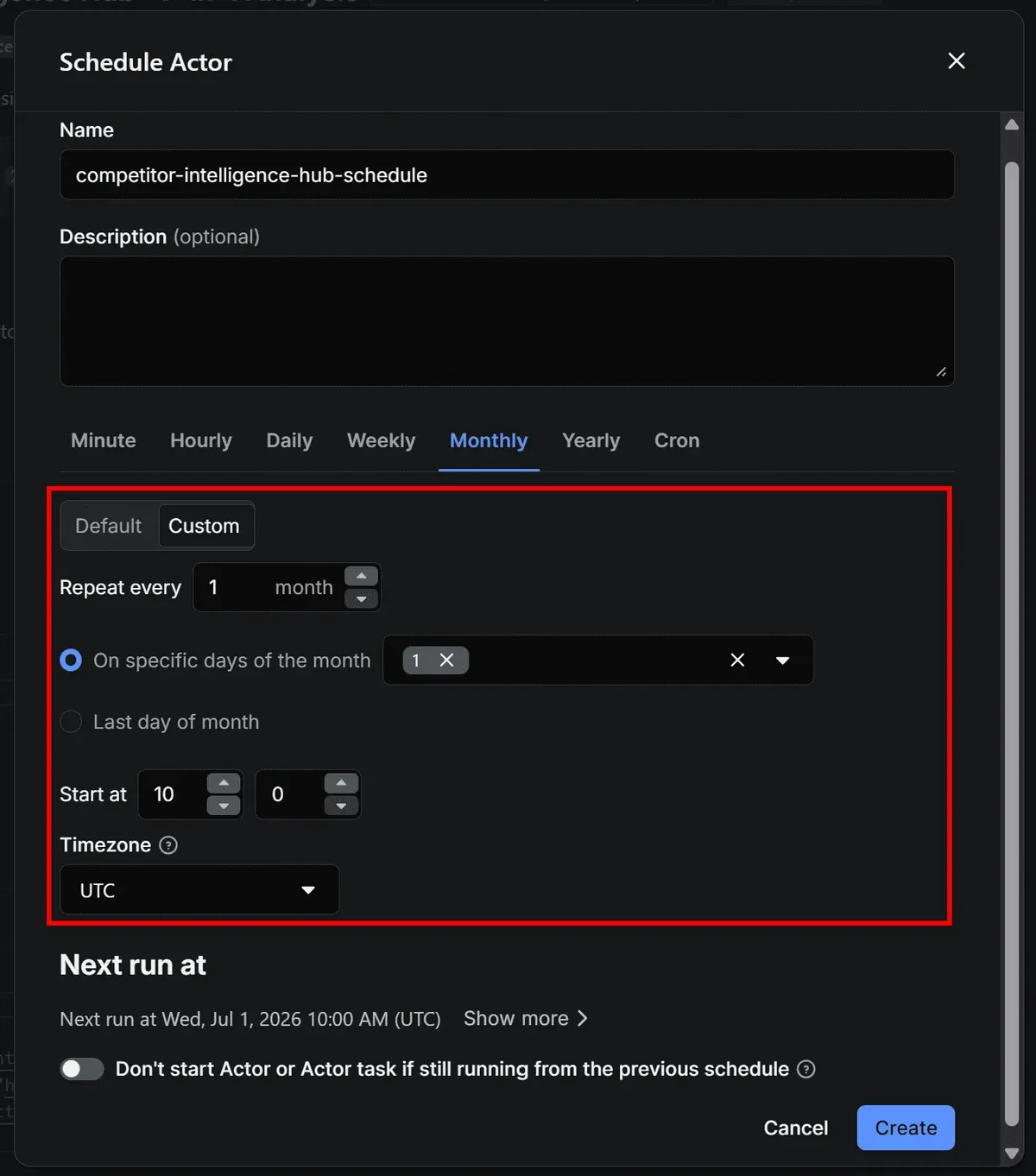
Click Create to confirm. The workflow will now start automatically based on your schedule. The Google Sheets output will appear in your Drive a few minutes later.
Tip: To avoid missing newly generated files, consider enabling Google Drive notifications.
Step #7: Test the automated competitive intelligence workflow
Make sure the Actor input is properly configured, then run the Actor again.
After the Actor completes, open your Google Drive and navigate to the Apify Uploads folder. You’ll find the output dataset generated by the workflow:

Notice that the {{resource.finishedAt}} variable has been replaced with an actual timestamp in the file name.
Open the XLSX file with Google Sheets, and you’ll see something similar to this:

The spreadsheet contains the same tabular output explored in Step #4. Your Apify-powered market research automation workflow is fully operational.
Alternative approach: Build custom market research pipelines
The workflow built above is just one possible example. With Apify, you’re not limited to using a single Actor for market research automation.
Instead, you can combine multiple Actors into a single pipeline to collect exactly the data you need directly on Apify Console. For example, you might use one Actor for competitor websites, another for social sentiment, and another for ad intelligence or review analysis.
You can also build no-code workflows using n8n, Zapier, or Make via Apify’s official integrations on these automation platforms. Plus, you can run Actors via API from your own scripts, orchestrating highly customized end-to-end market research pipelines.
Sentiment analysis:
- How to build an automated Facebook sentiment analysis workflow
- Build a review monitoring pipeline with Apify and n8n
Price monitoring:
- Automate competitor price tracking with a real-time pricing intelligence workflow
- How to track competitor ads and prices on Meta with Apify and n8n
Trend tracking:
- YouTube trending topics: How to track what's going viral
- How to identify TikTok trends for businesses
Conclusion
You now have a working setup that takes your company site and competitors and retrieves data from their websites, Google Ads, Facebook Ads, Trustpilot, and other sources, then aggregates it into an AI-augmented final JSON report.
This workflow is one starting point. Combine it with other Actors for social sentiment, pricing, or lead mapping and you have a full pipeline - no stitching together separate tools, no manual exports, no stale data.

FAQ
What is the difference between automated and traditional market research?
Traditional research tends to be slow, manual, and quickly becomes outdated, especially in fast-moving markets. Automation enables continuous monitoring, scalable data collection, and stronger competitive visibility. It doesn’t replace traditional research but enhances it by keeping data consistently up to date.
Where does AI fit into automated market research?
AI helps turn raw collected data into actionable insights through summarization, sentiment analysis, trend detection, and competitive analysis. It can also generate strategic recommendations. However, the value of its outputs ultimately depends on the quality of the input data.
How do you automate competitor research from one platform?
With Apify, you can run ready-made Actors for specific market automation tasks (e.g., competitor tracking, pricing analysis, social listening, review monitoring), or combine multiple Actors into a single, complete, custom market research automation pipeline.