AI is becoming the go-to option for finding information and getting recommendations. Tracking your brand across these new channels is now fundamental for a comprehensive marketing strategy.
Brand monitoring is far more complex on AI platforms than on traditional ones. Results are non-deterministic, and best practices are still evolving. What's for sure is that manually checking outputs for brand mentions isn’t scalable, especially given the ever-changing AI results.
With Apify, you can automate brand monitoring at scale. Ready-made Actors let you track mentions and compare your brand against competitors - no coding or infrastructure required.
In this tutorial, you’ll understand what AI brand monitoring involves, how it differs from social media monitoring, and how to set up a fully automated workflow. You’ll select the right Actors, analyze multiple AI platforms, and deliver daily reports directly to your Gmail account.
What does AI brand monitoring involve?
To focus on the contextual presence and perception of your brand in AI outputs, the main dimensions to track are:
- Brand mentions in AI answers: Are AI-driven tools explicitly referencing your brand when answering relevant queries?
- Position versus competitors: How often is your brand cited compared to competitors in AI responses?
- Sentiment: Is your brand portrayed positively, neutrally, or negatively within AI-generated content?
- Message consistency: Is your brand described consistently across AI outputs, or are there conflicting representations?
- Citation sources: Which articles, blogs, or web pages representing your brand are AI systems referencing?
- Content gaps: Where competitors are mentioned but your brand is absent, revealing opportunities to improve visibility.
- Trend tracking: How is your brand’s visibility and perception evolving in AI channels?
Tools for AI brand monitoring and visibility
AI brand monitoring becomes much easier when you have access to tools that can scrape and analyze data across AI-driven channels.
Apify supports that scenario by providing thousands of Actors - serverless applications for web scraping, browser automation, and data analysis. Specifically, it comes with hundreds of ready-made Actors to monitor brand mentions. These include solutions to track brand mentions, analyze sentiment, and gather competitor data across many AI channels.
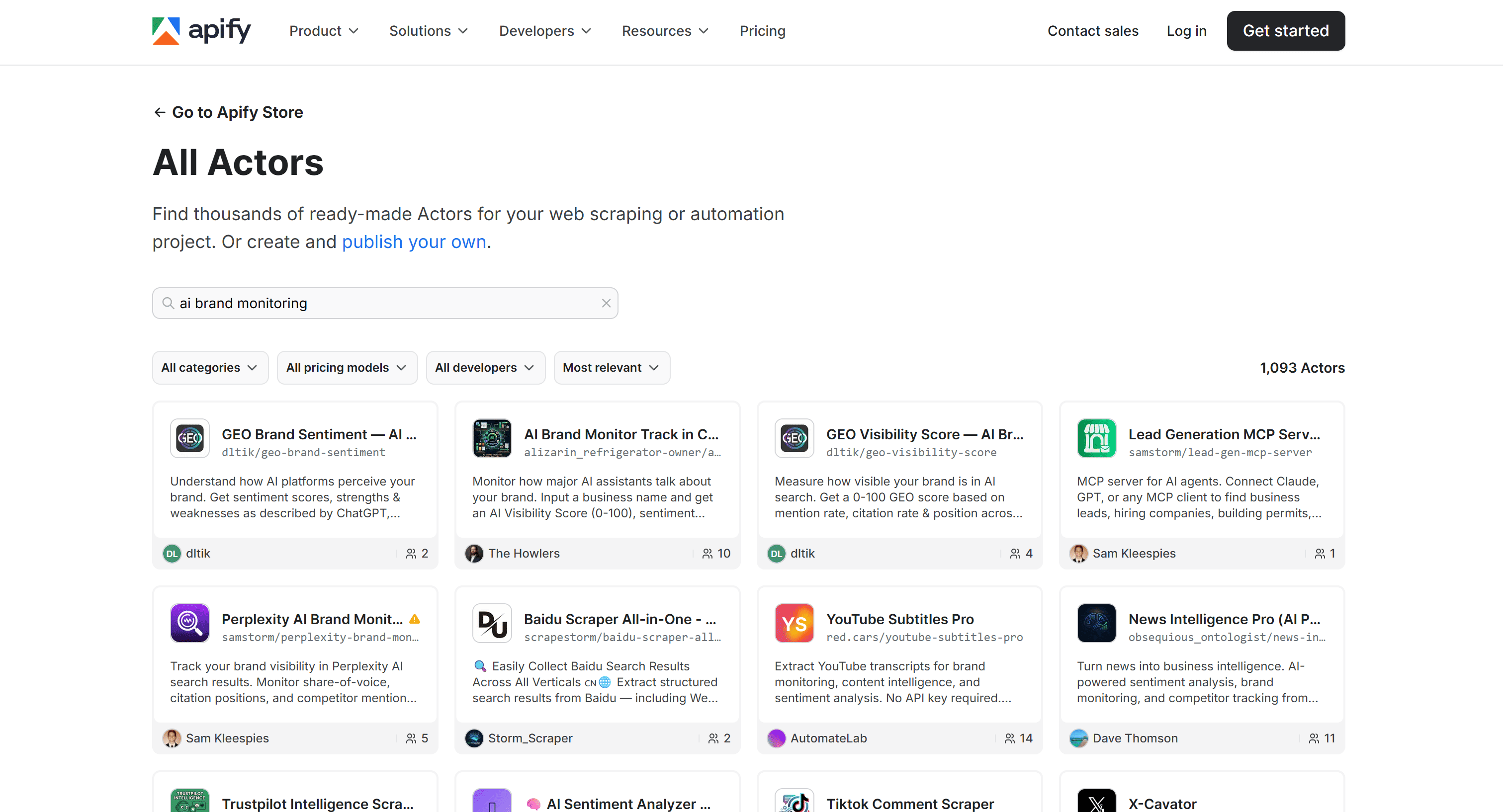
Apify also allows you to build multi-step workflows by combining Actors directly in its web interface, with no technical skills required. Alternatively, you can achieve the same goal by harnessing Apify integrations in Make, n8n, and Zapier.
Top 3 Apify Actors for AI brand monitoring
The most interesting Actors for monitoring brand presence in AI are:
AI Brand Tools Comparison
| Name | Developer | Main scope | Supported AI platforms | Inputs | Outputs |
|---|---|---|---|---|---|
| AI Brand Visibility | Community | Real-time brand visibility tracking via direct AI querying | ChatGPT, Gemini, Perplexity | Category, brand name, competitors, platforms, custom prompts | Mention counts, rankings per platform, visibility gaps, contextual summaries, competitor comparisons |
| Google Search Results Scraper | Apify | SERP + AI search scraping for SEO, AEO, and brand monitoring | Google AI Mode, ChatGPT, Perplexity | Keywords or URLs, country, language, pages, device, add-ons (AI search) | Structured SERP data (organic, ads, PAA, AI overviews) + AI answers (via add-ons) |
| AI Brand Monitor — ChatGPT, Claude, Perplexity, Gemini | Community | Simulated AI brand visibility analysis across major LLM assistants | ChatGPT, Claude, Perplexity, Gemini (simulated via Claude) | Brand name, location (city/state), industry, website, competitors | AI visibility score (0–100), sentiment, mention frequency, positioning, competitor analysis, recommendations |
How to perform automated AI brand monitoring
Now that you better understand brand monitoring in the era of AI, you’re ready to build a complete automated pipeline around it. We’ll use Apify, selecting and connecting the right Actors and integrations.
We’ll build on the AI Brand Visibility Actor to focus on the visibility aspect of monitoring brand mentions. Still, the same steps can be applied to other scenarios relying on different AI brand monitoring Actors.
The workflow accepts a brand name, retrieves visibility data from Gemini, ChatGPT, and Perplexity, and sends the results to your Gmail account. Here’s what we’ll do:
0. Prerequisites
To follow this tutorial, make sure you have:
- An Apify account.
- A basic understanding of how Apify integrations work.
- A Gmail account to receive the AI brand visibility results via email.
1. Select the Actor on Apify Store
To get started with the AI brand monitoring workflow, log in to your Apify account. Open Apify Console, then select Apify Store from the left-hand navigation menu:
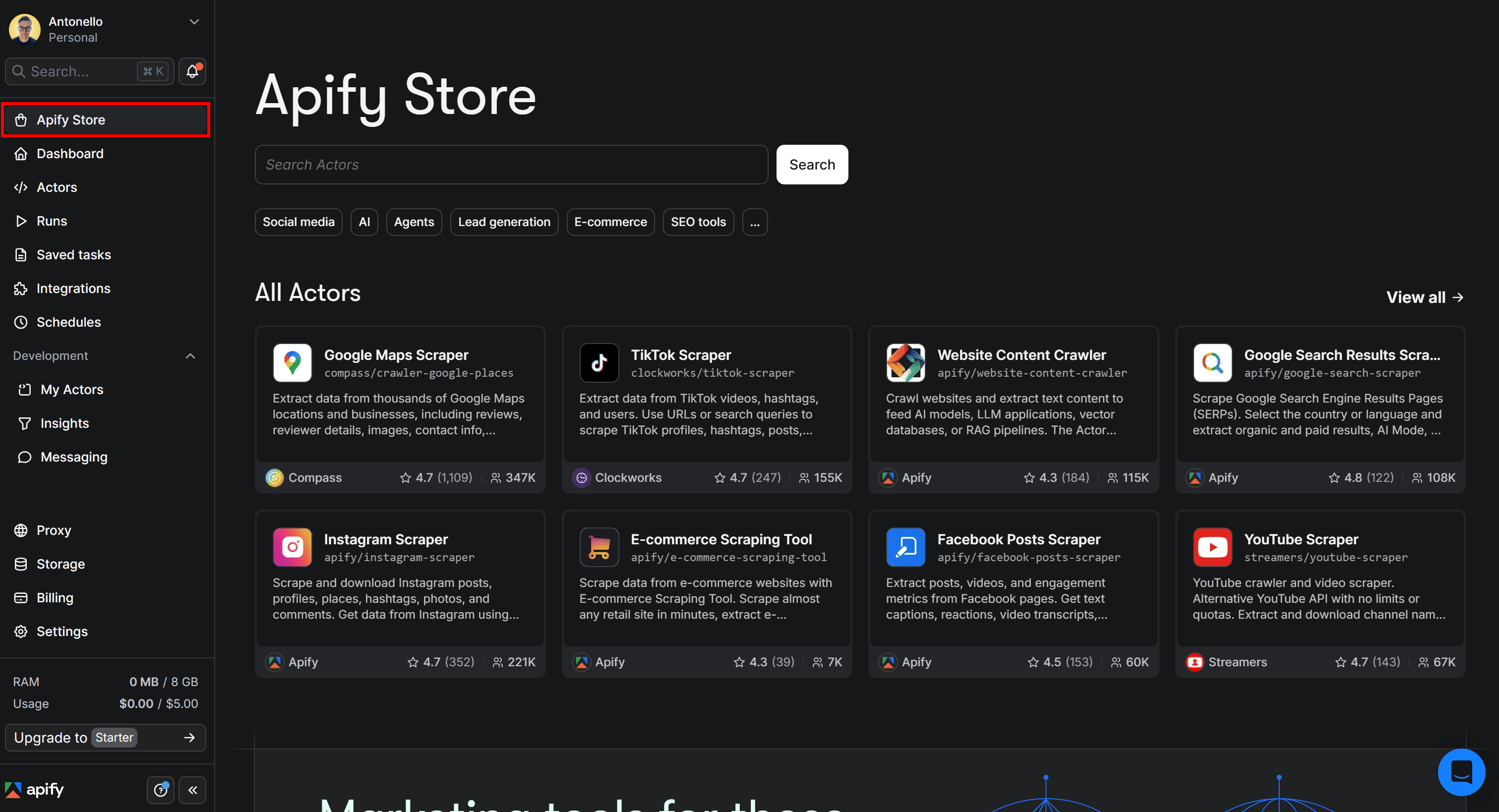
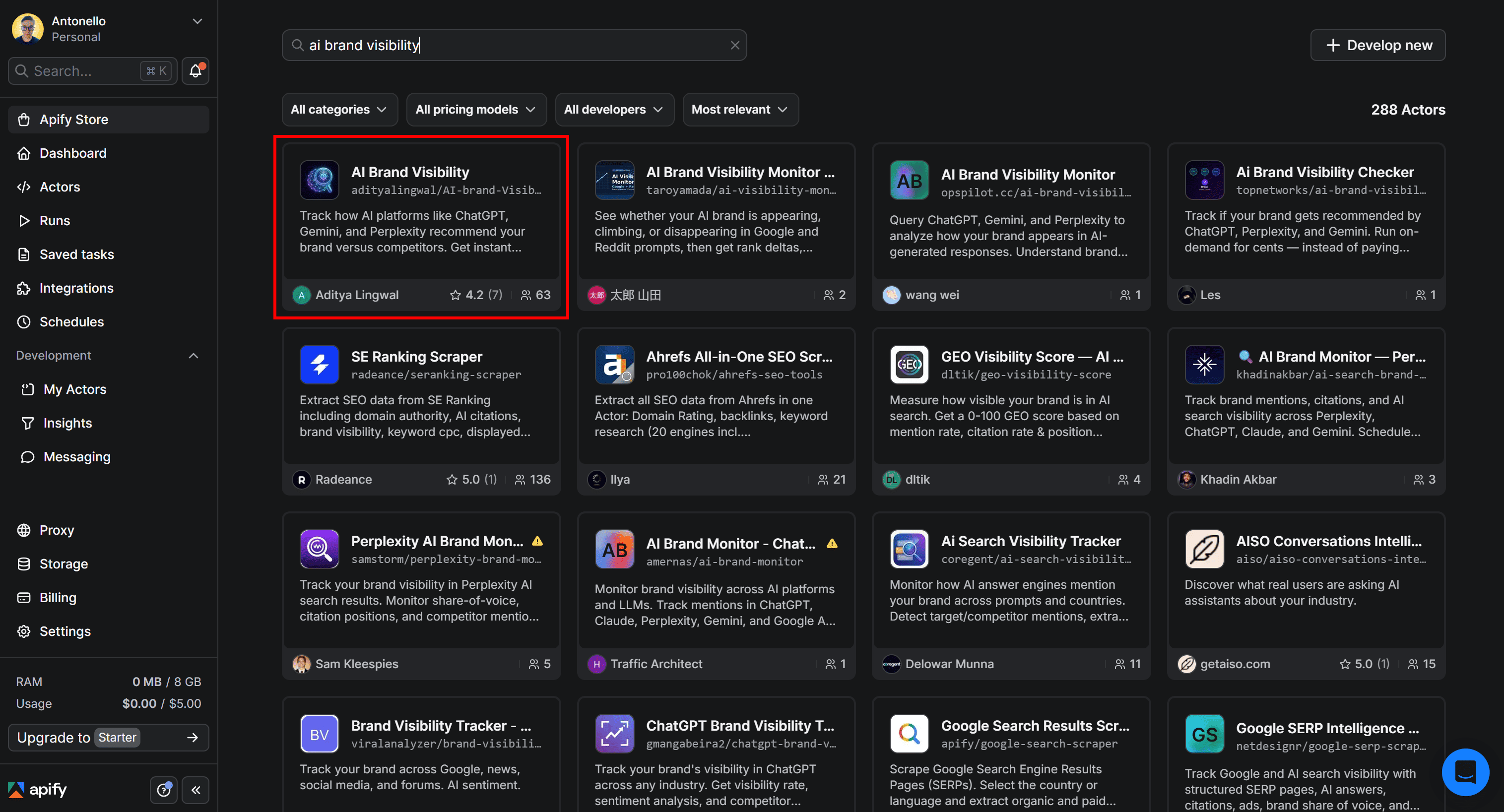
This will redirect to Apify Store, where all available Actors are listed. Search for “AI brand visibility”, then select the AI Brand Visibility card:
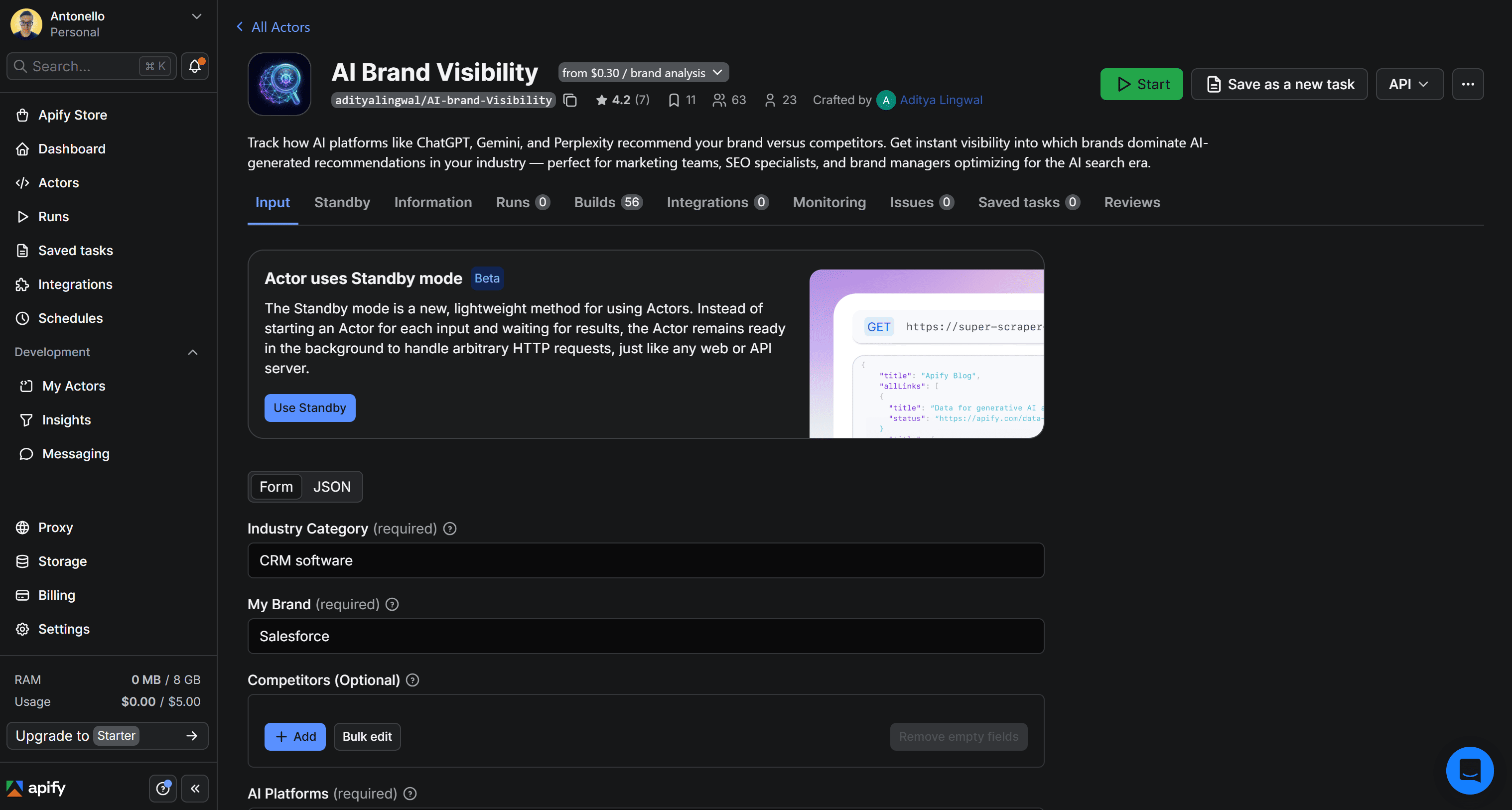
You’ll reach the AI Brand Visibility Actor page:
2. Test the Actor
Assume you want to monitor the performance of your brand (“DatoCMS” in this example) on AI platforms and compare it against competitors in the CMS industry.
In the Input tab, configure the form as follows:
- Industry Category: CMS industry
- My Brand: DatoCMS
- Competitors: Strapi, Contentful
- AI platforms: Perplexity, ChatGPT, Gemini
- Prompts: What are the best headless CMS solutions?
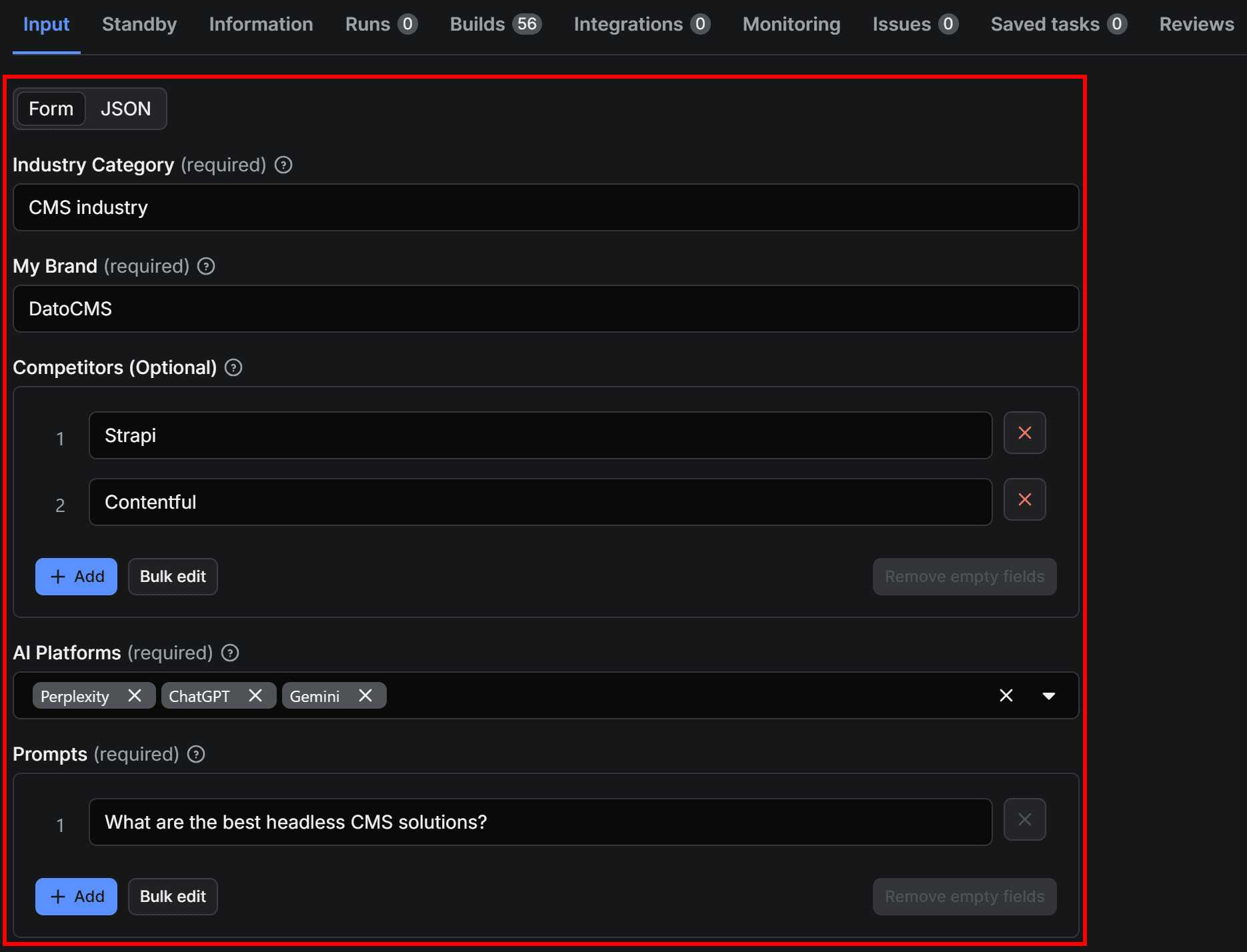
Once configured, test the Actor by clicking Save & Start:

Keep in mind that execution may take a few minutes to complete.
3. Explore the Actor’s output
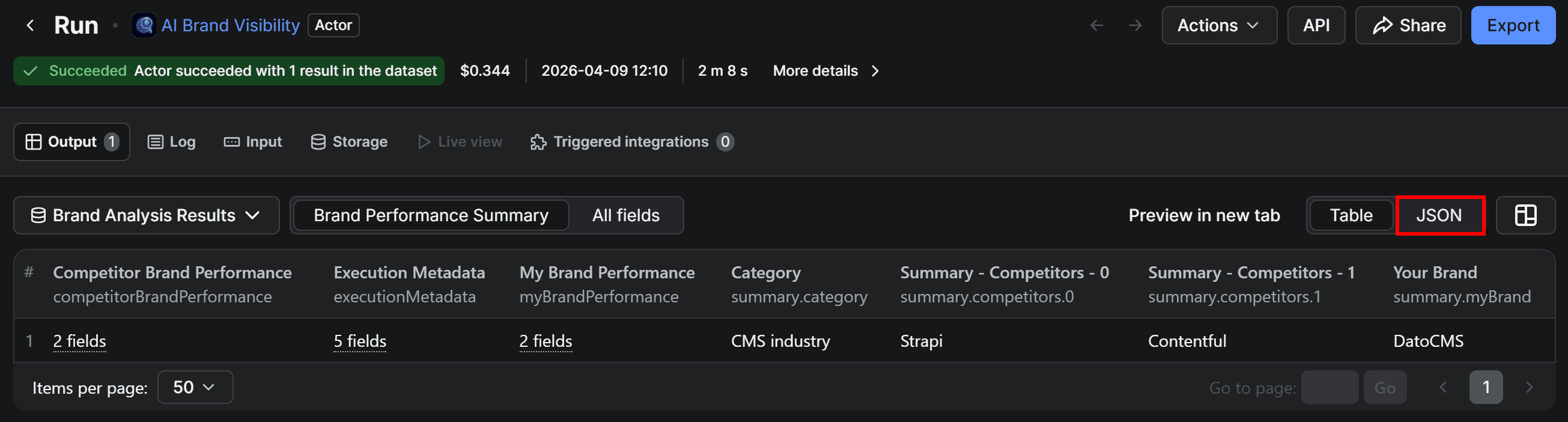
After the run completes, you’ll see the results displayed in a tabular format in the Output tab. Since each cell contains structured JSON objects with multiple fields, switch to the JSON view for better readability:
You’ll now view the results produced by AI Brand Visibility in JSON format:
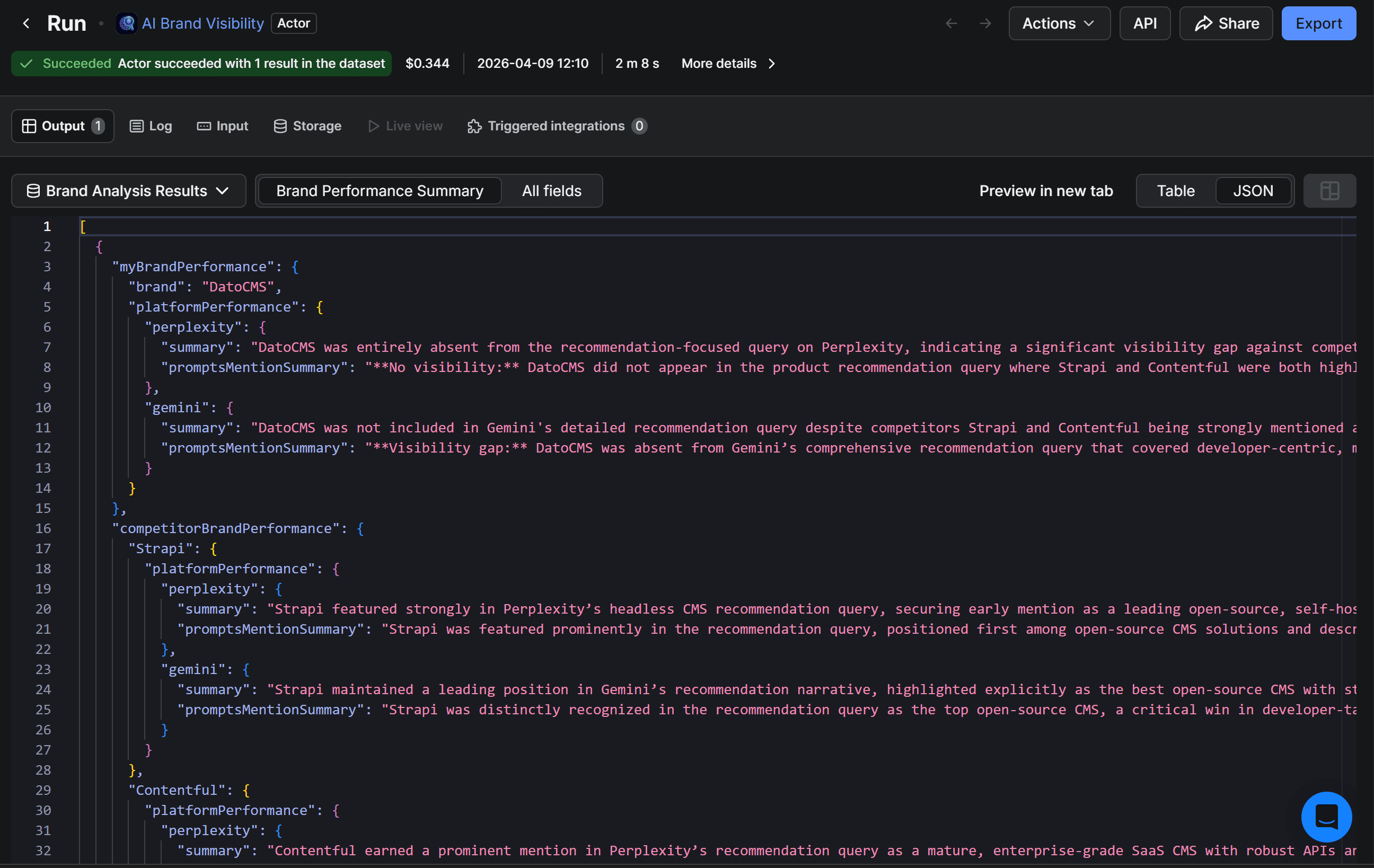
The JSON output contains the requested AI brand visibility analysis. It summarizes how your brand and its competitors perform across AI platforms, including visibility, positioning, gaps, and execution metadata (e.g., timing and queried platforms).
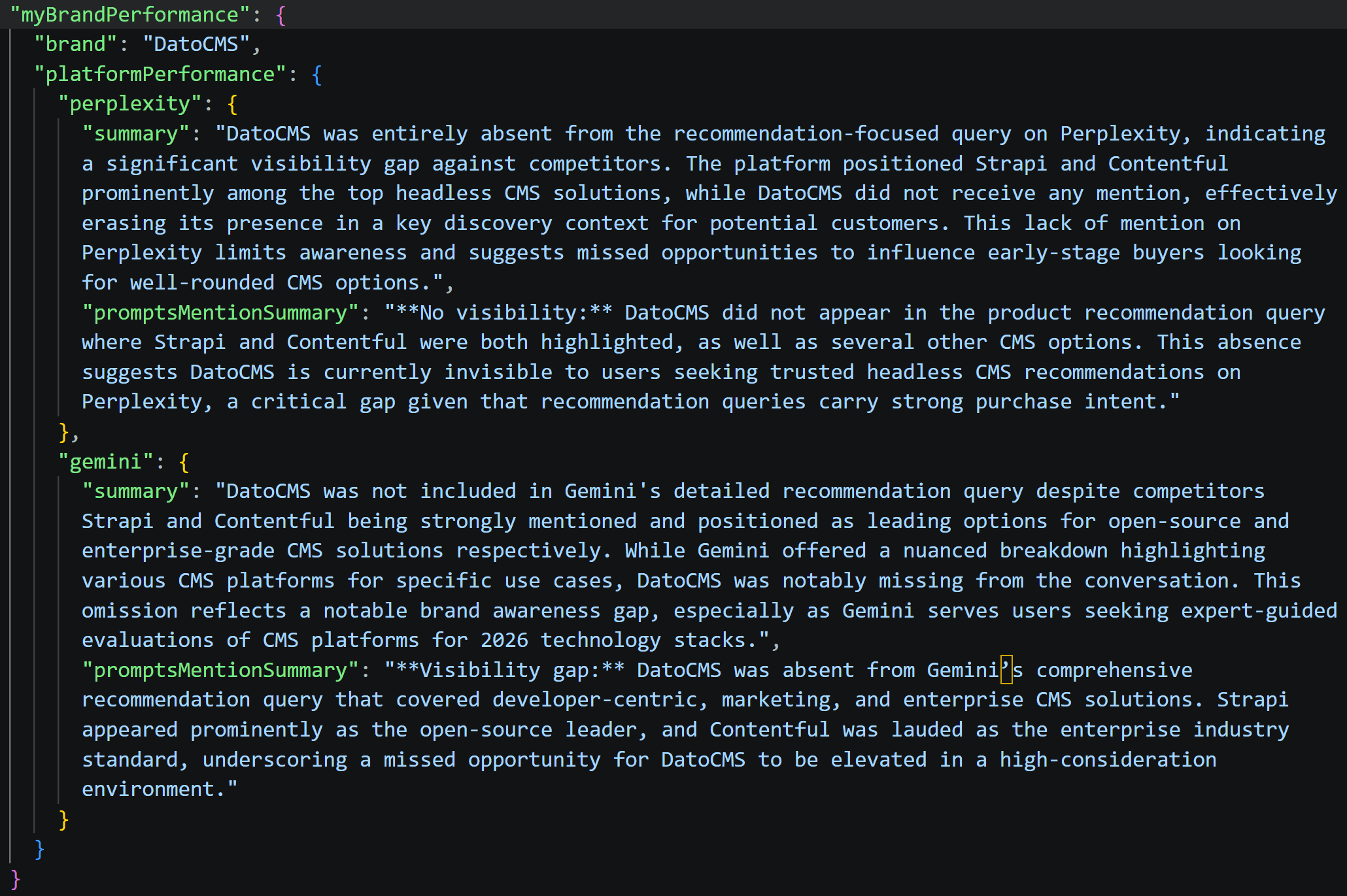
Focus on the myBrandPerformance field, and you’ll find a detailed, text-based brand visibility analysis:
4. Add the Gmail integration
Right now, the Actor’s output is available as a dataset in Apify Console. From there, you can export it in JSON, XLS, CSV, and other formats. Still, it might be more convenient to send the results directly via email.
To do that, go back to AI Brand Visibility. Open the Integrations tab, search for “Gmail”, and select the Send results via Gmail integration:
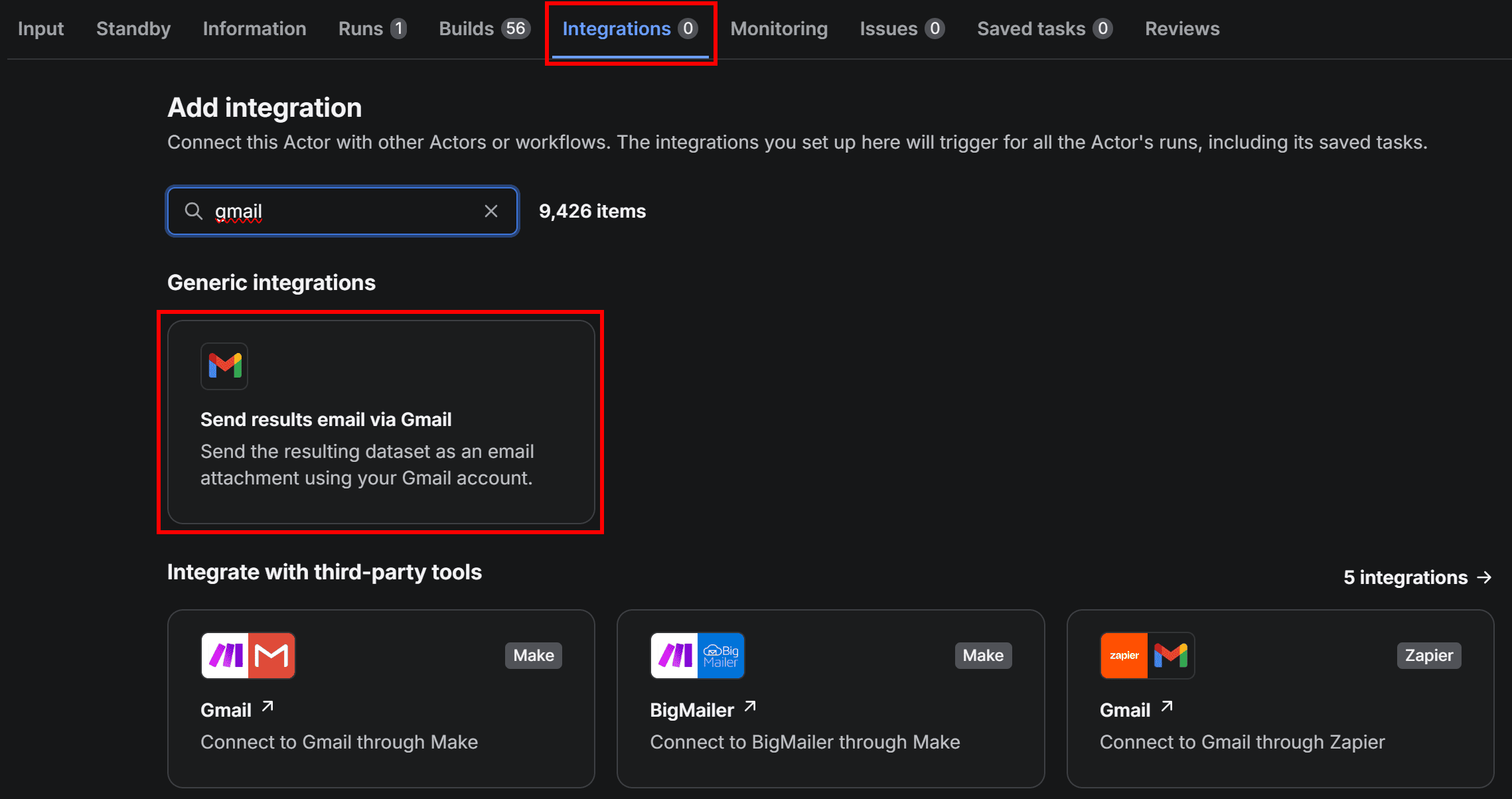
To use the integration, you’ll be prompted to connect your Google account. Press Connect with Google and follow the instructions:
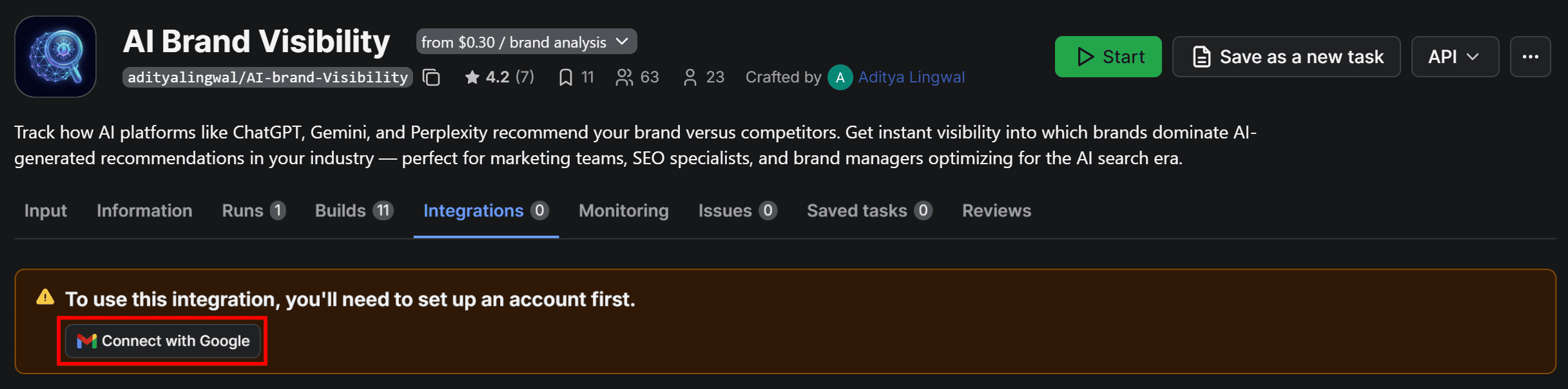
Make sure to grant Apify the required permissions. Once connected, you’ll be redirected to a configuration form where you can customize how the dataset is sent to your Gmail account.
5. Configure the Gmail integration
Let’s finalize the integration so that the Apify-powered workflow sends results via email to your Gmail account.
Start by giving the Send results via Gmail a name, such as Gmail integration. Next, fill out the form like this:
- Start when: Run succeeds (ensures the email is sent only if the Actor completes successfully).
- Google account: Select the connected Google account email
- Subject: AI brand monitoring results
- Body: Attached below are the daily results from the AI brand monitoring process
- Attachment format: json
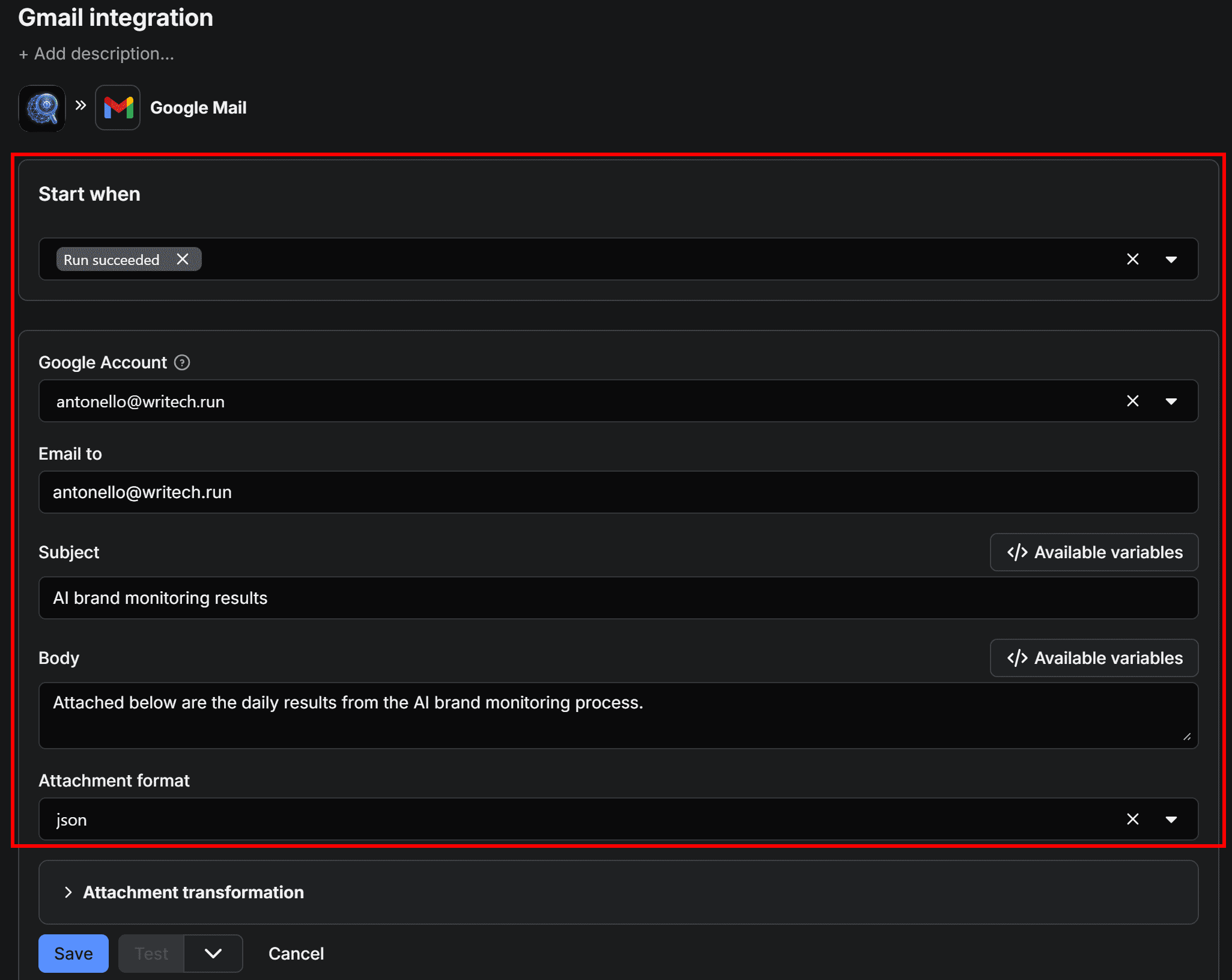
Once configured, click Save to add the integration. Click on the Integrations tab again, and the workflow will now appear visually as below:
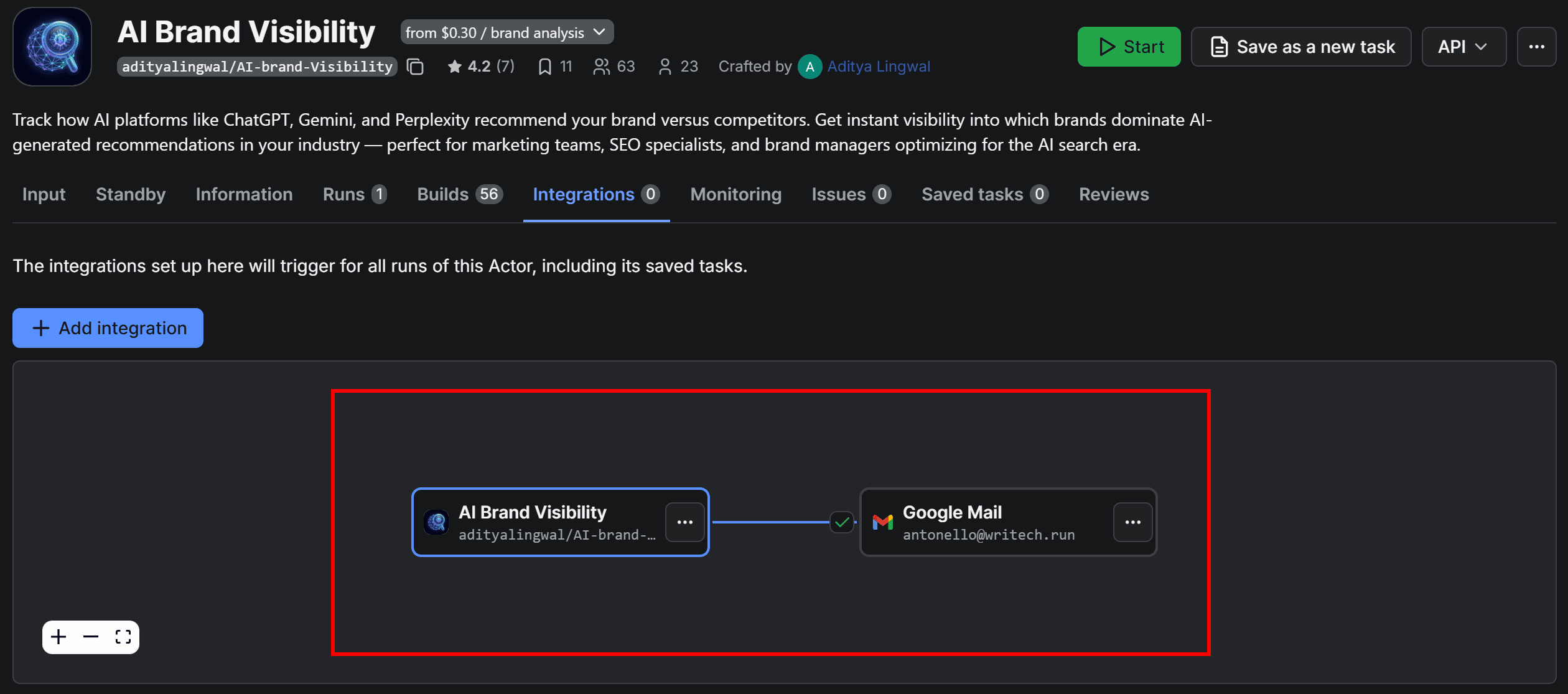
6. Schedule the workflow
AI responses aren’t consistent by nature. Plus, they change as underlying data sources and models are updated. For this reason, AI brand visibility requires continuous tracking. In practice, this means running your brand visibility workflow on a recurring schedule.
To set this up, configure the Actor to run automatically. On the AI Brand Visibility Actor page, click the “…” menu in the top-right corner and select Schedule Actor:
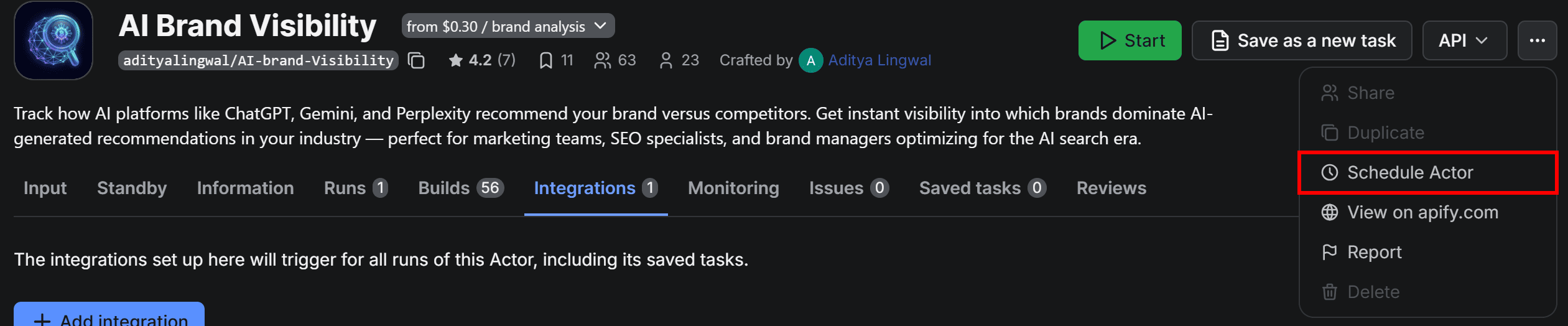
In the scheduling modal, set the Actor to run periodically (for example, every day at 09:00 AM):
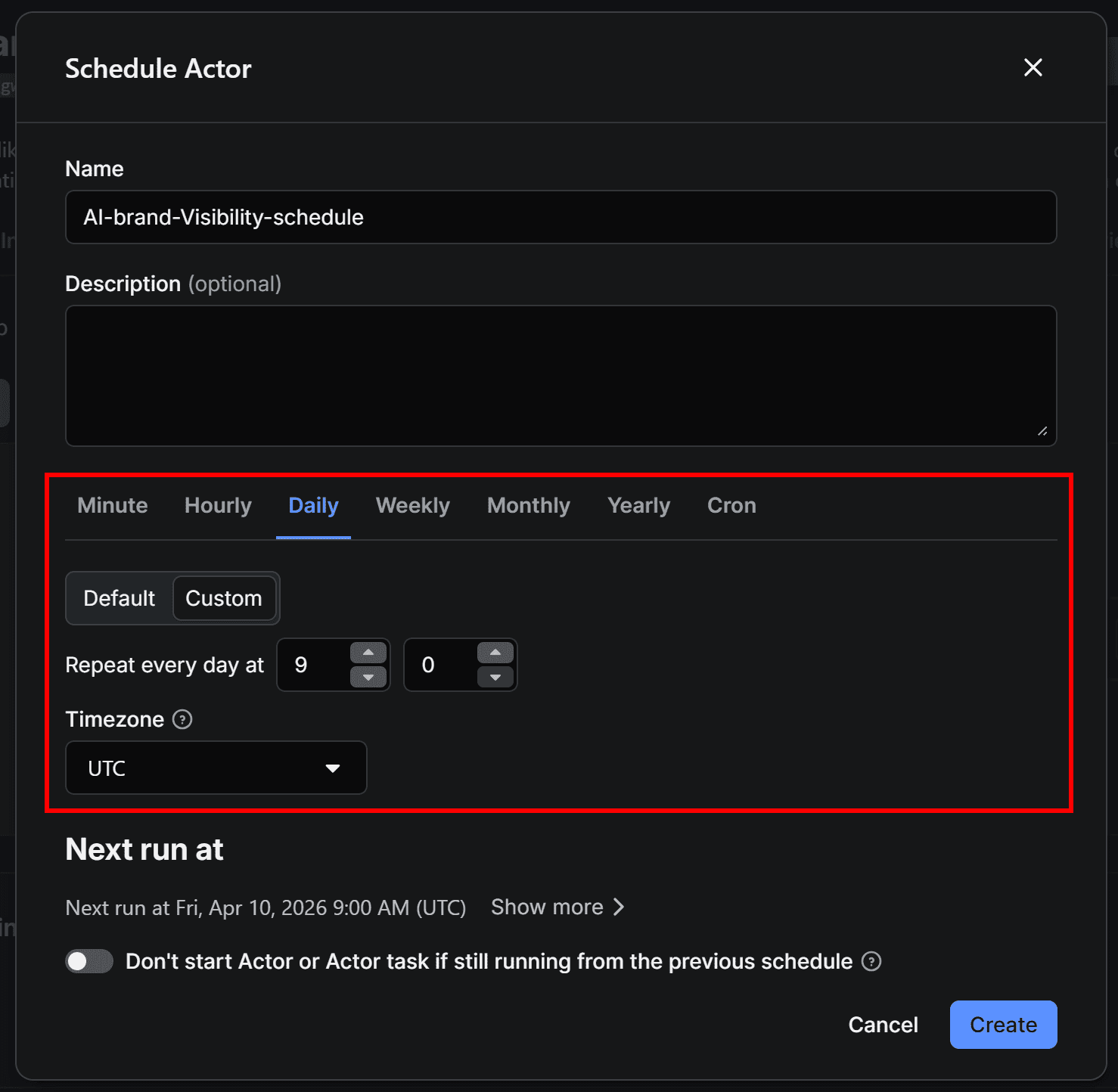
Click Create to confirm. The workflow will now run automatically at the specified time. Execution will take a few minutes, so you’ll receive the email with results shortly after the configured trigger time.
You can view and manage all scheduled runs in the Schedules section of Apify Console. At this point, make sure the Actor’s input is properly configured to monitor your brand against competitors across your AI platforms of interest.
7. Check that the automated workflow works
Click the Save & Start button in the top-right corner to manually launch AI Brand Visibility Actor (or wait for your scheduled run to trigger). Once the workflow completes, you’ll receive an email in your connected Gmail account:
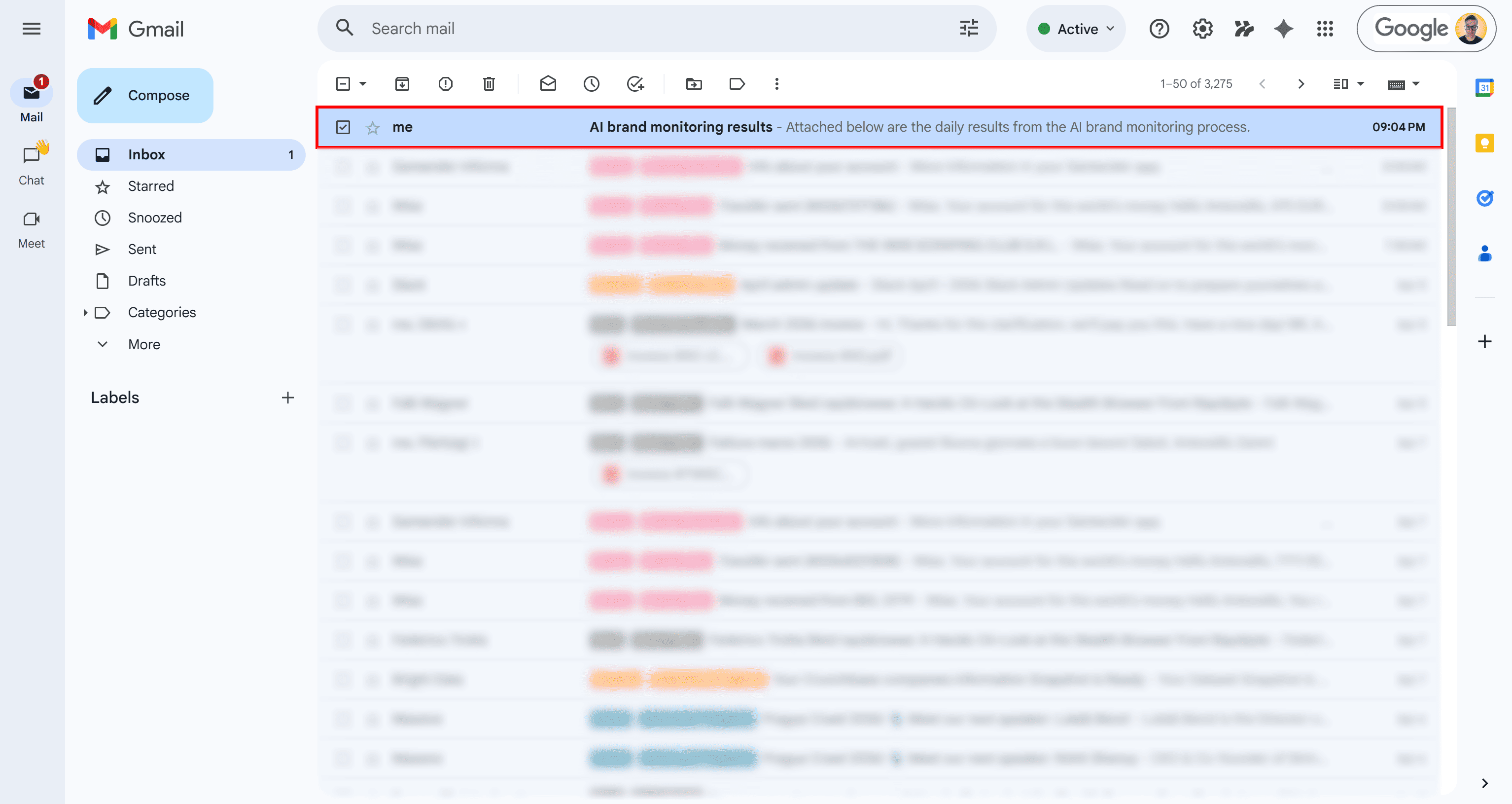
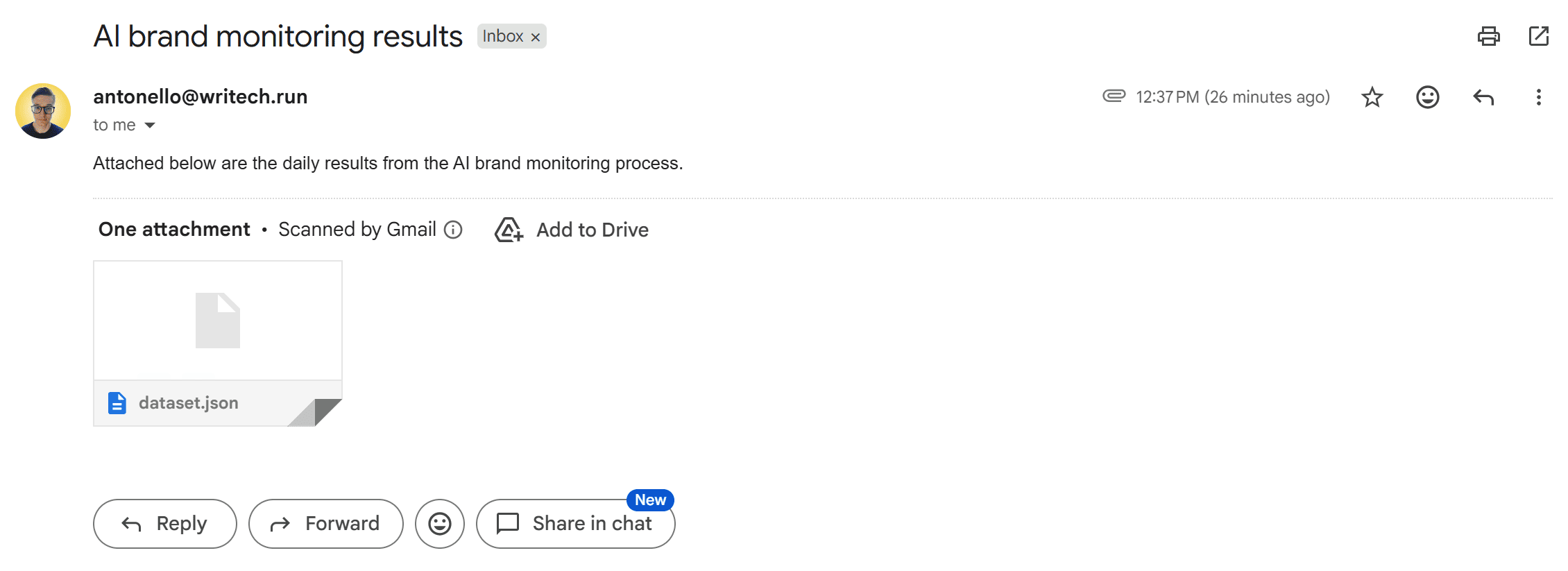
The email will include the subject you defined. Open it, and you’ll find the formatted message body along with the attached dataset in JSON format, as configured:
Download the dataset.json file and open it in your preferred JSON editor. You’ll see the same output generated in Apify Console:
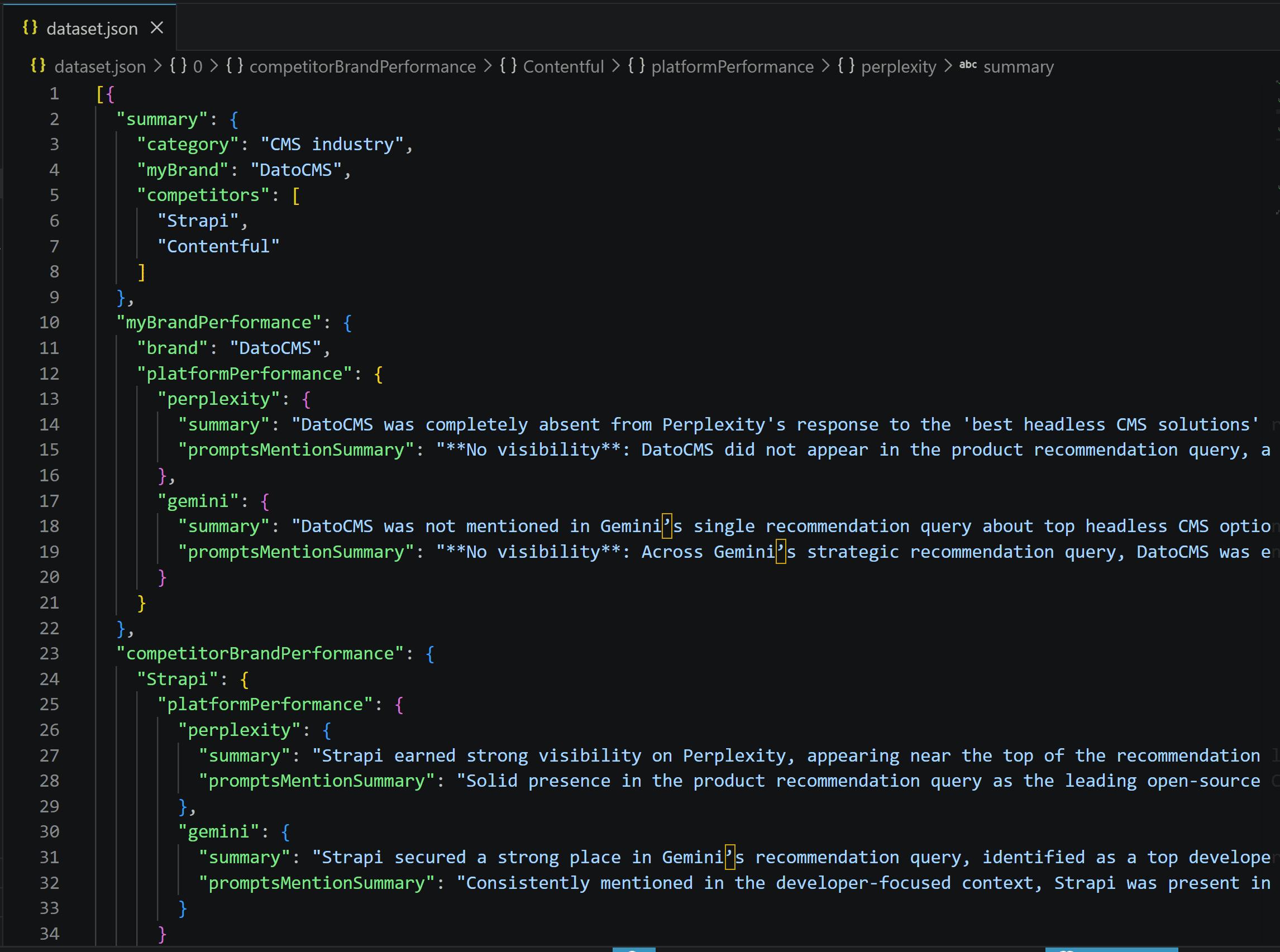
Your automated workflow for analyzing performance against competitors in AI platforms is now fully operational. You started with a brand name and a set of prompts, and now receive a daily brand visibility report directly via email.
Next steps
The AI brand visibility workflow presented is just an example. To make it more complex and production-ready, you can extend it with:
- Additional integrations to send results to Slack or other channels.
- AI processing to transform raw output into marketing-oriented Markdown reports, potentially combining data from multiple Actors.
- Sentiment analysis tools to better interpret the data collected from AI sources.
- Downstream processing of the JSON to easily explore, filter, and manipulate the output data.
Conclusion
In this blog post, you learned what AI brand monitoring is and how it differs from monitoring brand mentions on social media. You explored its key components and built a workflow from scratch using Apify.
You now have a working AI brand visibility setup that takes your brand, industry, and competitors, retrieves data from ChatGPT, Perplexity, and Gemini, and automatically sends a daily text-based visibility report to your Gmail account.
Frequently asked questions
What is AI brand monitoring?
AI brand monitoring tracks how your brand appears across chatbots, AI search engines, and search overviews. It analyzes mentions, sentiment, descriptions, cited sources, and competitive positioning in AI-generated responses. It helps you understand brand visibility and perception in emerging discovery channels.
What is the difference between AI brand monitoring and social media brand monitoring?
AI brand monitoring and social media brand monitoring differ in where and how your brand is evaluated. The first analyzes how your brand appears and is positioned in AI search. The second tracks user conversations, engagement, and trends across platforms like Twitter/X, Facebook, Reddit, or YouTube.
What is the best Perplexity AI monitoring tool?
The best Perplexity AI monitoring tool depends on your unique needs and requirements. Apify supports over 90 Actors for Perplexity monitoring. These let you extract AI answers, track brand mentions, and analyze visibility across queries.
What are the best ways to monitor brand mentions in AI search?
Web scraping is one of the best ways to monitor brand mentions in AI search. With Apify, you can rely on ready-made Actors to query AI platforms, extract answers, and track mentions, sentiment, and competitors.
Is it possible to apply AI to traditional social media brand monitoring?
Yes, AI can enhance traditional social media brand monitoring. It can analyze large volumes of posts to detect sentiment, identify trends, and extract useful insights. The idea is to use AI models to enrich and interpret social media data at scale.