
If you’re still manually checking competitor prices, building lead lists by hand, or guessing where to launch your next venture, there’s a good chance your competitors aren’t.
Web scraping used to mean writing code. Now there are plenty of no-code tools that can plug directly into the workflows that you already use.
Here are five ways businesses are putting it to use - each with a concrete before-and-after scenario.
Use cases summary
| Use case | Actor(s) | Best for |
|---|---|---|
| Monitoring competitor prices | E-commerce Scraping Tool | E-commerce and retail businesses |
| Building a LinkedIn lead generation pipeline | LinkedIn Profile Search Scraper, Mass LinkedIn Profile Scraper with Email | B2B sales and marketing teams |
| Market sentiment analysis | Reddit Scraper, Trustpilot Scraper, Google Reviews Scraper | Marketing and product teams |
| Content gap analysis | Google Search Results Scraper | Content teams and SEO managers |
| Service gap identification | Google Maps Scraper | Brick-and-mortar and local service businesses |
Know when a competitor changes their prices
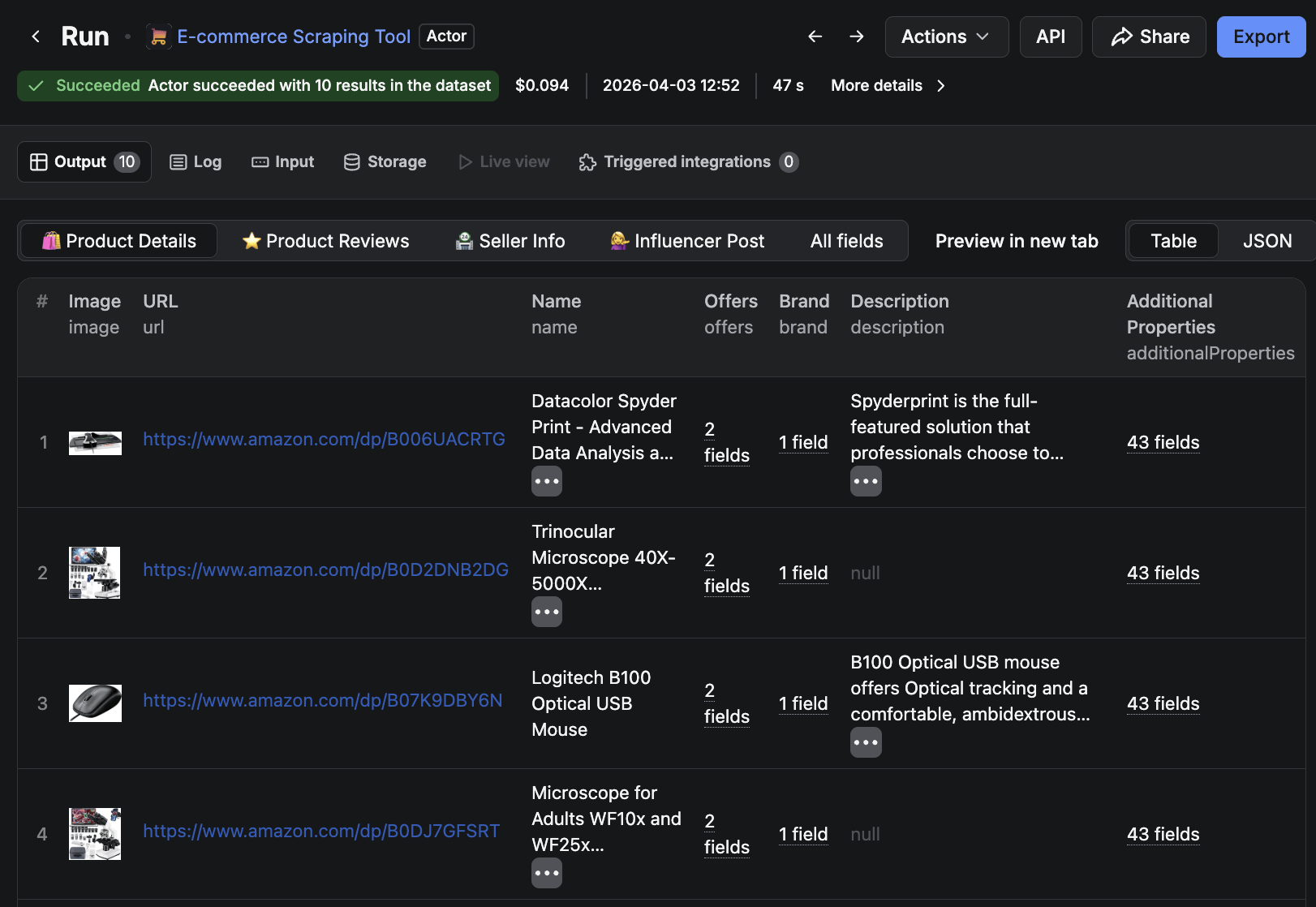
Manually checking competitor prices is slow and inconsistent. Most e-commerce teams check competitor prices the same way: someone opens a spreadsheet on Monday morning, tabs through three or four competitor sites, and logs the numbers by hand. It takes an hour, misses anything that changes mid-week, and is the first task to be dropped when things get busy. Compare that to the time it takes to set up an automated alternative, and the value becomes clear.
E-commerce Scraping Tool is an all-in-one scraping solution that can be configured to run at regularly scheduled intervals, be it hourly, daily, or weekly. You can connect it to a Slack alert, and you’ll know within minutes when a competitor crosses a threshold you’ve set.
Build an end-to-end LinkedIn lead pipeline without manual searching
Building a targeted B2B lead list may involve hours of searching: saving LinkedIn profiles one by one, then tracking down verified contact details for each. Outsourcing it to a lead generation agency solves the time problem, but hands over your targeting decisions and removes any visibility into what’s actually working.
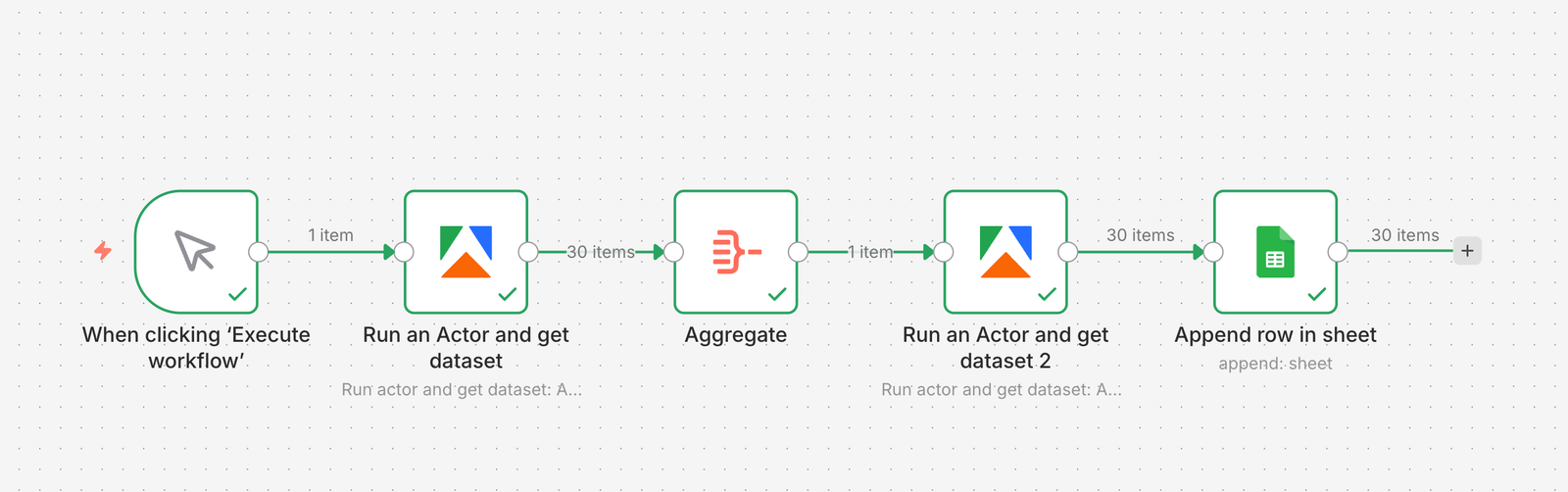
A more structured approach combines two Apify LinkedIn Actors with an n8n workflow. LinkedIn Profile Search Scraper finds prospects matching your search criteria; Mass LinkedIn Profile Scraper with Email enriches each profile with contact details, n8n handles the orchestration and pushes the output directly to a Google Sheet - a complete, enriched lead list with no manual steps once it’s running.
For a full walkthrough of how to build this pipeline yourself, see this Apify + n8n lead gen tutorial.
Find out what customers actually think
Most marketing teams build messaging around what they actually believe - what sales hears in calls, what the product team assumes customers want. Customer reviews and forum threads tell a different story. They’re more honest than any survey and far more specific, but reading through hundreds of them manually is a non-starter.
Reddit Scraper, Trustpilot Reviews Scraper, and Google Maps Reviews Scraper pull review data from whichever sources are most relevant to your market. The raw output - a dataset of what customers are actually saying - is useful on its own. If you can search a competitor’s most common complaints, then you have a direct view into what they’re not delivering.
A powerful option would be to pipe that dataset into an LLM prompt using LLM Dataset Processor and ask it to surface recurring pain points, frequently used phrases, or unmet needs. What could take a researcher days to produce becomes a usable summary in a fraction of the time. For a practical walkthrough of a similar workflow, see this AI sentiment analysis tutorial.
Find content gaps before your competitors fill them
Content decisions often come down to gut feel. Writers pick topics that seem relevant, publish, and find out whether they ranked weeks later.
Google Search Results Scraper can be set to run on a monthly schedule, returning a structured snapshot of what’s ranking for the keywords that matter to you: which competitors appear, what angles they’re taking, and where the gaps are. Pipe the output to a Google Sheet, and you have a running record of SERP changes without having to run a manual search.

Find unmet demand in your market
Location decisions - where to open, where to expand, which areas to target - tend to come down to generic demographic reports or whatever a commercial property agent puts in front of you. Neither tells you where competitors are underperforming or where demand exists without a service to meet it.
Google Maps Scraper pulls business listings, ratings, and review data for any area you define. Run it across a few candidate locations, and the comparison work can be made using the output: competitor density, average ratings, and specific service gaps by area.
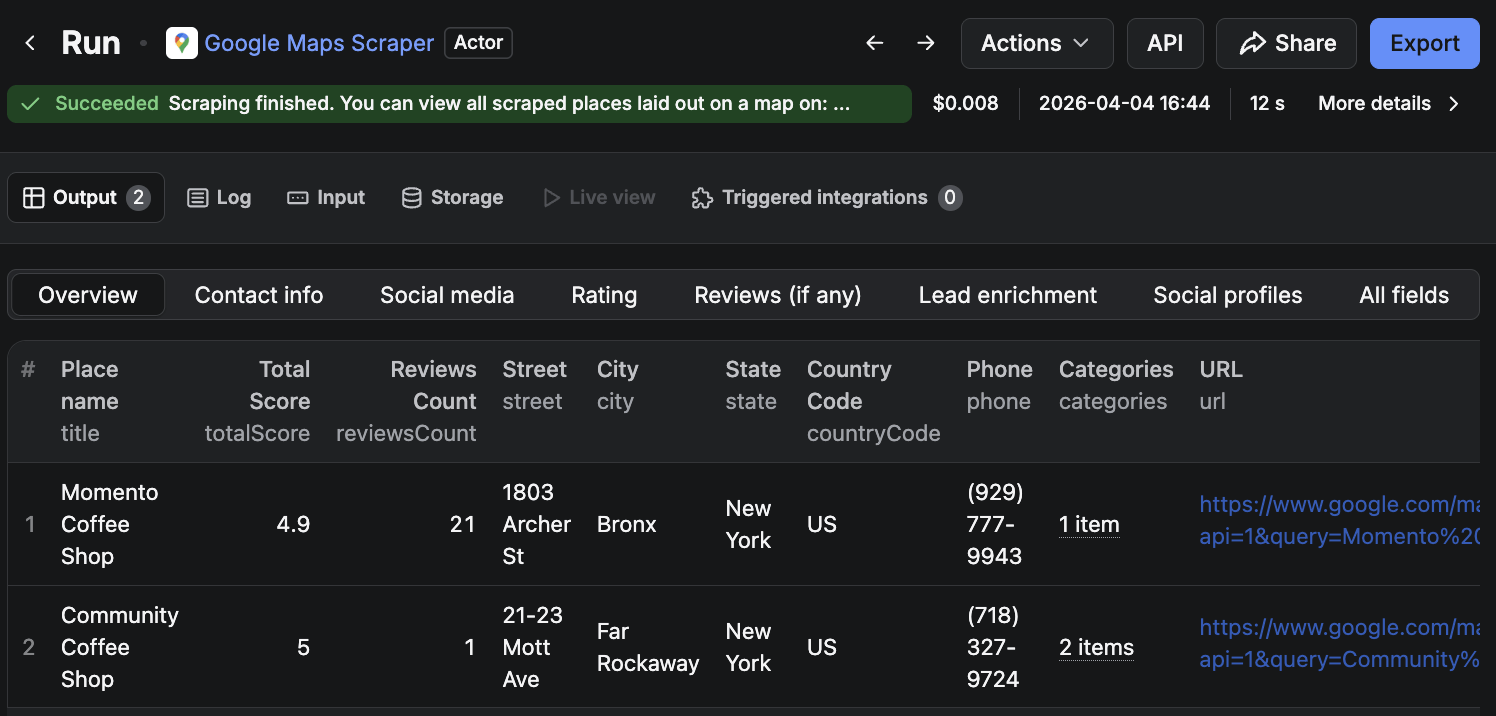
A café chain comparing three neighborhoods might find one with a strong nearby business activity but no coffee shops open before 8 am - a service gap backed by data rather than assumption. Similarly, a fitness studio running the same search might identify an area where existing gyms receive poor reviews about class availability and opening hours, signaling a demand that the current options are not meeting.
Where to start
The quickest route is to pick one use case from the table above that maps to something you’re already doing manually - or a decision you’ve been making on instinct.
For e-commerce businesses, price monitoring is the most immediate entry point: set it up once and it runs in the background. For B2B sales teams, the LinkedIn pipeline delivers the cleanest output for the time invested. If you’re in content, SERP monitoring is something you can schedule and revisit each month.
All five Actors are available on Apify Store and can be tried for free.