Web unblockers promise roughly the same thing: send a URL, get the page back, and let someone else worry about proxies, CAPTCHAs, and browser fingerprints. Most quote a success rate without saying much about how they got it.
Here's what happened when the Apify team ran four of them through the same 384 URLs, chosen to be harder than average: news sites behind paywalls, Cloudflare-protected retail, Reddit threads, and a batch of deliberately awkward test pages.
Web unblocker vs. proxy
Proxy primarily routes your request through another IP address. Everything that makes a request look human is still yours to write and maintain.
Web unblocker takes a URL and returns the page. It manages the whole retrieval process, which may include proxies, fingerprinting, headers, retries, browser rendering, and site-specific bypass techniques.
| Standard proxy | Web unblocker | |
|---|---|---|
| IP rotation | You build it | Automatic |
| Anti-bot bypass | You build it | Automatic |
| JavaScript rendering | None | Built in |
| Browser fingerprinting | You build it | Automatic |
| You supply | Rotation, retries, fingerprints, challenge logic | A URL |
The tools in this benchmark
1. Apify Web Fetch
Web Fetch is an Apify Actor that gives a script or an agent the contents of any page in one call. Send a URL and choose your output: plain text, Markdown, cleaned HTML, a list of links, or the raw binary file (mainly for images and other media). Either way, you also get metadata - title, description, canonical URL, and any JSON-LD. It also pulls text out of PDFs. Behind it sits Unblocker, the anti-blocking service in Apify Proxy, which handles IP rotation, TLS and browser fingerprinting, JavaScript rendering, and site-specific challenge flows. Responses come back in real time with no polling, and Web Fetch can be called over HTTP or wired into an AI agent as a Model Context Protocol (MCP) tool.
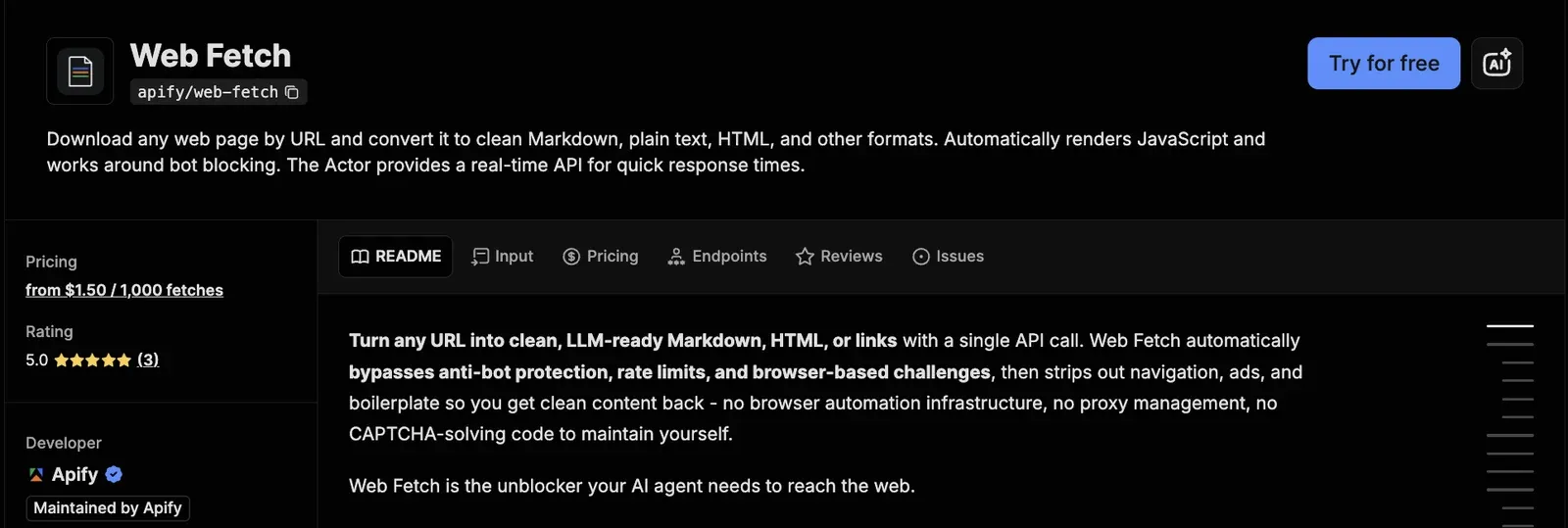
Pricing: $1.50 per 1k fetches, billed per event, with failed requests free. If you call in batch mode, you will also have a start run charge of $0.00005. It is, however, recommended to use this Actor via the server interface (which make it behave like a REST API).
2. Bright Data Web Unlocker
Web Unlocker is Bright Data's unblocking API. Send a URL, get back clean HTML, JSON, Markdown, or a screenshot, with CAPTCHA solving, proxy selection and rotation, browser fingerprinting, and JavaScript rendering handled automatically. Bright Data lists reCAPTCHA v2 and v3, hCaptcha, and others among the challenges it solves by default.
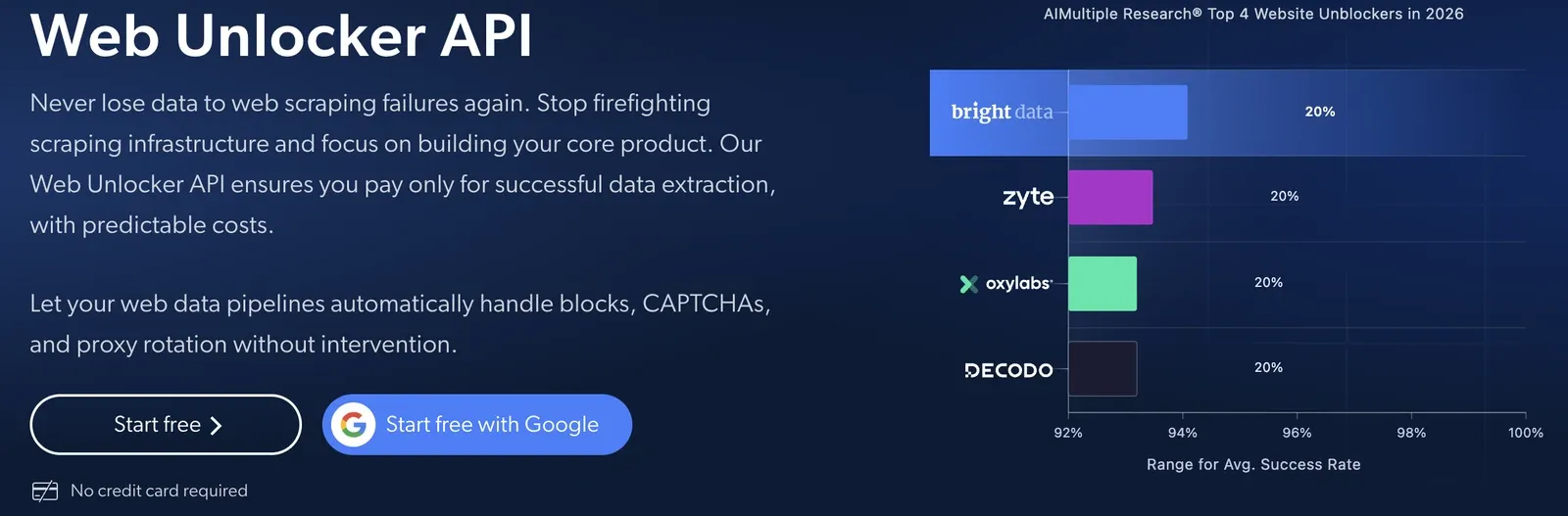
As of August 2026, Bright Data reports more than 50k customers, names enterprises including Deloitte and Shopee, and advertises a 98% success rate.
Pricing: Success-based, $1.50 per 1k requests pay-as-you-go, falling to $1.30 per 1k on the $499 per month Scale plan.
3. Firecrawl
Firecrawl describes itself as "the context API to search, scrape, and interact with the web at scale," built to turn any source into clean Markdown or structured data. Its endpoints cover the main jobs:
- Scrape converts a URL to Markdown, JSON, or a screenshot for 1 credit per page.
- Search queries the web and returns full page content for 2 credits per 10 results.
- Interact lets a model click and navigate a page for 2 credits per browser minute.
- Map, Crawl, and Monitor handle site discovery, full crawls, and change tracking at 1 credit per page.
It also parses PDF and DOCX files and supports schema-based extraction. As of August 2026, Firecrawl reports over 1.25M developers and 150k companies, and advertises coverage of 96% of the web with a p95 latency of 3.4 seconds.
Pricing: From $3.20 per 1k pages on the entry plan down to $0.60 at the highest volume tier.
4. Website Content Crawler in Playwright mode
Website Content Crawler is an Apify Actor built to crawl sites and extract text for large language model (LLM) applications, vector databases, and retrieval-augmented generation (RAG) pipelines, with integrations for LangChain, LlamaIndex, Pinecone, and Qdrant. It supports several crawling modes, from a raw HTTP client to a full headless browser. For this benchmark, it ran in headless Firefox via Playwright with no unblocking layer, so its costs come from compute consumed rather than a per-request rate.
Pricing: You pay for the compute the run consumes, not per request. Compute units start at $0.20 per CU and fall with plan size.
How the Apify benchmark ran
The URLs were chosen to cover the failure modes that usually break scrapers in production:
- Social and community. Reddit threads, X posts, Hacker News items, Product Hunt listings, LinkedIn company pages. JavaScript-heavy and the most aggressively protected group in the set.
- Ecommerce and retail. Amazon, Walmart, Best Buy, eBay, Nike, Zara, Shein, Temu, Sephora, Home Depot, and 35 more storefronts. Category pages and product detail pages.
- News and editorial. BBC, Reuters, AP, and The Guardian article pages, plus WSJ, FT, Bloomberg, Barron's, Forbes, Daily Mail, and Hindustan Times. Mix of paywalled and open.
- Blog platforms with infinite scroll. Medium tag feeds, Substack notes, dev.to tag and author pages.
- SaaS and product pages, JavaScript-rendered. Notion, Figma, Vercel, Linear, Stripe, Retool, Canva, Webflow, Airtable, Datadog, Tesla, Apple, Google Store, SpaceX, ChatGPT, Perplexity.
- Company and personal blogs. Cloudflare, Google, LangChain, OpenAI, Anthropic, Stripe, plus independent writers like Dan Luu, Dan Abramov, Ben Thompson, and Martin Fowler.
- Directories, reviews, and job boards. G2, Trustpilot, Crunchbase, Similarweb, Semrush, ZoomInfo, Yelp, Glassdoor, Indeed, Wellfound.
- Synthetic challenges. 20 pages from the browser-use stress-test suite - nested iframes, shadow DOM, canvas CAPTCHA, framework-specific forms, drag interactions - plus example.com as a control.
- Technical documentation. MDN, Python, Django, Docker, AWS, Kubernetes, React, Vue, Next.js, Node.js, Rust, Go, PostgreSQL, Stripe, Anthropic, Apify. Long pages, code blocks, deep nesting.
- Code repositories. GitHub repos and READMEs - Markdown-native, an edge case for tools that strip Markdown.
- Academic and scientific. arXiv, Nature, Science, ScienceDirect, ResearchGate, plus university and medical reference sites.
- Real estate and classifieds. Zillow, StreetEasy, Idealista, Immobiliare, Fotocasa, Lianjia, Leboncoin.
- Travel, tickets, and local. Booking, Expedia, Tripadvisor, Vrbo, Priceline, Qatar Airways, SeatGeek, Eventbrite, DoorDash.
- Wikipedia. Long, well-structured, no JavaScript.
- Media, archives, and reference. Archive.org, TMDB, Metacritic, Genius, Pexels, Stack Exchange, Paramount+.
All four tools received the same 384 URLs in the same run, on August 20, 2026. Requests were capped at a 120-second timeout.
How a success was scored
A request counted as a success when a response with a body came back, and the run's block detector found no anti-bot signature in it. That detector checks the HTTP status code and a set of known challenge fingerprints, including Cloudflare Turnstile, DataDome, and challenge-page markers. It flagged 23 responses as blocked.
Latency was recorded per request and covers successful fetches.
Quick comparison
| Tool | Returned content | Blocked | No response | Latency p50 | Latency p95 |
|---|---|---|---|---|---|
| Apify Web Fetch | 351 (91%) | 3 (1%) | 30 (8%) | 3.10s | 48.1s |
| Bright Data Web Unlocker | 347 (90%) | 12 (3%) | 25 (7%) | 3.10s | 40.9s |
| Firecrawl | 341 (89%) | 3 (1%) | 40 (10%) | 3.65s | 19.0s |
| Playwright browser, no unblocker | 334 (87%) | 5 (1%) | 45 (12%) | 23.9s | 80.9s |
Apify Web Fetch achieved the highest success rate in this benchmark, successfully retrieving 351 of 384 URLs (91%).
For most requests, Apify Web Fetch was fast: median latency was about 3.1 seconds, virtually identical to Bright Data and slightly faster than Firecrawl. The difference appeared in the slowest requests. At p95, Apify took 48.1 seconds, compared with 40.9 seconds for Bright Data and 19.0 seconds for Firecrawl.
What to look for in a web unblocker
Response rate, latency, and cost are what a benchmark can measure. It’s also worth checking the following aspects before making a decision:
Success-based pricing. Will you pay for failed attempts? A 10% failure rate is 10% of your bill going to nothing. Check this before comparing the rates, as it changes the effective price.
CAPTCHA handling in the base price. Some providers bill per solve on top of the request. If you pick a harder target, your cost spikes.
JavaScript rendering depth. If the tool grabs the HTML before an infinite-scroll feed or a late-loading price has rendered, you get an empty shell - and it still counts as a success.
Fingerprint consistency, not just fingerprint presence. TLS, headers, and navigator properties all identify the client, and they have to match. A Chrome TLS signature next to non-Chrome headers is a contradiction, which stands out more than no disguise at all.
Geographic coverage. Check how your tool behaves on geo-restricted content or from a specific city.
How to use Apify Web Fetch
Authenticate with your Apify API token, either as a token query parameter or as an Authorization: Bearer <token> header. The Apify platform uses it to identify and bill the calling user for each successful fetch.
- Send a GET or POST request to the Actor's server URL,
https://web-fetch.apify.actor, with the URL you want to convert - both behave identically:
curl 'https://web-fetch.apify.actor/?url=https://apify.com&formats=markdown,links&token=***'
curl -X POST 'https://web-fetch.apify.actor/' \
  -H 'Content-Type: application/json' \
  -H 'Authorization: Bearer ***' \
  -d '{
    "url": "https://apify.com",
    "formats": ["markdown", "links"]
  }'
- Read the
text/markdown/html/raw/links/fetch/metadatafields straight out of the JSON response - no polling, no separate results endpoint.
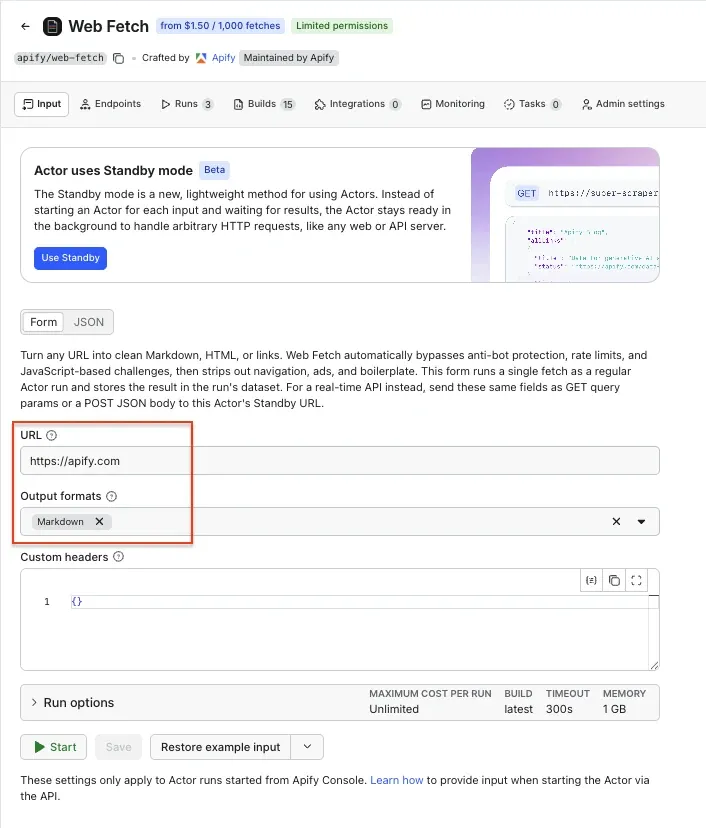
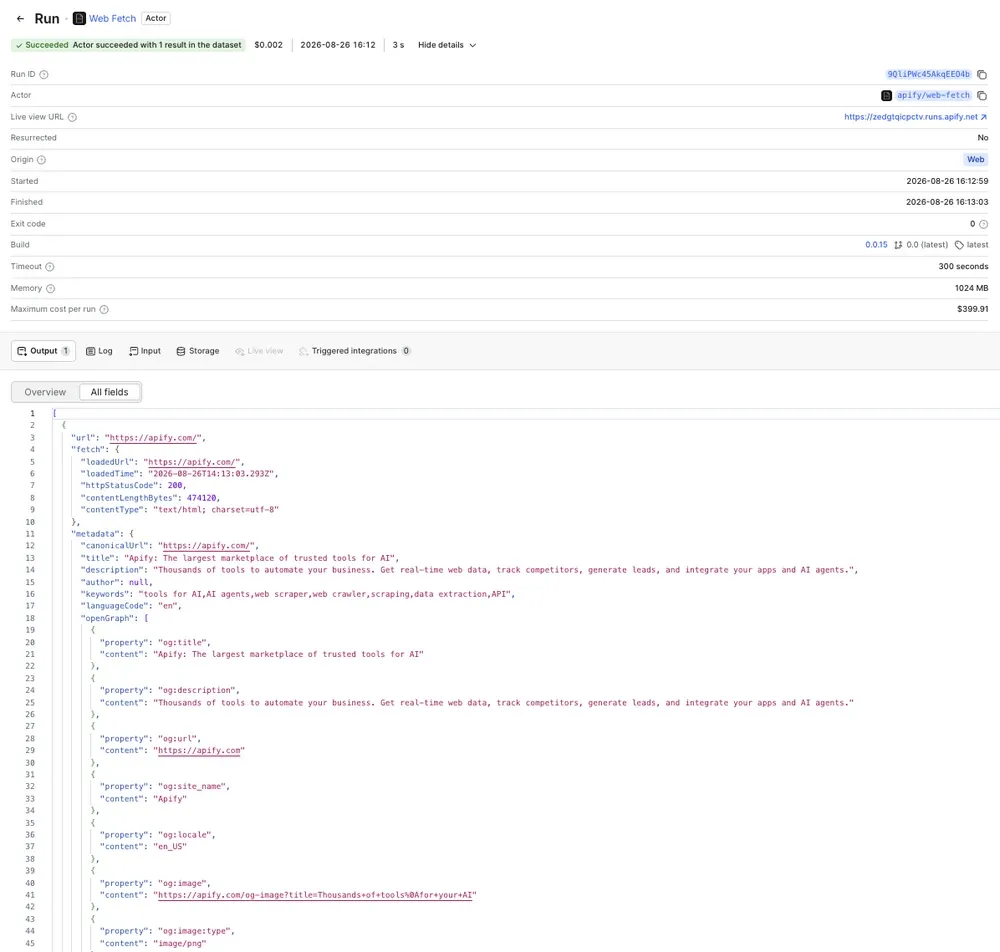
You can also use a regular Actor run in Apify Console. Fill in the same fields on the Input tab and click Start. Apify Web Fetch will perform a single fetch and save the result to the run's dataset.
Use Apify Web Fetch via MCP
Web Fetch also runs a Model Context Protocol server at /mcp, exposing a single web-fetch tool with the same parameters and JSON output as the main API. Add it to any MCP-compatible client (Claude Code, Cursor, etc.) pointed at the Actor's server URL:
claude mcp add web-fetch https://web-fetch.apify.actor/mcp -t http
Conclusion
Across 384 URLs covering social platforms, retail, news, documentation, and synthetic challenge pages, all four tools returned content for the large majority of requests.
Which tool fits depends on your target sites and how you're billed. Beyond response rate, latency, and cost, check success-based pricing, CAPTCHA handling, JavaScript rendering depth, fingerprint consistency, and geographic coverage.
To try Apify Web Fetch, send a request to https://web-fetch.apify.actor with your Apify API token, or add apify/web-fetch to your MCP client.