Ever since I joined Apify, I've wondered: how can I be notified when an Actor discovers something new? A fresh social post, a new apartment listing, or a specialty coffee place that’s just opened on Google Maps.
Until recently, every answer I found was built for someone willing to set up permanent monitoring infrastructure, not for someone who just wants to flip a switch and read the results.
Take one example: you could set up a request queue on Apify and feed it an Actor’s output after every run. The queue deduplicates the items automatically, and a second Actor - the Send Mail Actor, say - fires off a notification whenever something new lands.
That’s a lot of moving parts for something that should be trivial. Then I remembered RSS, the format websites used to publish updates for decades.
RSS to the rescue
Turns out, Apify can already export a dataset as an RSS feed. You set up an Actor task, schedule it, and point your RSS reader at https://api.apify.com/v2/actor-tasks/[TASK_ID]/runs/last/dataset/items?token=[YOUR_API_TOKEN]&format=rss.
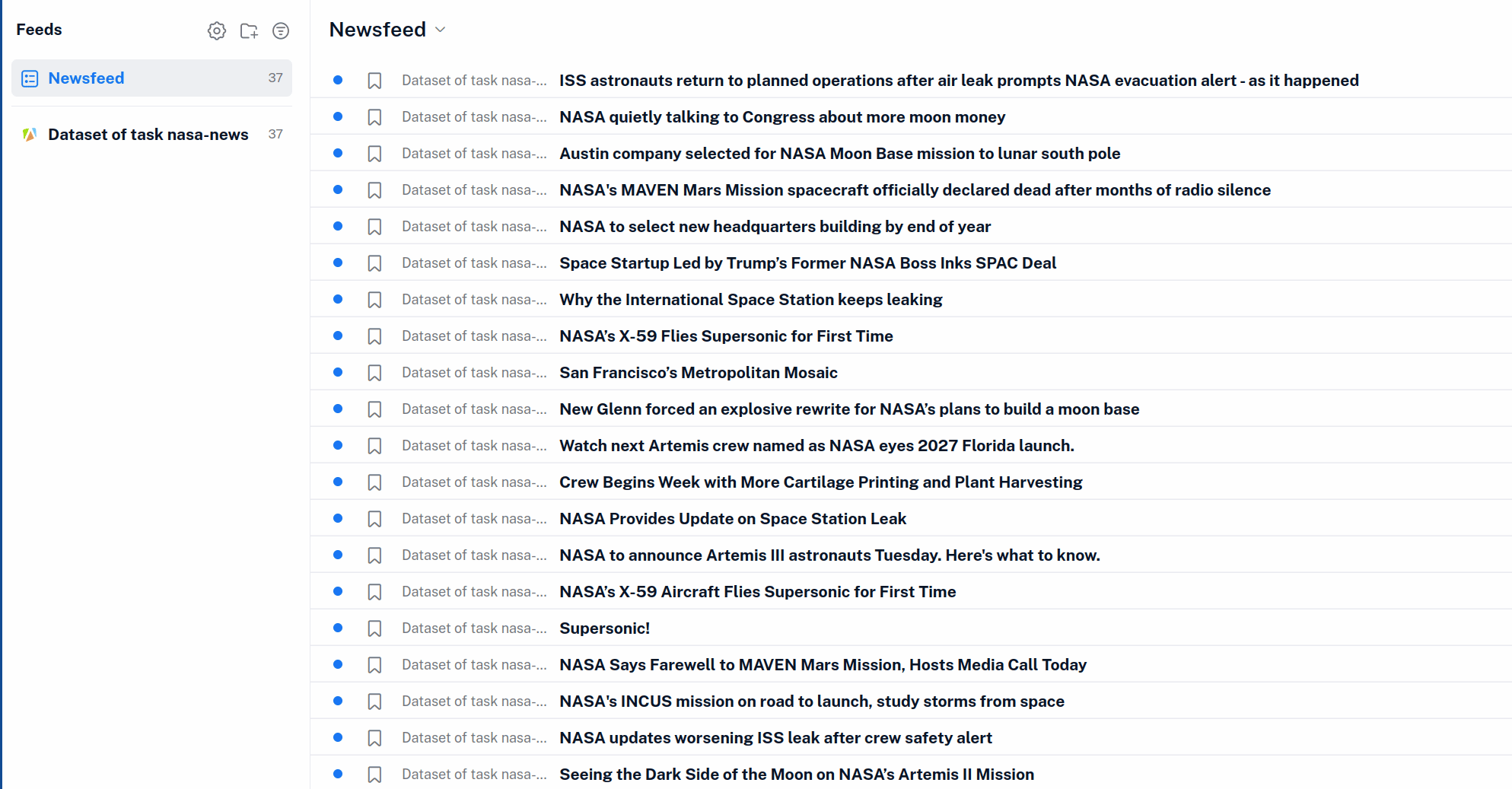
Great, except for one catch: the dataset has to use the field names RSS expects. The item’s URL has to live in a field called link, the headline in one called title, and so on. So turning your favorite Actor into a feed still meant writing custom glue code.
The fix was obvious once I saw it: if the RSS endpoint let you rename fields on the way out, almost any Actor that outputs URLs could become a feed. So I added exactly that - an outputFields query parameter that works alongside fields. Each field you list in fields is renamed to the one in the same position in outputFields.
Turning a Google Maps search into a feed
That’s a little abstract, so here’s a concrete example. Let’s turn a Google Maps search for specialty coffee in Prague 6 into a feed, using Google Maps Scraper. Just add &fields=title,url&outputFields=title,link to the feed URL, and those two options will:
- Select only the
titleandurlfields from the dataset. - Rename the
urltolinkso that it matches what RSS expects.titlestays unchanged.
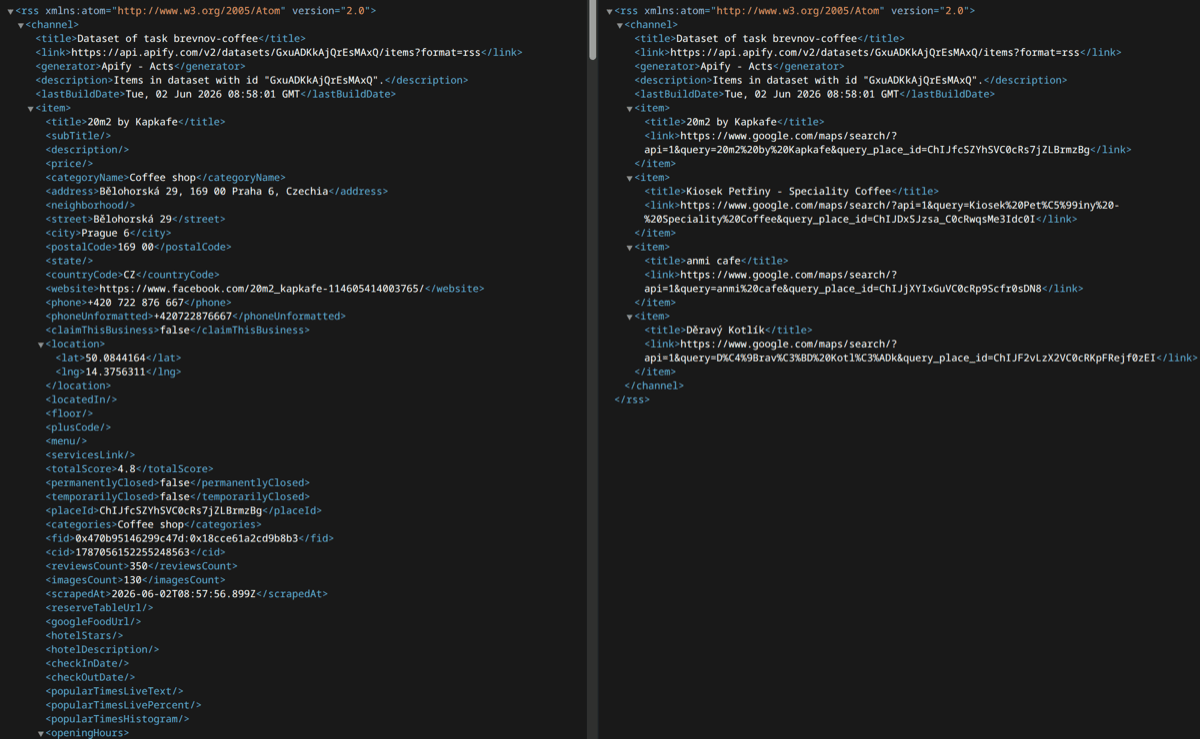
The resulting feed URL will look something like this:
https://api.apify.com/v2/actor-tasks/[TASK_ID]/runs/last/dataset/items?token=[YOUR_API_TOKEN]&format=rss&fields=title,url&outputFields=title,link
Not pretty, and not something you’d type by hand - but a lot easier than building a glue Actor. Drop it into your RSS reader of choice, then schedule the search to re-run on Apify every day. The next time a new coffee shop opens, you’ll be the first to know.
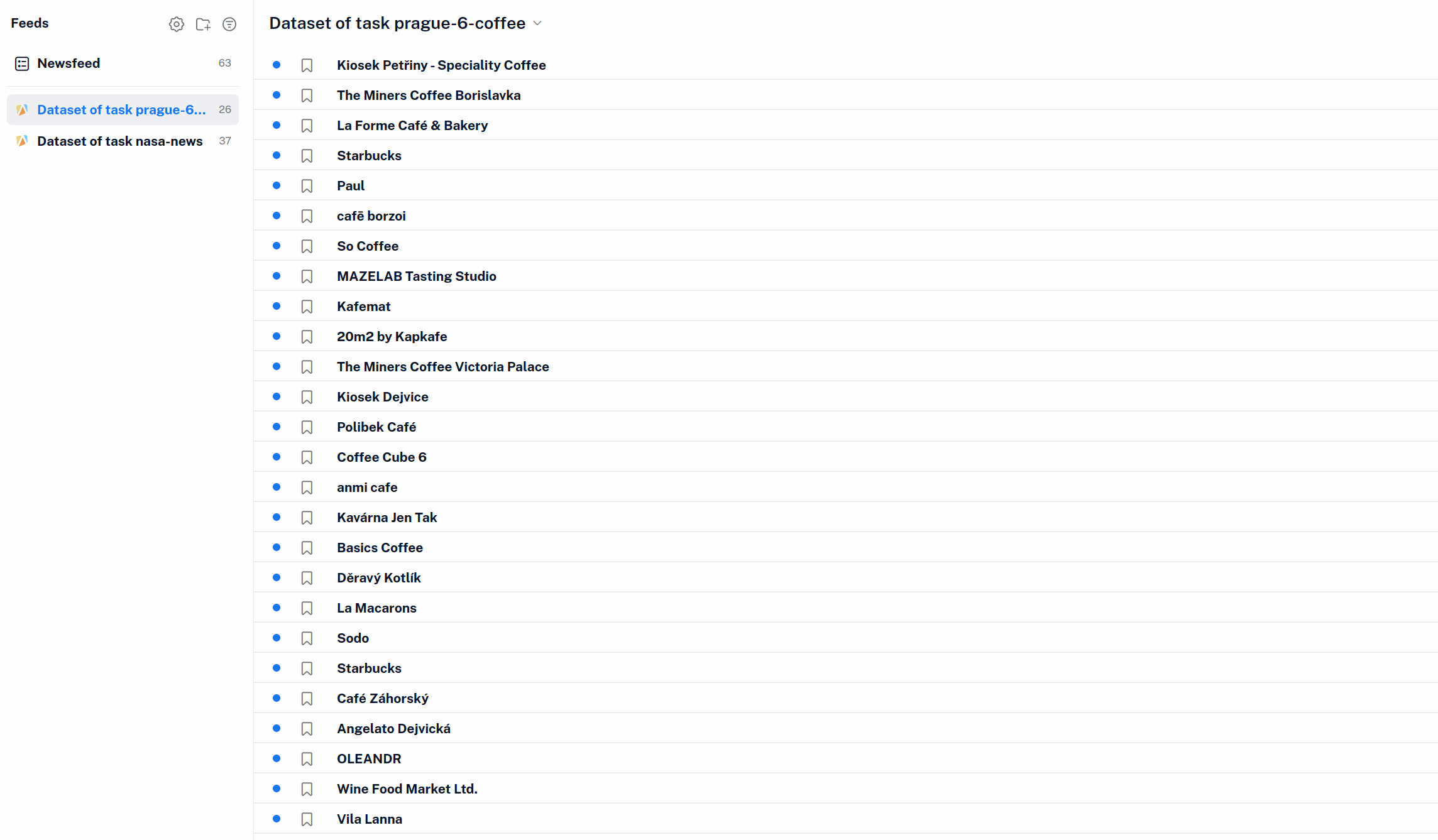
token=... part). Anyone who has the link can read the data from your runs, so treat the feed URL like a password - paste it into your own reader, but don't post it publicly.Better yet, don’t expose your main token at all. Apify lets you create API tokens with limited permissions, so you can issue one that does nothing but read this single task’s dataset. If that feed URL ever leaks, that one dataset is all it can touch, and the rest of your account stays locked down.
Create a feed with almost any Actor
This works with any Actor that outputs URLs - whether you're tracking new posts with Tweet Scraper, monitoring product prices on Amazon Scraper, or keeping an eye on local listings. Pick an Actor, map the fields, and you've got yourself a feed.