Lately, I had a request to extract data for a client. The website was UGAP (Union des Groupements d'Achats Publics), France’s public procurement marketplace. So I built an Actor - like I usually do - that does the following:
- Searches for a list of keywords (for example, table)
- Collects product links from search results
- Visits product pages and extracts title, prices (HT/TTC - pre-tax and tax-included), description, and reference code
- Pushes clean structured data into an Apify dataset
As usual, Playwright was my first choice, as it handles almost any site. But that flexibility comes at a cost: it's slow, consumes a lot of memory, and the Docker image is large.
This January, instead of getting fit myself, I reshaped this Actor to use CheerioCrawler instead of Playwright. That single decision changed everything: 10x faster, 10x lower memory usage, better stability, lighter builds, and much higher concurrency on the Apify platform.
This article is my migration story, based on the actual code.
Why UGAP was a good target
UGAP is a central purchasing body for French public procurement. It has a huge catalog (hundreds of thousands of items) and the data is available in static HTML, which makes it a good target for scraping.
General rule here: public-sector websites usually serve their data in static HTML since their goal is to let people access the data easily (and for anyone) and not to make it difficult to scrape.
No need to log in, no need to interact with private areas.

Prerequisites
This isn't a beginner's guide to web scraping. I’m assuming you’re comfortable with Node.js and you’ve used Apify or Crawlee before. What you need:
- Node.js 18+
- Basic familiarity with Crawlee routers and the Apify SDK
Useful docs I reference in this article:
I'm not going to mention proxy settings, dataset handling or any logging in this article. The only focus is on the performance.
Where I started: PlaywrightCrawler
When I created the project, I used the Playwright-based Actor template. To be honest, I hadn't yet looked closely at how UGAP loaded product details - I just defaulted to what I knew. My reasoning at the time was simple: I wanted robustness. If the site rendered prices via JavaScript, a browser would be the easiest path. I also wanted a single scraping approach for both search and product pages.
So my initial stack looked like this:
PlaywrightCrawlerinsrc/main.tscreatePlaywrightRouter()insrc/routes.ts- Extractors built around Playwright’s Page (so everything was async and browser-driven)
It worked. I could run a small input and get correct results. But performance could be better.
The performance problem with Playwright
With a browser, each “request” is a navigation inside a real Chromium instance. Even if you technically increase concurrency, you’re fighting CPU usage, RAM usage, and execution time.
And per-request latency is dominated by overhead. For every page, Playwright needs to create or reuse a browser context, navigate to the page, wait for the load state (I was using networkidle in the product handler), and evaluate selectors inside the browser context.
All of this added up, and the Actor was slow. Here's what the migration looked like in numbers.
Before (with Playwright):

After (with Cheerio):

The execution time dropped from 3 minutes to 14 seconds. As you can see, the memory usage is considerably lower with Cheerio.
Dry January: static is a good fit for Cheerio
As I mentioned earlier, the static nature of the website made CheerioCrawler a good alternative to test. Sure, it would require me to rewrite some parts of the Actor, but it would be worth it. I treated it as an experiment.
If you’ve never migrated from a browser crawler to Cheerio, here’s the core mental shift: with Playwright, you “drive” a browser like a user; with Cheerio, you just parse HTML as text.
The migration: what I changed in practice
I touched very few files:
package.json(andpackage-lock.json)src/main.tssrc/routes.tssrc/utils/extractors.util.ts(where the logic for extracting data from pages is)
1) Dependencies: removing Playwright from the runtime
Before the migration, the Actor depended on:
@crawlee/playwrightplaywright- A
postinstallthat installed Playwright browsers - a heavy install that slowed down every build.
After the migration, the only runtime dependency was @crawlee/cheerio.
This is the part people underestimate. Removing Playwright isn’t just about speed - it changes package size, installation time, and build time. And the main advantage is that you can now iterate faster on your Actor.
2) main.ts: switch PlaywrightCrawler → CheerioCrawler
With Playwright, my main entry was essentially:
- Create proxy config
- New
PlaywrightCrawler({ requestHandler: router, ... }) - Run the start URLs
The Cheerio version has the same structure, just with different options.
Before:
const crawler = new PlaywrightCrawler({
    proxyConfiguration,
    maxRequestsPerCrawl,
    requestHandler: router,
    launchContext: {
        launchOptions: {
            args: [
                '--disable-gpu',
            ],
        },
    },
});
After:
const crawler = new CheerioCrawler({
    proxyConfiguration,
    maxRequestsPerCrawl,
    requestHandler: router,
    minConcurrency: 10,
    maxConcurrency: 50,
    requestHandlerTimeoutSecs: 30,
    maxRequestRetries: 3,
});
3) routes.ts: switch page → $
The handler signature changes a little bit. So there was some code to update.
Search handler: browser evaluation → HTML link parsing
In Playwright, I used:
page.waitForSelector('a[href*="-p"]')page.$$eval('a[href*="-p"]', ...)to get product links
Before:
router.addHandler('search', async ({ request, page, enqueueLinks, log }) => {
    await page.waitForSelector('a[href*="-p"]', { timeout: 10000 })
    .catch(() => {
        log.warning('No product links found on search results page', { url: request.loadedUrl });
    });
});
In Cheerio, no need to wait for the page to load. I switched to:
router.addHandler('search', async ({ request, $, enqueueLinks }) => {
    const productLinks: string[] = [];
    $('a[href*="-p"]').each((_, element) => {
        const href = $(element).attr('href');
        const absoluteUrl = new URL(href, request.loadedUrl).href;
        productLinks.push(absoluteUrl);
    });
});extractors.util.ts: async calls → synchronous calls
In the Playwright version, my extractors looked like:
extractTitle(page): Promise<string>extractPrices(page): Promise<{ priceHT, priceTTC }>
After migrating, the extractors became synchronous:
extractTitle($): stringextractPrices($): { priceHT, priceTTC }
Same logic as applied in the routes.ts file.
Why the speedup hit ~10x
By speedup, I mean crawl throughput: how many pages (search + product) I can process per unit time on the same budget. That throughput is a product of two things:
- Per-request latency
- Safe concurrency
On static sites, Playwright moves both in the wrong direction.
Per-request latency: browser tax vs. raw HTML fetch
On a static page:
- An HTTP fetch + HTML parse can take tens of milliseconds to a few hundred milliseconds.
- A Playwright navigation often lands in the seconds range once you include load state, network settling, and page lifecycle overhead.
Even if the server is fast, the browser workflow is doing more work than needed.
Concurrency: 50 parallel HTTP requests vs. a few pages at once
With CheerioCrawler, running maxConcurrency: 50 is normal. With PlaywrightCrawler, 50 concurrent pages is usually a stress test, not a default. You can do it, but you’ll pay in memory, CPU, and instability.
So the “10x” story is not one knob. It’s the combination:
- Lower latency per request
- Much higher safe concurrency
- Lower memory footprint, which keeps autoscaling happy
- Fewer timeouts and retries, which reduces wasted work
What surprised me
A few things stood out.
The migration was small
Switching from Playwright to Cheerio touched fewer than 200 lines of code.
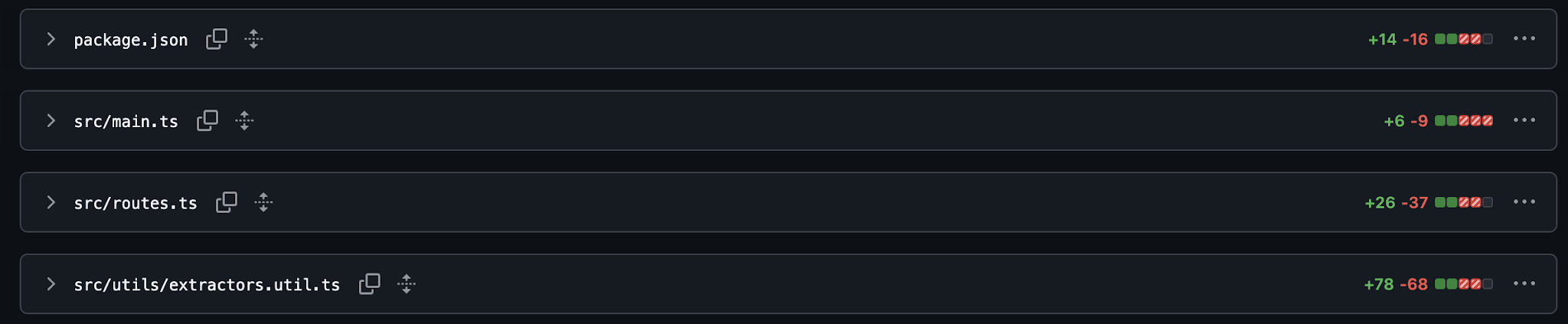
See the git diff here:
- Switch the crawler from
PlaywrightCrawlertoCheerioCrawler - Switch the router from
pageto$ - Switch the extractors from async to synchronous
Synchronous router is much simpler
Playwright routers often include waiting logic:
- Wait for the selector
- Wait for the load state
- Handle partial renders
Once I moved to Cheerio, those concerns disappeared. The page is either in the HTML, or it isn’t.
The build got a lot lighter
Removing postinstall browser setup is underrated. It reduced friction immediately: The final image is around 450MB, down from about 2.3GB.
What I’d do differently next time
Two things I'd change on the next Actor:
- I would validate “static vs. dynamic” on day zero
- I would design for easier “crawler swap”, keeping separation of concerns in mind
Conclusion
I didn’t switch from Playwright to Cheerio because Playwright is bad. I switched because it was the wrong tool for this specific job.
UGAP serves the product data I need in static HTML. That fact makes CheerioCrawler the natural fit, as it removes the browser overhead, unlocks real concurrency, and cuts memory dramatically.
If you’re building Actors and you want a free performance upgrade, here’s my recommendation:
- Start with website inspection: static or dynamic?
- Use the lightest crawler that can do the job.
- Keep your extraction logic modular so you can switch later.
That’s how my Actor is now 10x faster, thinner, and less RAM hungry: all thanks to picking the right tool.
FAQ
Should I always replace PlaywrightCrawler with CheerioCrawler?
No. Only do it when your target pages are server-rendered and the fields you need exist in the raw HTML.
How do I know if the content is in static HTML?
Use view source or fetch the page HTML directly (curl, HTTP client). If the fields you need are missing and only appear after JS runs, you likely need Playwright.
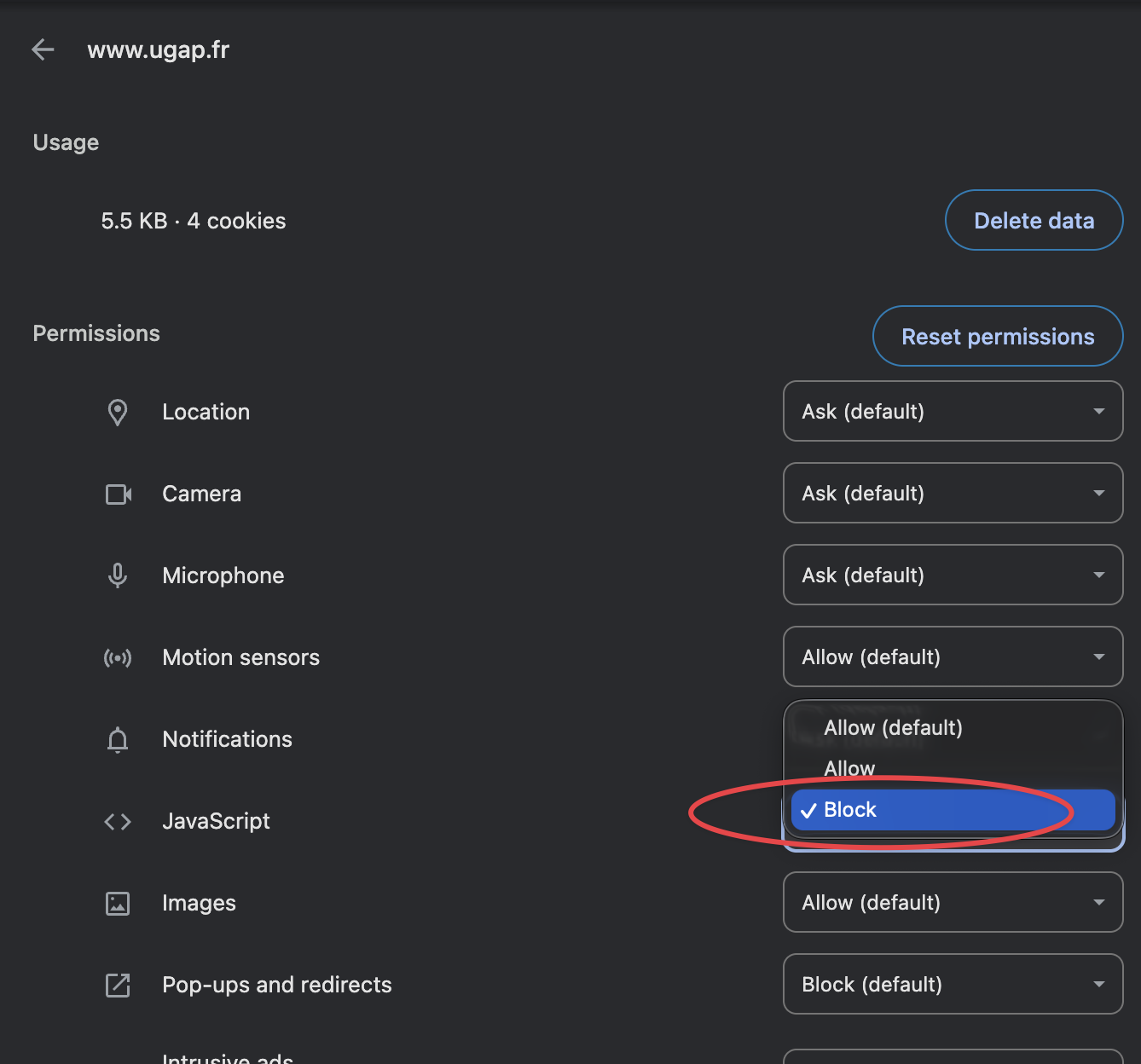
You can also test it by disabling JavaScript in your browser and checking if the fields you need are still present. In Chrome, you can do this in the settings as shown below:
Can I mix both approaches?
Yes. A hybrid approach can be the best of both worlds:
CheerioCrawlerfor most pagesPlaywrightCrawlerfor a small subset that truly requires interaction or JS rendering
Your Docker build image will be considerably bigger, but it can be worth it if you need to scrape a lot of pages that are static and some that are dynamic.
What’s the biggest win from switching?
- Lower RAM
- Higher concurrency
- Fewer timeouts
- Lighter builds
Is the UGAP Actor available publicly?
Yes, you can find it on Apify Store: UGAP Website Scraper
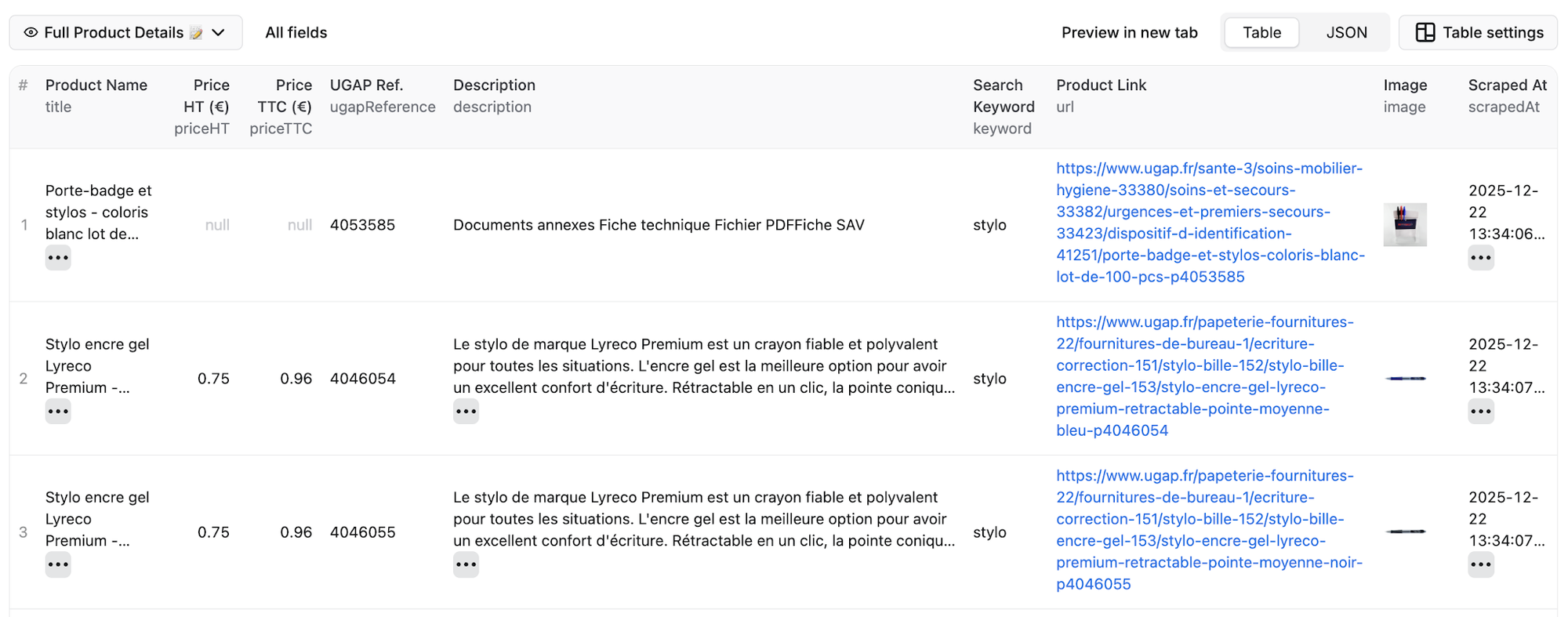
What do the results look like?
Here's a preview of the dataset with extracted title, prices, reference code, and image: