Parallel's Extract API takes a URL and hands the page's content to a model. Apify's Web Fetch does the same thing. Both are sold to the same person, an engineer wiring a web tool into an agent, and both describe the output the same way: clean text, ready for an LLM.
Underneath, they take different default approaches. Parallel Extract can serve content from Parallel’s crawl index and uses dynamic caching by default, with callers able to force a live fetch. Web Fetch retrieves the target URL in real time, escalating to JavaScript rendering and anti-bot measures when needed.
That difference is what should decide which tool goes where in an agent, but it’s not the distinction Parallel's Apify comparison drew. That piece framed the choice as a marketplace against a retrieval API, which may hold at the company level, though the decision usually gets made one endpoint at a time. Extract and Web Fetch are the point where the two products meet: both retrieve model-ready content from specified URLs. That is the comparison this article is about.
What each one is
Parallel is a research layer for AI agents. It exposes a set of retrieval and research APIs: Search, Extract, Responses, Task, FindAll, Entity Search, and Monitor. Prices rise sharply with the amount of research the endpoint performs: Search starts at $1 per 1,000 requests, while Task reaches $2,400 per 1,000 runs at its heaviest tier. There is no catalog to browse and no way to deploy your own code to it. Parallel answers questions about the web.
Apify is a marketplace of ready-to-run tools called Actors. Actors are hosted tools that do a job on the web. Most get data out of a named site; others automate a workflow or wrap an integration. They target various sites, from Amazon and Google Maps to marketplaces almost nobody has heard of, and anyone can build and deploy their own. Alongside them sit tools maintained by the Apify team, Web Fetch among them, which does exactly one job: give it a URL, and it returns that page.
What live fetch looks like in practice
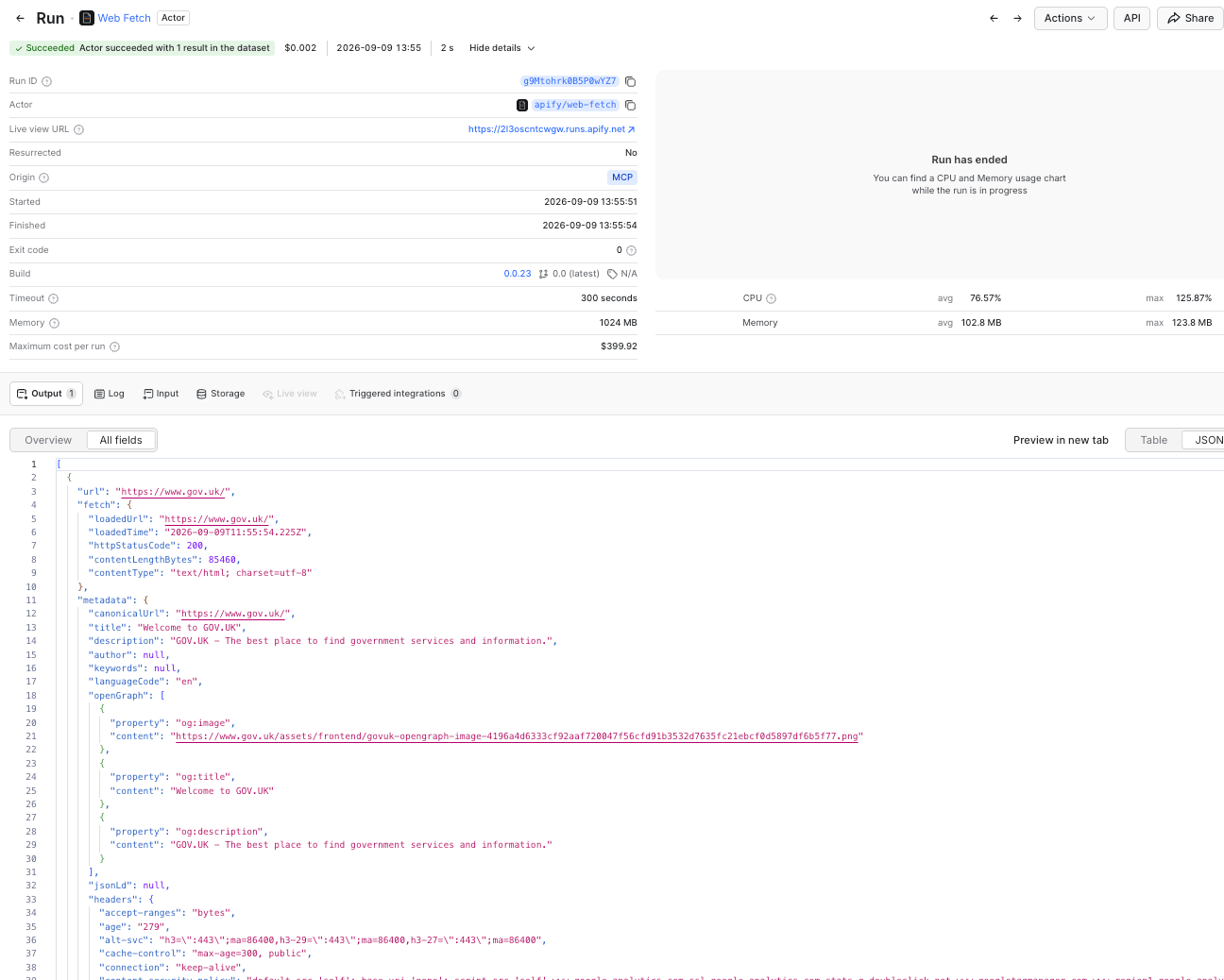
Give Web Fetch a URL, get back clean Markdown, plain text, cleaned HTML, the raw body, or the page's links. It handles JavaScript-heavy pages by escalating to real browser navigation when needed, works around bot protection and rate limits, extracts PDFs, and returns metadata: canonical URL, title, description, language, Open Graph tags, JSON-LD, and response headers.
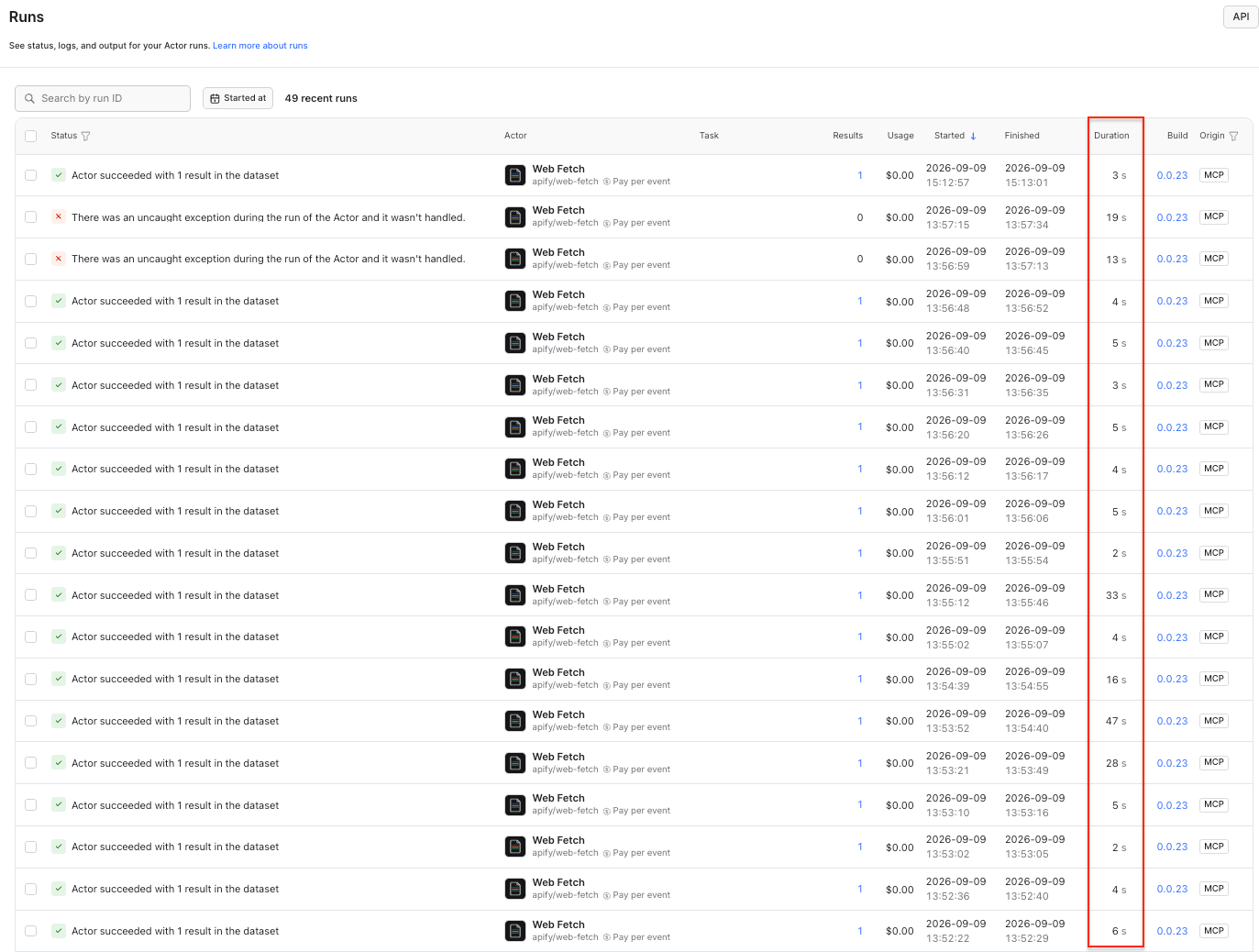
To put a number on it, Web Fetch was run against 38 URLs: bot-defended commerce and travel sites, news sites, SaaS marketing pages, and documentation. Every request was live, with no cache tier to fall back to, and each ran as a cold start rather than through the warm Standby endpoint, which is the slower of the two ways to call it.
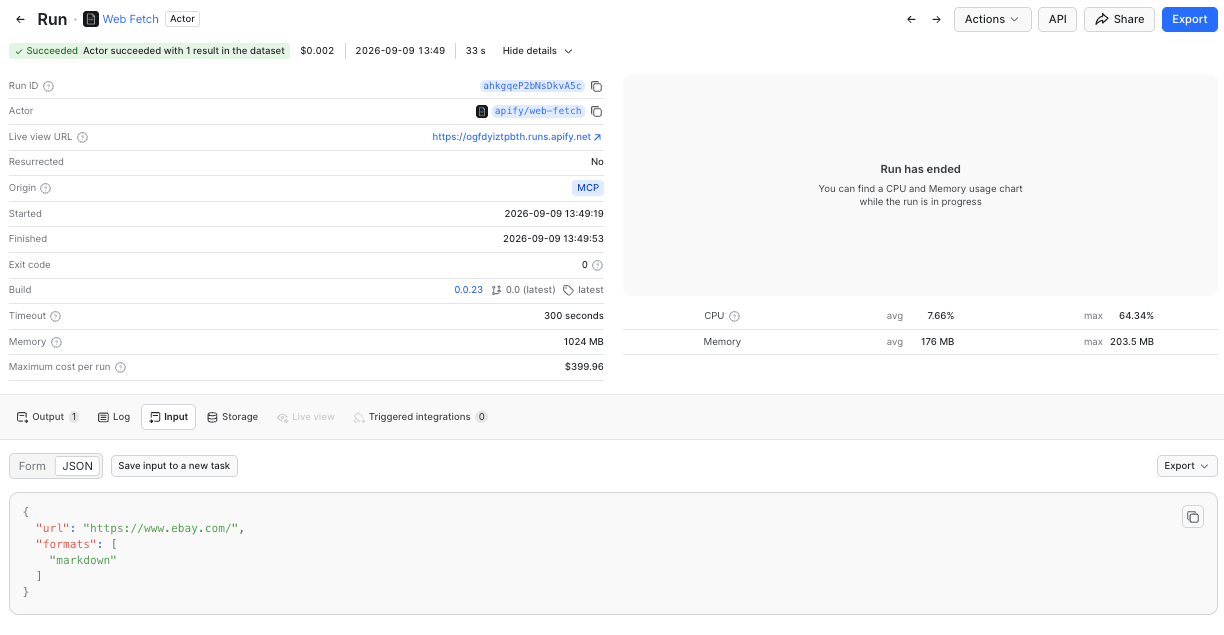
Of the 38 URLs, 36 returned successfully. The median was 4.9 seconds. Half the pages returned in under 5 seconds and 78% in under 10. The slower outliers are worth calling out: IMDb took 47.5 seconds, Amazon 39.3, eBay and Stack Overflow 33.5 each, and six of the 36 successful fetches took longer than 20 seconds.
Pricing: $1.50 per 1k fetches, billed per event, with failed requests free. If you call in batch mode, you will also have a start run charge of $0.00005. It is, however, recommended to use this Actor via the server interface (which makes it behave like a REST API).
The latency comparison
Parallel's latency section is more careful than most. It describes an Actor run as a container that boots, works, and writes to a dataset, and concedes the cost plainly: "Even a fast one is seconds, and a cold start adds more." It then recommends Standby mode for anything sitting on a request path, which is the right advice.
The problem is what comes next. The section compares that container boot with Parallel Search Turbo at roughly 200ms, arguing that Turbo is faster because it serves from an index rather than launching a browser. That is true, but it is not a like-for-like comparison: Turbo is a search lookup, while Web Fetch is a page retrieval. The section never gives a latency figure for Extract, the endpoint that actually corresponds to Web Fetch, or separates Extract's cached path from its live one.
Parallel's own pricing page does. It puts Extract at roughly 1–3 seconds when served from cache and 60–90 seconds when it has to fetch the page live. That is the more useful comparison: cached retrieval is fast because the page has already been collected, while fresh retrieval can be dramatically slower because Parallel has to go back to the web.
Comparing an index lookup to a browser launch establishes that indexes are faster than browsers. It does not tell you what it costs to read the page in front of you.
When cached retrieval is enough
Index-served retrieval is the right call when the question is about the open web rather than one named page, when an AI is doing the reading and will summarize anyway, and when the content has probably not changed since the last crawl. It matters most when a single user turn triggers several lookups. A search product built on an index will generally beat a live fetch on speed, because it is answering a different question.
When you should force a live fetch
Reach for a live fetch when acting on stale information would be expensive. Prices, availability, and inventory. Job postings that get pulled, listings that get edited. Anything a competitor updates on purpose. Anything where an agent is about to act on the answer.
The failure mode of index-served retrieval can be quiet. The model may receive a well-formed cached page, cite it confidently, and act on information that has since changed. Parallel lets callers control acceptable cache age and force errors instead of stale-cache fallback, but unless those settings are configured appropriately, freshness remains something the caller has to reason about.
A few corrections to Parallel's comparison
Parallel's Apify comparison is a fair piece of work, but a handful of details are off.
The Starter plan is $19 a month, not around $29. Compute units are $0.20 on Free and Starter, $0.16 on Scale at $199, and $0.13 on Business at $999.
Describing only part of the pricing model. Pay per usage, the model the article describes, draws on compute units, proxy, storage, and transfer. Pay per event is the other main model: a fixed price per event that the developer defines. Web Fetch, for example, runs on it at $0.0015 per successful fetch. There is no memory allocation to guess at and no proxy line to model. Rental, a flat monthly fee per Actor, is being phased out.
Apify is SOC 2 Type II compliant. The reliability section presents SOC 2 as something only Parallel has, without noting that Apify holds the same certification.

Web Fetch is missing. The article names RAG Web Browser and Website Content Crawler as the Actors closest to Parallel's territory, which is reasonable, but the endpoint that actually maps onto Extract is Web Fetch.
Where this leaves both products
If the agent is discovering information, index-backed retrieval is often enough. If it is about to act on information that may have changed, fetch the source live. Researching a supplier is a lookup. Checking whether that supplier still has stock is an action.
When a request is both, split it - let the index find the page and let the live fetch read it.