You've built an Apify Actor that solves real problems. You know that the distribution and marketing of your software is equally as important, but right now, it's only discoverable within the Apify ecosystem. What if you could automatically promote it to another community of over 200,000 automation builders?
This guide will teach you how to convert your Actor into an n8n node, test it locally, publish it to npm, and promote it to maximize reach. We’ve built a CLI tool to make this conversion simple and under 60 minutes, without any prior knowledge of n8n node rules and publishing processes.
Follow the guide on YouTube
Why n8n?
n8n is an open-source workflow automation platform with an ecosystem of over 1,000 different services and APIs. Think of it as a more technical and flexible alternative to Zapier. Developers and technical teams use n8n to build sophisticated automation workflows without writing custom integration code.
Because it’s open source and can be self-hosted, n8n is popular with privacy-conscious teams and enterprises, and it has a community of more than 200,000 automation builders behind it. That community is important for distribution: n8n is extensible through community nodes, and its developers actively search for new nodes that solve specific automation problems. Publish a node, and you put your Actor in front of all of them.
Actors have access to platform features such as built-in proxy management, anti-bot evasion support, integrated storage with structured CSV/Excel/JSON exports, and standardized input parameters (URLs, keywords, limits, etc.). Actors also integrate easily with third-party apps and can be configured via tools such as n8n using Apify nodes.
Why Actors work perfectly as n8n nodes
Apify Actors are serverless cloud programs that perform specific automation tasks: web scraping, data extraction, API integrations, and more. Their architecture makes them ideal candidates for n8n integration.
An Actor’s well-defined input schema converts directly to n8n parameters, and its on-demand API execution matches exactly how n8n nodes work. Structured output flows straight into the next step of a workflow, while all the complex logic stays on Apify: your node just triggers it.
By converting your Actor into an n8n node, you're creating a bridge between two automation ecosystems without duplicating any work. Your Actor stays on the Apify platform, runs on Apify infrastructure, and users still consume Apify compute credits - but now they discover and use it more easily through n8n's interface.
Prerequisites
Before you start, make sure you have:
- Node.js installed on your machine.
- An existing Apify Actor with a working input schema.
- An npm account for publishing.
- Basic command-line familiarity.
How to publish your Actor as an n8n node
1. Clone the template repository
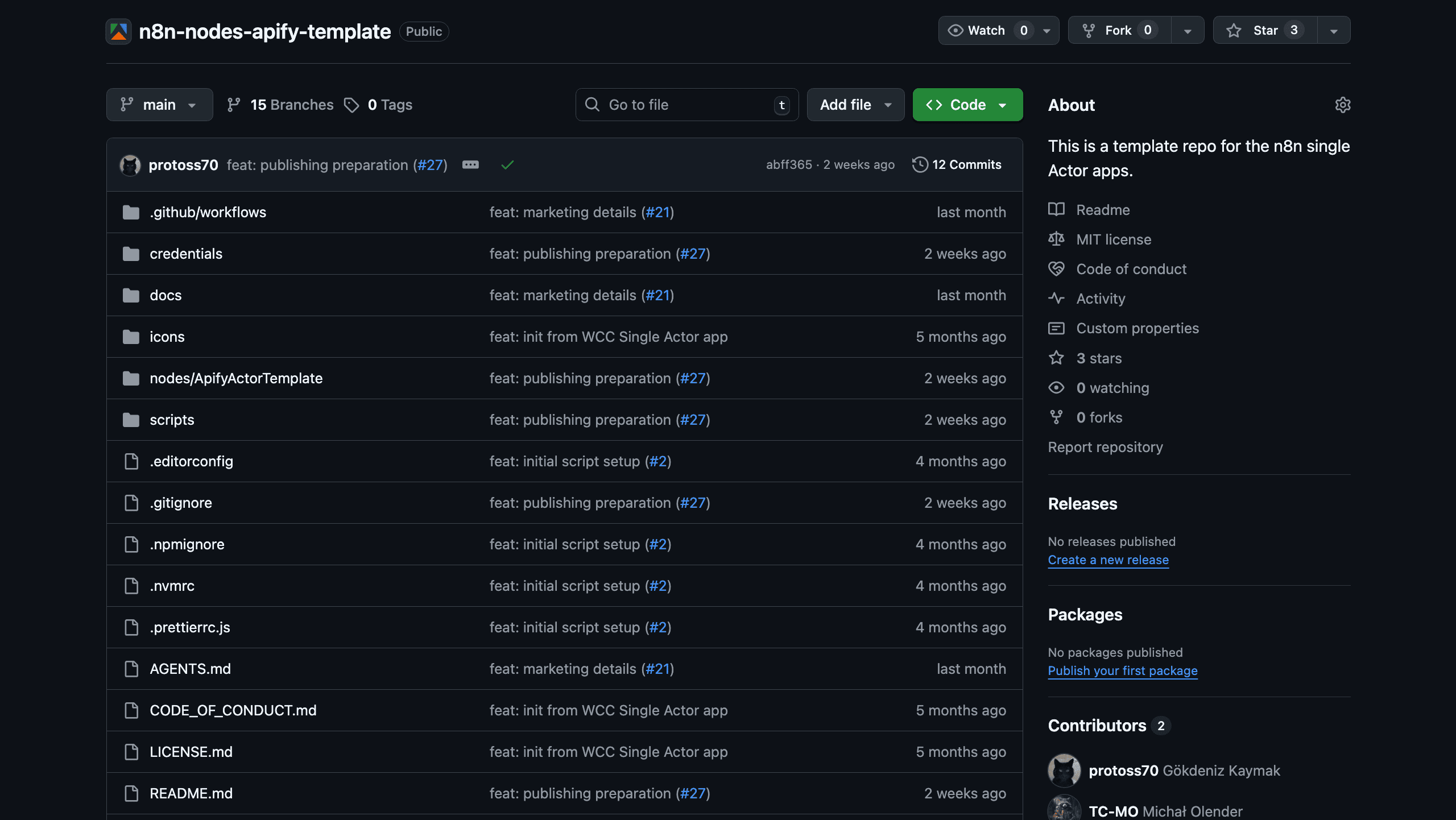
Start by cloning or using the n8n-nodes-apify-template repository:
git clone https://github.com/apify/n8n-nodes-apify-template.git
cd n8n-nodes-apify-template
npm install
This template includes everything you need to generate an n8n node from your Actor.
2. Generate your node
Run the node generator command and enter your Actor ID when prompted:
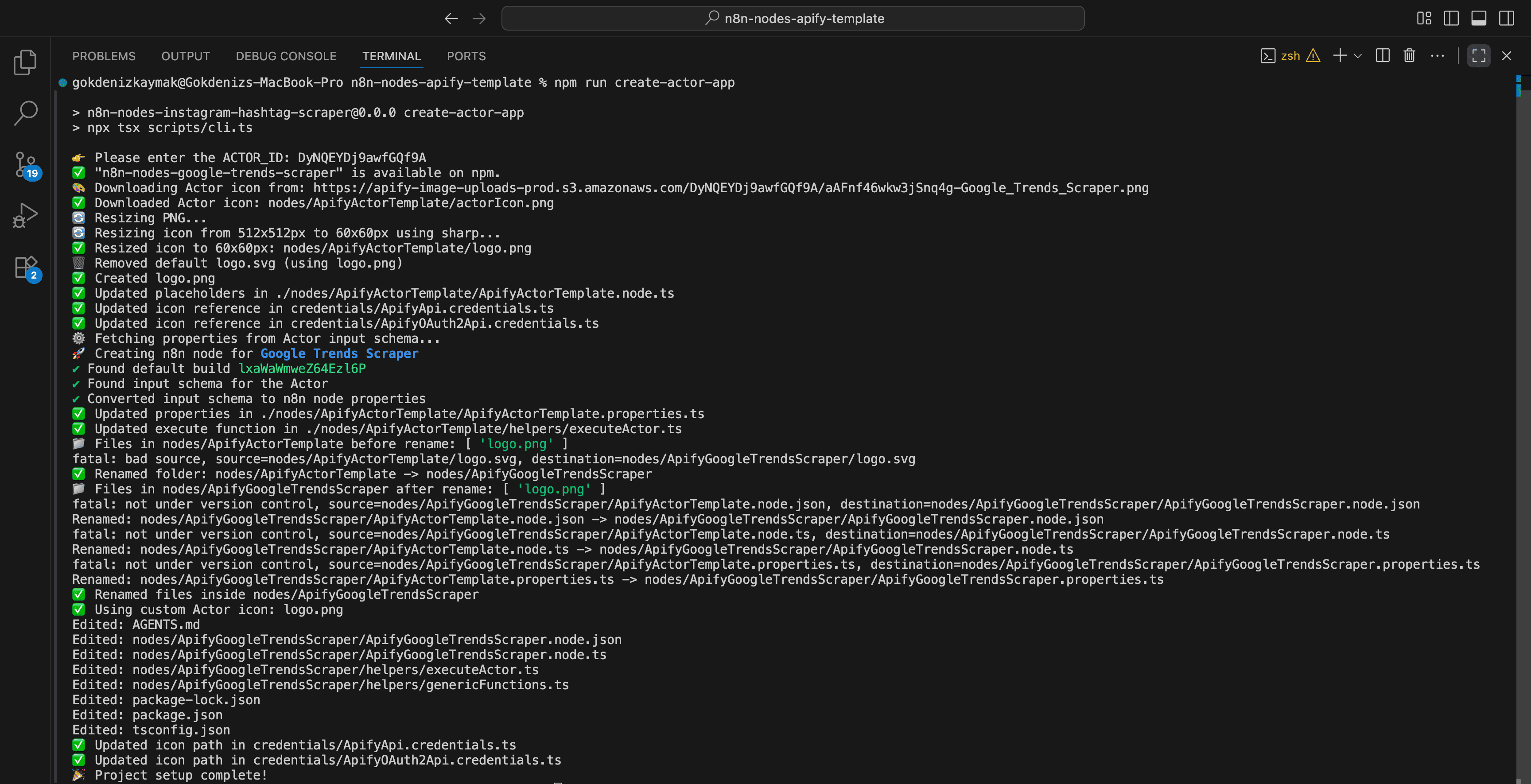
npm run create-actor-app
The CLI will prompt you for your Actor ID. You can find this in Apify Console on your Actor's page (a unique identifier like abc123XYZ).
The generator fetches your Actor's input schema from the Apify platform, generates the necessary n8n node files, and configures the node based on your Actor's metadata. Note that it uses the Actor logo icon by default.
Review the generated files in the output directory to ensure everything looks correct.
3. Customize your node
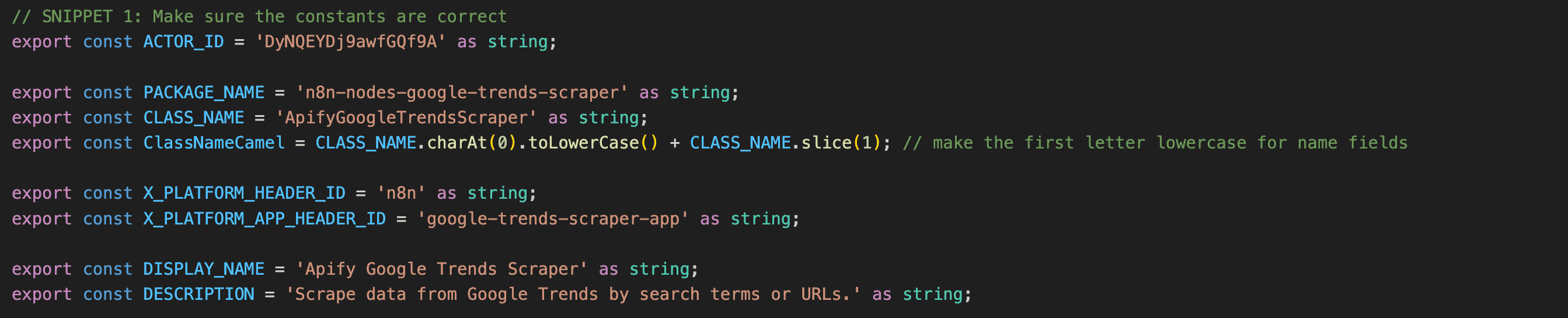
The generated node works out of the box, but you'll want to polish it for a better user experience. There are two things to focus on:
Update node metadata:
- Edit the node title so it’s clear and descriptive.
- Write a description that explains what your Actor does.
- Update the icon to match your Actor's branding.
Improve descriptions:
- Add tooltips to input fields.
- Include example values where they help.
- Make sure the node name follows n8n's naming conventions.
You can find the parts of the code you’re most likely to modify by running a repo-wide search for the SNIPPET keyword in the comments. For AI-assisted modification of the node, the repo also includes an AGENTS.md file you can use with your favorite coding agent.
4. Test locally
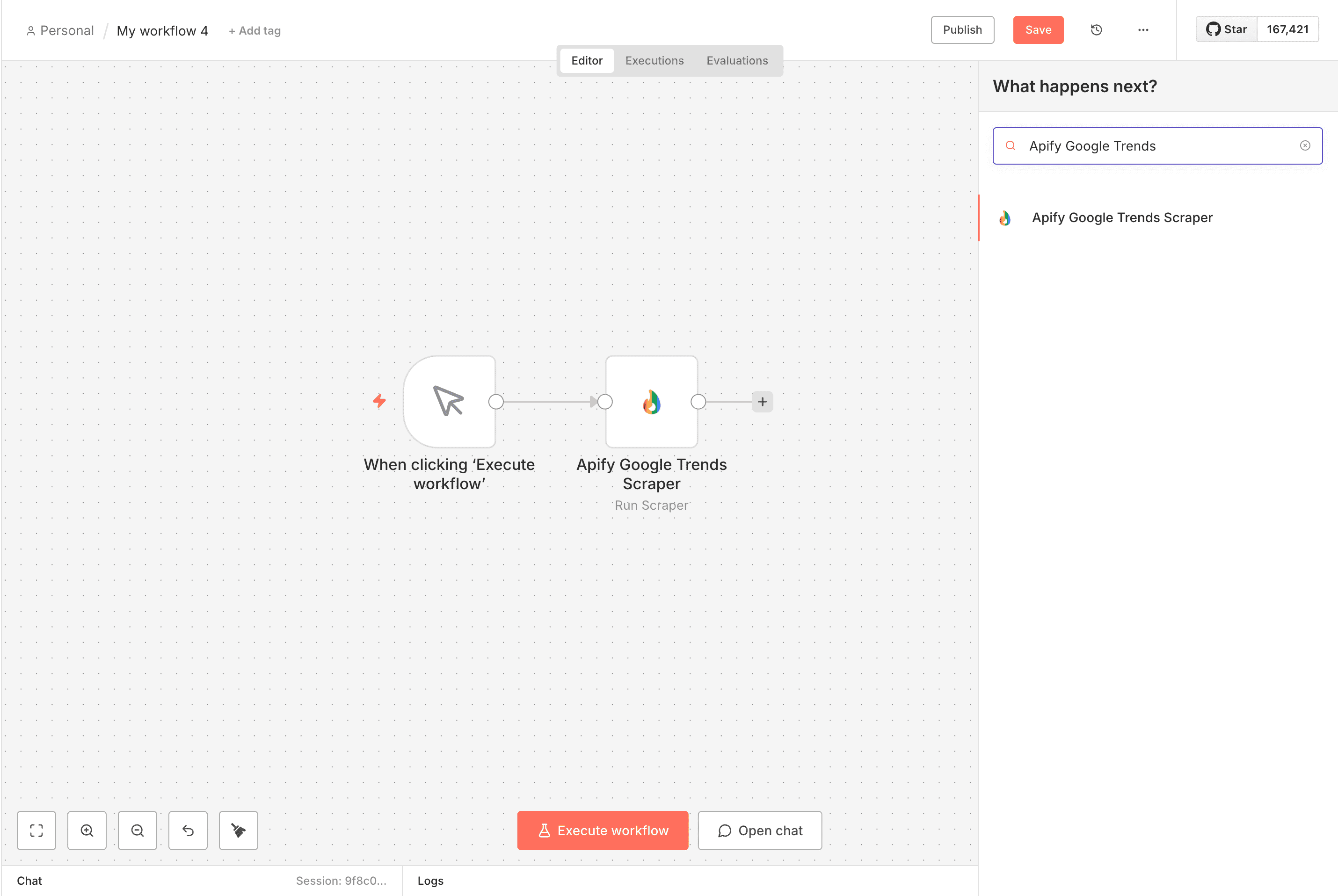
Before publishing, test your node in a local n8n instance:
npm run dev
This starts n8n locally with hot reloading enabled. Open your browser and navigate to http://localhost:5678.
Create a test workflow that uses your node, run it with sample inputs from your Actor, and check that the output matches what you expect.
5. Publish to npm
Once you're satisfied with your node, prepare it for publication by updating package.json. Give it a unique package name (such as n8n8-nodes-your-actor-name), add your author details, write a clear description, and set the version to 1.0.0.
When that's sorted, turn to the README. It's the first thing people see on your package's npm page, so explain what the node does, cover installation, add a usage example or two, and link to your Actor in Apify Store.
Then, publish:
npm publish
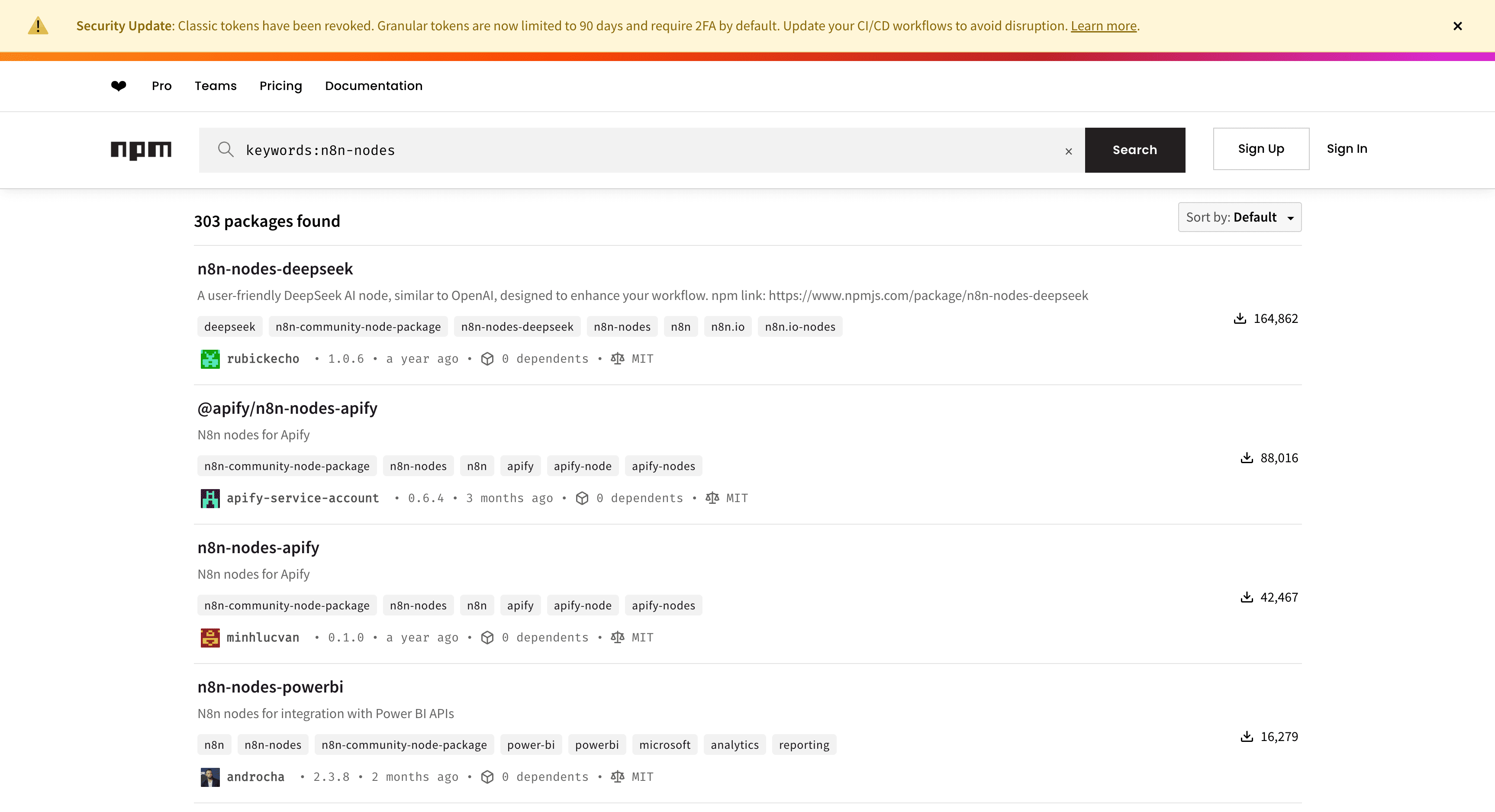
Confirm your package shows up on your npm profile.
6. Promote your node
With your node live on npm, the last job is getting it in front of people:
- Update your Actor README. Add a section about the n8n node so anyone who finds your Actor on the Apify platform sees the integration.
- Announce it in the n8n community forum. A strong launch post explains the problem the n8n node solves, shows a sample workflow or two, compares it to manual setup, and includes installation steps.
- Notify the Apify team. Email integrations@apify.com to let them know about your new node.
- Share on your own channels. Post on Twitter/X, LinkedIn, and GitHub, and record a short demo on YouTube or Loom.
Support and resources
Need help? The Apify integrations team is here to support you:
- Discord: Reach out to the Apify Integrations team on Apify Discord.
- Email: Contact integrations@apify.com.
- GitHub: Open issues in the template repository for technical problems.
- n8n Community: Join the n8n forum to connect with other node creators.
Useful links:
- n8n community nodes documentation
- n8n Actor node template repository
- Example published node (Website Content Crawler)
Conclusion
In under 60 minutes, you can extend your Actor's reach from the Apify ecosystem to n8n's 200,000+ automation builders. The process is straightforward: clone the template, generate your node, test it locally, publish to npm, and promote it.
Your Actor handles the heavy lifting. Your n8n node just makes it accessible to a whole new audience.
Ready to get started? Clone the n8n Actor node template and follow the guide to publish your first node today.