


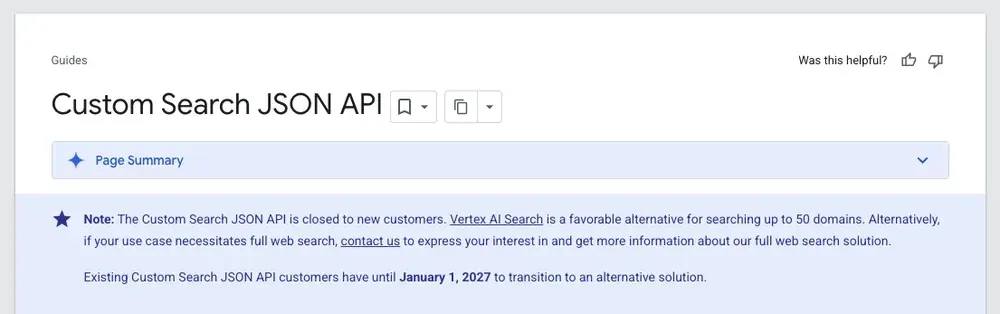
Google's Custom Search JSON API no longer accepts new customers, and existing customers have until January 1, 2027 to find another solution.
If your app or pipeline sends a query to the Custom Search JSON API with "Search the entire web" turned on and reads back JSON, this guide is for you. Check which replacement fits your use case and see how to move to Web Search, an Apify Actor that returns Google results as JSON.
What's changing and when
Google has announced the following on the Custom Search JSON API overview page:
- The Custom Search JSON API is not available for new customers.
- Existing customers can keep using it until the service is discontinued on January 1, 2027.
- Until then, pricing stays the same: 100 free queries a day, then $5 per 1k queries, up to 10k queries a day.
For searching up to 50 domains, Google points users to Vertex AI Search. For results from the whole web, Google offers no self-serve replacement. It only points to an interest form.
Which replacement you need depends on what you search
Before you pick a tool, check what you use Custom Search for. Each of these jobs has a different best fit.
| What you use Custom Search for | What to use instead |
|---|---|
| A search box for your own website | Google's Programmable Search Element, or a site search tool such as Algolia |
| Searching a known set of sites or your own data, inside Google Cloud | Google's Agent Search (formerly Vertex AI Search), which Google calls "a favorable alternative for searching up to 50 domains" |
| Results from anywhere on the web, as JSON, for an app or AI agent | Web Search, which the rest of this guide covers. Other APIs that return Google results: SerpApi, Serper, and Bright Data SERP API. For results from an independent index: Brave Search API |
| Search results plus the content of each page, for RAG and agents | RAG Web Browser, or Web Search paired with Web Fetch. Also Tavily, Exa, and Brave Search API's LLM Context endpoint |
| Full results pages for SEO research: ads, AI Overviews, People Also Ask, many pages per query | Google Search Results Scraper, SerpApi, or DataForSEO |
The rest of this guide is for the third group: you need results from the whole web, as JSON, with as little code change as possible.
What you get with Web Search
Web Search keeps the pattern you already rely on: a query goes in, structured search results come out. Here's how it compares to the Custom Search JSON API.
| Custom Search JSON API | Web Search | |
|---|---|---|
| Availability | Closed to new customers, ends January 1, 2027 | Open to everyone |
| Setup | API key plus a configured search engine (cx) |
One Apify API token |
| Price | 100 free queries a day, then $5 per 1k | Pay per search, see Web Search pricing |
| Daily limit | 10k queries | No daily cap |
| Local results | Country and language | Country, language, and city-level location |
| Page content | Snippets only | Snippets only. Get full pages as Markdown with Web Fetch |
| AI agents | No agent integration | A tool in Claude, Cursor, and other MCP clients |
| Failed requests | Counted | Not charged |
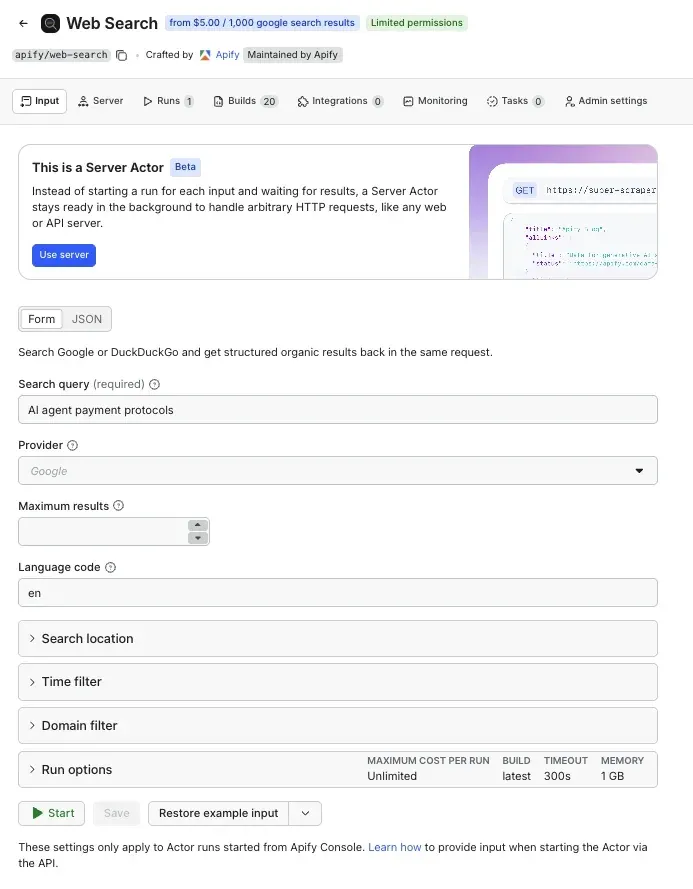
You can use Web Search in two ways:
- Through the server interface. This works like Custom Search: send an HTTP request to a fixed URL and get the results in the response. It's the closest match for an existing integration.
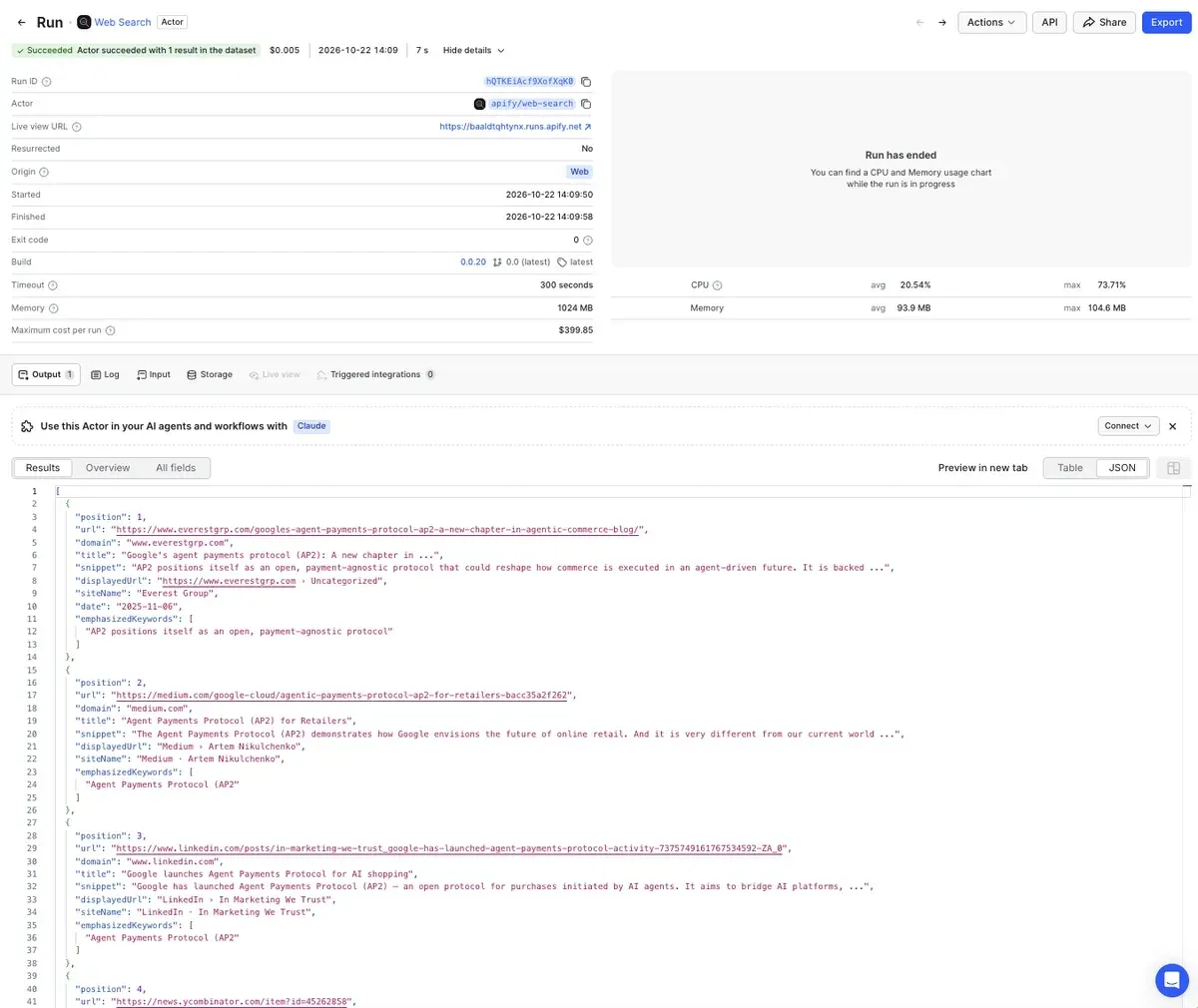
- As a regular Actor run. Start a run and read the results from its dataset. This suits scheduled and batch jobs.
What to plan for
- Response time. Web Search gets results live from the search engine on every request, so a search takes a couple of seconds. If users wait on screen for results, design your UI for that.
- One page per query. A search returns the first page of results only, with no pagination. That's enough for most lookups and agent tool calls. If you need many pages per query, use Google Search Results Scraper instead.
How to switch from Custom Search to Web Search
Moving to Web Search takes a few changes to your code. You still send a query and get JSON back, so the code that reads your results keeps working once you map the field names below. Here's what to do:
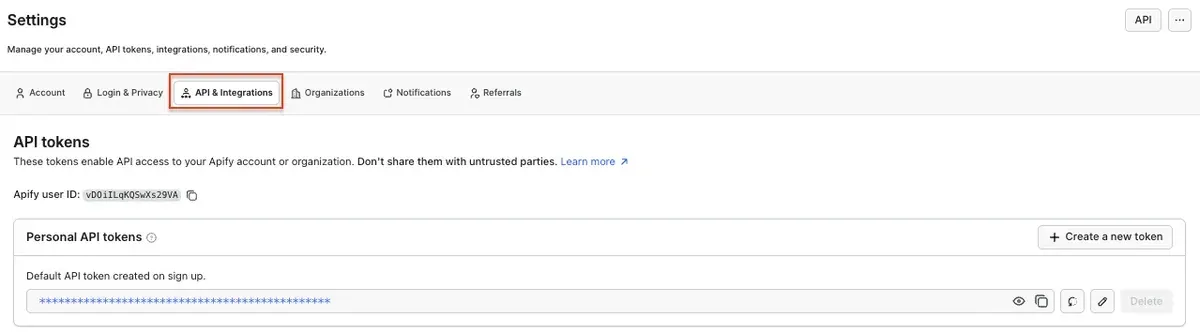
- Create a free Apify account and copy your API token from Settings → API & Integrations in Apify Console.
- Map your request parameters and response fields with the tables below.
- Replace the request in your code.
Match your Custom Search parameters
| Web Search parameter | What it does | Custom Search equivalent |
|---|---|---|
query |
The search query. The only required field | q |
provider |
google (default) or duckduckgo |
None |
countryCode |
Searches as if from that country, such as FR |
gl |
location |
City-level results, such as "Paris, Ile-de-France, France" | None |
allowedDomains |
Only results from these sites, up to 10 | siteSearch |
blockedDomains |
Leaves out these sites, up to 10 | siteSearch with siteSearchFilter=e |
dateFrom, dateTo |
Publication date range as YYYY-MM-DD. Best-effort | dateRestrict, which uses relative periods such as d7 |
maxResults |
How many results to return, up to one page | num |
| Apify API token | Authentication, sent as a header | key |
Map the response fields
| Custom Search | Web Search |
|---|---|
items[].title |
results[].title |
items[].link |
results[].url |
items[].snippet |
results[].snippet |
items[].displayLink |
results[].domain |
items[].formattedUrl |
results[].displayedUrl |
searchInformation.totalResults |
search.totalResults |
spelling.correctedQuery |
search.correctedQuery |
| No equivalent | results[].position, results[].date, results[].siteName |
Google search API in Python: before and after
Here's a typical Custom Search request in Python, followed by the same request sent to Web Search. Both use the requests library.
Before, with the Custom Search JSON API:
import os
import requests
resp = requests.get(
    "https://www.googleapis.com/customsearch/v1",
    params={
        "key": os.environ["GOOGLE_API_KEY"],
        "cx": os.environ["SEARCH_ENGINE_ID"],
        "q": "best coffee shops",
        "gl": "fr",
        "lr": "lang_fr",
        "num": 10,
    },
    timeout=30,
)
for item in resp.json().get("items", []):
    print(item["title"], item["link"])
After, with Web Search:
import os
import requests

resp = requests.get(
    "https://web-search.apify.actor/",
    headers={"Authorization": f"Bearer {os.environ['APIFY_TOKEN']}"},
    params={
        "query": "best coffee shops",
        "countryCode": "FR",
        "languageCode": "fr",
        "maxResults": 10,
    },
    timeout=30,
)
for result in resp.json()["results"]:
    print(result["position"], result["title"], result["url"])
What changed:
- The endpoint URL
- Authentication moved from a
keyparameter to anAuthorizationheader, and you no longer need a search engine ID (cx) - Parameter names, mapped in the table above
itemsbecameresults, andlinkbecameurl
The rest of your code stays the same.
The Web Search API pages have ready-to-copy code for JavaScript, the CLI, and plain HTTP, plus an OpenAPI definition. The request and the results are the same as in the Python example.
Go further than Custom Search: read the pages too
Custom Search only ever gave you a title, a link, and a two-line snippet. If your app needed what was on the page, you had to build and maintain a scraper for every site.
On Apify, Web Fetch handles that step. Give it a URL, and it returns the page as clean Markdown, with JavaScript rendered and bot blocking handled. A common pattern is search, then fetch: Web Search finds the candidate URLs, and Web Fetch reads the top results. Both run on the same Apify account and API token.
Use Web Search in AI agents and MCP clients
Custom Search was never built for AI agents. Web Search works as a tool in Claude Desktop, Claude Code, Cursor, VS Code, and other MCP clients, and you can connect it in two ways:
- Through the Apify MCP server. This gives your agent Web Search and Web Fetch together, plus any other Actor it needs later. The agent decides when to search, reads the pages it needs, and answers with links to its sources.
- As its own MCP server, with a single
searchtool, when you want search and nothing else. Connection details are on the Web Search MCP page.
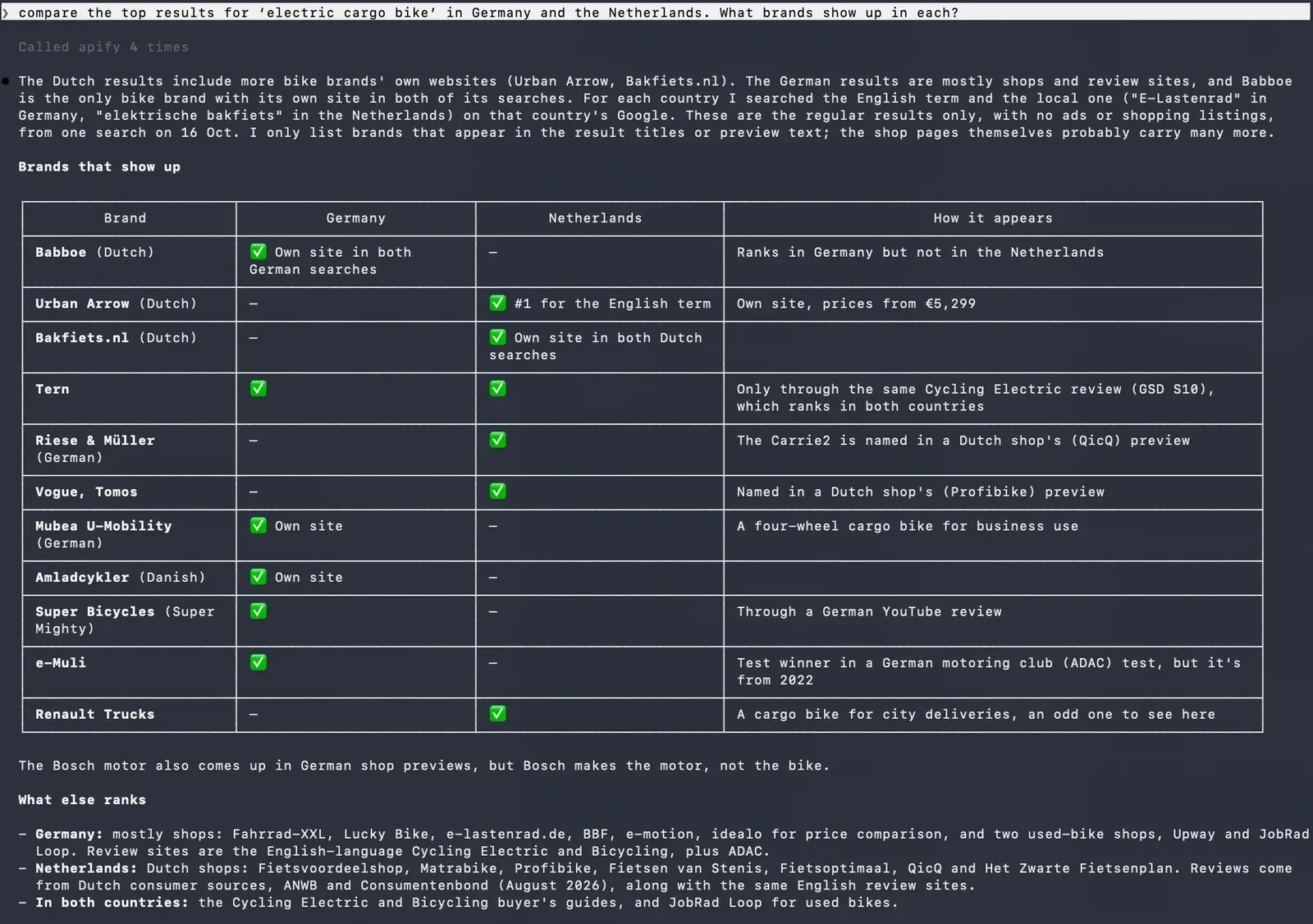
Then ask something like: "Compare the top results for 'electric cargo bike' in Germany and the Netherlands. What brands show up in each?" The agent runs the same query twice, once with countryCode set to DE and once to NL, and compares what each market sees.
Migrate before January 1, 2027
The Custom Search JSON API stops working at the start of 2027, and there's no official Google replacement for results from the whole web. If your code sends a query and reads back JSON, you can move it to Web Search by changing the endpoint and a few parameter and field names. When you need the full content of each page, add Web Fetch. To give your AI agent both tools, connect it to the Apify MCP server.

FAQ
When does the Google Custom Search JSON API shut down?
Google discontinues the Custom Search JSON API on January 1, 2027. It's already closed to new customers, and existing customers can use it until that date.
Is there an official Google search API for the whole web?
Not a self-serve one. Google's official options cover site search for up to 50 domains (Agent Search, formerly Vertex AI Search) and enterprise grounding. For results from the whole web, Google points to an interest form.
What's the best Google Custom Search API alternative?
It depends on what you need to search. For a search box on your own site, use a site search tool. For results from the whole web as JSON, use a search API such as Web Search, SerpApi, or Serper. For full results pages with ads and AI Overviews for SEO research, use a SERP scraper such as Google Search Results Scraper.
How do I use a Google search API in Python?
Send a GET request with the requests library to the Web Search endpoint, pass your Apify API token in the Authorization header, and read the results list from the JSON response. See the before-and-after example above.
Does Web Search support pagination?
No. Web Search returns the first page of results only. For many pages per query, use Google Search Results Scraper.