Why I built this
I was building an internal tool to track remote job openings for specific tech stacks. We Work Remotely (WWR) lists thousands of remote-only jobs across categories, but manually checking each one every day was not an option.
I needed structured data: job title, location, tags, description, apply link, and ideally, company details like HQ, industry, and website. After looking at generic RSS feeds and third-party job aggregators, I decided to build my own Actor on Apify.
This article walks through exactly how I built the crawlpilot/weworkremotely-job-scraper Actor. It covers the design decisions, what broke early on, how I handled company profile enrichment, and what I learned shipping it publicly on Apify Store.
Prerequisites
To follow along, you'll need:
- An Apify account (the free tier includes $5 in prepaid monthly usage, enough for testing)
- Basic familiarity with JavaScript/Node.js
- Crawlee installed by running
npm install crawlee - A basic understanding of CSS selectors and HTML structure
- Node.js v18 or higher

Understanding We Work Remotely's structure
Before writing a single line of code, I spent time with DevTools understanding how WWR structures its pages. This step saved me hours of debugging later.
WWR organizes jobs into category pages like /100-percent-remote-jobs and /categories/remote-full-stack-programming-jobs. Each category page lists job cards with basic info, and clicking a card takes you to a full detail page. Job listings also link to company profile pages at /company/{slug}.
The data I needed came from three different page types:
- Category pages with job cards showing title, company name, location, and tags
- Detail pages with the full description, apply URL, posted date, job type, region, and salary
- Company pages with HQ, industry, years remote, website, and the about section
This three-layer structure shaped the entire Actor architecture.
Identifying the right selectors
Job cards on category pages are inside <li> elements with the class new-listing-container. One early mistake: WWR also injects ad listings into the same list. These ads share similar classes but have an ad modifier. I added a filter to skip them:
.filter((_, el) => {
  const cls = $(el).attr('class') || '';
  return cls.includes('new-listing-container') && !/\bad\b/i.test(cls);
})
Without that regex check, my early runs were picking up sponsored listings and polluting the dataset. I caught this only after seeing strange job titles in the output.
Actor architecture and crawling strategy
I chose CheerioCrawler over PlaywrightCrawler deliberately. WWR renders its content server-side, so no JavaScript hydration is needed. Cheerio is significantly faster and cheaper on compute, which matters at scale when crawling hundreds of pages.
The Actor uses three labeled request handlers:
- CATEGORY crawls the listing page, extracts job card data, and enqueues detail URLs
- DETAIL crawls each job page, extracts full description and metadata, and enqueues the company URL
- COMPANY crawls the company profile page and saves a separate company record
After all crawling finishes, I merge job records with company records into a MERGED dataset using the company URL as a shared key. This is the dataset most users actually consume.
Handling pagination
WWR uses standard pagination with a next link. My category handler checks for it and enqueues the next page automatically:
const nextPageLink = $('span.next a[rel="next"]').attr('href');
if (nextPageLink && (!maxPages || nextPageNum <= maxPages)) {
  const nextUrl = new URL(nextPageLink, 'https://weworkremotely.com').href;
  await requestQueue.addRequest({
    url: nextUrl, userData: { label: 'CATEGORY', page: nextPageNum }
  });
}
I also exposed a maxPages input parameter so users can limit pagination on their end. For daily alerts, for example, you only need page 1.
Implementing free vs. paid user limits
Since this Actor is listed on Apify Store, I needed a way to limit free users while giving paid users full access. Apify exposes an APIFY_USER_IS_PAYING environment variable for exactly this.
I implemented the check at the very start of the Actor, before any crawling begins:
const isPaid = process.env.APIFY_USER_IS_PAYING === '1';
const FREE_USER_LIMIT = 2;
const maxJobs = isPaid
  ? (userMaxJobs || null)
  : Math.min(userMaxJobs || FREE_USER_LIMIT, FREE_USER_LIMIT);

log.info(isPaid
  ? `Paid user - no job limit`
  : `Free user - limited to ${maxJobs} jobs`
);
The limit propagates through the crawling logic. The CATEGORY handler checks it before enqueuing detail pages, and the DETAIL handler checks it again before saving. Double-checking avoids race conditions from concurrent requests.
Extracting and cleaning job descriptions
This was the trickiest part. WWR uses dynamic class names on the description container, something like div[class^="styles--"]. These change between deploys, which breaks scrapers that hardcode class names.
I used a multi-fallback selector strategy to stay resilient:
let rawDescHtml = $('div[class^="styles--"]').html()
  || $('#job').html()
  || '';
if (!rawDescHtml)
  rawDescHtml = $('.lis-container__job__content__description').html() || '';
For the apply link, I added another fallback chain. Some jobs embed the apply URL inside the description text as a plain text instruction rather than a button:
const importantLink = $('p:contains("IMPORTANT: Please use this link") a').first().attr('href');
if (importantLink) applyUrl = importantLink;
else {
  const match = rawDescHtml.match(/To apply: <a[^>]+href="([^"]+)"/i);
  if (match) applyUrl = match[1];
}
I also strip scripts, images, and iframes from the raw HTML before storing it. The output includes three description fields: raw HTML, cleaned HTML, and plain text. This gives users flexibility depending on their use case.
Company profile enrichment
This is the feature that took the Actor from a basic job listing scraper to something genuinely useful for recruiters and job market analysts. When the DETAIL handler finds a company profile link, it enqueues it, but only once per company:
if (fullCompanyUrl && !seenCompanies.has(fullCompanyUrl)) {
  seenCompanies.add(fullCompanyUrl);
  await requestQueue.addRequest({
    url: fullCompanyUrl, userData: { label: 'COMPANY', companyUrl: fullCompanyUrl }
  });
}
The seenCompanies Set prevents duplicate company crawls when the same company has multiple active listings. Without this, a company with 10 open positions would get scraped 10 times.
From each company page, I extract:
- Logo URL
- HQ location
- Industry category
- Years of being remote
- Company website
- About section text
The final MERGED dataset joins job records and company records using the company URL as the shared key. This gives users a single flat record with both job details and company context, with no post-processing needed.
What broke first and how I fixed it
Honestly, the first version was a mess. Here are the three biggest problems I hit and how I resolved each one.
Problem 1: Ad listings polluting results
As mentioned earlier, WWR injects sponsored listings into the same list element. My initial selector $('li.new-listing-container') grabbed everything. I only noticed the problem when I saw job titles like "Sponsored: Hire from Toptal" in my dataset. The fix was a simple regex on the class string to reject elements with 'ad' as a whole word.
Problem 2: Dynamic CSS class names for descriptions
WWR uses CSS-in-JS with hashed class names. The description container class changed between my testing sessions. I switched from a fixed class selector to the attribute prefix selector div[class^="styles--"] combined with fallbacks. This has been stable across multiple WWR deploys since.
Problem 3: Concurrency causing duplicate company requests
With maxConcurrency: 15, multiple DETAIL handlers were running simultaneously. When two jobs from the same company were processed at nearly the same time, both would try to enqueue the company profile URL before either had a chance to add it to seenCompanies. The result: duplicate company crawls and duplicate records in the COMPANIES dataset.
The seenCompanies Set alone is not enough in a concurrent environment since JavaScript's single-threaded event loop means the Set check and the addRequest call are not atomic. My fix was to check-and-add synchronously within the same tick, before any await, so no other handler can race between the check and the add.
Sample output
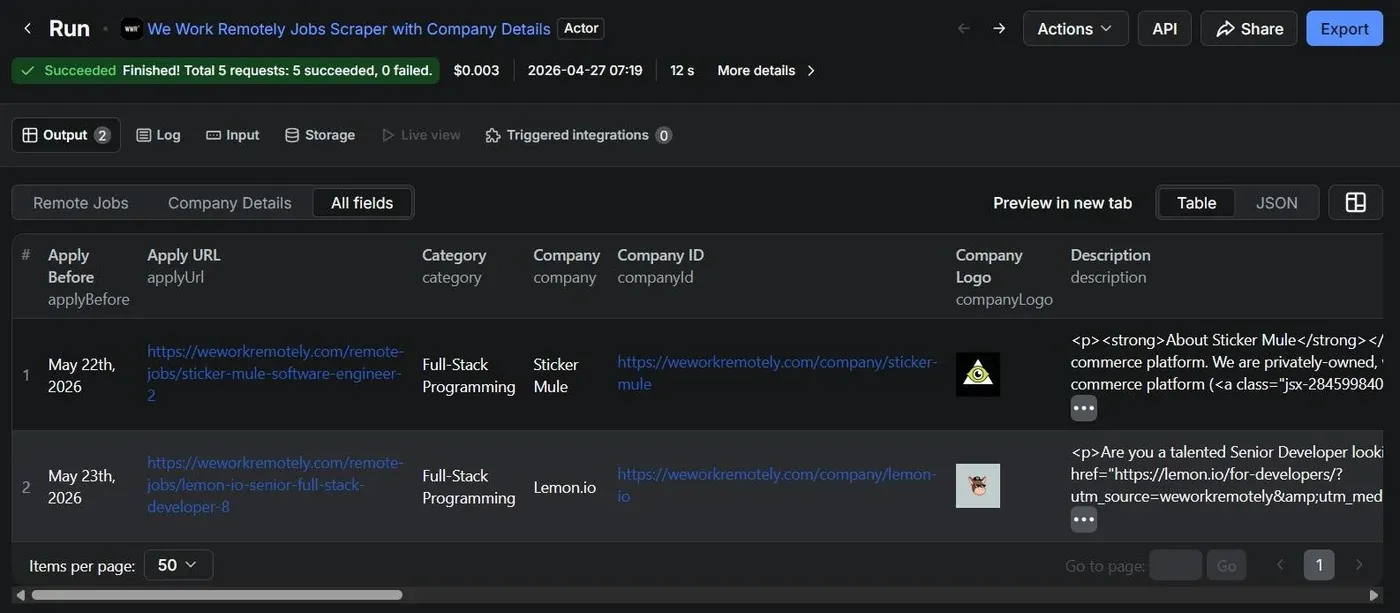
Here is what a real record from the MERGED dataset looks like (truncated for readability):
{
  "title": "Senior Backend Engineer",
  "company": "Buffer",
  "location": "Worldwide",
  "url": "https://weworkremotely.com/remote-jobs/...",
  "tags": ["Full-Stack", "Back-End", "$120k-$160k"],
  "applyUrl": "https://buffer.com/journey#senior-backend",
  "postedDate": "March 10, 2025",
  "jobType": "Full-Time",
  "category": "Programming",
  "region": "Worldwide",
  "salary": "$120k-$160k",
  "descriptionText": "We're looking for...",
  "companyHq": "San Francisco, CA",
  "companyIndustry": "SaaS / Social Media",
  "companyYearsRemote": "11+",
  "companyWebsite": "https://buffer.com",
  "companyAbout": "Buffer is a software application..."
}
The dataset is available as JSON, CSV, XML, and Excel directly from the Apify UI or via the API.
Deploying and publishing to Apify Store
Deploying is straightforward with the Apify CLI. After testing locally with apify run --purge, I pushed with:
apify push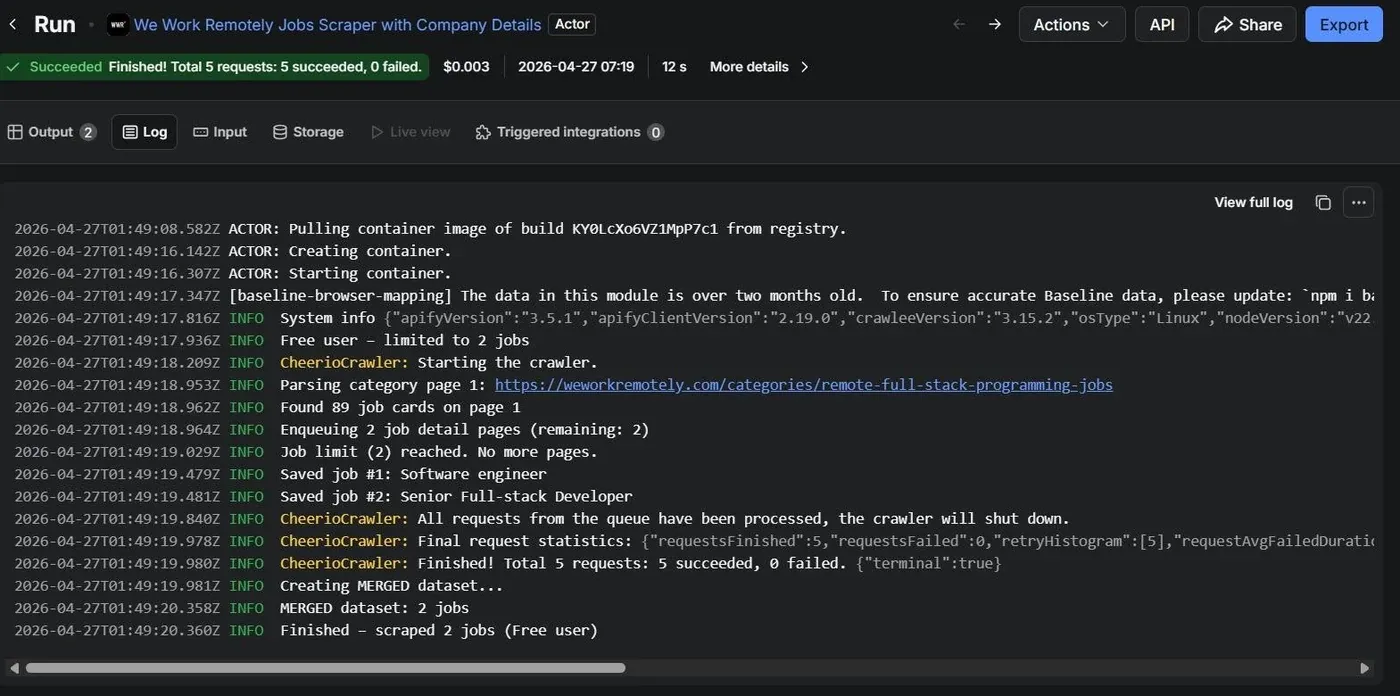
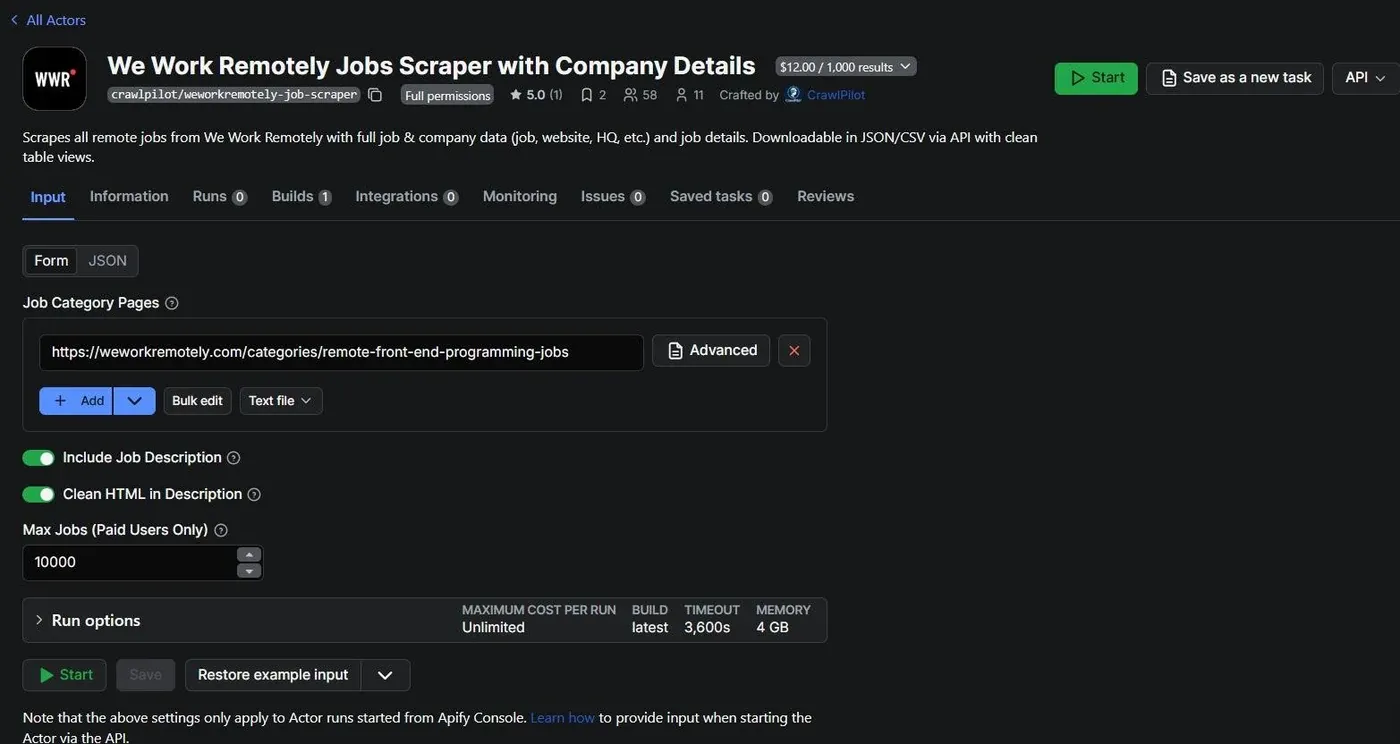
For the input schema, I defined four key parameters: categoryUrls (array of WWR category URLs), includeDescription (boolean toggle for fetching full descriptions), maxPages (pagination limit), and maxJobs (job count limit). Exposing these lets users run lightweight daily checks or full historical pulls without changing code.
Publishing to Apify Store required writing a solid README with clear input/output docs and example outputs. The Actor currently has 33 active users and a 5-star rating, which I attribute mostly to the company enrichment feature. That is what differentiates it from a basic scraper.
Lessons learned
A few things I would do differently on the next Actor:
- Use attribute-prefix selectors over class names whenever the site uses CSS-in-JS. They are far more stable across deploys.
- Add the paid/free tier check at the very start, not inside request handlers. Checking inside handlers can lead to over-fetching before the limit kicks in.
- Decouple the MERGED dataset creation. Right now, it runs synchronously at the end of the crawl. For very large runs, this adds latency. I plan to move it to a post-run webhook.
- Add schema validation on output records. A few edge cases produce null fields that surprised downstream users. Runtime validation would catch these before they hit the dataset.
- Test with multiple concurrent users simultaneously in local dev. The race condition on seenCompanies was invisible in single-threaded testing.
Conclusion
Building this Actor taught me that production-grade scraping is less about clever selectors and more about defensive design. Fallback chains, concurrency guards, and clean data contracts are what actually matter. The three-label architecture kept the code organized and made debugging straightforward.
If you want to pull remote job data from We Work Remotely with company details included, you can use the Actor directly from Apify Store:
crawlpilot/weworkremotely-job-scraper on Apify Store
If you have questions or want to discuss the implementation, you can reach out in the Apify Discord community.
Frequently asked questions
Is scraping We Work Remotely legal?
WWR lists public job postings intended to be seen by anyone. Scraping publicly available data for personal use, research, or aggregation generally falls within acceptable use. Always respect robots.txt and avoid placing excessive load on the server. This Actor uses respectful concurrency settings for that reason.
What is an Apify Actor?
An Actor is a cloud-based serverless program that runs on Apify's infrastructure. You can trigger it via the UI or the Apify API, schedule it, and export results in multiple formats. Think of it as a reusable, shareable automation unit.
Can I scrape a specific WWR category only?
Yes. The Actor accepts a categoryUrls input array. Pass any valid WWR category URL and the Actor will crawl only that category. You can pass multiple categories in one run.
How fresh is the data?
As fresh as your last Actor run. For daily job tracking, use Apify's built-in scheduler to trigger runs automatically. New jobs on WWR are typically posted with a 'New' badge and the Actor captures this flag in the isNew field.