While working on real estate data pipelines, I kept running into the same problem: browser-based scraping was reliable, but expensive and fragile at scale.
Redfin property pages are highly dynamic. Data loads through JavaScript, layouts change frequently, and simple CSS-based scrapers break quickly. My early versions would work for a few runs, then fail as soon as something changed.
I needed something more stable.
Instead of focusing purely on speed, I shifted my approach toward reliability under real-world conditions:
- partial page loads
- missing fields
- layout changes
- intermittent failures
In this article, I’ll walk through how I built a production-grade Redfin data extractor using Apify and Playwright, and how a layered extraction strategy helped make the system more reliable.
The real problem with scraping Redfin
I started with a simple DOM-based scraper. It worked at first, but after a few runs the cracks started to show: selectors started breaking, some fields disappeared, and page loads became inconsistent.
The real issue was that the data I needed wasn’t reliably in the visible HTML. Redfin relies heavily on dynamic rendering, asynchronous loading, and structured metadata (JSON-LD), so by the time my scraper hit the page, half of what I wanted either wasn't there yet, or sat behind a layout that could change overnight.
That forced me to rethink. Modern websites change constantly, and I quickly learned that relying solely on DOM selectors doesn’t hold up. The more reliable approach is to extract data from the most stable source available.
Architecture overview
The final system follows a layered extraction pipeline:
Input URLs
↓
PlaywrightCrawler (Apify Actor)
↓
JSON-LD Extraction (primary)
↓
DOM fallback extraction
↓
Normalization
↓
Retry and timeout handling
↓
Data output
The idea is simple: always use the most stable source first, then fall back when needed.
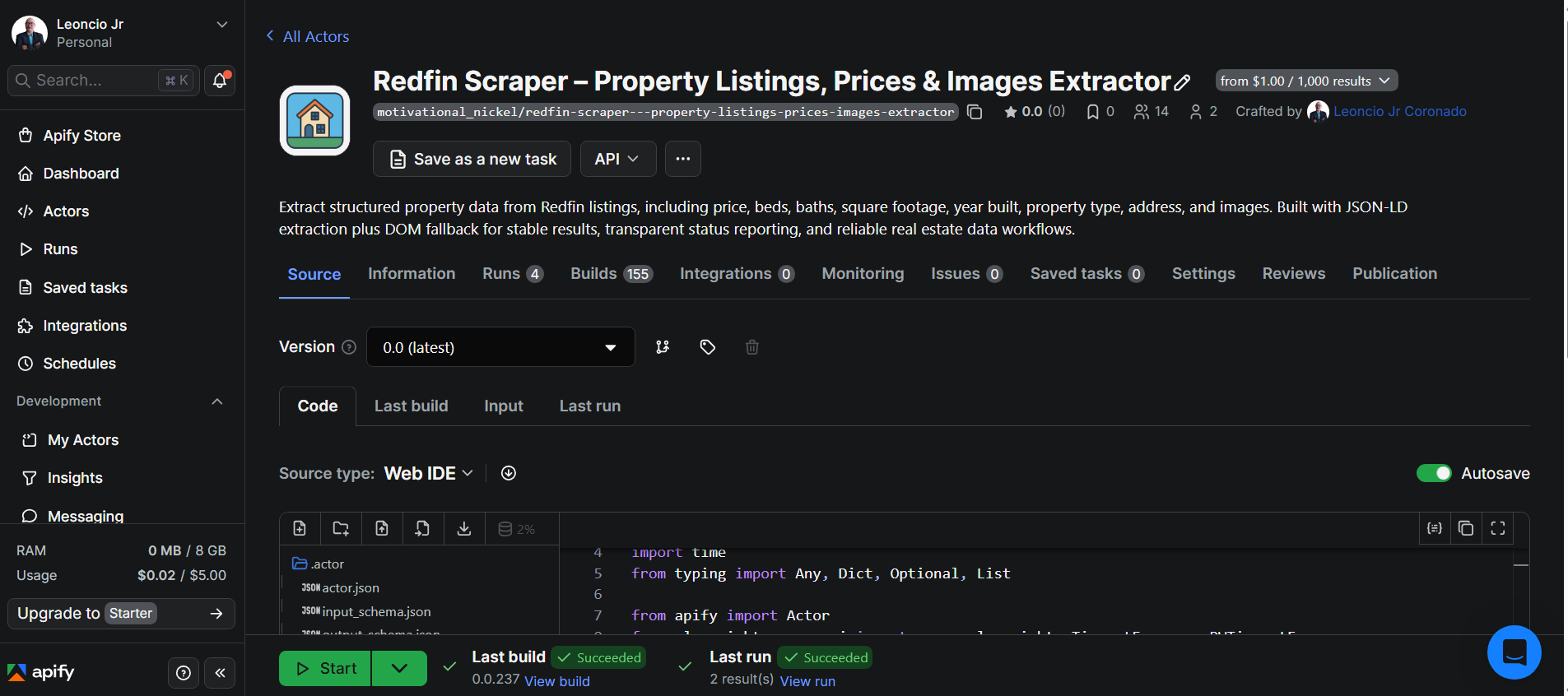
Actor implementation (Apify + Playwright)
Here’s the basic structure of the Actor used to process property URLs and extract structured data:
from apify import Actor
from crawlee.playwright_crawler import PlaywrightCrawler

async def main():
    async with Actor:
        input_data = await Actor.get_input()
        start_urls = input_data.get("urls", [])

        crawler = PlaywrightCrawler(
            max_requests_per_crawl=100,
            navigation_timeout_secs=30,
        )

        @crawler.router.default_handler
        async def handle_request(context):
            page = context.page
            request = context.request
            url = request.url

            await page.wait_for_load_state("domcontentloaded")

            data = await extract_property_data(page, url)

            await Actor.push_data(data)

        await crawler.run(start_urls)
Extraction strategy
Step 1: JSON-LD (primary source)
This is where most of the reliability comes from. In my testing, JSON-LD covered around 70–90% of the fields I needed.
async def extract_json_ld(page):
  return await page.evaluate("""
() => {
const script = document.querySelector('script[type="application/ld+json"]');
return script? JSON.parse(script.innerText) : null;
}
""")
Step 2: DOM fallback
Some listings were missing data, especially things like square footage or additional metadata.
async def extract_dom_fallback(page):
async def safe_text(selector):
locator = page.locator(selector)
return await locator.inner_text() if await locator.count() > 0 else None
return {
    "price": await safe_text('[data-rf-test-id="abp-price"]'),
    "beds": await safe_text('[data-rf-test-id="abp-beds"]'),
    "baths": await safe_text('[data-rf-test-id="abp-baths"]'),
}
This fallback layer helped fill in missing values when structured data was incomplete.
Step 3: Unified extraction
async def extract_property_data(page, url):
json_ld = await extract_json_ld(page)
data = {
    "url": url,
    "address": None,
    "price": None,
    "beds": None,
    "baths": None,
    "images": [],
}

if json_ld:
    data["address"] = json_ld.get("address", {}).get("streetAddress")
    data["price"] = json_ld.get("offers", {}).get("price")

fallback = await extract_dom_fallback(page)

for key, value in fallback.items():
    if not data.get(key):
        data[key] = value

return normalize_data(data)
Data normalization
Data coming from different sources isn’t always consistent, so I added a normalization step. This keeps the dataset clean and ready for downstream use.
def normalize_data(data):
try:
data["price"] = int(str(data["price"]).replace(",", "").replace("$", ""))
except:
data["price"] = None
if not data.get("images"):
    data["images"] = []

return data
Reliability engineering
This is what made the system stable in production. Instead of relying on a single extraction method, the system is designed to handle real-world issues such as slow page loads, missing data, and temporary request failures.
Retry handling
Before adding retries, I was seeing around a 30% failure rate when running larger batches. After implementing retry logic, the number dropped to under 5%, significantly improving overall reliability.
Navigation timeouts
To prevent the crawler from getting stuck on slow or unresponsive pages, a navigation timeout is configured:
PlaywrightCrawler(
    navigation_timeout_secs=30,
)
This ensures that pages that take too long to load are skipped or retried instead of blocking the entire crawl.
Defensive extraction
Not all property listings contain complete data. The extractor validates each field before saving it and safely handles missing values:
if not data.get("price"):
    data["price"] = fallback.get("price")
This prevents runtime errors and ensures that partial data can still be captured instead of failing the entire request.
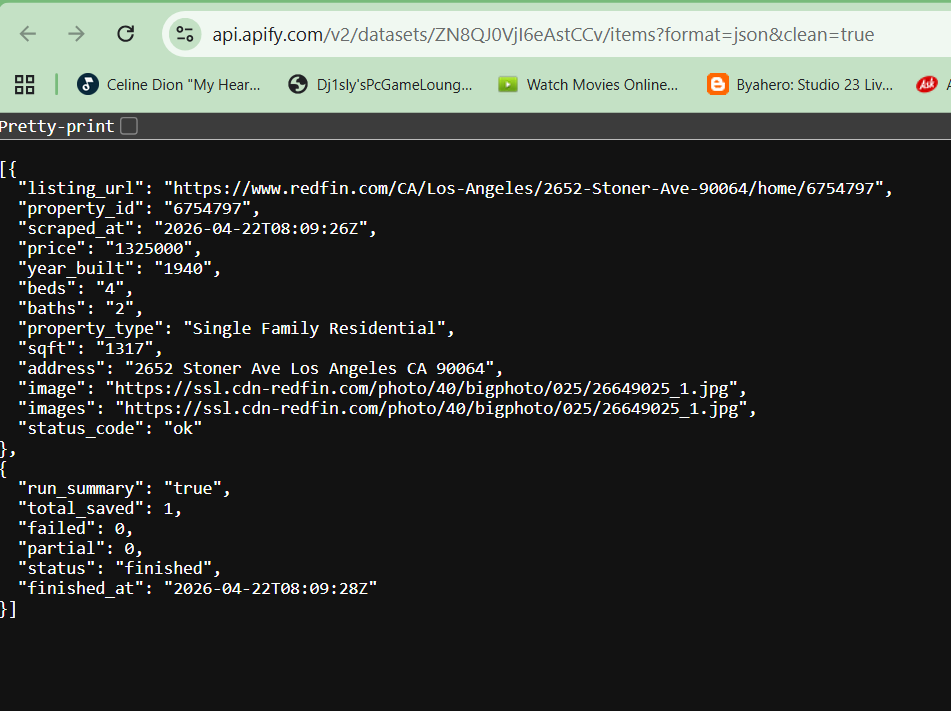
Example dataset output
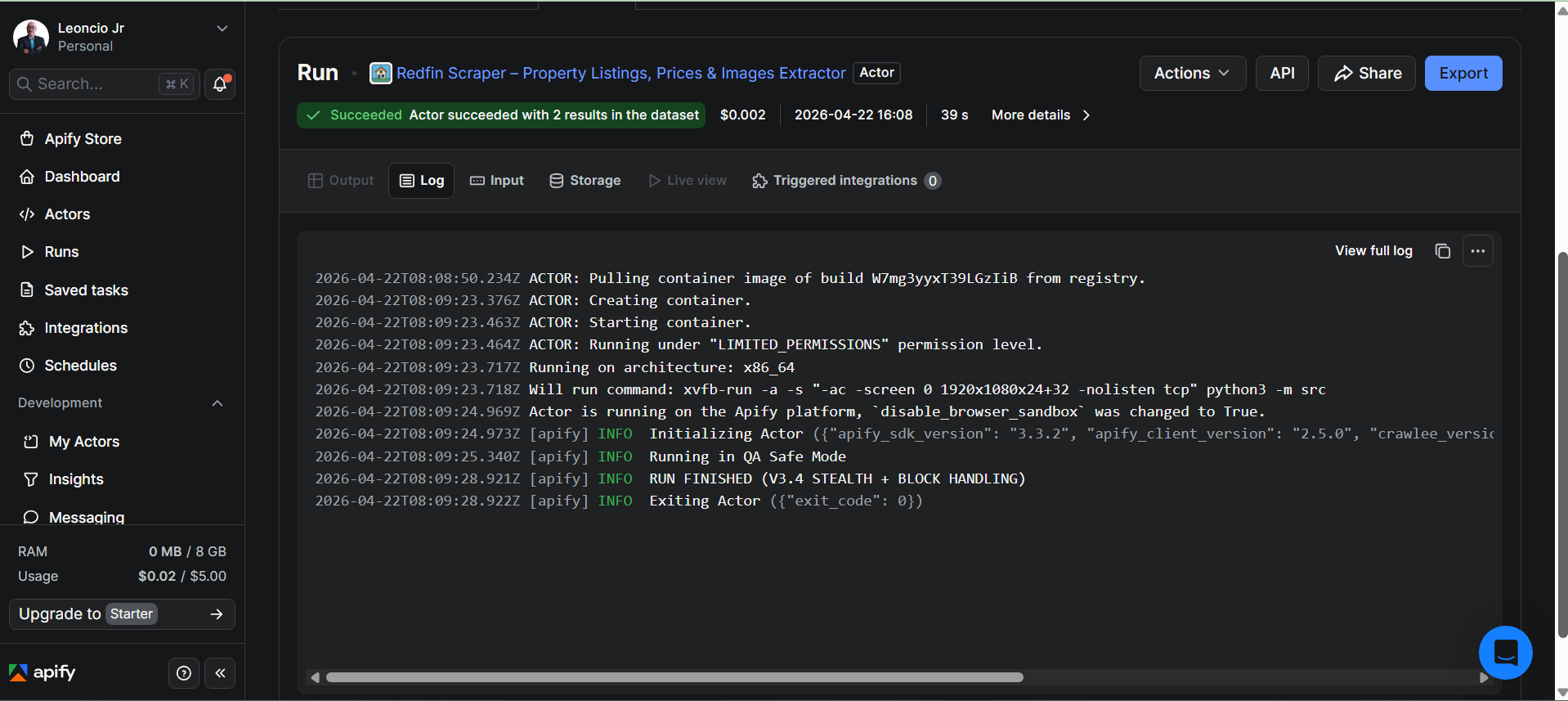
After processing each property page, the Actor stores the extracted data as a structured dataset on the Apify platform. This allows the data to be easily exported and used for analytics, monitoring, or automation workflows.
Here is an example of the extracted output:
{
  "address": "Seattle, WA",
  "price": 850000,
  "beds": 3,
  "baths": 2,
  "images": ["image1.jpg"],
  "url": "https://redfin.com/..."
}
The dataset can be exported in multiple formats such as JSON, CSV, or Excel, making it easy to integrate into other systems.
Further reading:
- Apify Actor development guide
- PlaywrightCrawler documentation (Crawlee)
- Apify Dataset storage and export
Lessons learned
JSON-LD is powerful, but not complete.
On Redfin, JSON-LD handled most fields, but not all. I still needed a DOM fallback for missing values.
DOM scraping alone is fragile
My first version relied only on selectors, and it broke quickly after layout changes.
Retry logic is essential
Without retries, large crawls fail unpredictably. With retries, the system becomes much more stable.
Production scrapers must expect failure
Missing fields, timeouts, and partial loads are normal, not exceptions.
Conclusion
In production, extraction is only half the job. What matters more is keeping the scraper running reliably even when pages break, time out, or change structure.
By combining structured JSON-LD extraction, DOM fallback strategies, retry logic, and defensive validation, I built a system that remains stable even as the site evolves.
Apify made it much easier to handle scaling, retries, and storage, so I could focus on building a reliable pipeline rather than managing infrastructure.