I've browsed hundreds of Actors in Apify Store. Not casually - I was trying to figure out why some Actors get used, and others don't. At that point, I already had a few Actors live, but adoption was inconsistent. Some worked great technically, but were barely used.
After publishing 20+ public Actors and crossing 5,000 total users, one pattern became impossible to ignore: the input schema matters more than the scraper itself, at least for getting users. An Actor with mediocre code and a clean schema will outperform a technically excellent Actor with a confusing one. I know this because I've been on both sides of that trade-off. The pattern I kept seeing in Apify Console data was that drop-off happened at the schema, not the output.
I've spent the last six months iterating on this. Here's what actually moved the numbers.
Why the input schema is not "just config"
The input schema is the only UI your Actor has. It's what a user sees before they decide whether to trust your work enough to click Run. Most developers - myself included, for longer than I'd like to admit - treat it as something you fill out after the real work is done. That instinct is wrong, and it cost me runs.
I had an Actor early on that I was quietly proud of. It was fast, reliable, and produced clean output. But it had around 12 fields sitting at the top level with no grouping, no hierarchy, no obvious starting point. I didn't think much of it until I started comparing Actor page visits against actual runs in Apify Console. The drop-off was significant - people were landing on it, opening the schema, and leaving. I redesigned the schema without touching a single line of scraper code, and the run count went up. That was the moment I stopped thinking of the schema as configuration and started thinking of it as a product.
Start with the description
Most developers leave the schema description empty. I did too for the first several Actors I published.
Now I treat it as the first five seconds of onboarding. I use it to explain what input formats are accepted, clarify edge cases, and set expectations around limits or behavior. A user who reads the description and immediately understands what to do is a user who actually runs your Actor.
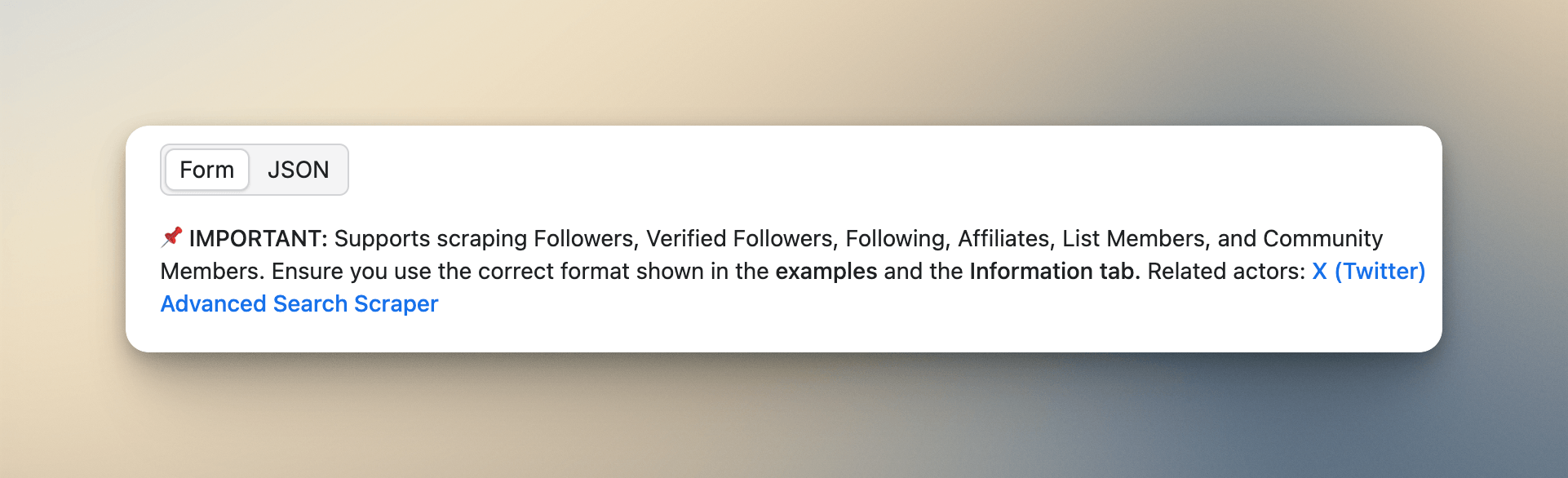
The formatting earns its place here. Use markdown. Use emojis. A wall of plain text is just as easy to ignore as no description at all. Here's roughly what a good description looks like:
Supports:
- @username
- username
- https://x.com/username
💡 Tip: Use "Parse All Results" to scrape full history.
That's scannable in two seconds. Most users won't read every field label - they'll skim the description and start filling things in. Make sure that skim is enough to get them started correctly.
Keep the top level minimal
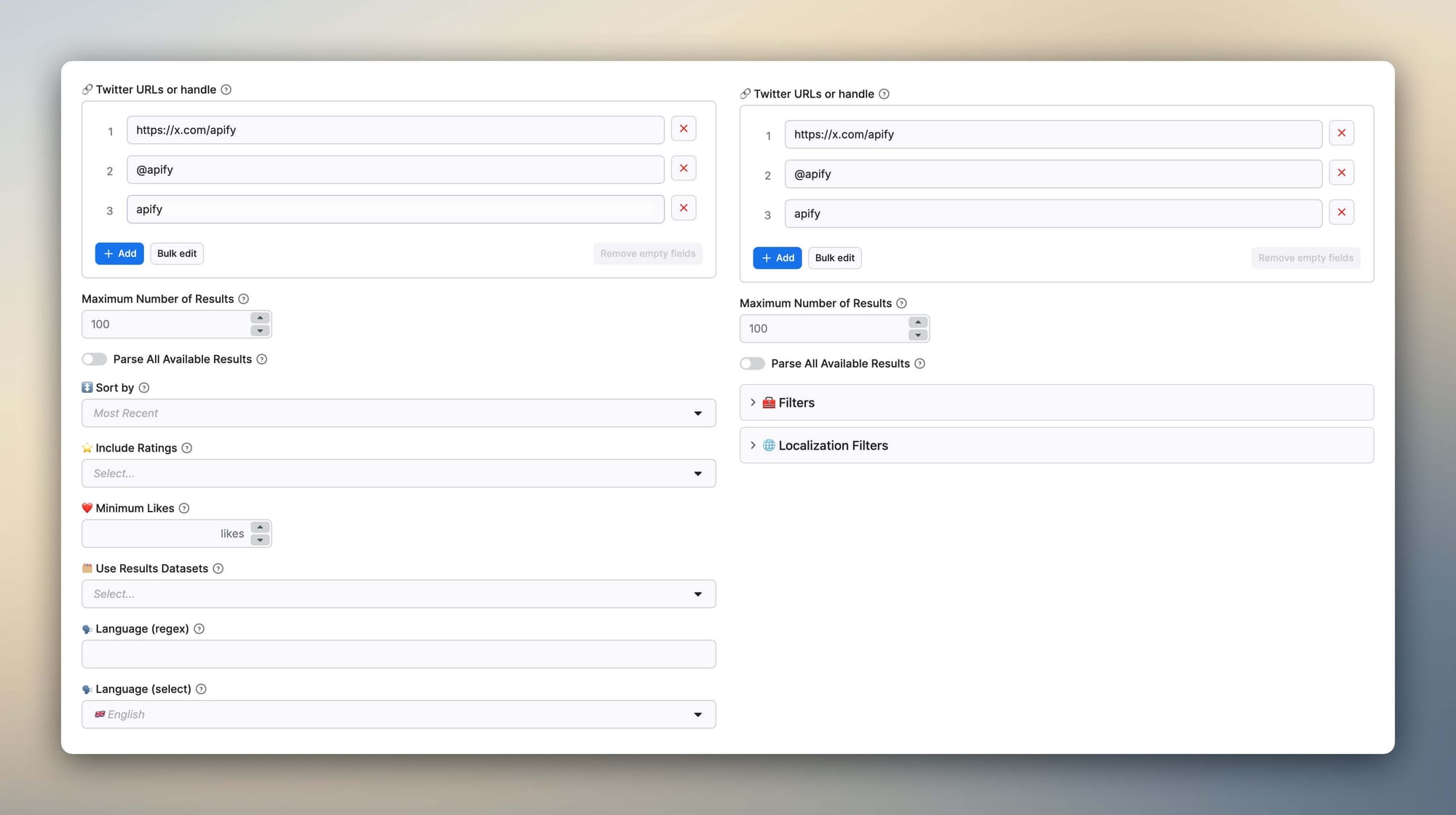
The biggest schema mistake I made early was dumping everything at the root level. Filters, sorting options, and advanced configuration - all of it visible immediately. It looked "powerful." What it actually did was overwhelm anyone who wasn't already familiar with the Actor.
The structure I follow now in almost every Actor I build:
- Main input - a URL, username, query string, or array of those
- Data type selector - what kind of data the user wants (if applicable)
- Max results - a numeric limit field
- Parse all toggle - a checkbox (more on this below)
- Filters - a collapsible section containing everything else
Apify's schema supports collapsible sections natively via sectionCaption , and using it is one of the highest-leverage changes you can make to a cluttered schema:
"sectionCaption": "🧰 Filters"I also use emojis consistently in section and field names. It sounds like a minor stylistic choice, but it genuinely helps users navigate the schema without reading every label. A quick visual scan of ❤️ Minimum Likes, 🌍 Country, 📅 Date Range is much faster than parsing a plain text list.
Accept multiple input formats and cut your support messages to zero
This one came directly from user pain. When you're publishing to Apify Store, you're not controlling who uses your Actor or what they copy-paste into the input field. Across my Instagram, Twitter, and YouTube scrapers, I kept getting the same messages: users couldn't figure out the right format. Some were pasting full URLs from their browser. Others were passing just a username or handle. Some were prefixing with @, some weren't. The message that finally pushed me to fix it was: "I've tried three different ways to enter the profile, and it keeps failing - am I doing something wrong?" They weren't. I was.
If your Actor only accepts one format and the user provides another, there are two outcomes: it crashes visibly (annoying but at least clear), or it runs and returns wrong results (much worse). I dealt with both.
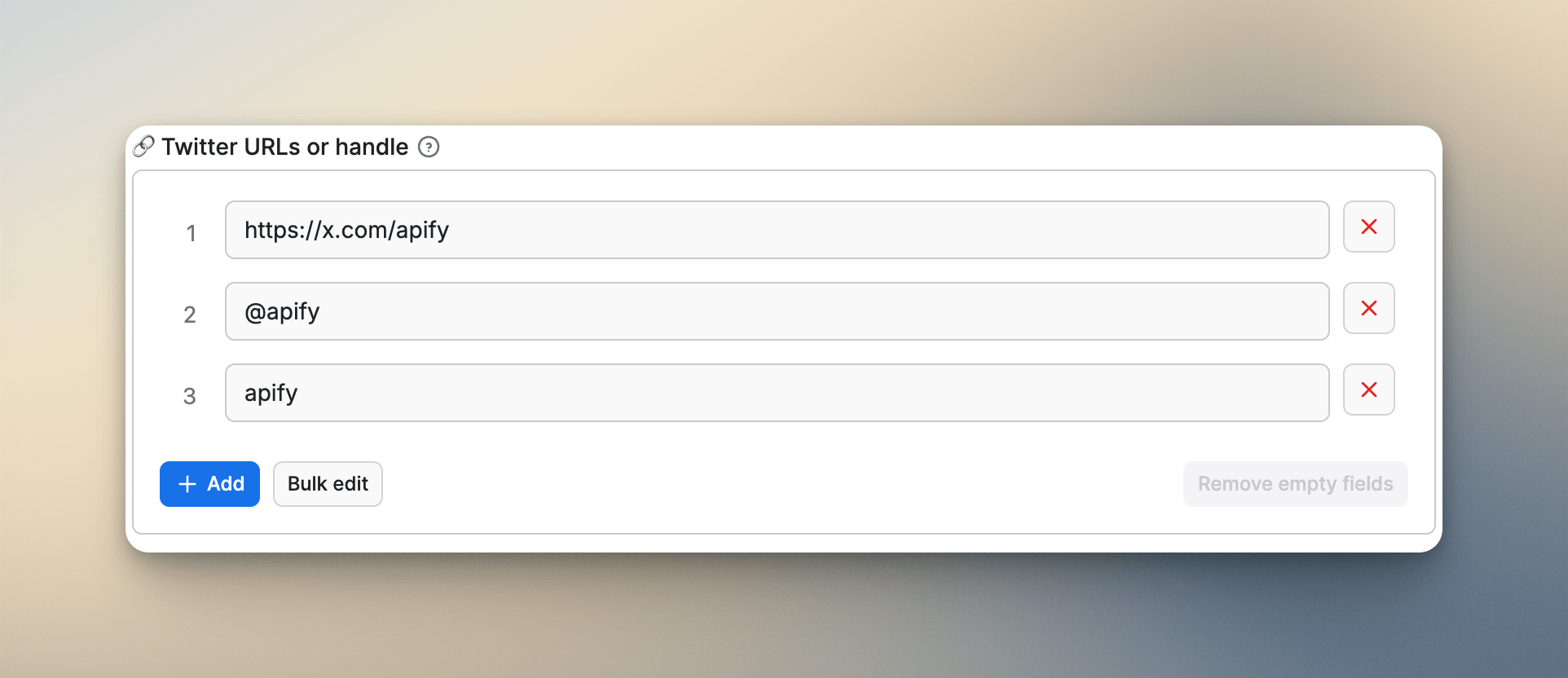
My rule now: if there are two or three reasonable ways to input the main value, accept all of them and normalize internally. A few lines of regex is a trivial cost. In practice, the input field placeholder looks like this:
@username
username
https://www.instagram.com/username
Users immediately understand what's accepted without reading any documentation. Since I've done this consistently across my Actors, the format-related support messages have dropped to almost nothing.
Add a "Parse All" toggle
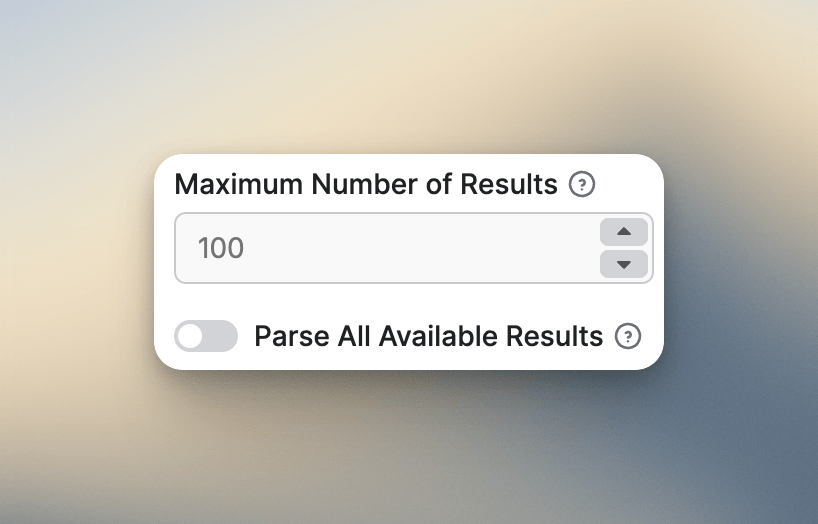
Don't make users guess magic numbers. Every scraper has a results limit field. That's fine. The problem is what users do when they want everything. They start guessing: 0? 999999? 1000000? I used to accept 0 as "unlimited" and document it in the field description. Technically, it worked. Nobody understood it.
What I've settled on is a dedicated Boolean field placed directly after the limit:
"parseAllResults": {
  "title": "Parse All Results",
  "type": "boolean",
  "description": "Ignore max results and scrape everything available.",
  "default": false,
  "editor": "checkbox"
}
One checkbox. No ambiguity. Users click it, and the limit is ignored. This alone reduced a recurring category of confused support messages significantly across my Actors.
Here's how I wire it up in the Actor code:
const input = await Actor.getInput();
const { maxResults = 20, parseAllResults = false } = input || {};

let totalCollected = 0;
let page = 1;

while (true) {
    // If parseAllResults is true, skip the limit check entirely -
    // only stop when there are no more pages
    if (!parseAllResults && totalCollected >= maxResults) {
        log.info(`Reached limit of ${maxResults} items.`);
        break;
    }

    const data = await fetchPage({ page });
    const items = extractItems(data) || [];

    if (items.length === 0) {
        log.info('No more results available.');
        break;
    }

    // When parseAllResults is false, slice the last batch to avoid
    // going over the user's requested count
    const remaining = maxResults - totalCollected;
    const itemsToPush = parseAllResults ? items : items.slice(0, remaining);

    await Actor.pushData(itemsToPush);
    totalCollected += itemsToPush.length;

    if (!parseAllResults && itemsToPush.length < items.length) {
        log.info(`Reached limit of ${maxResults} items.`);
        break;
    }

    if (!data.hasNextPage) {
        log.info('Pagination finished.');
        break;
    }

    page += 1;
}
Use units on numeric fields
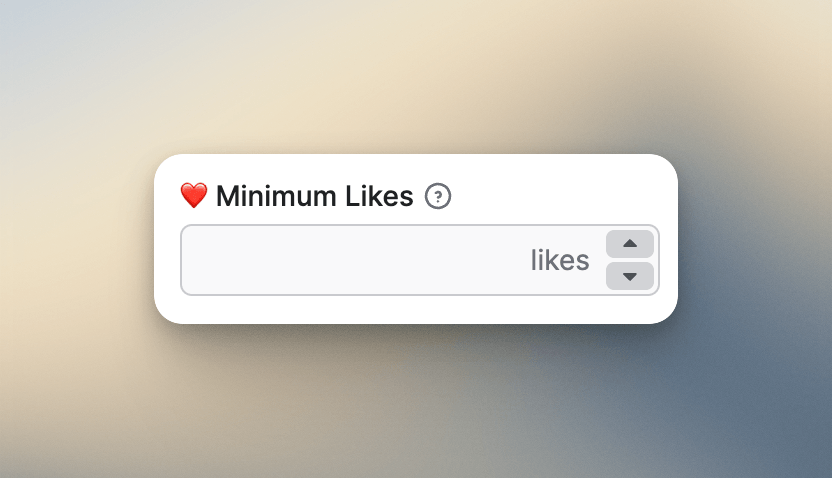
When you have a numeric filter - say, minimum likes on a tweet - the field label alone doesn't always tell users what unit they're working in. Are they entering thousands? A raw count? Apify's schema supports a unit property that appends a suffix inside the input field itself:
"engagementMinLikes": {
  "title": "❤️ Minimum Likes",
  "type": "integer",
  "editor": "number",
  "minimum": 0,
  "unit": "likes"
}
I added this to my Twitter/X Search Actor after a support message asking whether the minimum likes field expected a raw number or something in thousands. One unit property later, I haven't gotten that question since. I also got direct feedback from a user saying the fields felt clearer than competing Actors - which I'll take. Tiny change, real impact.
Validate input early with regex
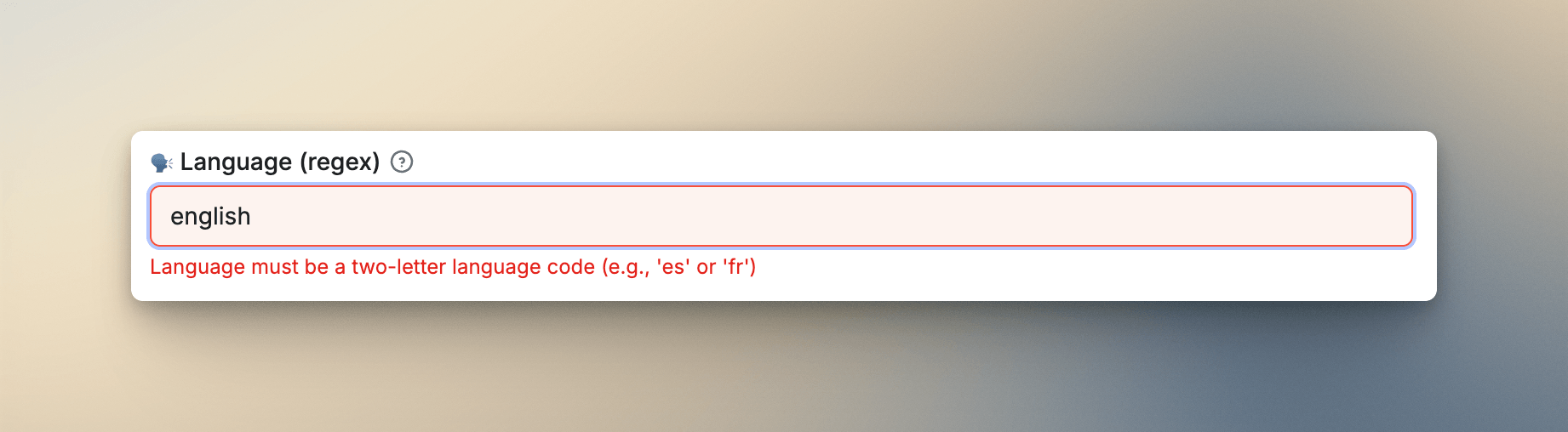
This saved me from bad datasets. Before I started adding pattern validation, I had a recurring problem: users would enter something like "english" in a field that expected "en", and the Actor wouldn't crash - it would just return wrong or empty results. Silent wrong results are the worst outcome: the user blames the site, not the input, and you find out weeks later when they report it.
Now I add a pattern property to any field with a strict format requirement:
"languageCode": {
  "title": "🌐 Language",
  "description": "Two-letter language code (e.g. en, fr, de)",
  "type": "string",
  "pattern": "^[a-z]{2}$",
  "errorMessage": {
     "pattern": "Language must be a two-letter language code (e.g., 'es' or 'fr')"
  }
}
The pattern runs before the Actor starts. If the input doesn't match, the user gets an immediate validation error explaining the expected format. I use this in my Google Search Scraper, YouTube Search Scraper, and several others. It takes a couple of minutes to add and prevents a whole category of silent failures.
Use select fields with enumTitles
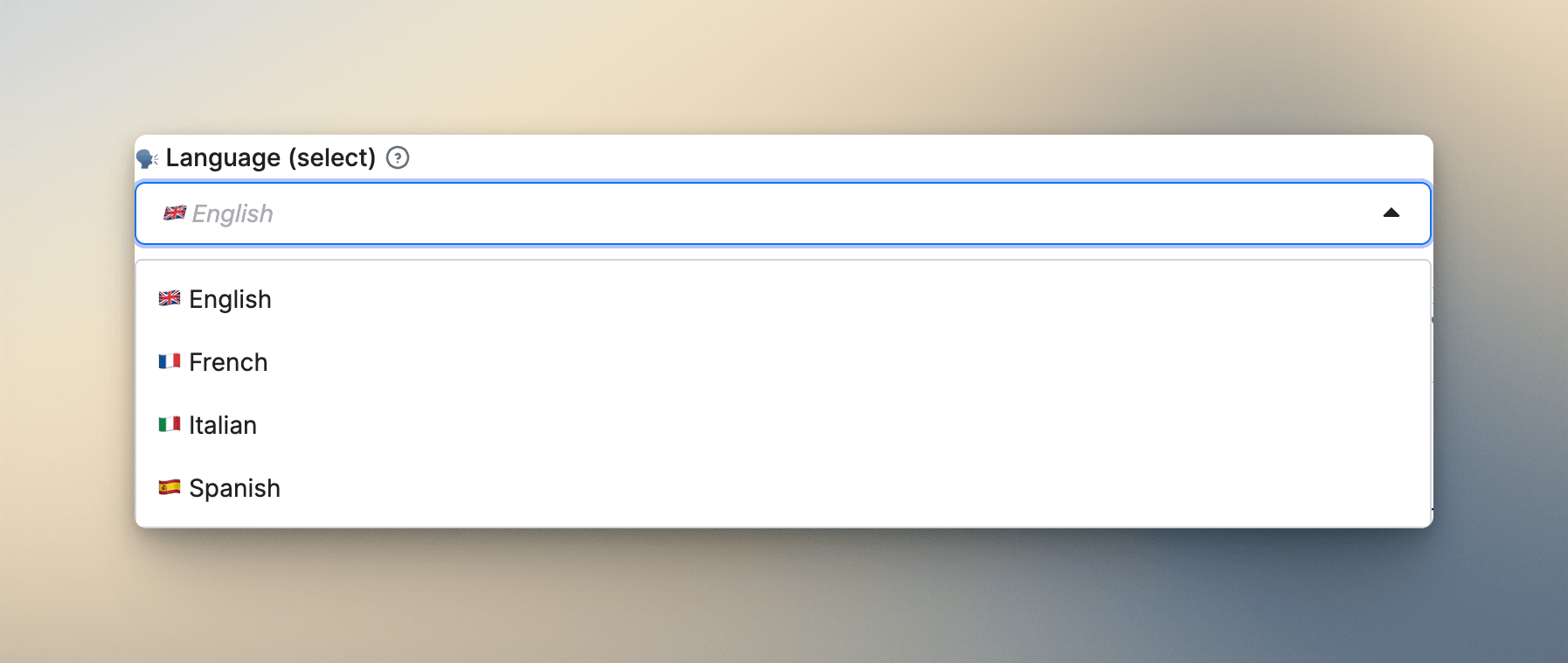
For any field with a fixed set of valid values - language, country, sort order - a dropdown is almost always better than free text. It eliminates invalid input entirely and is faster for users. But there's a detail most developers skip: enumTitles.
The enum array defines the actual values your code receives. enumTitles defines what users see in the dropdown. They're separate, which means you can show readable labels while your code gets clean values. Here's how I implement it in my Google Maps Scraper:
"language": {
  "title": "🌍 Language",
  "type": "string",
  "editor": "select",
  "enum": ["en", "fr", "it", "es"],
  "enumTitles": ["🇬🇧 English", "🇫🇷 French", "🇮🇹 Italian", "🇪🇸 Spanish"]
}
The user sees flags and full language names. Your code receives en. If I hadn't added enumTitles to my older Actors, users would be staring at a dropdown that shows en, fr, it, es, and trying to remember what "it" means. I still have two older Actors where I forgot to do this - I still get occasional confused messages about those dropdowns. It's on my list.
Multiselect is underrated
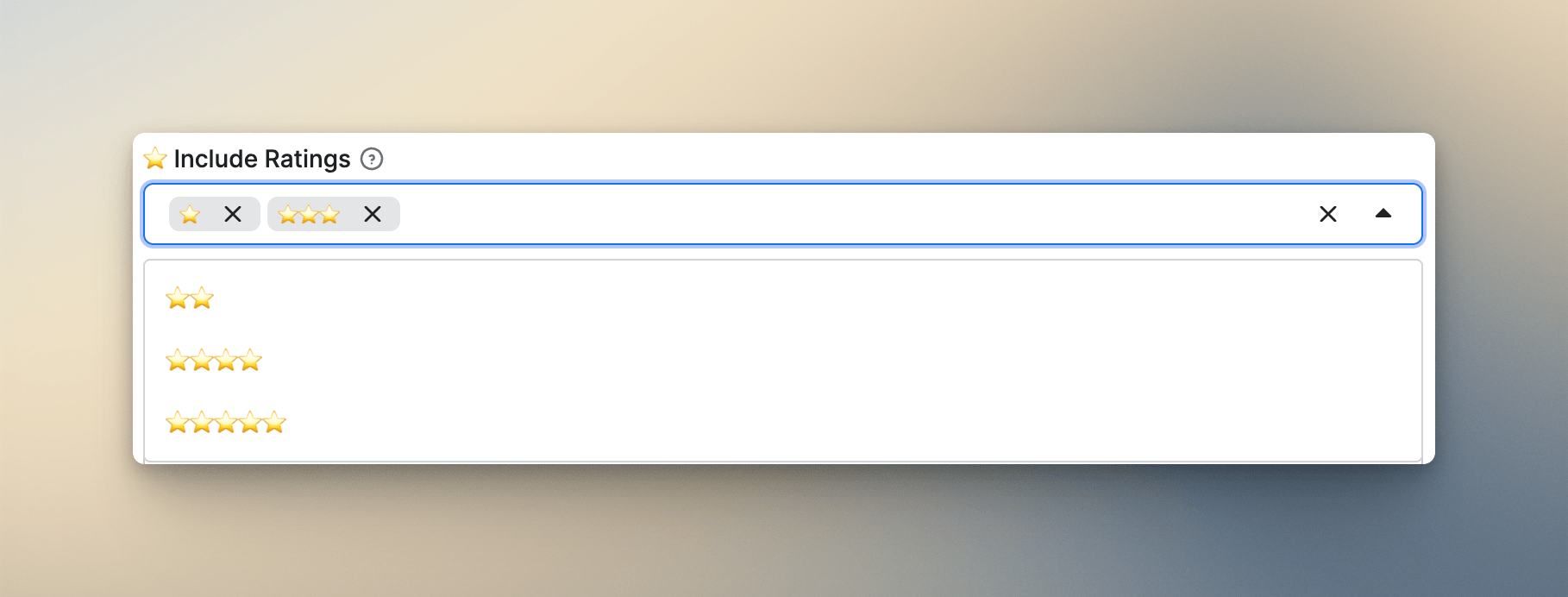
Multiselect fields don't show up much in Actor schemas, but when the use case fits, they feel completely natural. The best example from my own work is the ratings filter in my TripAdvisor Reviews Scraper:
"ratingIs": {
  "title": "⭐ Rating is",
  "type": "array",
  "editor": "select",
  "items": {
    "type": "string",
    "enum": ["1", "2", "3", "4", "5"],
    "enumTitles": ["⭐", "⭐⭐", "⭐⭐⭐", "⭐⭐⭐⭐", "⭐⭐⭐⭐⭐"]
  }
}
Users select one or more star ratings using actual star icons - exactly how they'd think about ratings on the review site itself. The values your code receives are clean numeric strings. Nobody has ever asked me what the options mean, which is how you know it's working. When a UI matches the user's existing mental model, it disappears - they just use it.
Hide advanced fields
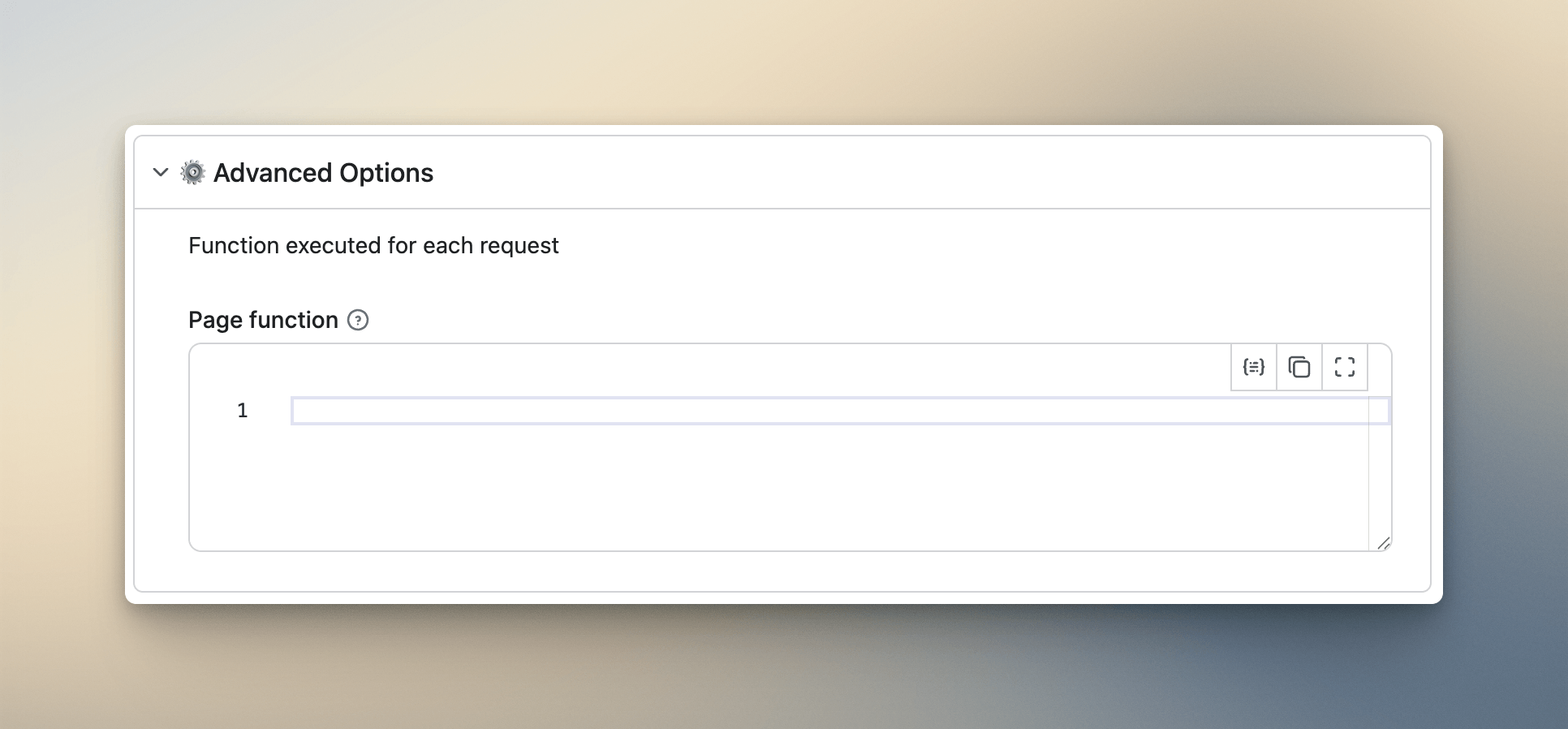
This one directly affects conversion. Anything complex or optional goes into a collapsible ⚙️ Advanced section. When I added field mapping and transformation options to my Google Search Scraper and left them at the top level, I watched the run rate dip over the following week. Not because the options were bad, but because beginners saw them, didn't understand them, and lost confidence in the Actor.
Power users who need advanced options will look for them. Beginners who don't need them should never have to see them. Collapsible sections solve this without hiding anything - it's just hierarchy.
Connect Actors through dataset inputs
This one's more useful than it sounds. This is something I built into my Zillow Actors after getting annoyed at my own workflow. I had the Zillow Search Scraper running first to collect a region's listings, then I'd manually copy property URLs into the Zillow Property Details Scraper to enrich them. Doing that once is fine. Doing it after every search run is the kind of friction that makes you want to automate the automation.
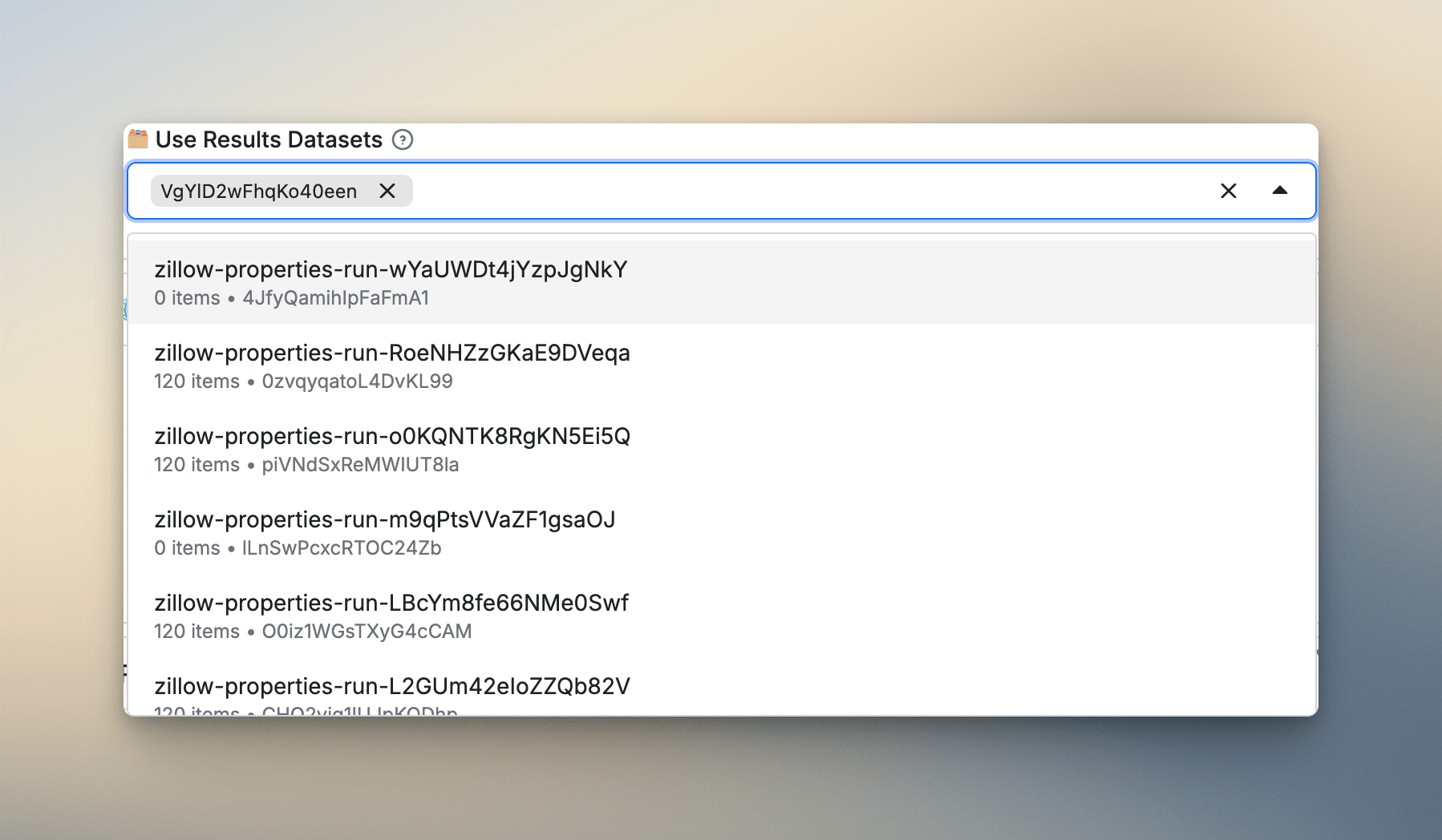
The fix was a resourceType: dataset field in the details scraper's schema:
"searchResultsDatasetId": {
  "title": "🗂 Search Results Datasets (Optional)",
  "type": "array",
  "description": "Select datasets from Zillow Search Scraper. The scraper will process all properties from these datasets.",
  "resourceType": "dataset",
  "resourcePermissions": ["READ"]
}
Users who've already run the search scraper can pick their dataset from a dropdown and immediately enrich all those results. No manual copying. And here's how the Actor reads those datasets at runtime:
const input = await Actor.getInput();
const {
    searchResultsDatasetId = [],
    startUrls = [],
} = input || {};

const requestListSources = [...startUrls];

if (searchResultsDatasetId.length > 0) {
    log.info(`Loading data from ${searchResultsDatasetId.length} dataset(s)...`);
    for (const datasetId of searchResultsDatasetId) {
        const dataset = await Actor.openDataset(datasetId, { forceCloud: true });
        await dataset.forEach(async (item) => {
            if (!item?.url) return;
            requestListSources.push({ url: item.url });
        });
    }
}

// Merge URLs from both sources - direct startUrls and anything pulled
// from a previous dataset - then feed them into the request queue as normal
const requestQueue = await Actor.openRequestQueue();
for (const source of requestListSources) {
    await requestQueue.addRequest(source);
}
The two Actors work as a pipeline and the schema makes that obvious without any documentation. It's the kind of thing users notice and mention in reviews.
What I'd tell myself starting out
Six months and 20+ Actors in, the biggest shift in how I work is this: I design the schema before I write the scraper. The schema forces you to think about what the Actor actually needs from a user's perspective, and the scraper adapts to that. It's the opposite of how I started, where the schema was something I filled out at the end while thinking about something else.
The first time I applied this approach, deliberately designing the schema first on my TripAdvisor Reviews Scraper, I realized the main input I'd been planning didn't make sense from a user's perspective. I was thinking about the API endpoint, not the person filling out the form. The schema forced me to reframe it, and the Actor has been one of my cleanest since.
The Actors I'm least proud of are the ones I built earliest. A few still have raw enum values showing in dropdowns because I didn't know about enumTitles yet. They work fine technically, but I still get the occasional "this is confusing" message, and I know exactly where it's coming from.
One last thing worth mentioning: use prefill values in your schema fields. It's easy to overlook, but prefilling your main input field with a real example URL or username means users see a working example the moment they open your Actor - before they've read a single word of documentation. It's the smallest possible onboarding improvement, and it costs nothing.
If a user can't understand your Actor in 30 seconds, they won't run it. The schema is where that 30 seconds happens. Everything in this article is in service of that single goal: keep the top level clean, use the right field types, validate early, and group the complexity away from anyone who doesn't need it. The scraper is what makes your Actor good. The schema is what gets it used.