If you’ve ever sat down to figure out why a TikTok went viral, you’ve probably done what every guide on the internet tells you to: pull the metadata, scan the caption, and look at the engagement numbers. The problem is that TikTok creators don’t write meaningful captions. The hook, the CTA, and the storytelling pattern that actually made the video work are all in the spoken audio - and almost nobody is analyzing that layer.
About a third of TikTok videos have no text data at all, and most of the rest have auto-captions you can’t download in bulk. This guide walks through a workflow that closes both gaps. You’ll pull a set of viral TikToks by hashtag, extract the spoken transcripts, and export the results as a single dataset ready for Claude or Gemini to cluster into hook patterns, CTAs, and narrative structures. Anyone with an Apify account and an LLM can run this the same day.
Why captions and metadata analysis fall short
Unlike Instagram and YouTube, where captions and titles often carry real information, TikTok creators rarely write more than a hashtag or short sentence.
What’s actually carrying the message is the spoken context: the hook in the first one to three seconds (”I tried this for 30 days and…”), the CTA, and the narrative arc compressed into a 15-60 second clip. If you strip that out, you’re left with metadata that tells you how the video performed, but nothing about why.
The captions you might think would help aren’t really there either. TikTok generates auto-captions for roughly two-thirds of videos, but they’re not downloadable in bulk natively, so even when the text exists, you can’t reach it at scale. The other third have no text data at all. YouTube’s subtitle coverage is around 91% for comparison, which makes TikTok’s no-text gap roughly three times bigger.
A well-performing #personalfinance video whose caption reads “these will take you less than five minutes to do…” is a textbook case. The captions and metadata tell you almost nothing. The video itself runs through 15 money habits to help you level up in 2026, with the hook, the list, and the CTA all carried in the spoken audio.
If your analysis isn’t reading the transcript, it’s missing the most important layer.
What you’ll need
- An Apify account. The free tier comes with $5 of monthly credit, which is enough to run this workflow.
- An n8n instance, either cloud or self-hosted.
- An LLM chat that accepts file uploads. Claude, Gemini, and ChatGPT all work.
Actors have access to platform features such as built-in proxy management, anti-bot evasion support, integrated storage with structured CSV/Excel/JSON exports, and standardized input parameters (URLs, keywords, limits, etc.). Actors also integrate easily with third-party apps and can be configured via tools such as n8n using Apify nodes.
Build the n8n workflow
Step 1: create the workflow and define your input
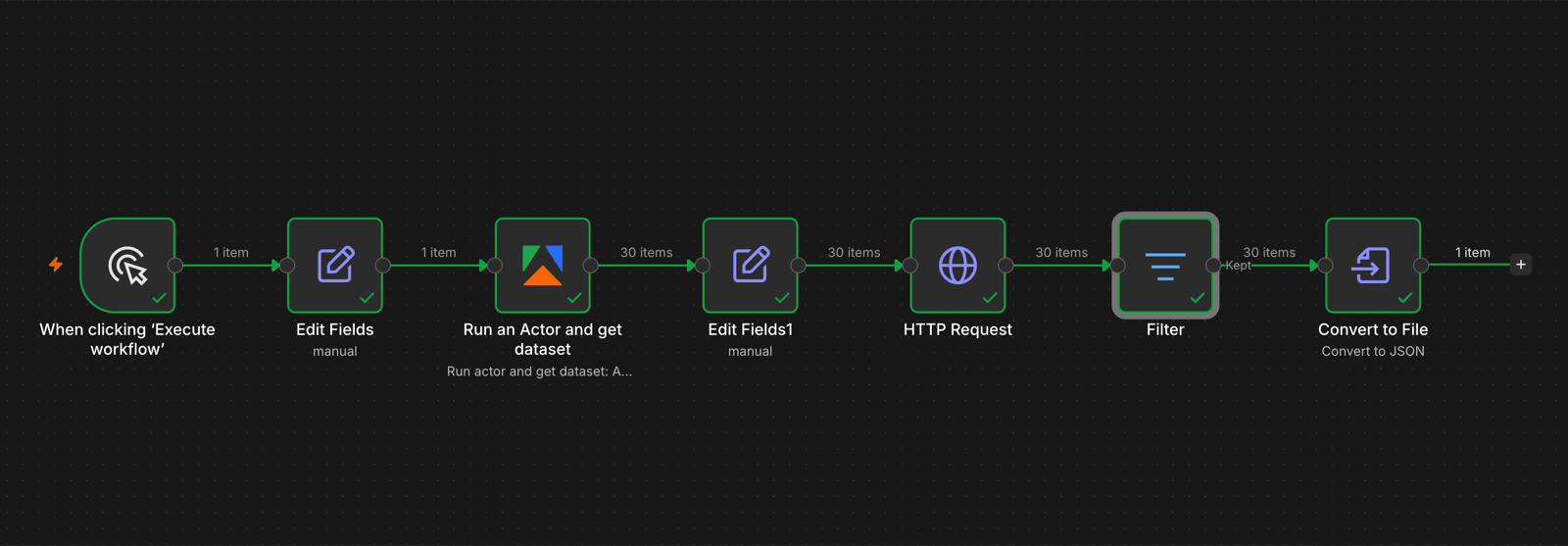
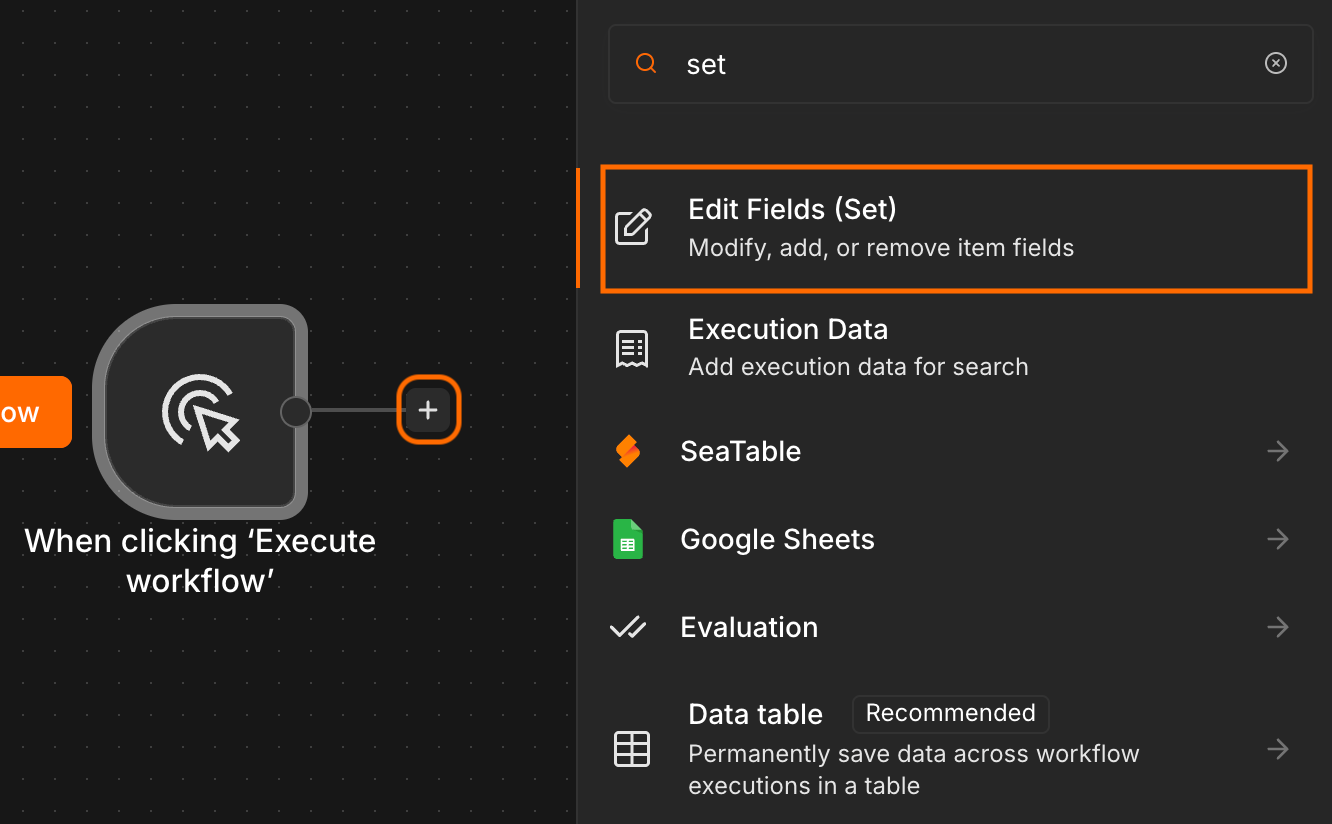
Open n8n, create a new workflow, and drop in a manual trigger as the first node. Connect an Edit Fields node after it. This is where the input hashtags live, so they’re easy to swap between runs without touching the rest of the workflow.
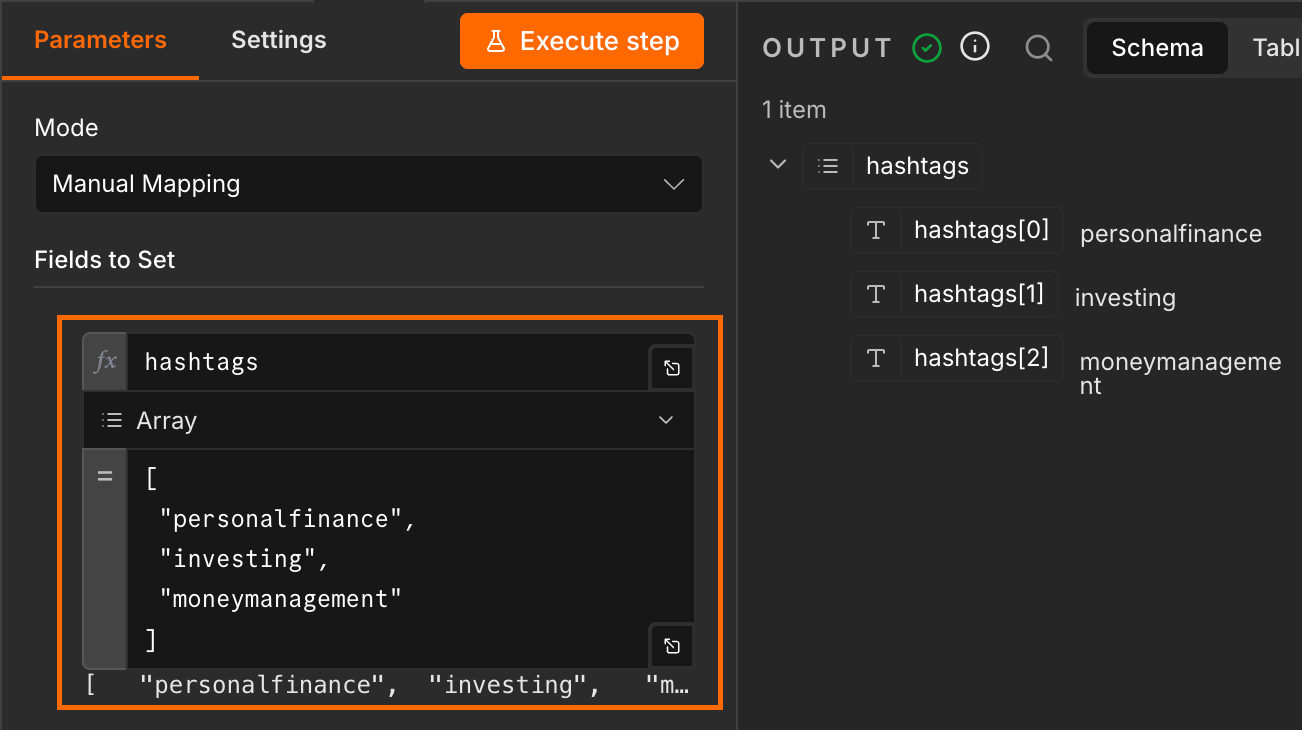
Create a new field called hashtags. Set the type to Array, and enter your hashtags using the following structure:
[
	"hashtag1",
	"hashtag2",
	"hashtag3"
]
Step 2: set up TikTok Scraper
Add an Apify node. If you haven’t used it before, n8n will prompt you to install the community node first.
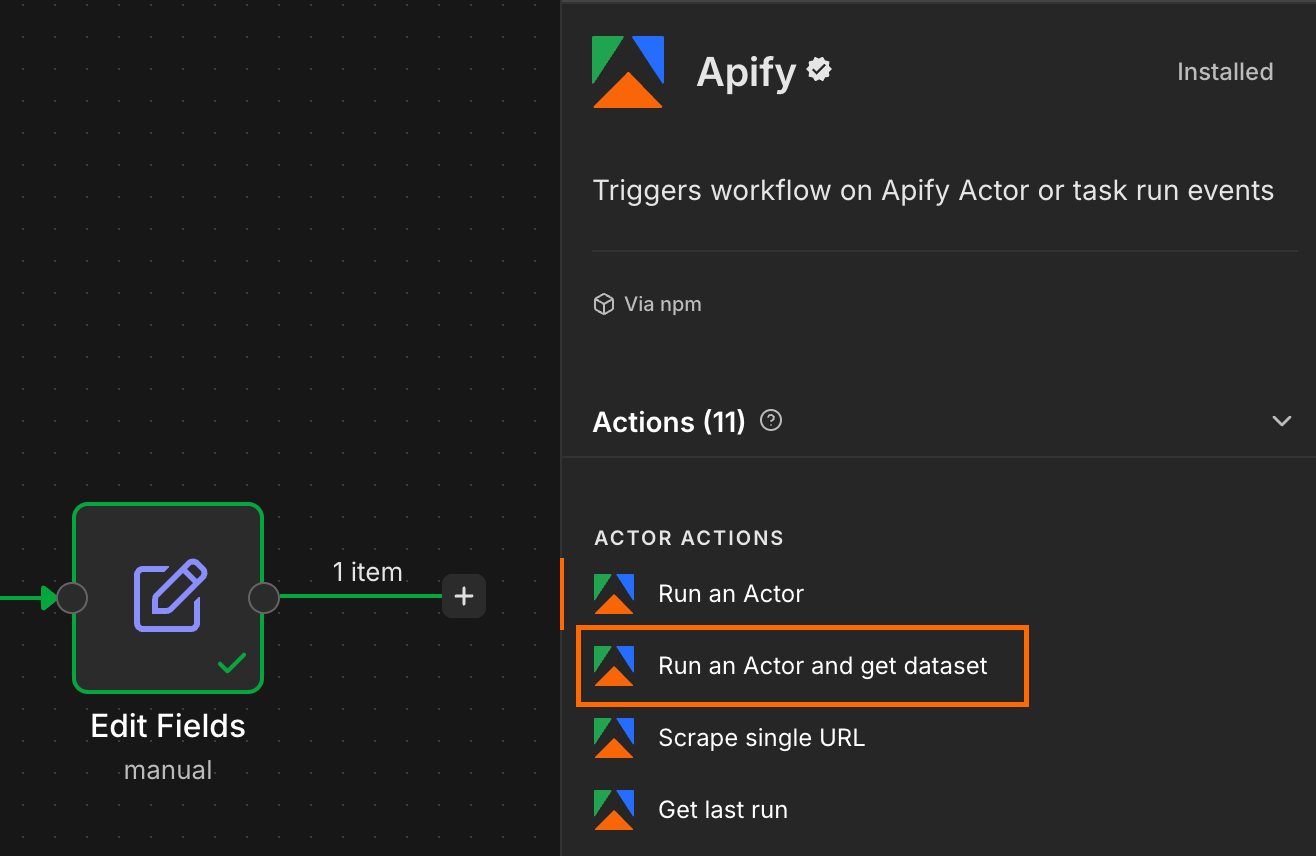
Set the operation to Run an Actor and get dataset, then connect your Apify account using either OAuth or your API token from Apify Console. Select TikTok Scraper as the Actor.
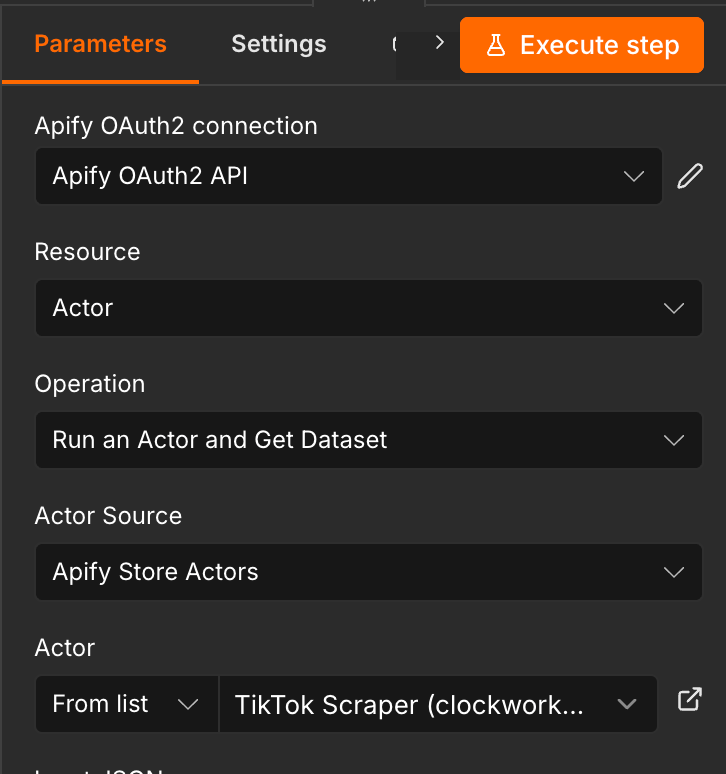
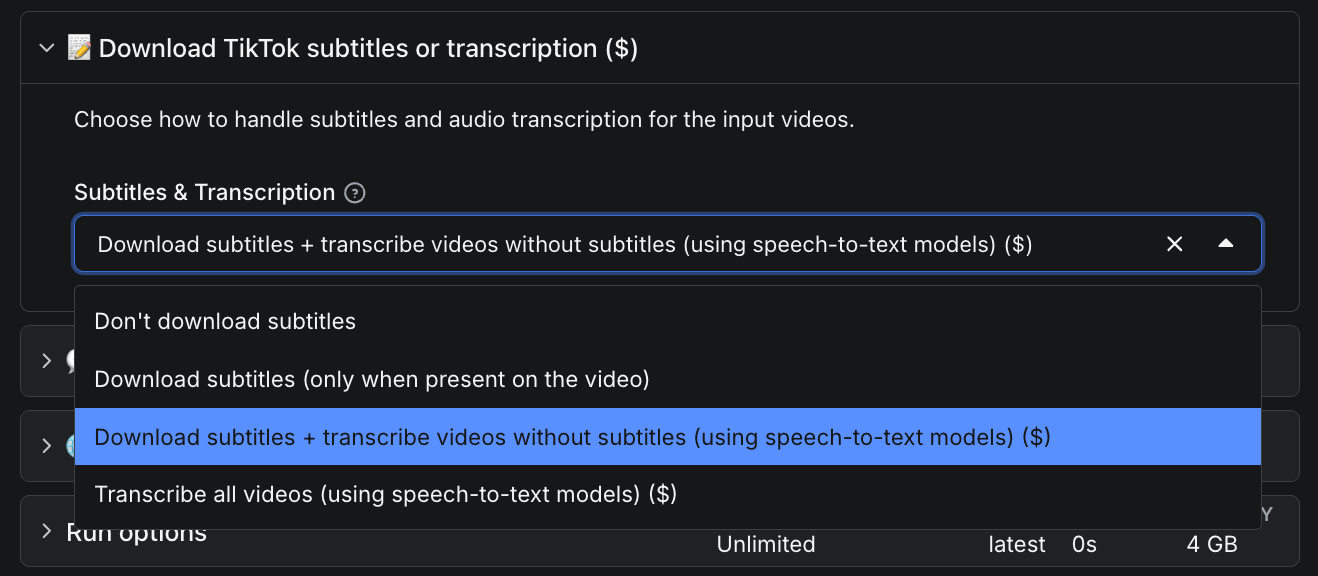
The safest way to put together the input JSON is to head over to the Actor page in Apify Console and initialize the input there. Enter a placeholder hashtag, then scroll down and enable Download subtitles + transcribe videos without subtitles.
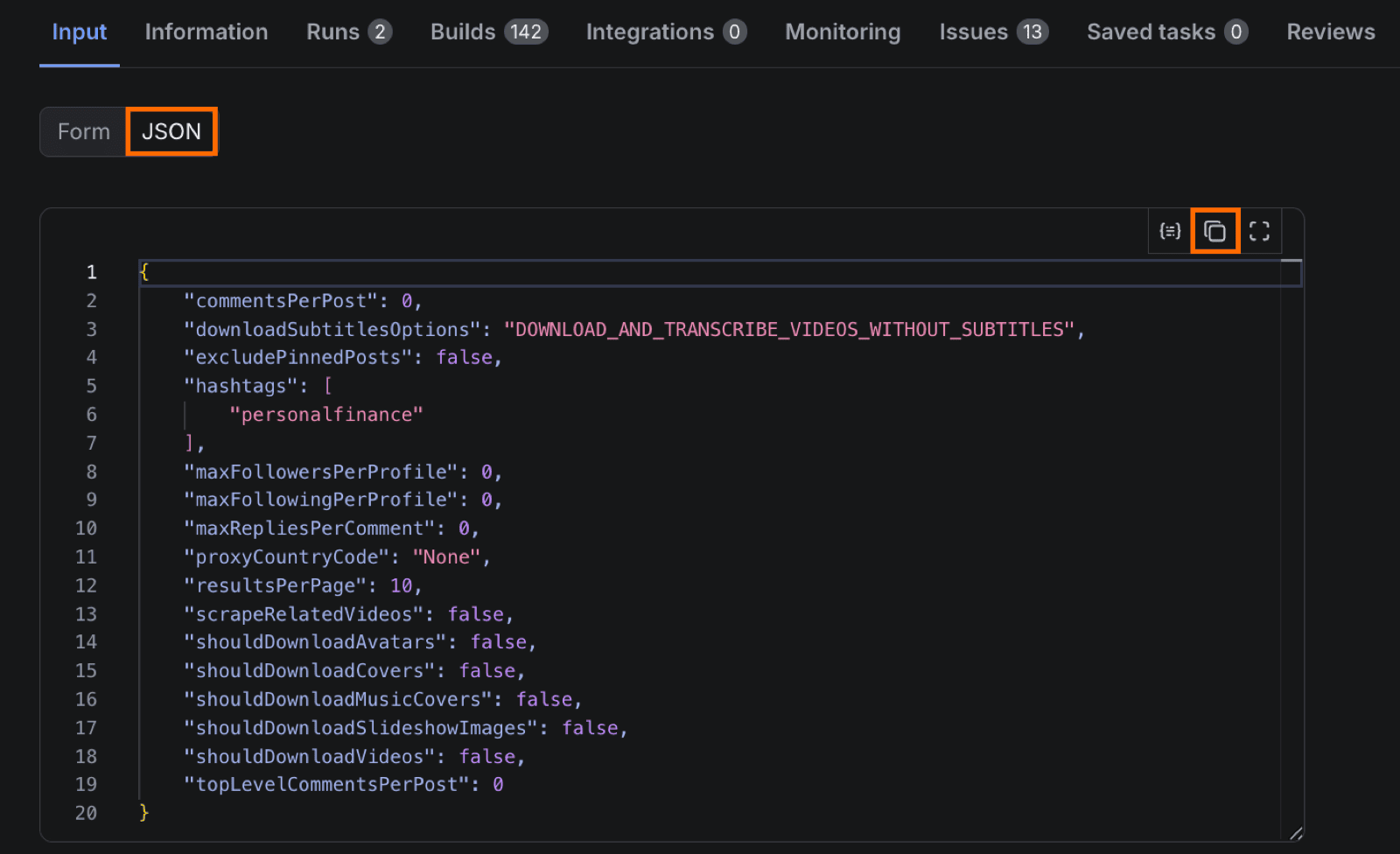
Switch the input view from Form to JSON, copy the entire JSON, and paste it into the Input field of the Apify node in n8n.
Map the hashtag array from the previous step to the corresponding field in the input JSON. Replace the hashtags value with {{ JSON.stringify($json.hashtags) }} to pass the array through correctly.
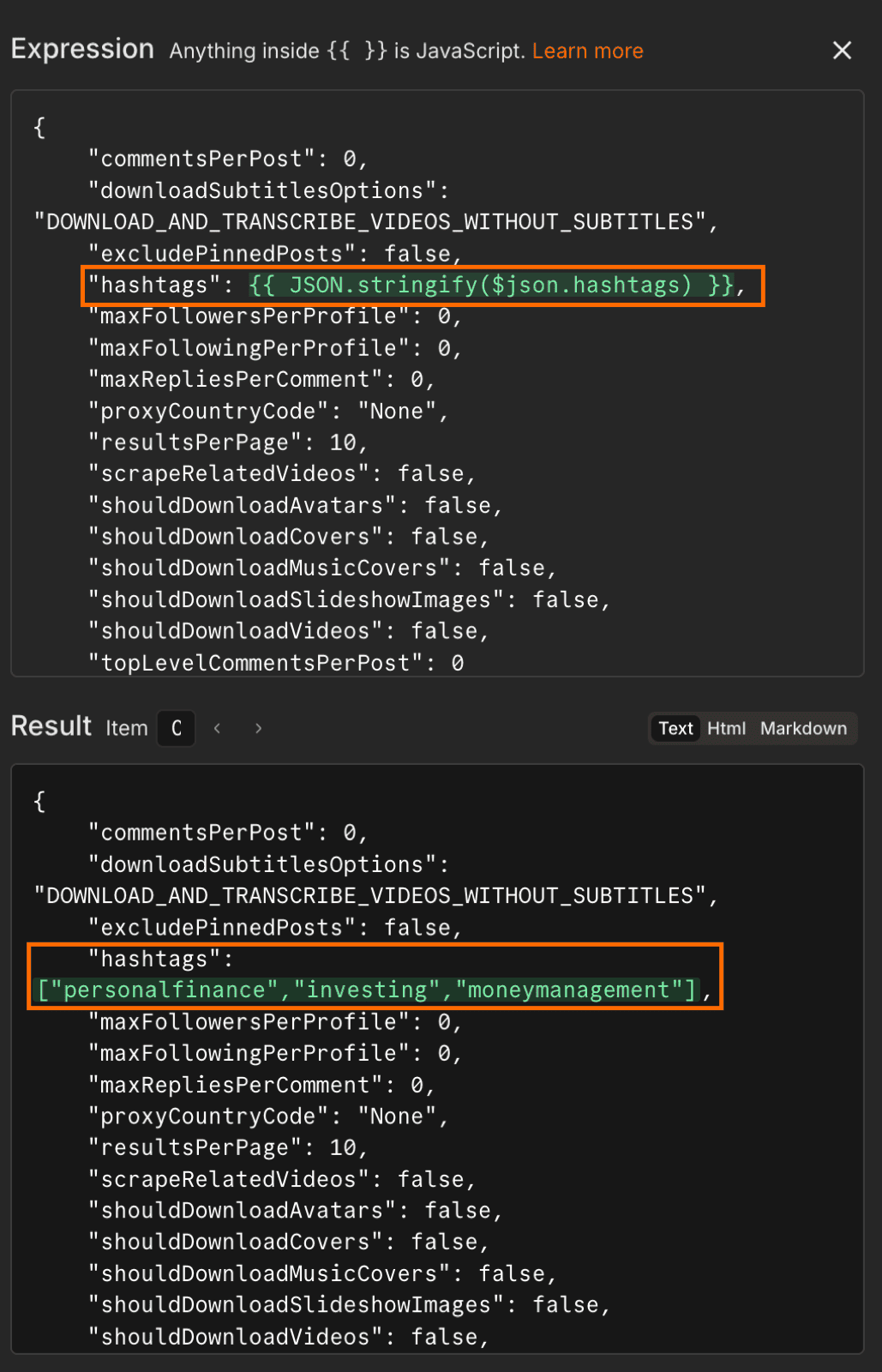
{{ $json.hashtags }} would interpolate the array as a comma-separated string (personalfinance, investing), which the Actor reads as a single malformed hashtag. Wrapping it in JSON.stringify rebuilds the array literal so the Actor sees the proper input.Run the node once to save the output schema. A 100-video run with transcripts enabled takes a few minutes and costs up to $5.20 in Apify credit ($3.70 per 1,000 videos for the base, plus $48 per 1,000 for transcripts). Runs where most videos already have auto-captions come out much cheaper, because the transcripts add-on only bills for videos that need speech-to-text.
Step 3: download TikTok transcripts in bulk
Each dataset row from the previous step contains either a subtitle link (where TikTok already has auto-captions) or a transcription link (where the Actor ran speech-to-text instead). Both fields live in the same dataset, so the workflow needs to pick whichever one is present.
Add another Edit Fields node. Configure a transcriptUrl field using the following expression:
{{ $json.videoMeta.subtitleLinks?.[0]?.downloadLink || $json.videoMeta.transcriptionLink || '' }}
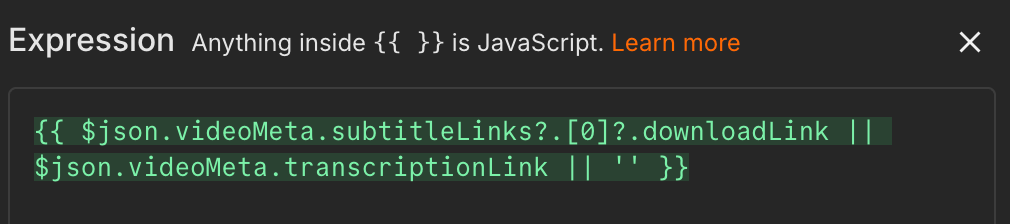
|| operator returns the first non-empty value, so the field ends up holding the subtitle link when there is one, the transcription link when there isn’t, and an empty string when neither exists.Add an HTTP request node after it. Set the method to GET, then drag the transcriptUrl field from the previous node’s output directly into the URL field.
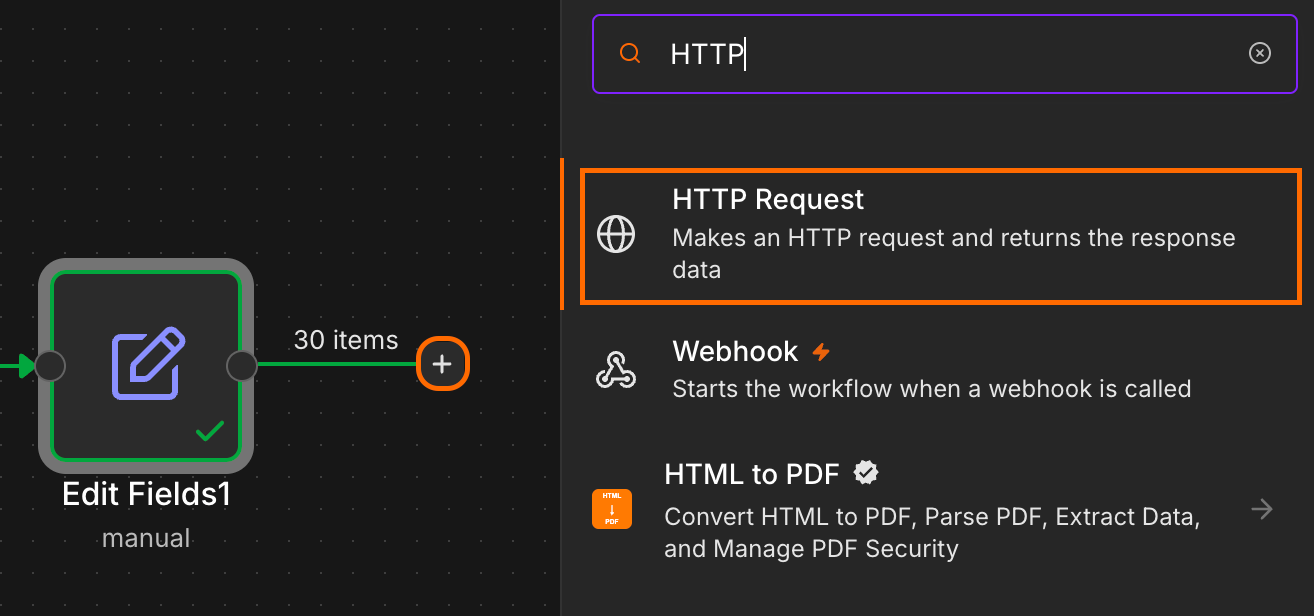
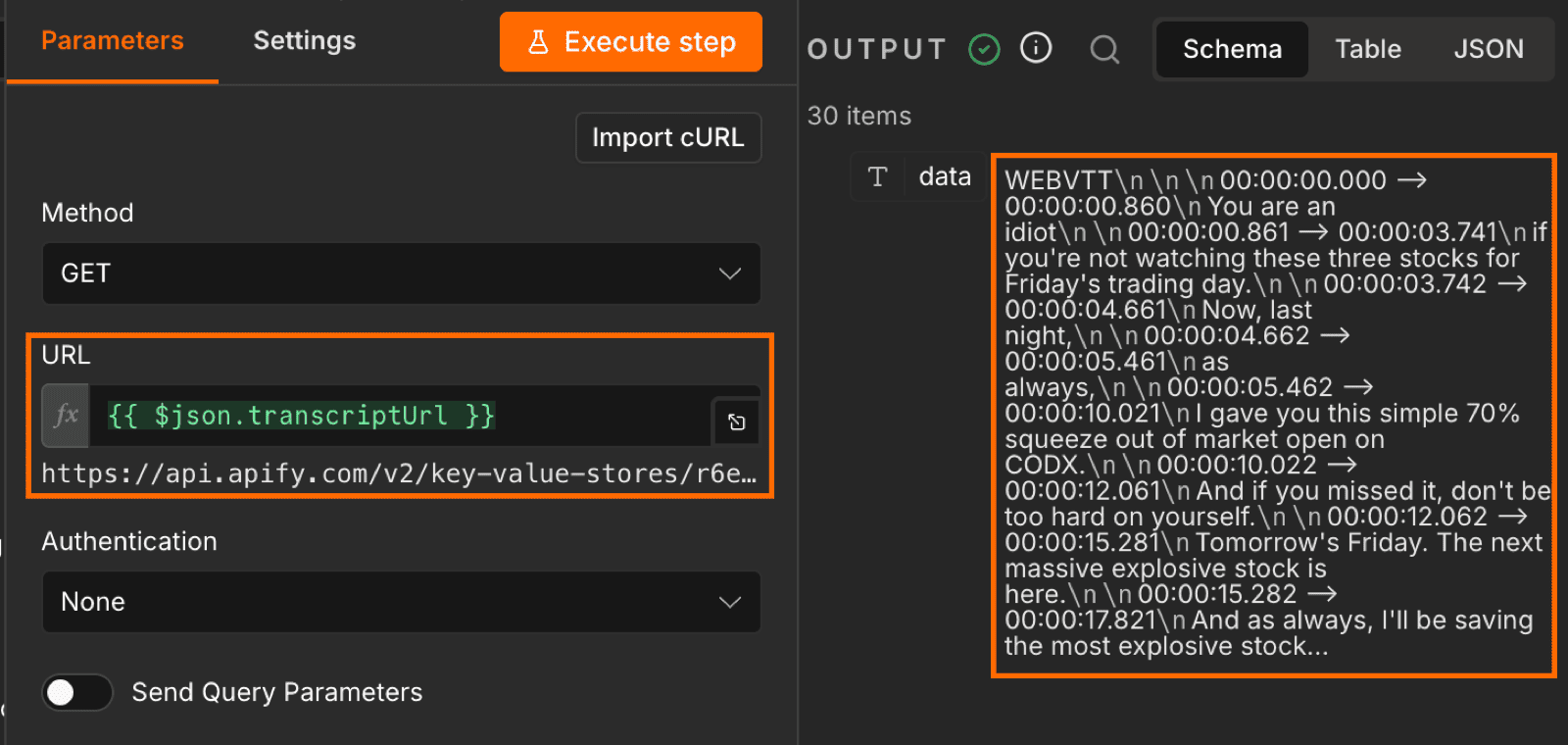
n8n runs this node once per row, so a 100-video run produces 100 HTTP requests with no extra wiring. Each response is the raw transcript file in WebVTT format (the standard subtitle format with timestamps and cue text).
Step 4: filter transcripts and export the dataset
Some videos come back with empty or near-empty transcripts. Silent content (dance trends, slideshows, anything with no spoken audio) returns 0 bytes, and broken transcriptions return a few words of gibberish. Both pollute the LLM analysis if you let them through.
Add a Filter node. Configure one condition:
{{ $json.data.length }} is greater than or equal to 100
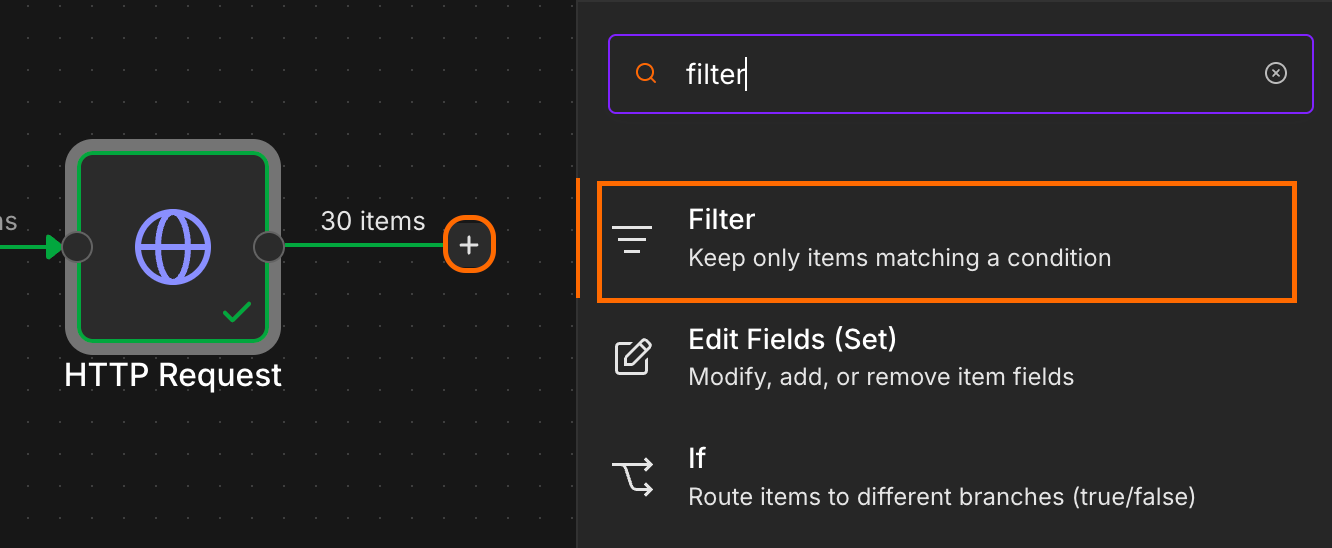
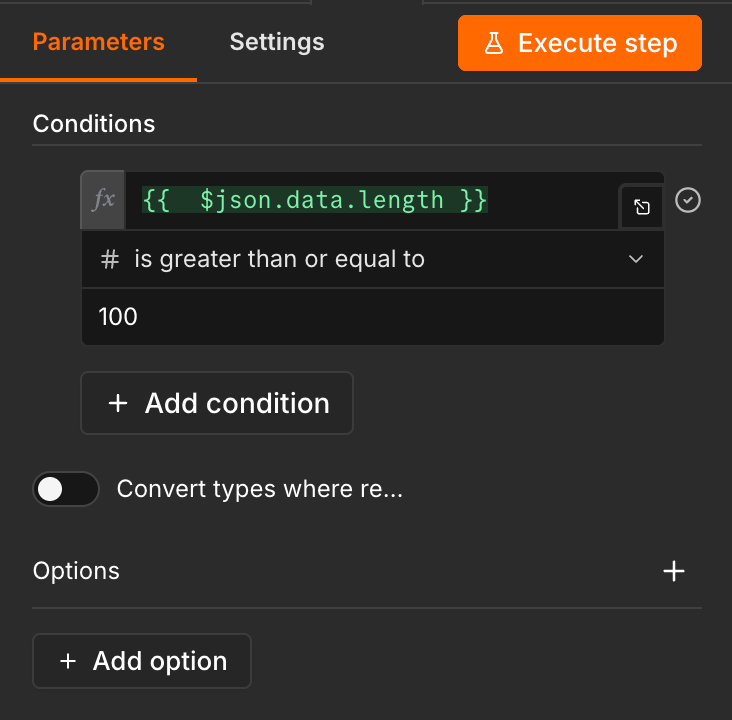
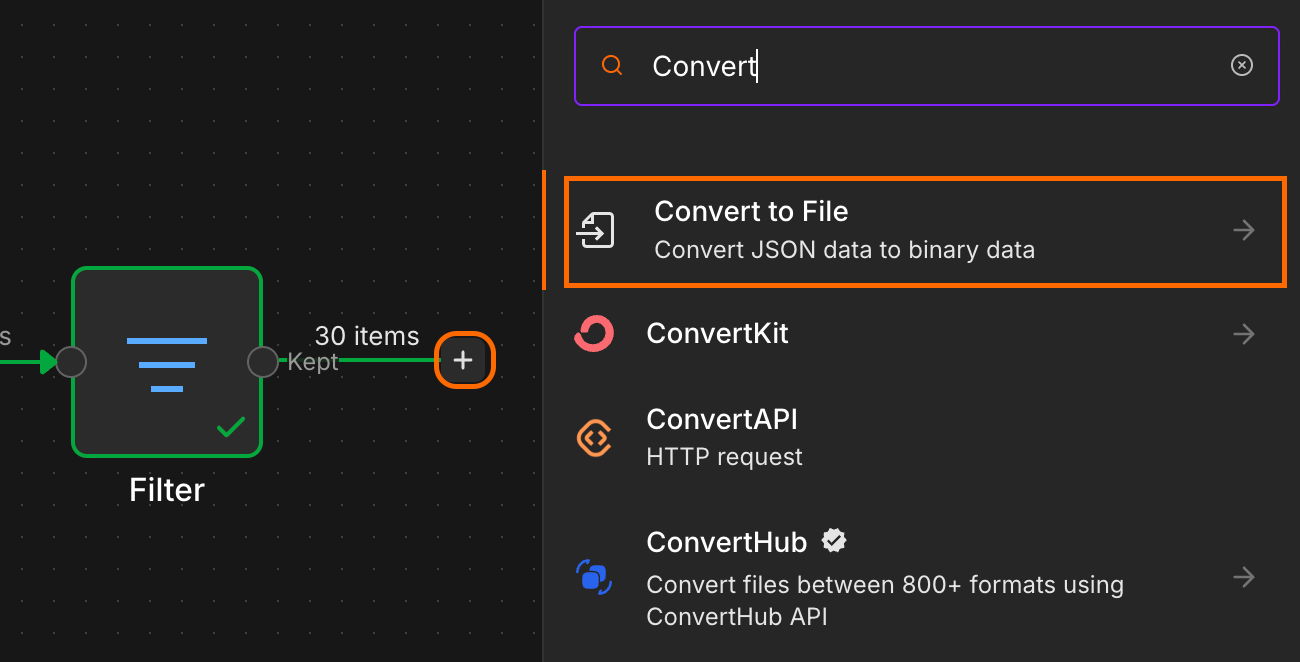
Add a Convert to file node after the filter. Set the operation to Convert to JSON. And map the filtered data from the previous step.
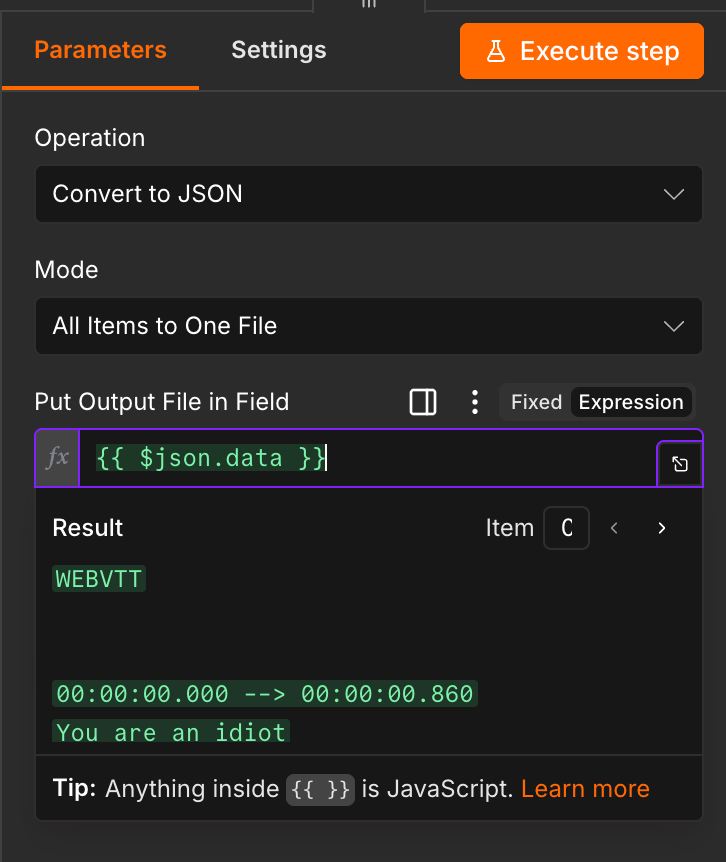
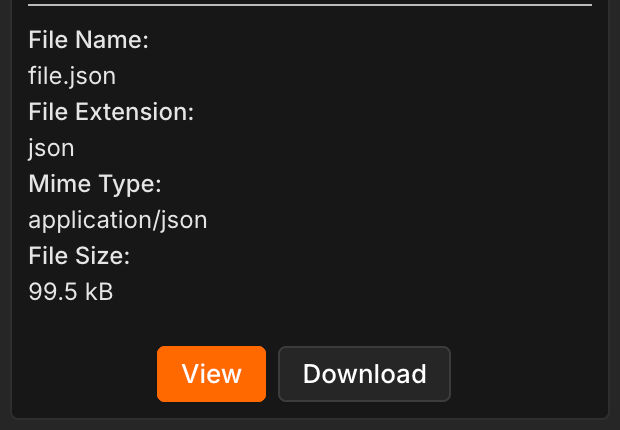
Run the full workflow. When the node finishes, its output panel shows a download icon beneath the file. You can use this to download the combined transcripts.
Step 5: hand the dataset to your LLM
Open your LLM chat of choice (Claude, ChatGPT, or Gemini), upload the JSON file, and give it a detailed prompt:
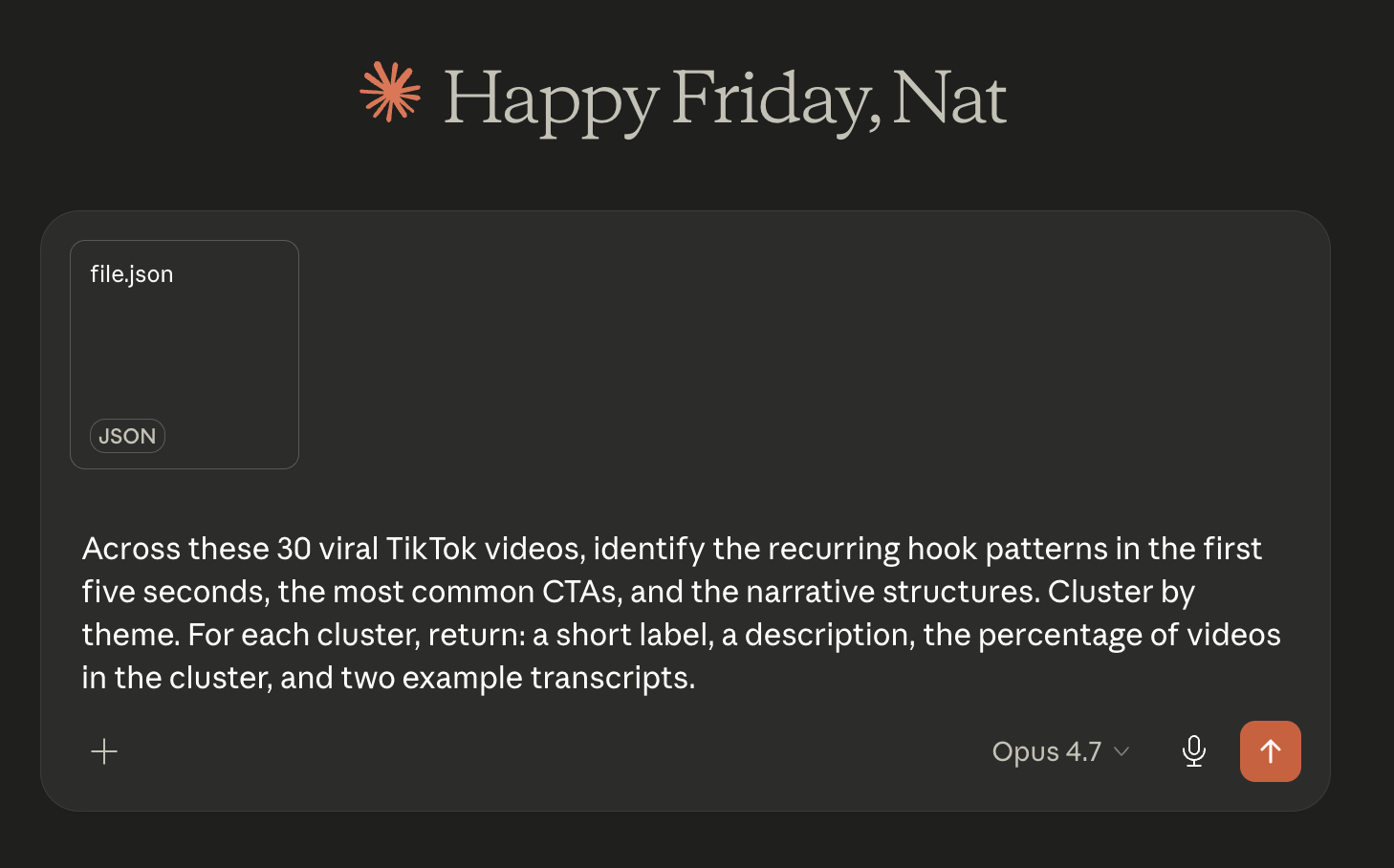
The WebVTT timestamps are deliberately kept in the file. The LLM uses them to isolate the first five seconds window when picking out hook patterns, which is the part of the video the prompt cares about most in this scenario.
From here, you can follow up freely. Ask for clusters ranked by share rate. Drill into a single cluster for more examples. Ask the LLM to rewrite the dominant hooks into briefs for your own content calendar. The hand-off to a chat UI is the part where the workflow stops being mechanical and starts being analytical.
TikTok viral content analysis in practice: finance hooks
To make this concrete, I ran the workflow against three hashtags (personalfinance, investing, and moneymanagement), and pulled the 30 top videos by view count. The run took about two to three minutes and cost $0.11 in Apify credit. The cohort was almost entirely covered by TikTok’s auto-captions, so the transcripts add-on barely fired.
Claude’s response came back in two layers. The first is a breakdown of the recurring shapes that show up across the cohort: four hook patterns, five CTAs, and three narrative structures.
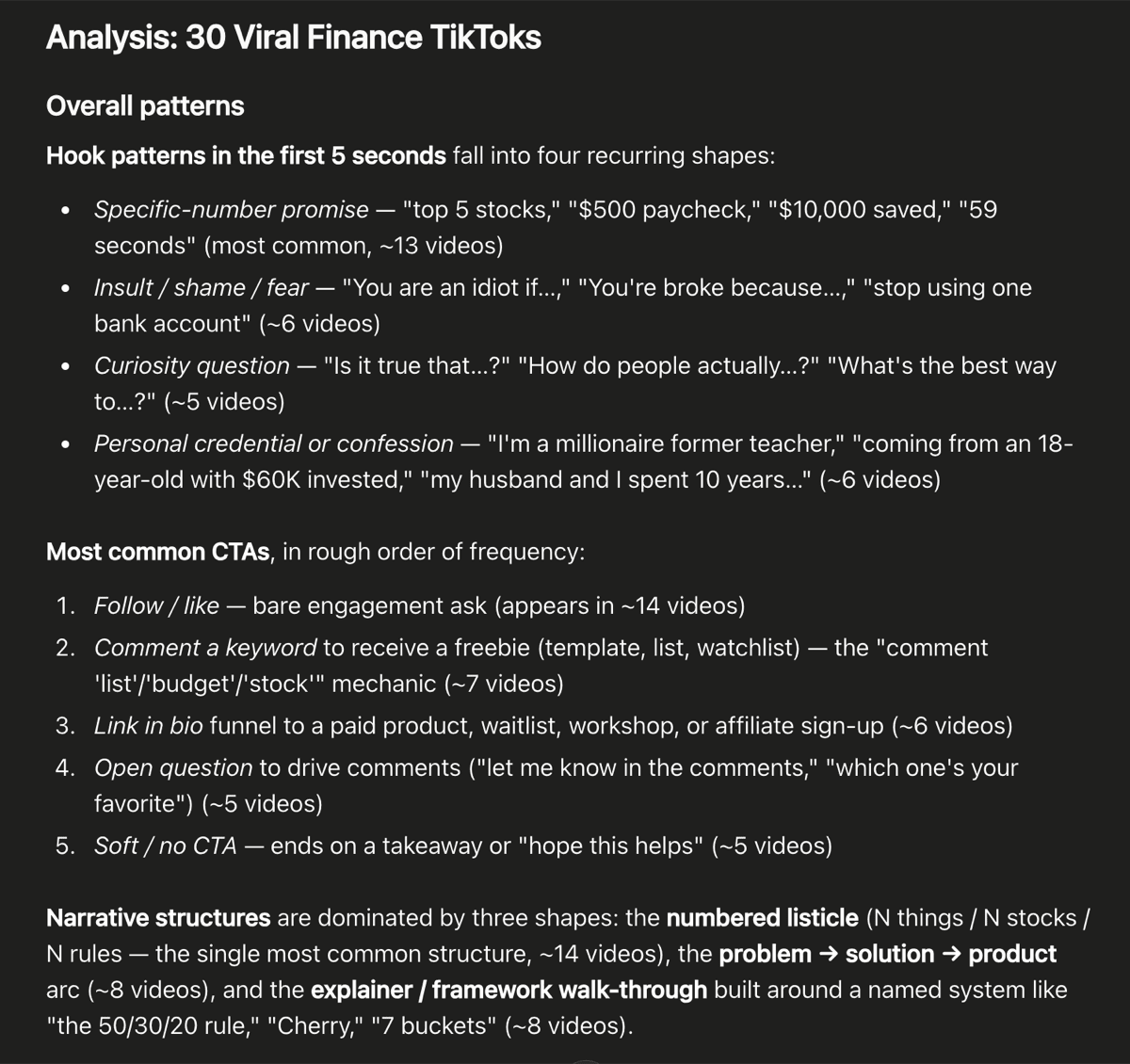
The headline finding is that specific-number promises carry roughly 43% of the hooks. “Top 5 stocks”, “$500 paycheck”, “$10,000 saved”, “59 seconds”. A precise figure in the opening clause does most of the work getting a viewer to stop scrolling. The next three hook patterns (insult/shame, curiosity questions, personal credentials) each cover five to six videos, so the dominance of the specific-number hook is sharp.
On CTAs, the comment-a-keyword-for-a-freebie mechanic appears in roughly seven of the 30 videos. Creators ask viewers to drop “list”, “budget”, or “stock” in the comments to receive a template or watchlist, which doubles as a comment-farming play on the algorithm. Bare follow-or-like asks still lead in raw frequency, but the keyword-reply mechanic is the more telling pattern, because it’s specific to commercially-oriented finance creators rather than generic engagement bait.
The second layer of Claude’s response groups the same 30 videos by topic.
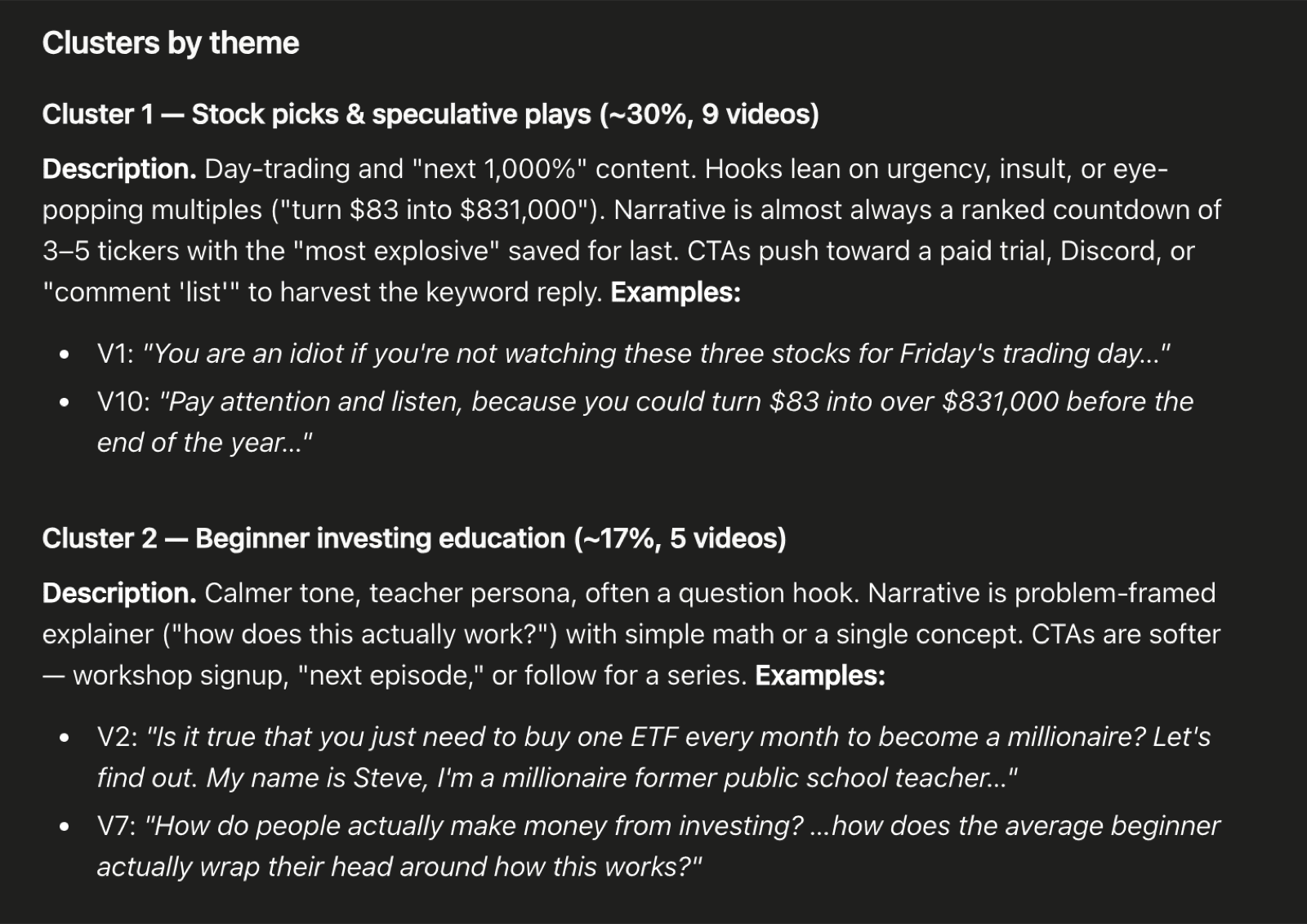
The biggest cluster is stock picks and speculative plays at 30%, dominated by ranked countdowns of three to five tickers and aggressive hooks like “you are an idiot if you’re not watching these three stocks”. The second is beginner investing education at 17%, which sits in a calmer register with question hooks and softer CTAs. The rest of the clusters are split across the remaining 16 videos.
Conclusion: From workflow to TikTok viral content patterns
You now have a repeatable pipeline that opens the content layer of TikTok: pull a cohort by hashtag, transcribe everything in one Actor run, and hand a single LLM-ready file to whichever chat you already use. The structure of the workflow doesn’t change between niches or markets. What changes is the cohort going in.
Swap #personalfinance for #productivityhack, and the same steps run end to end. Schedule the workflow to fire weekly, and you’ve got yourself a regular content-trend report. Drop the LLM output into your next content brief, and you’ve shortcut the part of trend research that used to take a whole afternoon.

FAQs: TikTok video content analysis methods
What is TikTok viral content analysis?
TikTok viral content analysis is the practice of figuring out, systematically, why specific videos go viral on the platform. It works at the content layer (hooks, CTAs, narrative arcs) rather than at the metadata level, because the metadata tells you how a video performed but not why.
What metrics actually matter for virality on TikTok?
Watch time and completion rate are the strongest signals, since they’re harder to game than view counts and map more directly to whether the content held attention. Shares matter as a secondary signal. But metrics only tell you how a video performed, not why. Two videos with the same view count can have wildly different hooks, which is where the transcript layer matters.
How do I analyze TikTok trends across different countries?
Pick a hashtag or creator in the target market’s language, run TikTok Scraper with subtitles and transcriptions enabled, and you’ll get both the original-language transcript and an English translation for every video. Paste the dataset into your LLM and cluster across the translated column. Speech-to-text fills the gap because TikTok’s auto-captions don’t cover most non-English markets.
How many videos do I need to spot a pattern?
For a single niche or hashtag, 20 to 50 videos is usually enough for the dominant hooks and CTAs to surface as clusters. The first 20 surface the obvious patterns; the next 80 confirm which ones are dominant versus noise.