If you’re working on a social media strategy and want to increase engagement of your video content, you’re probably already analyzing your social media performance metrics, trying to figure out what works best in your niche. Vanity metrics can tell you which posts worked, but can’t tell you why: When one TikTok video gets 2 million views while another stalls at 2,000 - both on the same topic - you don’t know what actually drove the result. Was it the opening frame? The pacing of the cuts? Did the text overlay in the first two seconds make the difference?
You might already be using AI tools to move faster with your marketing. They can generate hooks, scripts, and concepts - but they’re trained on general patterns, not on what’s performing in your specific niche right now.
To bridge that gap, you need access to the videos themselves. With dedicated social media and video scrapers, you can:
- Collect hundreds or thousands of videos in a single run
- Schedule automated data collection
- Filter videos by performance, keyword, or time range
- Plug structured data directly into your workflows
Next, you can analyze visual patterns with AI and improve your video content briefs to stop guessing your creative direction.
How to extract videos for analysis in bulk
In this tutorial, we’ll show you how to scrape videos, download raw files, and schedule automated data collection, so you never miss new trends. We’ll use TikTok Scraper, one of the thousands of scrapers, automation, and AI tools available on Apify Store.
Actors have access to platform features such as built-in proxy management, anti-bot evasion support, integrated storage with structured CSV/Excel/JSON exports, and standardized input parameters (URLs, keywords, limits, etc.).
They also integrate easily with tools like Make, n8n, or AI workflows, so you can send your data directly into analysis pipelines without manual handling.
TikTok Scraper extracts videos at scale, using a hashtag, keyword, or profile, along with engagement metrics and metadata for performance-based filtering. You can also scrape music data, subtitles, and thumbnails. With a structured library of video files, you’ll be able to use AI tools to reliably analyze visual patterns, hooks, pacing, and other elements driving performance.
- YouTube Video Downloader
- Instagram Reel Scraper
Step 1. Configure the scraper and run it
Start by creating a free Apify account. Head to TikTok Scraper and click the Try for free button to access Apify Console - a workspace to run or build scrapers and automation tools.
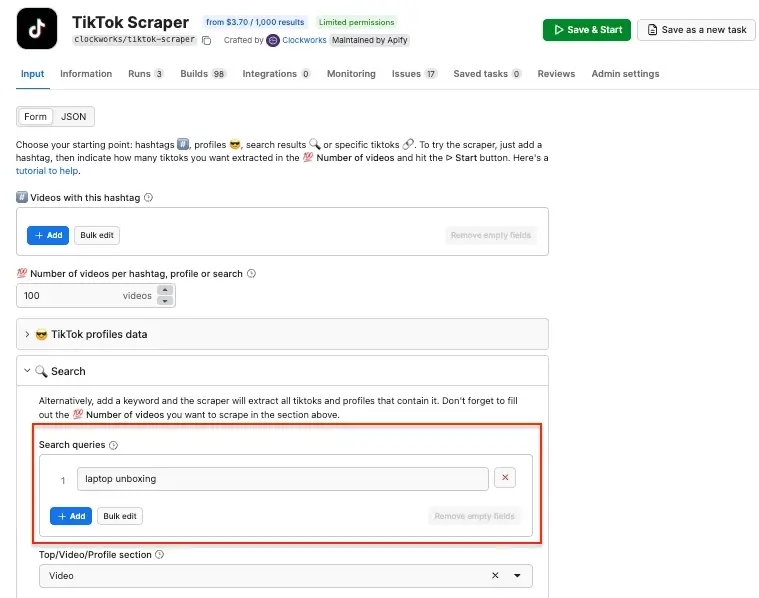
The Actor uses various input parameters: hashtags, profiles, search terms, or video URLs. In this tutorial, we’ll search for relevant videos about laptop unboxing - add the term to the Search queries field.
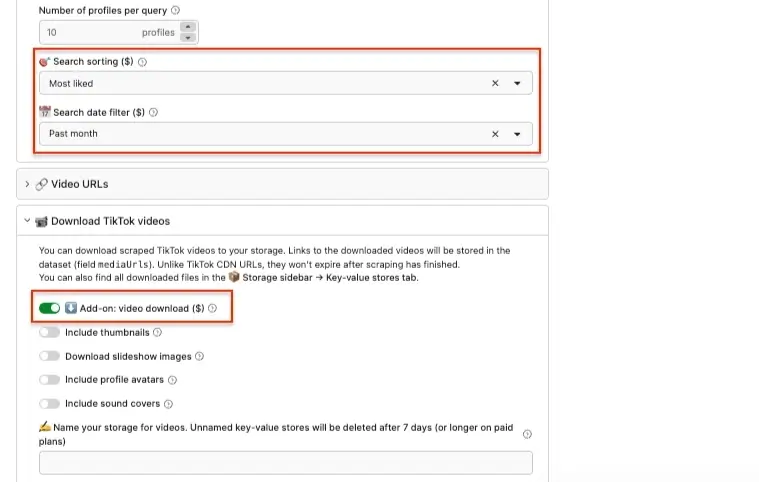
In order to filter your data, you can use the sorting options - especially if you’re planning to extract videos regularly. In this example we want to sort videos based on likes and extract content posted in the last month only.
Finally, switch on the Add-on: video download toggle to download video files.
Click Save & Start to run the scraper.
Step 2. Export your results
Once the Actor finishes running and the status changes to Succeeded, you can export your results.
The scraped videos are stored in the key-value store database. Select the Storage tab → Key-value store, and then click Download to get your files.
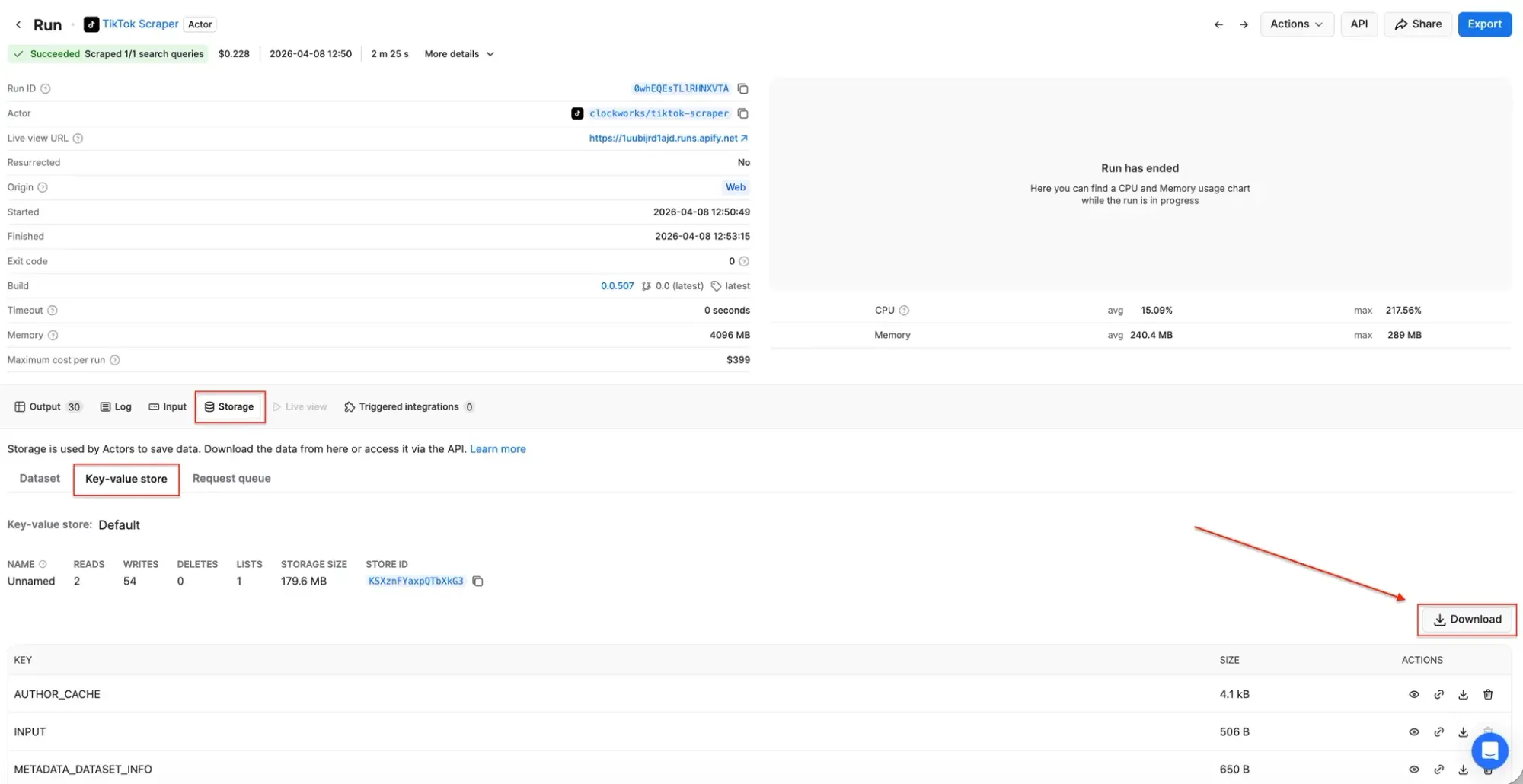
You can also download datasets with video information, such as URLs, metadata, and metrics, by clicking the Export button. Select and omit fields to reduce the information noise.
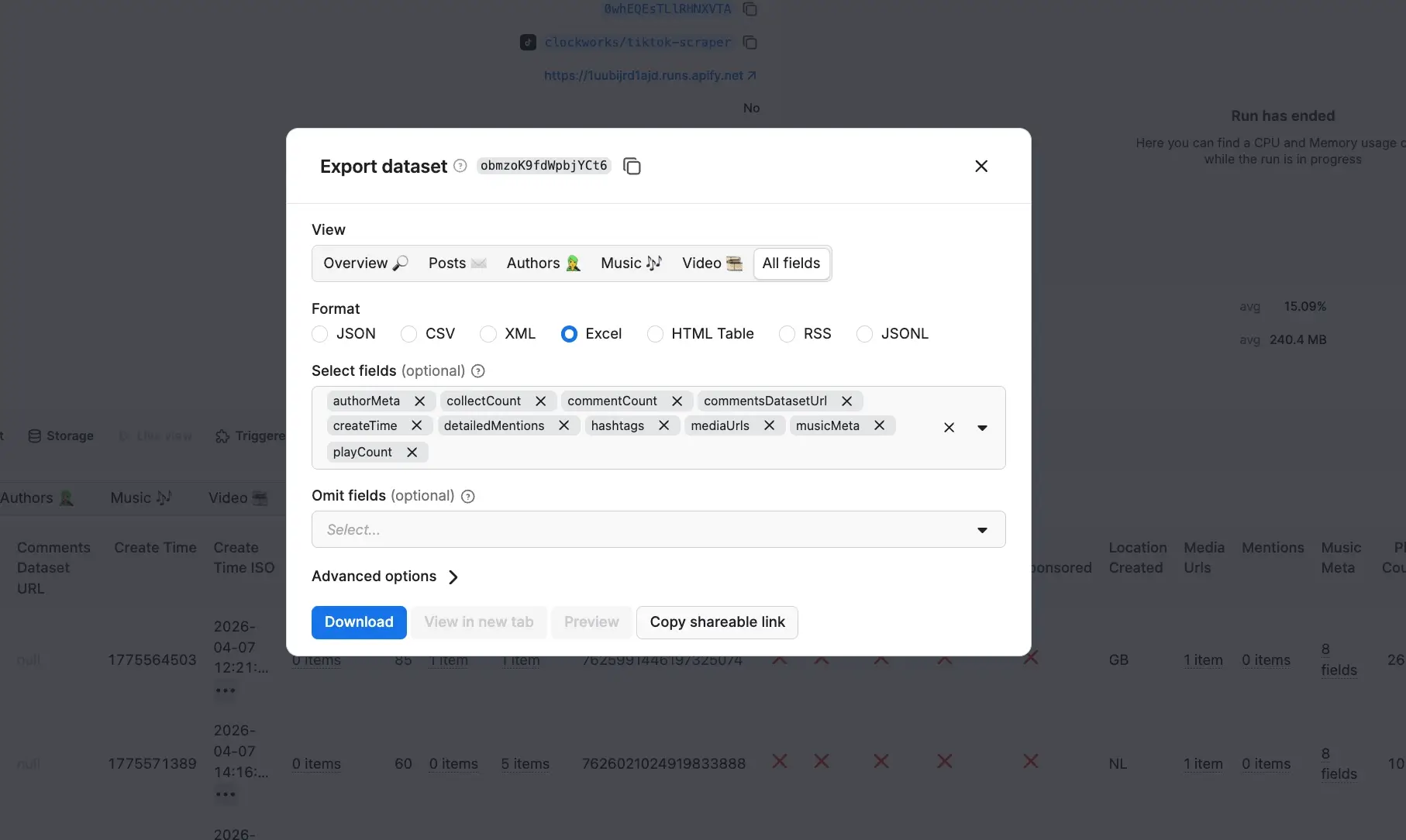
Step 3. Schedule automatic runs (optional)
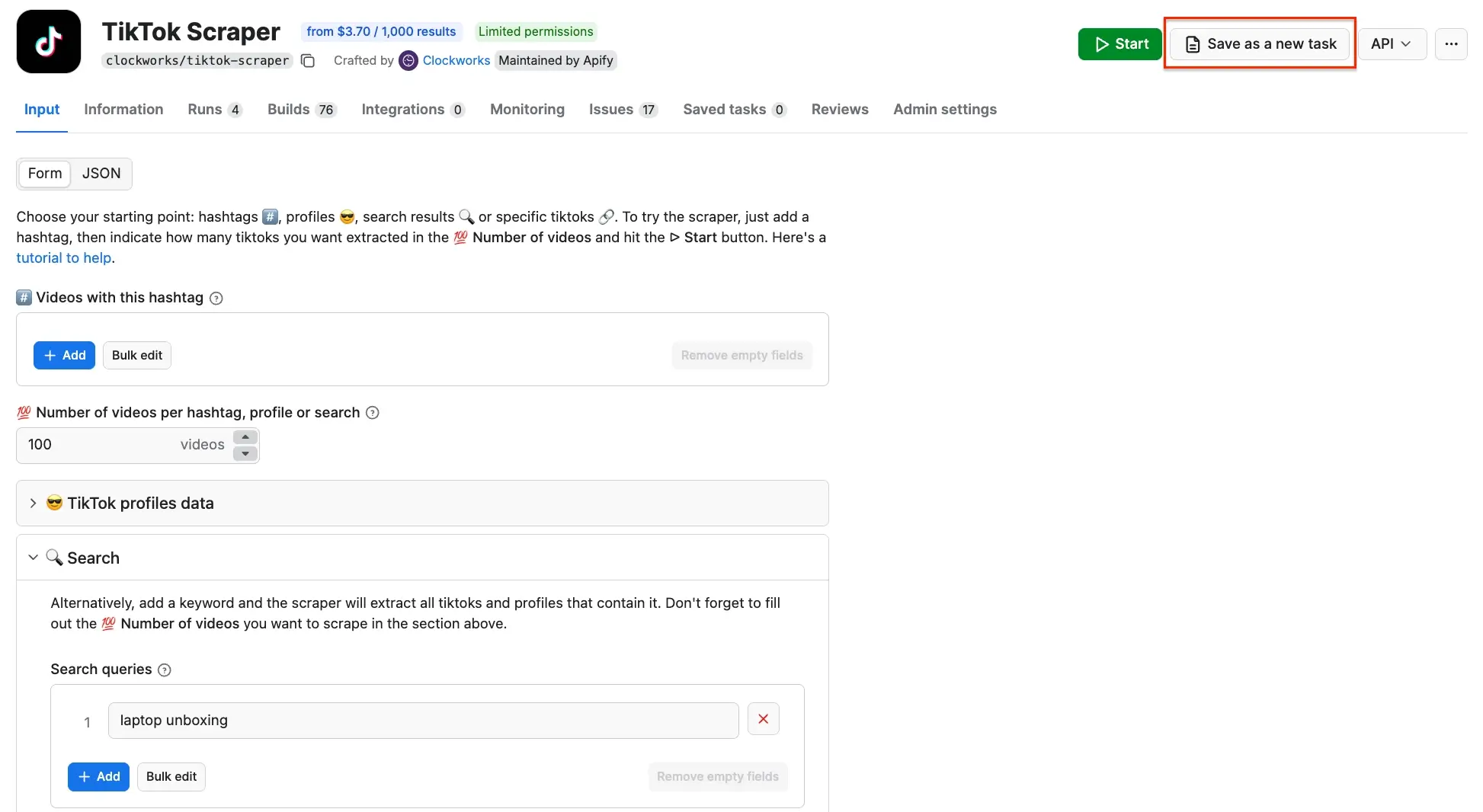
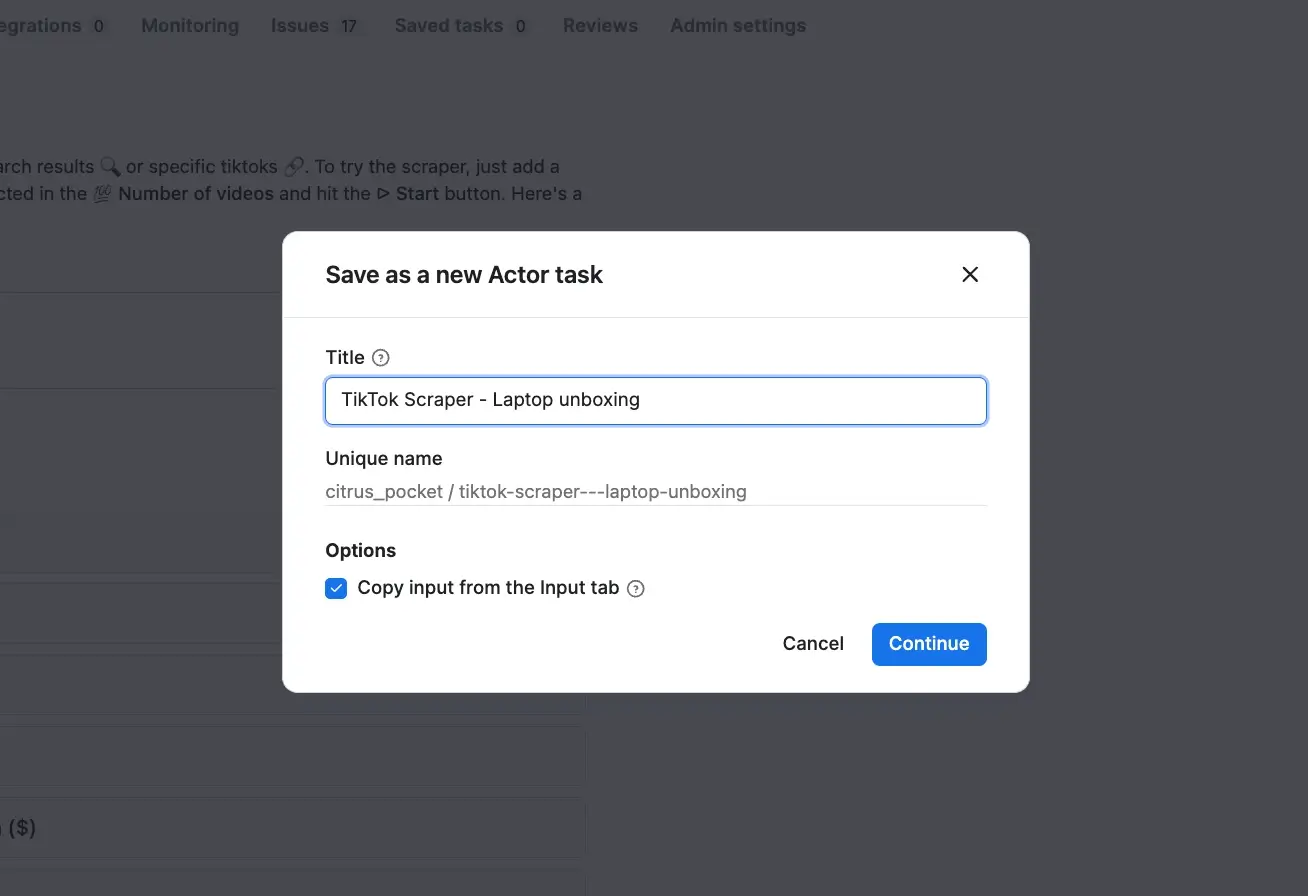
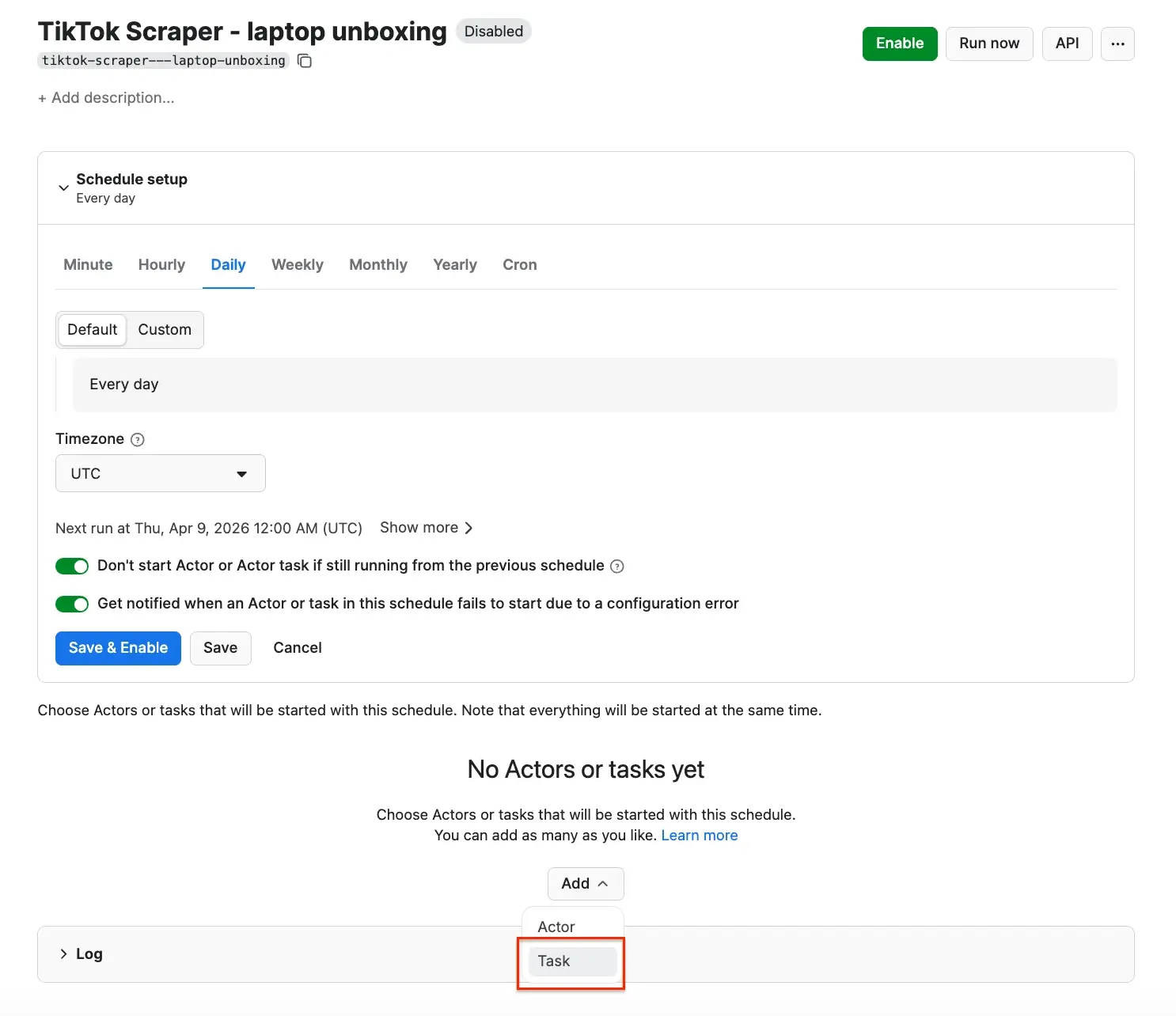
If you want to scrape videos regularly, you can schedule automated scraping runs directly in Apify Console. To do this, head back to the Actor page, make sure the input is correctly configured, and click Save as a new task in the top right corner. Next, give your task a name and save it.
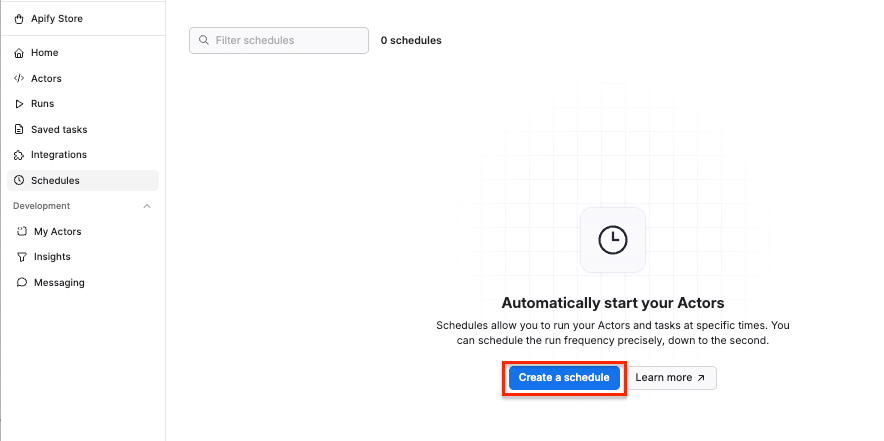
Now, you can schedule the task by accessing Schedules in the left-hand navigation and clicking the Create a schedule button:
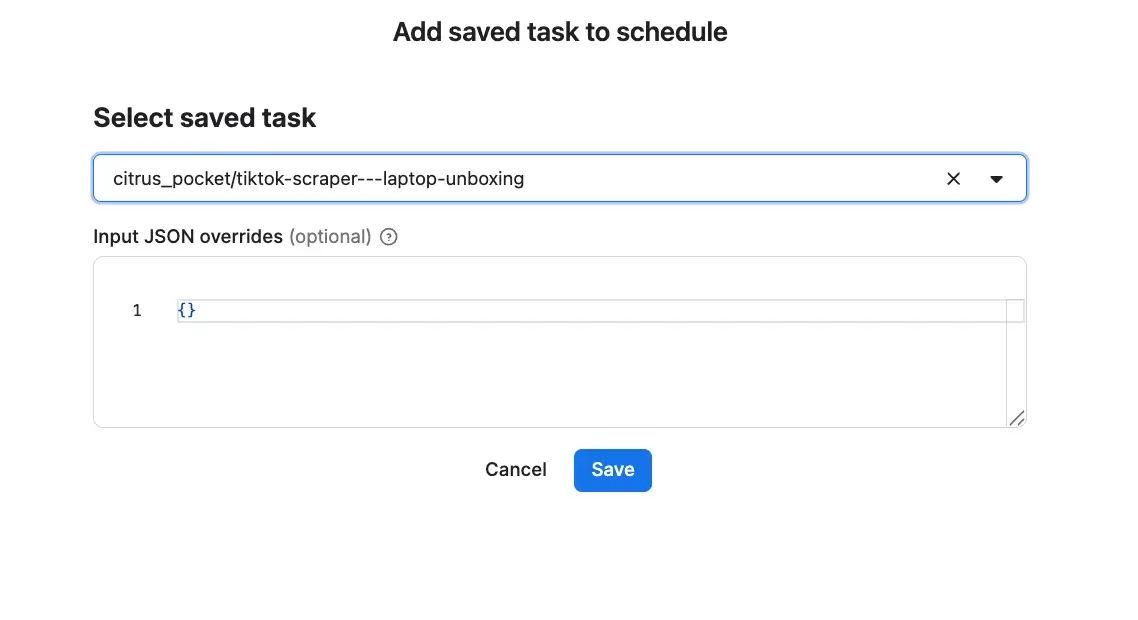
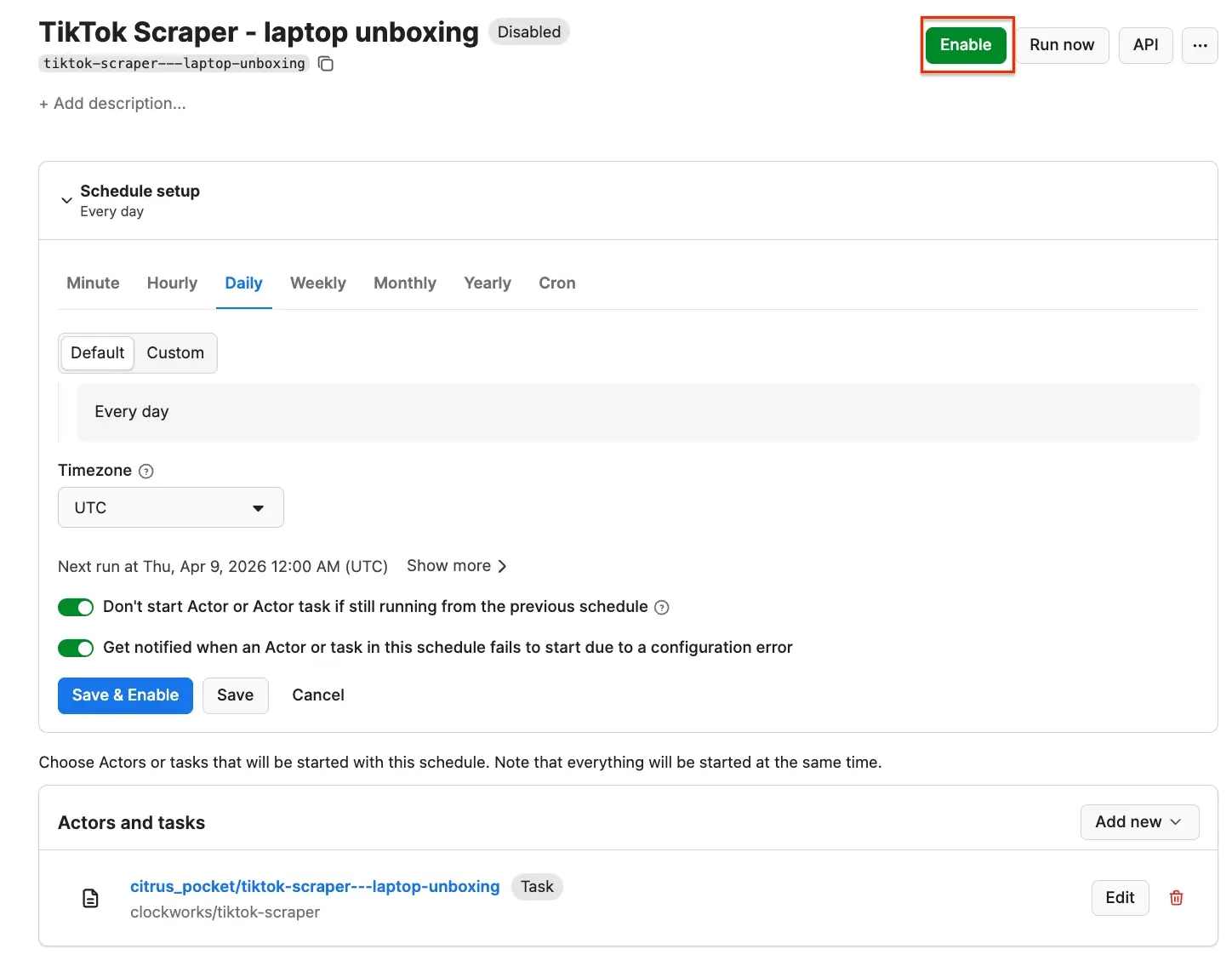
We’ve already saved our task, so now it’s time to add it to the schedule. Click Add task at the bottom to customize your schedule, select a task, and choose how often you want the scraper to run - weekly, monthly, or on any day that works best for you.
Decode high-performing videos with AI
Now that you have a solid bunch of video data, you can analyze your videos and look for visual patterns with AI tools.
Instead of manually reviewing hundreds of videos, you can process them in batches and discover opening hooks, editing pace, text overlay timing, scene structure, or on-screen presence across top-performing content. After identifying winning creative patterns, use an AI video editor to edit your raw footage - or an AI video generator to spin up fresh clips from scratch - with AI agents that refine your video structure and create polished content faster.
Example prompt:
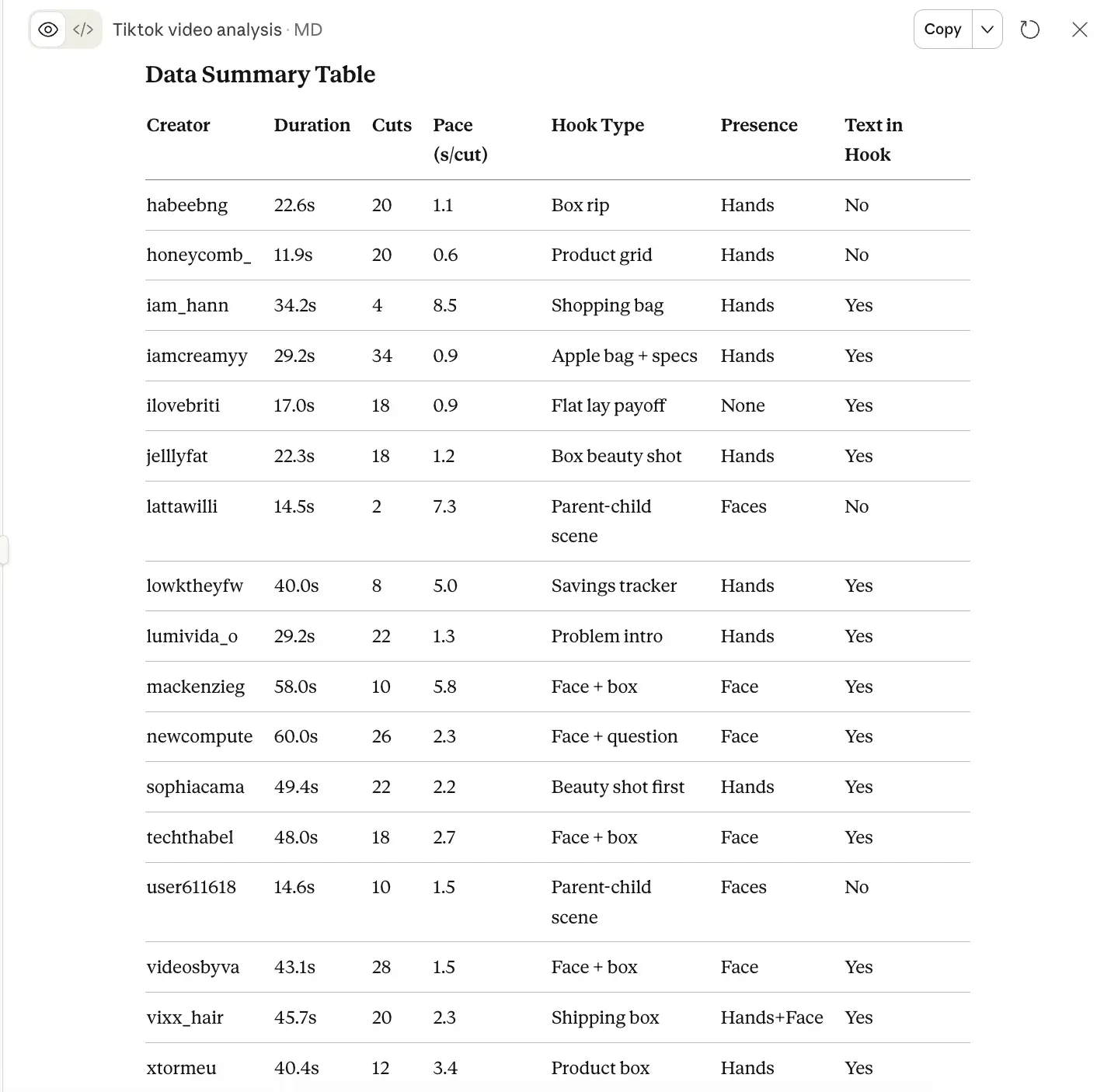
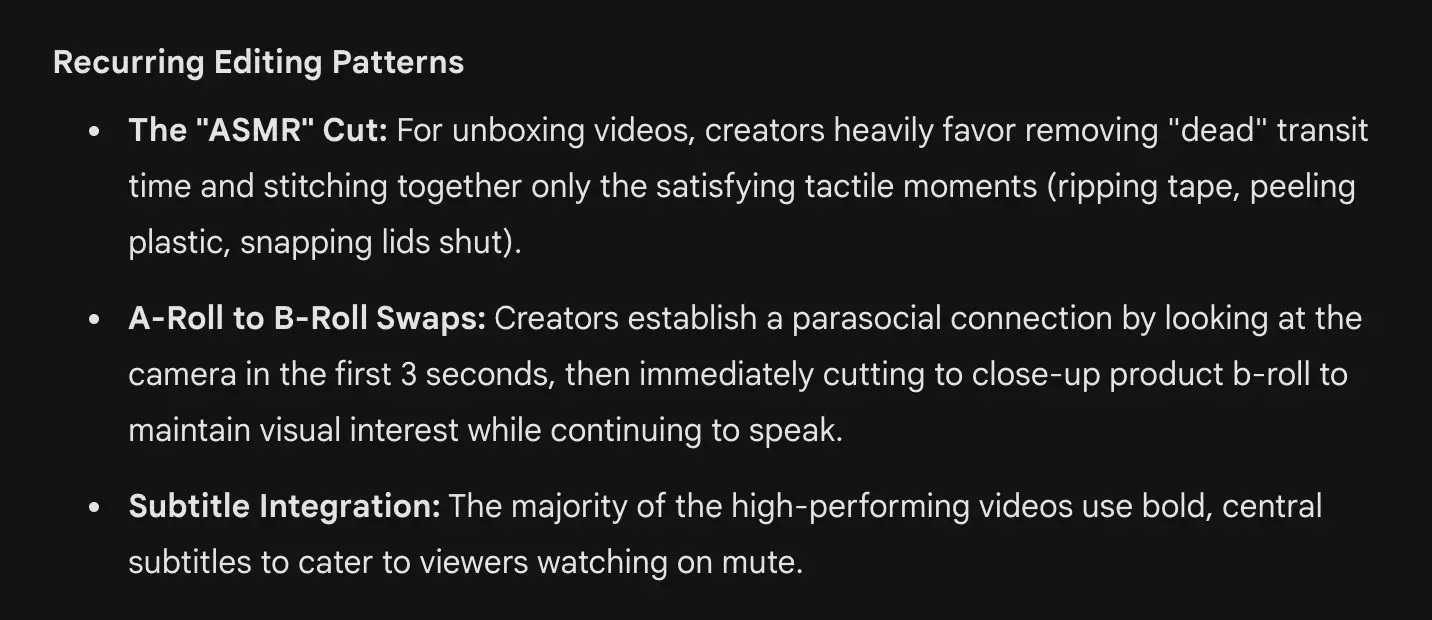
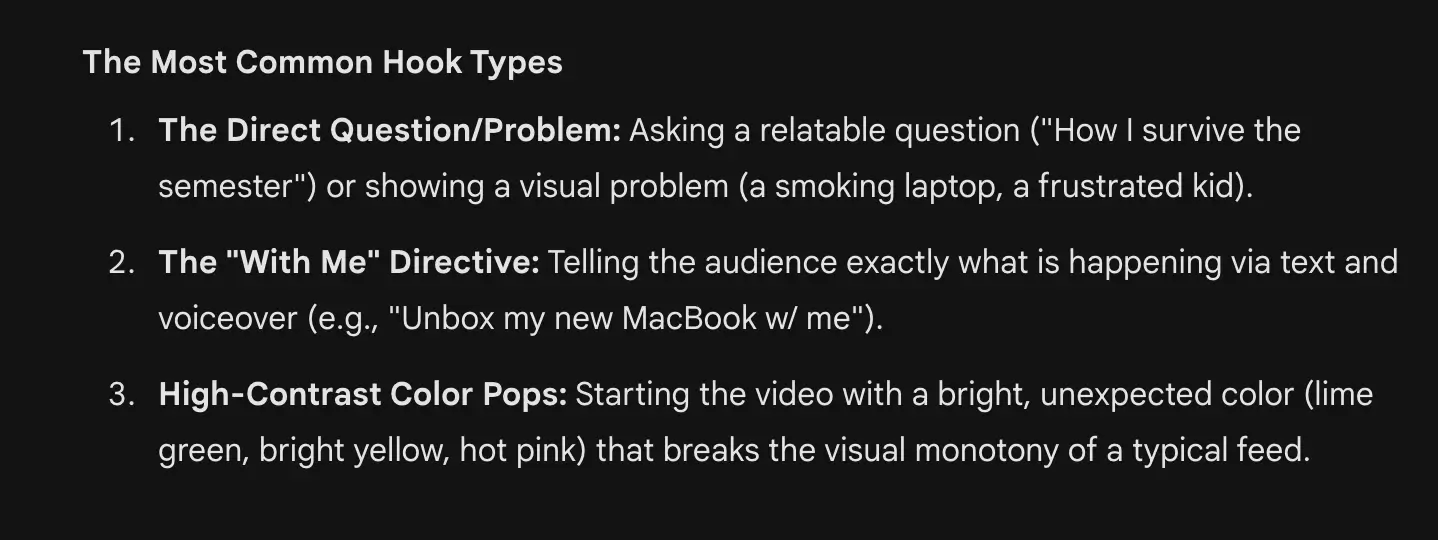
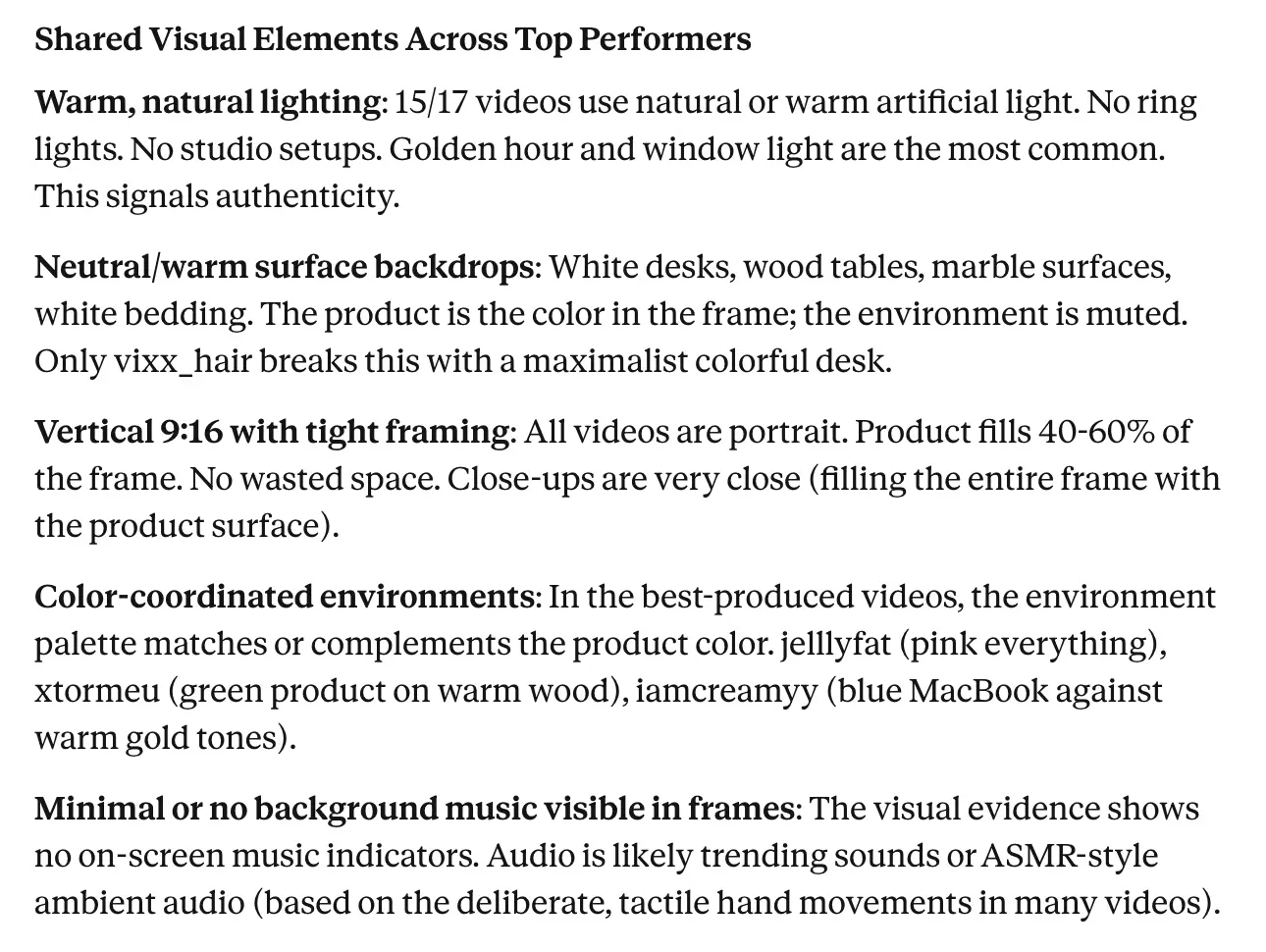
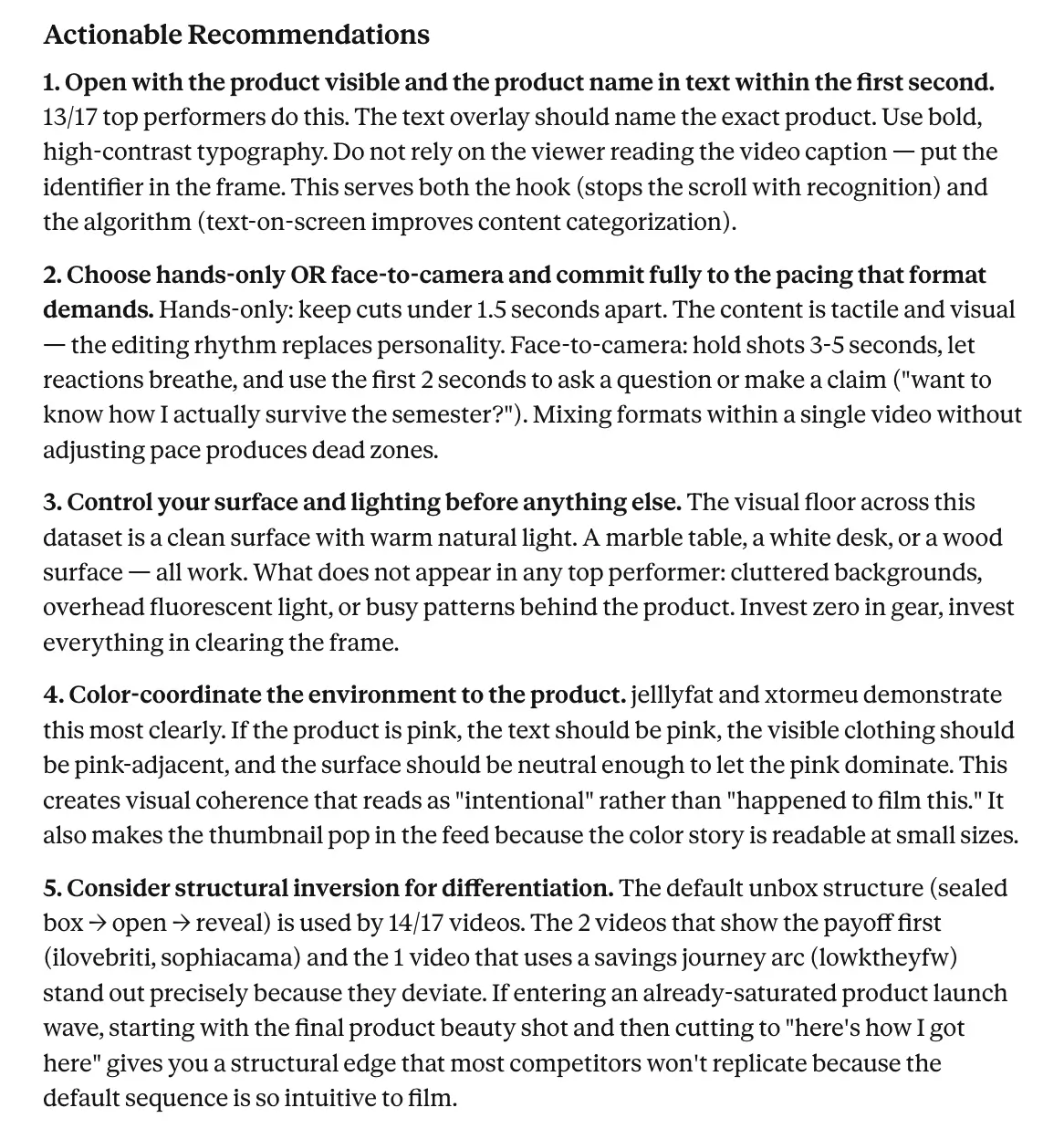
The result is a set of insights you can directly translate into creative briefs. Here’s what we got after running our scraped videos through Gemini and Claude:
- Results from Gemini:
- Results from Claude:
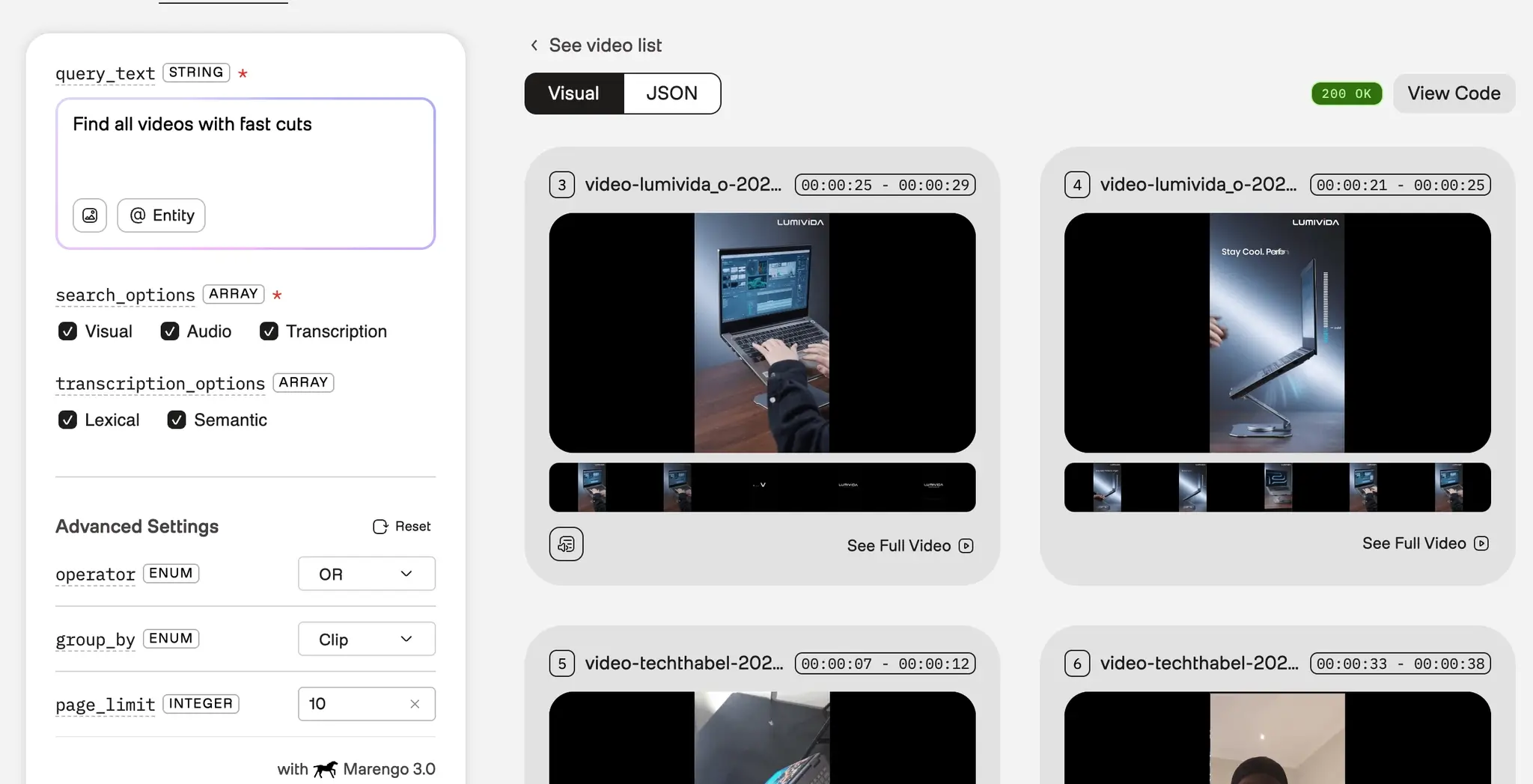
- Tools such as Twelve Labs can return matching videos as IDs and metadata, which you can map back to your original dataset - allowing you to create filtered video sets (e.g. videos with fast hooks) for deeper analysis.
From intuition to systems
Teams that consistently produce high-performing content aren’t relying on isolated inspiration or one-off research sessions. They’re building systems: pipelines that continuously collect top-performing videos, process them, and extract patterns that inform what to create next.
By using tools like the TikTok Scraper to collect videos at scale, and combining them with AI models capable of analyzing visual content, marketing teams can finally access the layer of insight that engagement metrics miss.