


Most people open Apify Store with a job in mind, not a tool name. They want to see what three competitors charge across two marketplaces or find out which creators are already talking about a product launch.
Until now, the only way in was a search box that expected you to know which site to type, and a category list that was one label deep. Searching "Instagram" got you more than a thousand near-identical results. To tell which one returned comments and which one returned posts, you had to go through the Actors' descriptions or test them.
Publishers had the mirror image of that problem. You ship an Actor, pick the closest match from a flat list of categories, and then watch it collect no impressions because nobody browses to where it landed. Placement was a guess.
That's changing. Apify Store categorization is being rebuilt around the job you're trying to do.
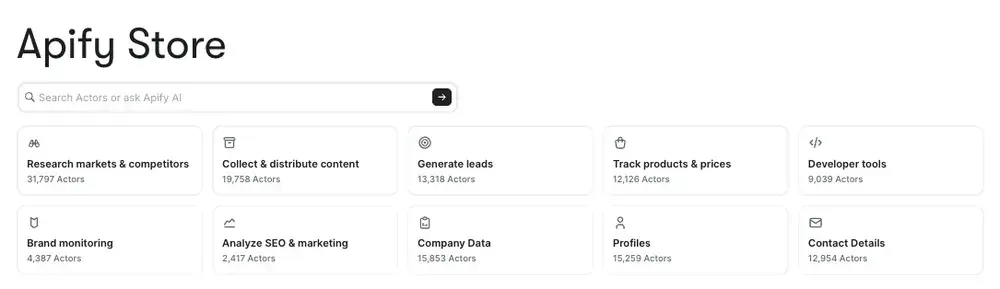
One label becomes several
Click into an old category like Lead generation, and you'd land on a wall of LinkedIn, Google Maps, and email-finder Actors with nothing underneath the label to narrow things down. One returns company profiles, one returns business listings with phone numbers, one returns verified emails — and the label treats them as the same thing.
The new system replaces that one label with five things: what you're trying to do, which industry you're working in, what kind of data you get back, which named site it covers, and what kind of tool it is. And the platform does the classifying instead of the publisher.
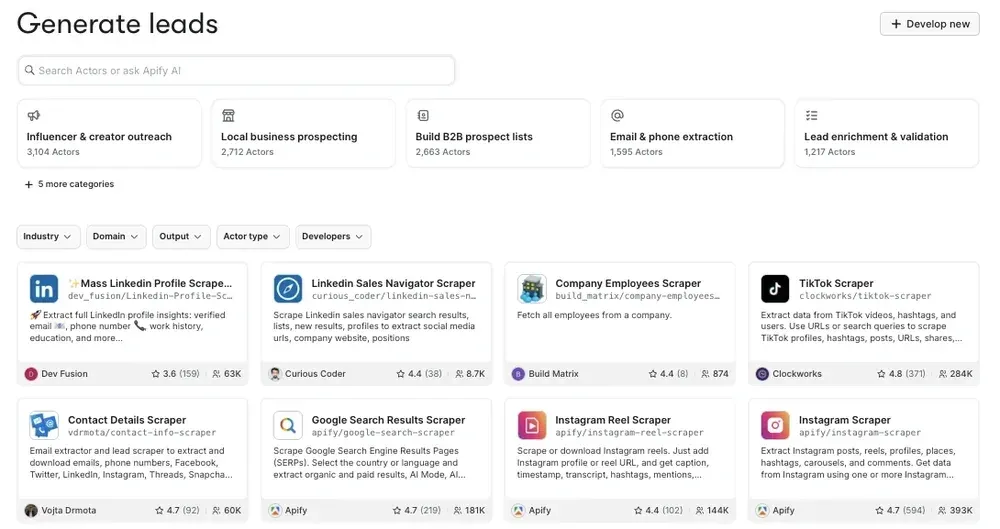
A use-case tree instead of a flat list
The backbone is a tree of 76 use-case categories, up to three levels deep. You start from what you want to accomplish and narrow from there:
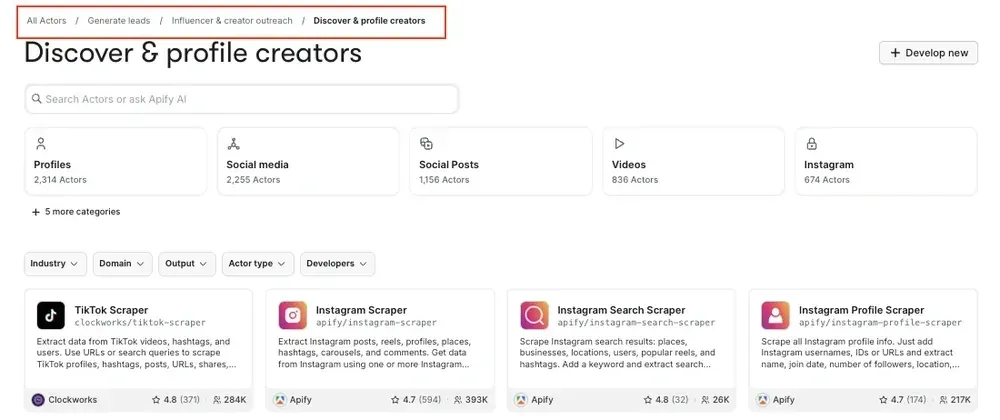
Every level has breadcrumbs, so you can step back up and take a different branch without starting over.
Now you can filter by what an Actor returns
The tree answers what you want to do. Four filters narrow things further, and you can use them anywhere in the tree.
- Industry: Social media, E-commerce, Job platforms, Real estate, Finance & crypto, and more
- Domain (named sites): Instagram, LinkedIn, Reddit, Amazon, Google Maps, Zillow, Trustpilot, and more
- Output type: Profiles, Comments, Reviews, Products, Job listings, Contact details, Transcripts, and more
- Actor type: AI tools, MCP server, Agent, Automation, Integration, Open source
Output type is the thing you could never see from a result list before. Two Instagram Actors with almost the same name can return completely different data. Now you filter for Comments, Profiles, or Contact details.
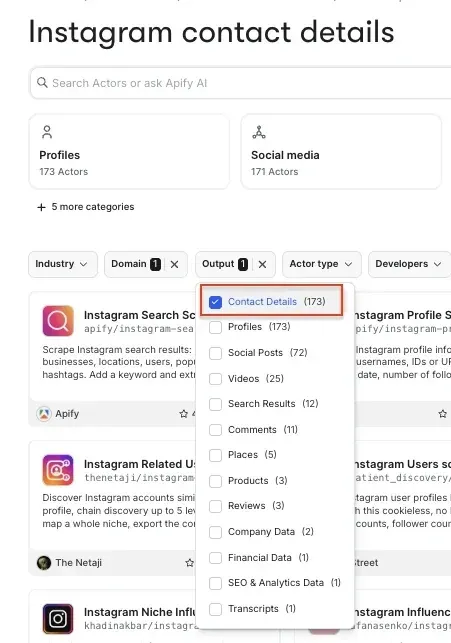
- The old path: search "Instagram," scroll through a thousand-plus results, open five or six Actor pages to work out which ones return comments rather than post metadata.
- The new path: start at Brand monitoring, filter Industry to Social media, filter Output to Comments, and you're looking at a handful of relevant Actors. Sort by rating, pick one, and run it.
Actor placement is no longer a publisher's guess. Every Actor on Apify Store has been classified against the new taxonomy. An Actor can't be positioned into a category that doesn't fit. In exchange, an Actor that was buried under the wrong label starts appearing to the buyers whose job it actually matches.
The same categories work for AI agents
The categories in the UI sit on structured data underneath Apify Store. Store search and Apify's AI can filter on it, and so can an agent your team builds, over MCP.
An agent has the same discovery problem as a new user. Asking a general-purpose model which Apify Actor to use gets you the one with the best SEO or the one that made it into training data. Filtering on platform-assigned categories gets you the one that returns the fields you need.
Rolling out now
New categories are reaching users gradually, starting with publishers in Apify Console. Nothing about how Actors run changes. What changes is how they're found.
