If you’re building an outreach list or planning influencer partnerships for a new campaign, you’ve probably started the same way most marketing teams do - searching Instagram, scanning profiles for location clues, and checking engagement numbers to decide who might be worth contacting.
You’ve probably also found that bios frequently mention one place while posts are tagged somewhere else, follower counts look impressive, but engagement feels inconsistent, and some accounts seem to have completely different identities than they did a year ago.
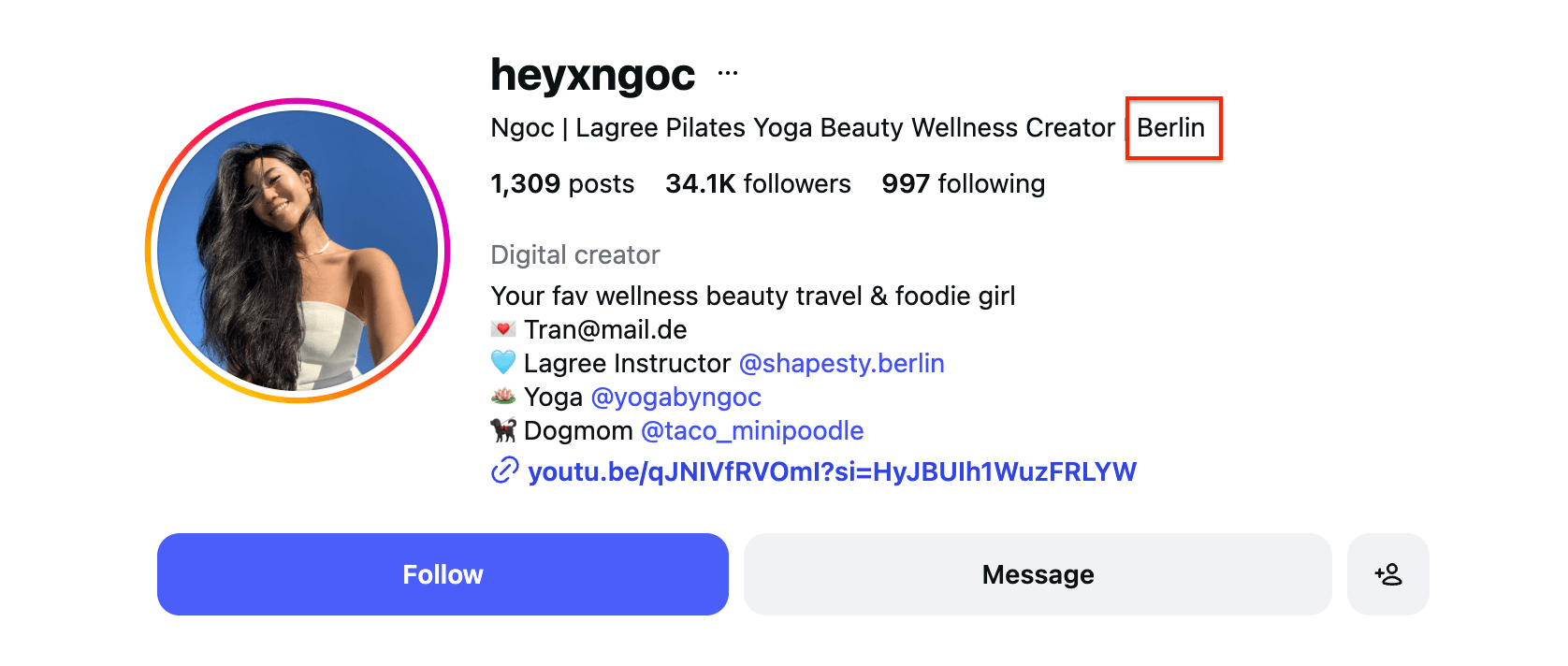
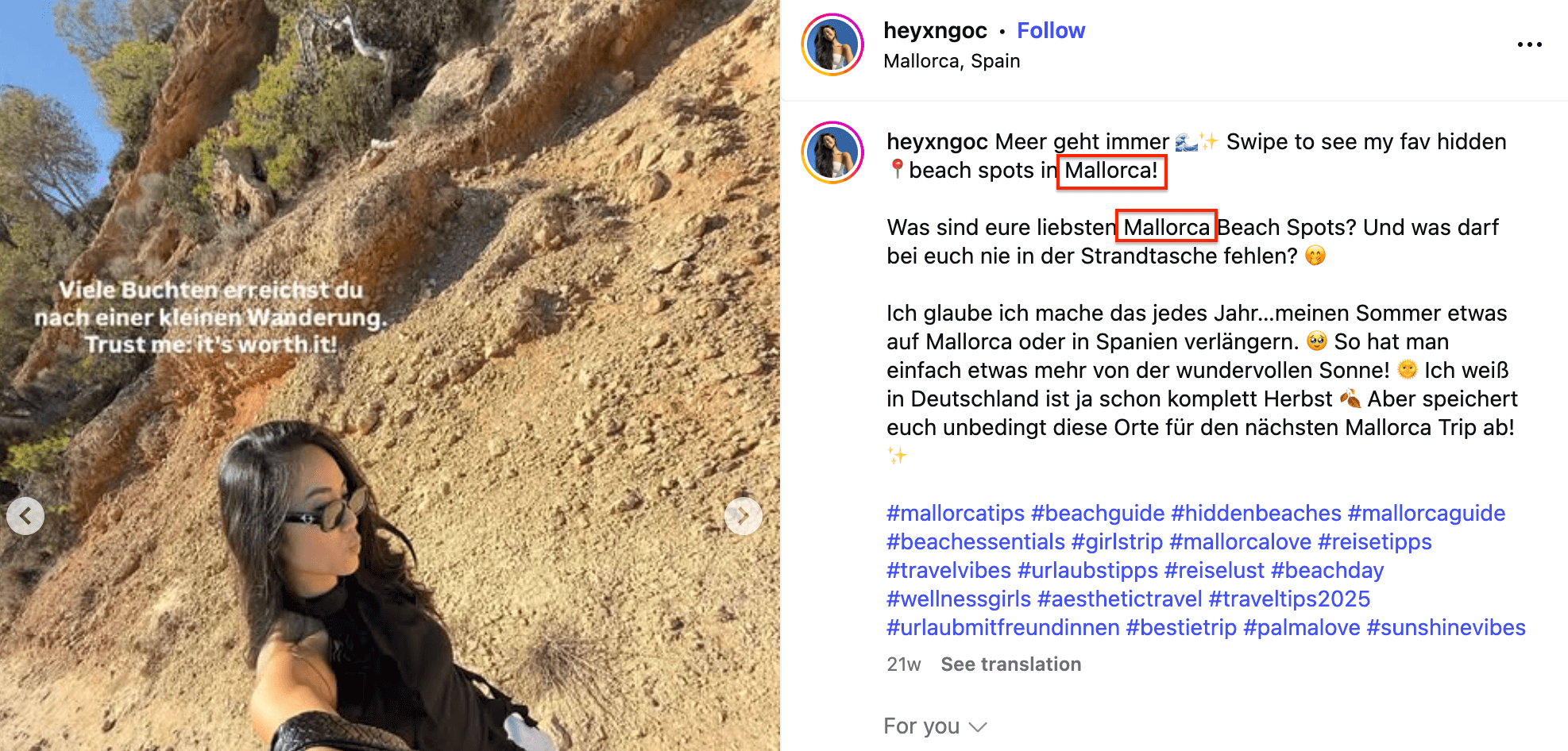
Example of bio and post captions showing conflicting location signals.
Conflicting signals make it hard to decide who truly belongs in your campaign. Without resolving these indicators into a clear profile view, you risk wasting spend on irrelevant creators or overlooking highly relevant local voices.
Instagram Profile Scraper can help you move beyond guesswork by analyzing factors like account age, username changes, verification timing, and location. Thanks to a simple workflow, you can build cleaner outreach lists and reduce manual influencer vetting from hours to minutes.
How does influencer credibility assessment with Instagram Profile Scraper work?
Instagram Profile Scraper is an Apify Actor that extracts Instagram data from any public profile, including contact details, links, websites, and location. It also categorizes accounts by type (business vs. private), scrapes the number of followers, and more.
- Built-in proxy management
- Anti-bot evasion support
- Integrated storage with structured exports in CSV/Excel/JSON
- Standardized input parameters (URLs, keywords, limits, etc.)
- Easy integration with third-party apps or other Actors
Every Apify Actor can also be triggered programmatically via the Apify API, opening up lots of ways to integrate it into your workflows.
We’ll show you how to scrape influencer data using Instagram account names as input, send it to Google Sheets, and analyze your findings further. You can follow along with this guide on the free Apify plan, meaning you can test the entire setup and get your first dataset at no cost.
Step-by-step guide to influencer authenticity assessment
The entire workflow setup takes just a couple of minutes and consists of four steps:
- Create a free Apify account
- Set up the integration between Instagram Profile Scraper and Google Drive (optional)
- Scrape profile details from Instagram
- Create vetted Instagram influencer lists
Let’s start.
Step 1: Open Instagram Profile Scraper and sign up for free
Head to Instagram Profile Scraper on Apify Store, the world's largest marketplace for automation and data collection tools. Click the Try for free button to create a free Apify account and set up your scraper.

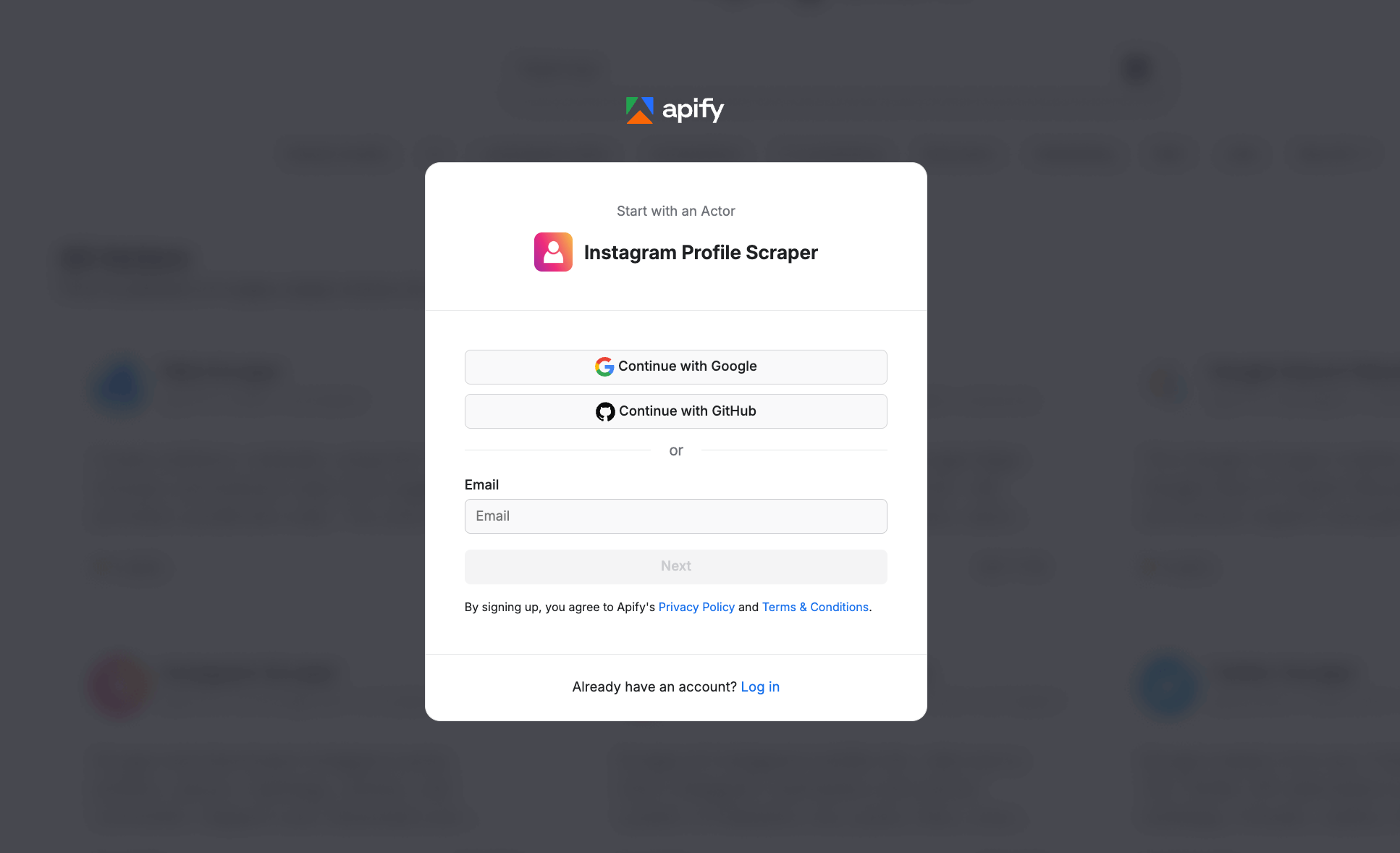
You can easily sign up with your GitHub or email account from any provider. Once you’re in, you’ll access Apify Console, a workspace to run and manage web automation tasks.
Step 2 (optional): Set up a Google Drive integration
To automate our data collection, we’ll set up a straightforward integration with Google Drive, directly in the Apify platform. This ensures that as soon as your data is collected, a Google Sheet is automatically created and saved to your Drive.
Click on the Integrations tab and type Google Drive in the search bar. Choose Google Drive to continue.
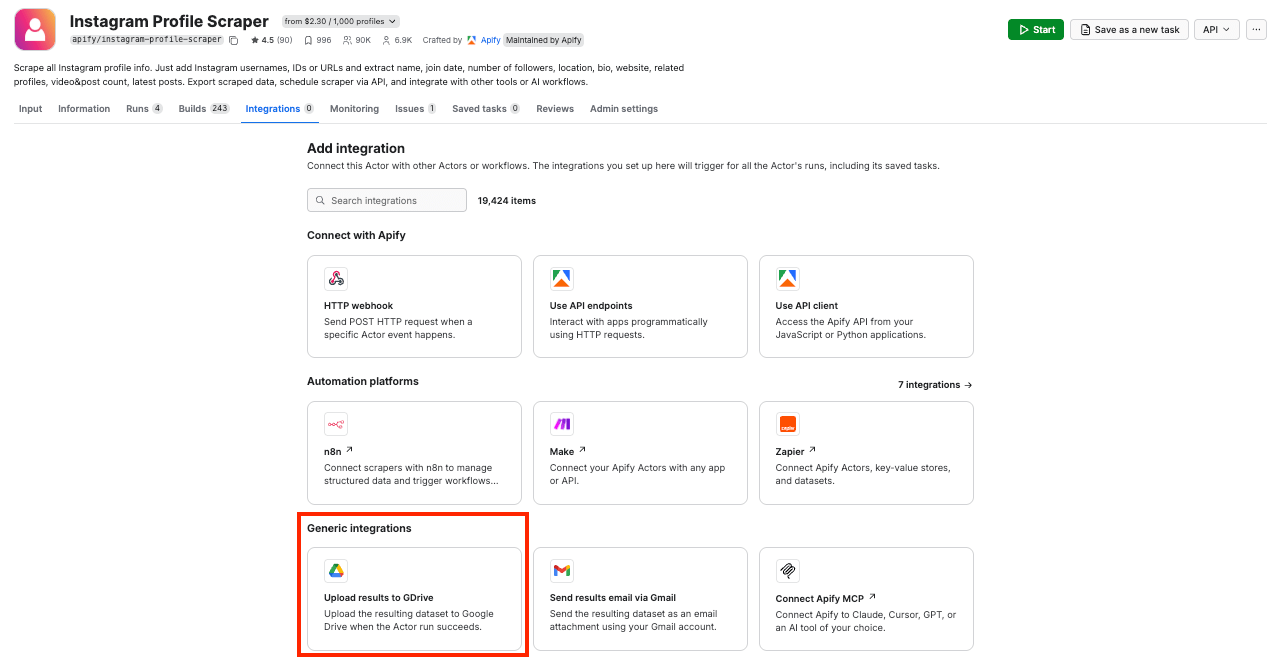
Next, click Connect with Google and follow the steps to allow Instagram Profile Scraper to access your Google Drive. If you’re using your Google account with Apify Console, your email address might already be on the list of accounts to select.
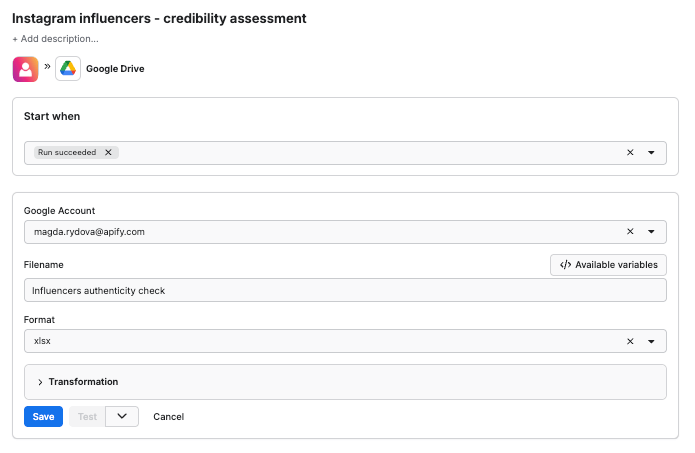
Since we want the data to be sent to the spreadsheet once the scraper finishes running, we’ll select Run succeeded as our starting point. Select a format of the Google Drive file that the Apify integration will create (we’ll go with the XLSX). Remember to name your file. Click Save.
Step 3: Configure the scraper and run it
We’ll build a targeted outreach list for DACH partnerships by identifying Germany-based creators in the vegan space. This tutorial assumes you already have a list of influencers to assess.
Start by pasting the Instagram profile usernames into the Instagram username(s) input field. If you’re working with a longer list, use the Bulk edit option to add multiple profiles at once.
With the latest About profile feature enabled, the scraper will fetch additional information from each profile, e.g. when the user joined Instagram, got verified, where they’re from, and how often the username has changed - especially useful for filtering out low-quality or recycled accounts.
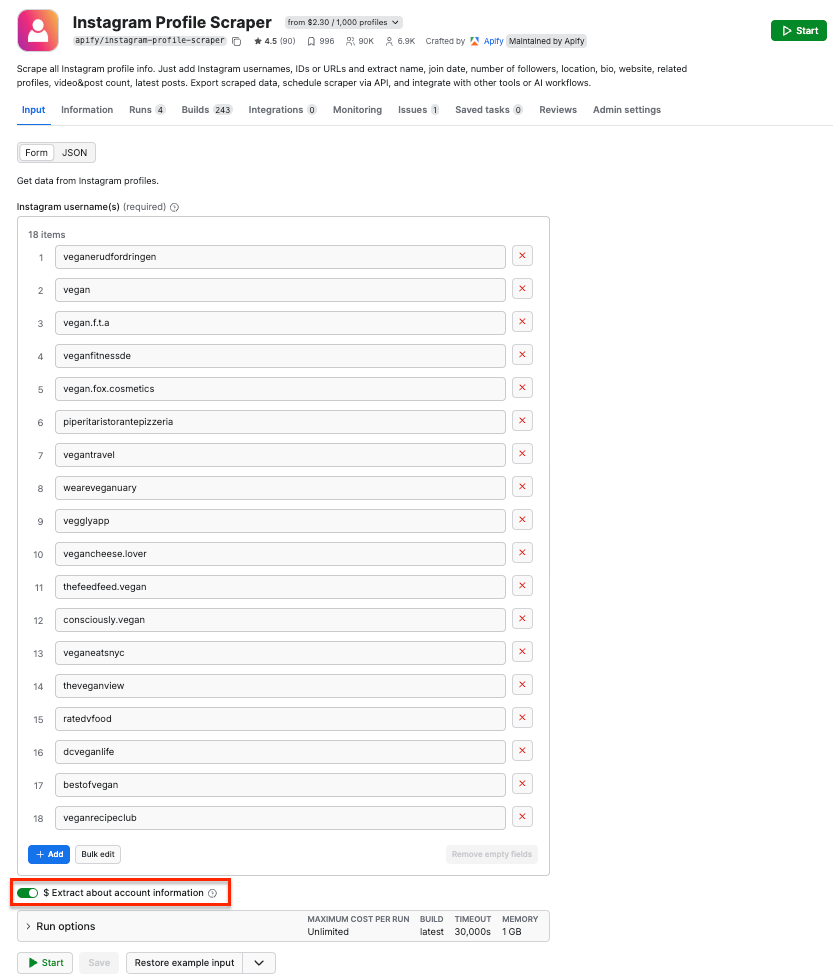
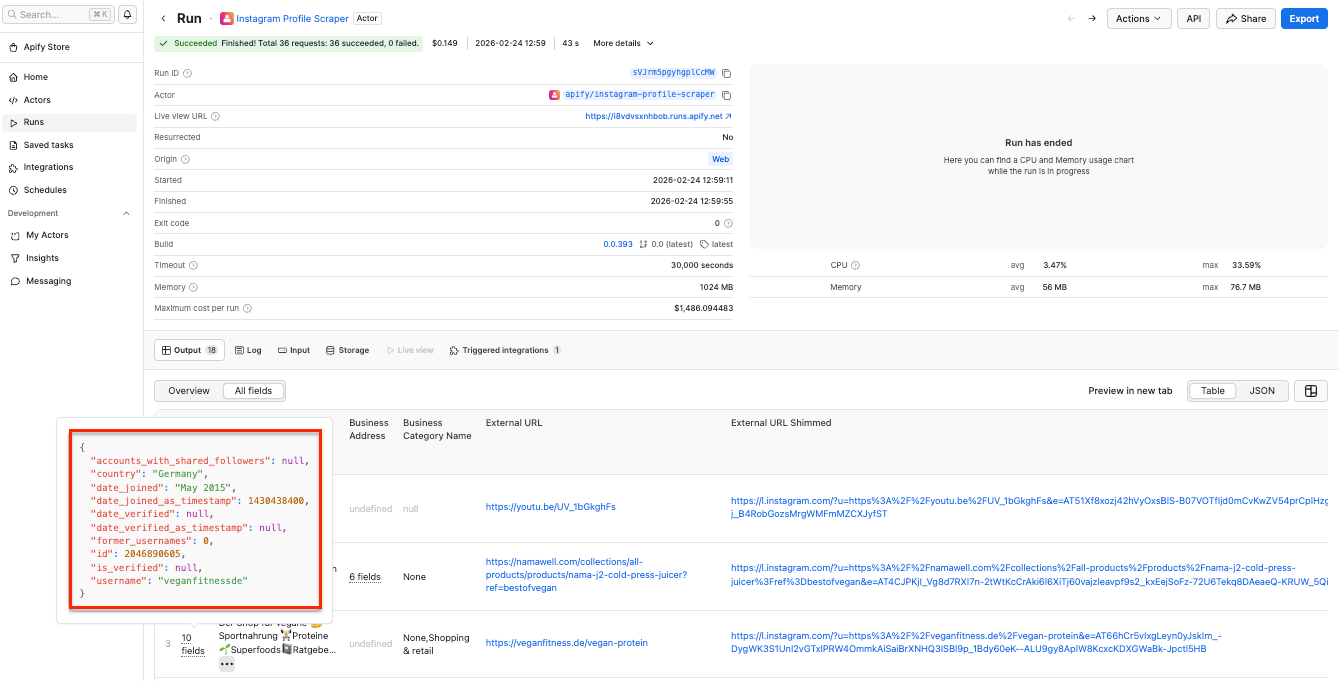
Click Start to run the scraper. After a couple of minutes, the run will finish, and you’ll be able to check the results in the preview table.
You’ll notice that with the About profile feature enabled, each record now includes deeper profile signals such as the creator’s country, join date, and verification status.
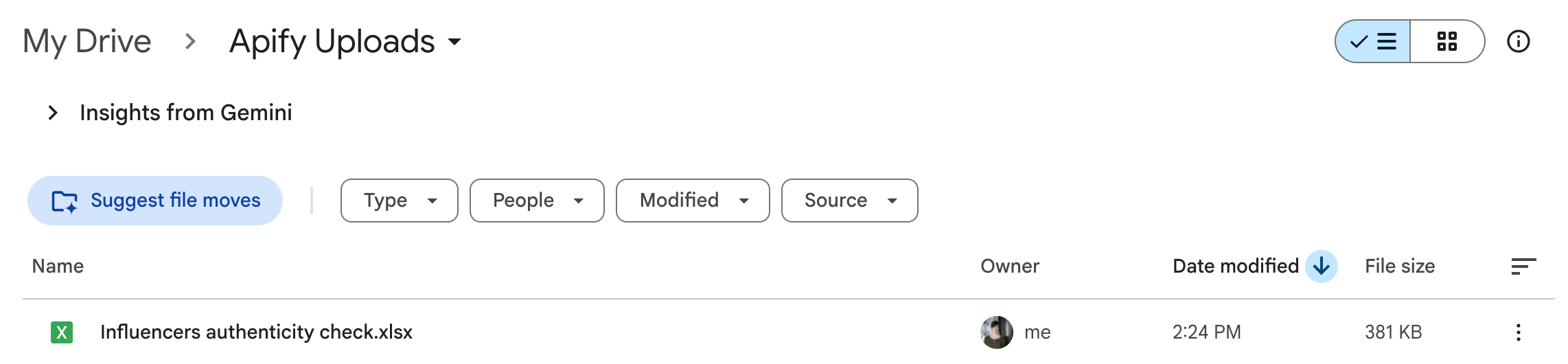
Now you can also check your Google Drive for a newly created spreadsheet. Each time you execute the scraper, it will automatically generate a new file with fresh data, ready for analysis.
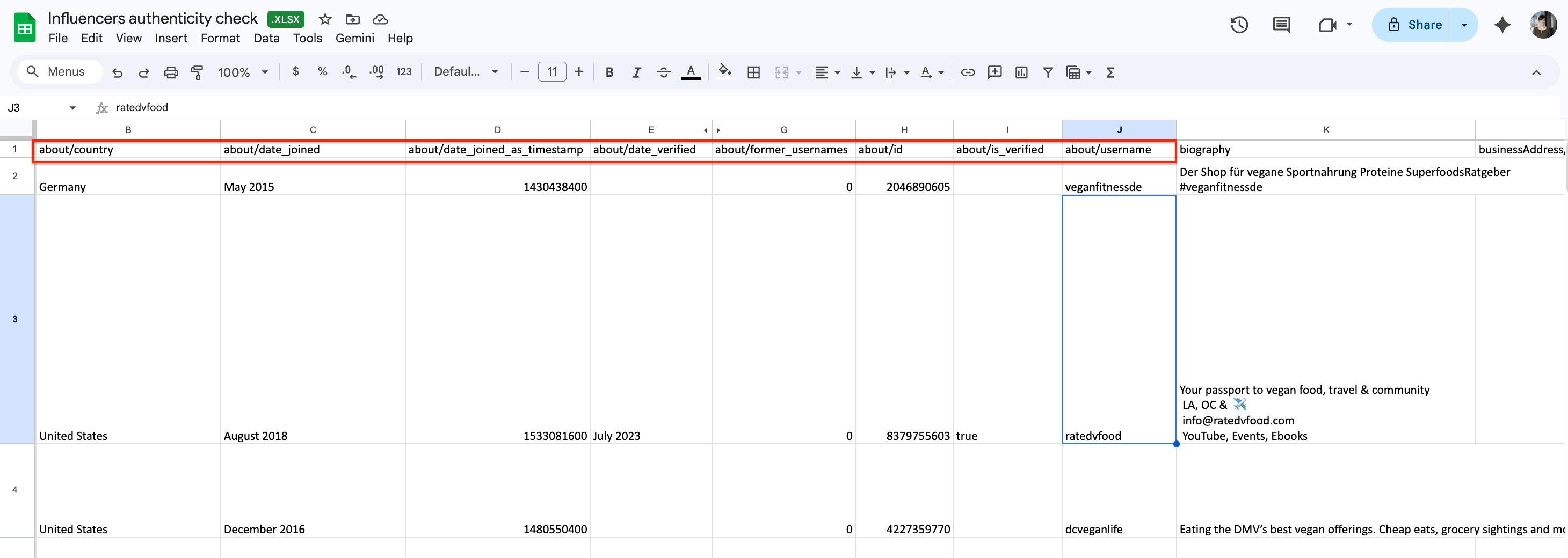
Google Sheets file with the About profile verification signals
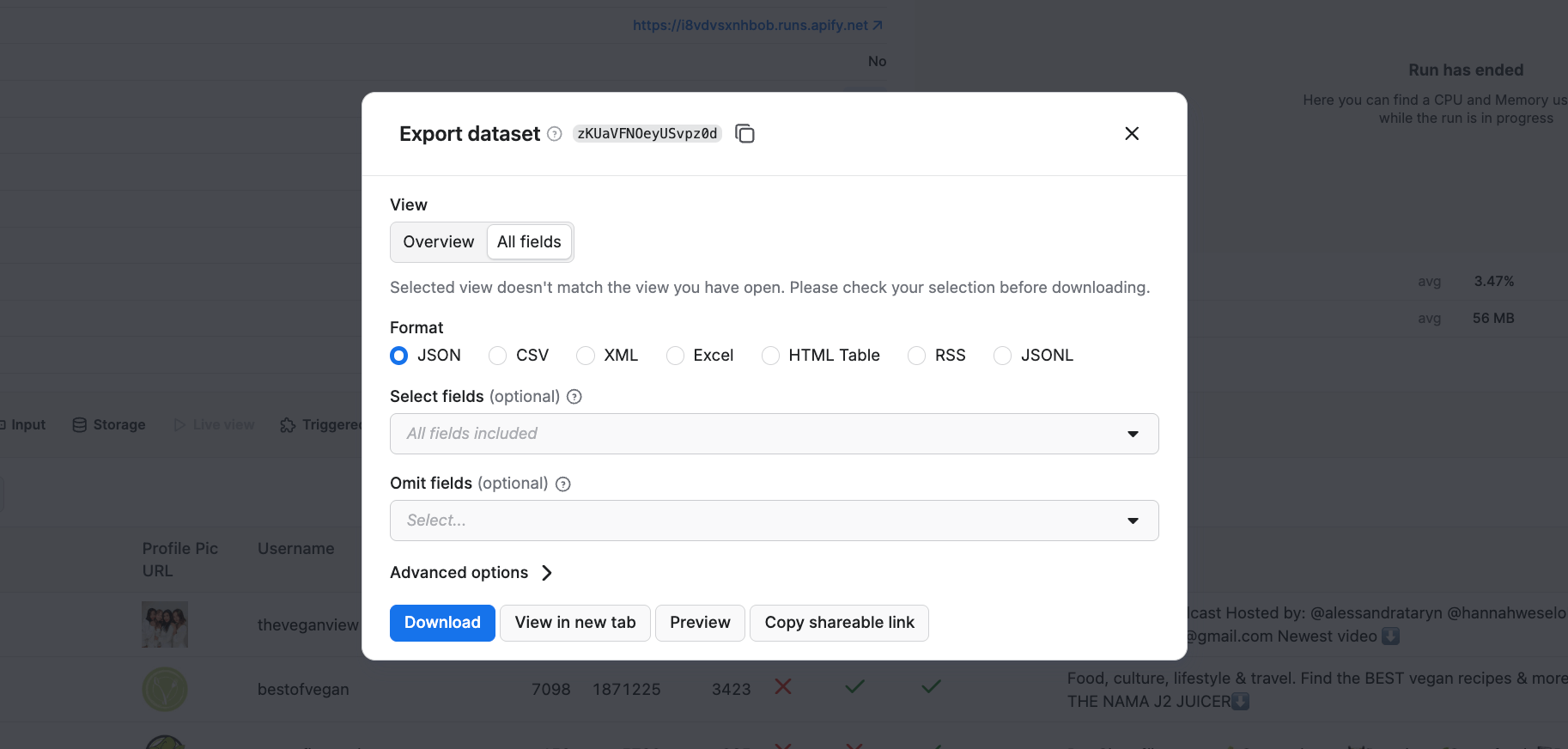
If you want to download your results in another format, simply click the Export button. You can download the results as JSON, Excel, CSV, and more. You can also select or omit fields to reduce the information noise.
Step 4: Create vetted Instagram influencer lists
Now that you have your dataset, you can filter the results by location or check for other credibility signals. Here’s what you can look for in your extracted dataset:
| Signal | Why it matters for credibility |
|---|---|
| verified | Verified profiles indicate that Instagram has confirmed the account’s identity, reducing the risk of impersonation or fake brand pages. |
| isBusinessAccount | Business accounts typically represent real brands, creators, or services and are more likely to be partnership-ready. |
| externalUrl | A website or shop link suggests a stable brand presence beyond Instagram, which increases trustworthiness. |
| joinedRecently | Accounts that were not recently created are less likely to be recycled or disposable influencer profiles. |
| postsCount | Established posting history signals long-term engagement rather than short-term growth hacks. |
| businessCategoryName | Clear category labels help confirm that an account operates in a defined niche relevant to campaigns. |
| former_usernames | Frequent username changes can indicate rebranding or recycled accounts. Stable usernames over time usually signal authenticity and continuity. |
| country | Geographic consistency helps validate whether a creator is truly relevant to a target market. |
| relatedProfiles | Being connected to other established accounts or brands can indicate a real ecosystem rather than an isolated or suspicious profile. |
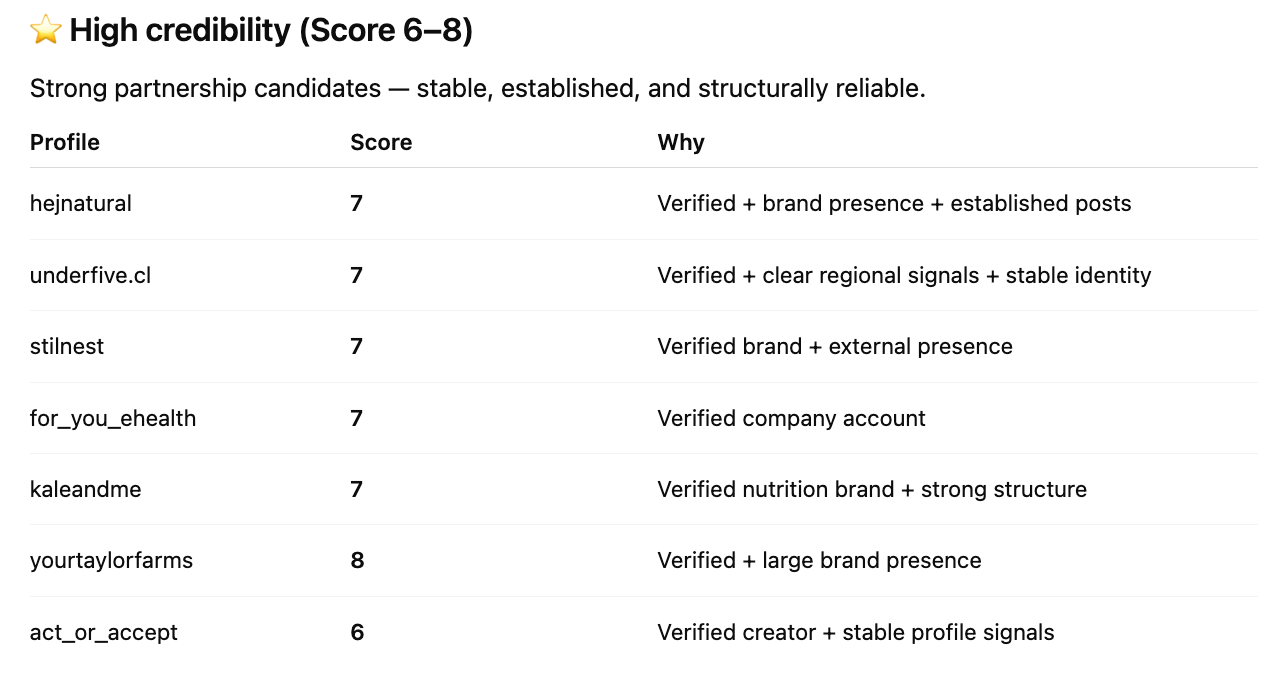
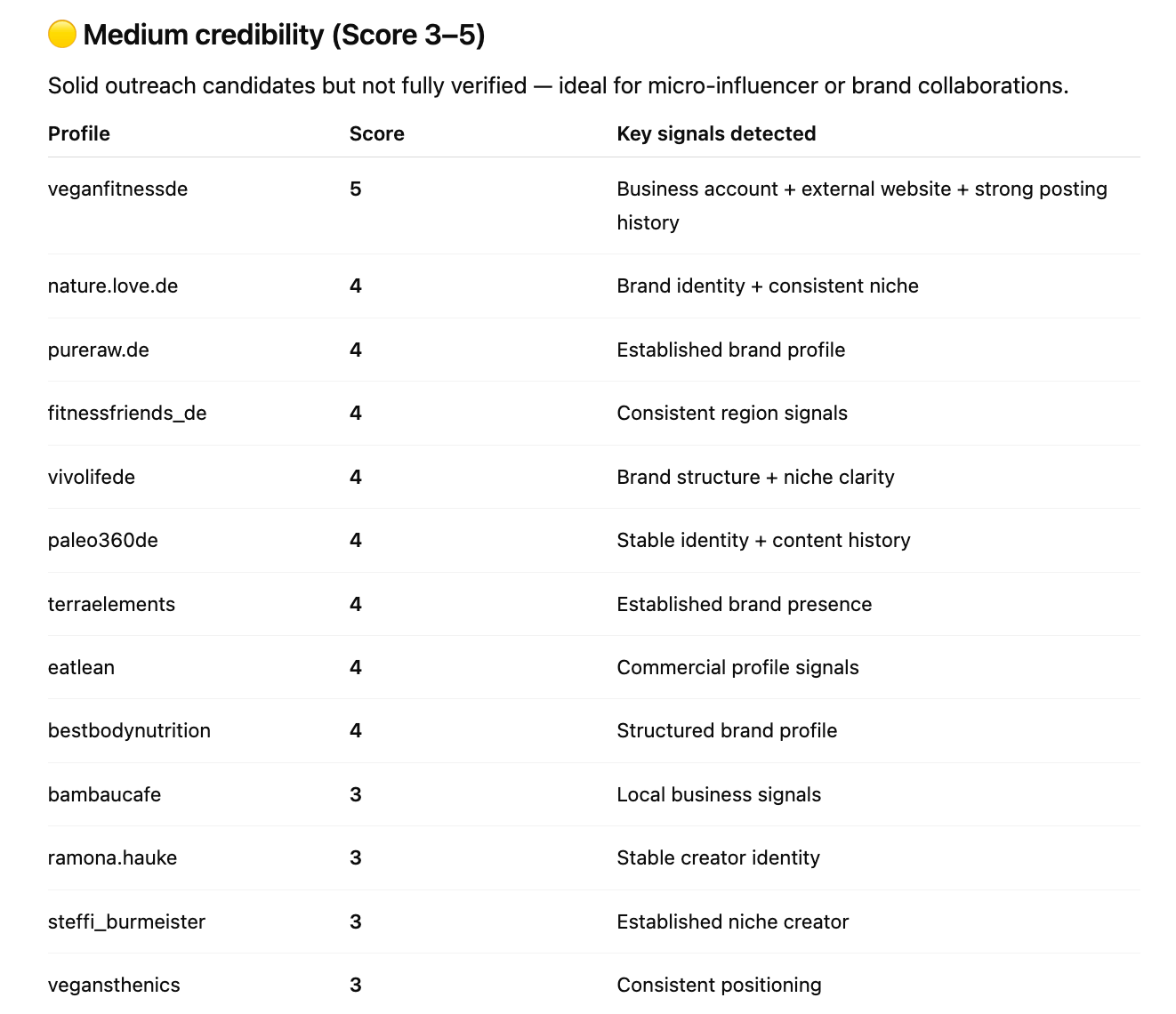
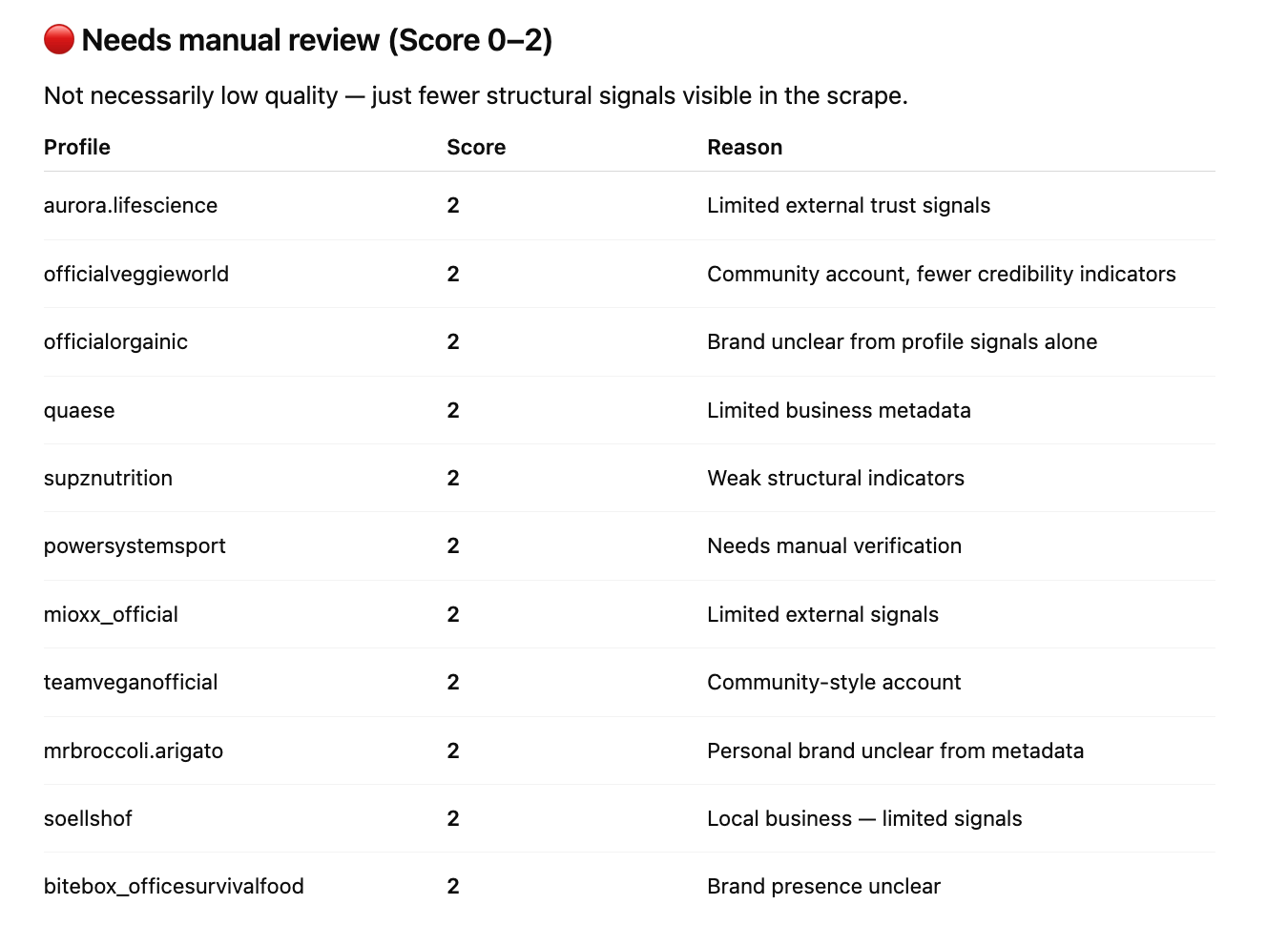
You can also create a credibility score ranking for your analysis, based entirely on the scraped results. AI tools such as ChatGPT, Claude, or Gemini can help you label the creators from the dataset using a scoring system. Here’s how ChatGPT classified creators from our dataset using the downloaded JSON file:
The prompt:
+2 points → verified profile
+2 points → stable former usernames
+1 point → business account
+1 point → consistent country signals
+1 point → external brand website
+1 point → established posting history
Score 6-8 → High credibility Score
Score 3-5 → Medium credibility Score
Score 0-2 → Needs manual review
The result:
Conclusion
Checking influencer credibility doesn’t have to rely on guesswork or endless manual browsing. Instagram Profile Scraper combines historical signals such as verification status, username changes, account age, and country indicators to help you understand who is credible, locally relevant, and worth partnering with.

FAQ
Is it legal to scrape Instagram?
Yes, Apify’s Instagram scrapers only extract data that users have chosen to share publicly. However, you should be aware that your results could contain personal data. Personal data is protected by the GDPR in the European Union and by other regulations around the world. You should not scrape personal data unless you have a legitimate reason to do so. If you're unsure whether your reason is legitimate, consult your lawyers. You can also read our blog post on the legality of web scraping.
How much does Instagram Profile Scraper cost?
Instagram Profile Scraper costs $2.60 per 1,000 profiles on the Free plan, with an additional $7.00 per 1,000 profiles for the About profile data enrichment feature. Higher subscription plans unlock lower Actor costs - e.g. if you’re on the Business plan, the cost drops to $1.60 per 1,000 profiles, with $4.00 per 1,000 profiles for the enrichment feature.