TikTok doesn’t offer a public API for accessing video data, hashtags, profiles, or analytics, so you can’t fetch this information directly through official endpoints. TikTok’s Creative Center, on the other hand, requires a lot of manual work to build datasets, and it doesn’t support exports.
To extract TikTok data reliably and at scale - and to actually capitalize on the platform’s growing influence - you need a scraper. With a ready-made tool designed to fetch data while handling anti-bot measures, brands can track trends and measure campaign performance, marketers can identify high-impact influencers, and researchers can analyze user sentiment or engagement.
In this guide, we’ll show you how to extract and download the TikTok data you need step by step - and with $5 of free credit every month, you can start getting relevant data right away.
Why extract TikTok data?
TikTok is one of the fastest-growing and most influential platforms, with 1.04B+ monthly users and 3.5B+ downloads. Its audience is young and highly active - 63% of U.S. users are 10–29, spending about 52 minutes per day on the app.
TikTok is also reshaping how people search and watch content. Many Gen Z users now rely on TikTok and Instagram for local discovery, and children aged 4–15 spend 89 minutes daily on TikTok, making it a strong competitor to YouTube.
Its trends drive content across Instagram, YouTube, and Facebook, and more brands than ever are using TikTok to reach engaged, trend-sensitive audiences.
Scraping TikTok data helps you:
- track trends and cultural shifts
- understand audience behavior
- benchmark competitors and creators
- support research, social listening, and campaign analysis
Step-by-step guide to scraping TikTok
To collect TikTok data at scale, you'll need TikTok Data Extractor, which scrapes data from hashtags, user profiles, and separate videos in a structured format. You'll be able to download your datasets directly or plug them into your existing workflows, projects, spreadsheets, and applications. Here's how.
Prefer video? Watch this instead
Step 1. Go to TikTok Data Extractor and click Try for free
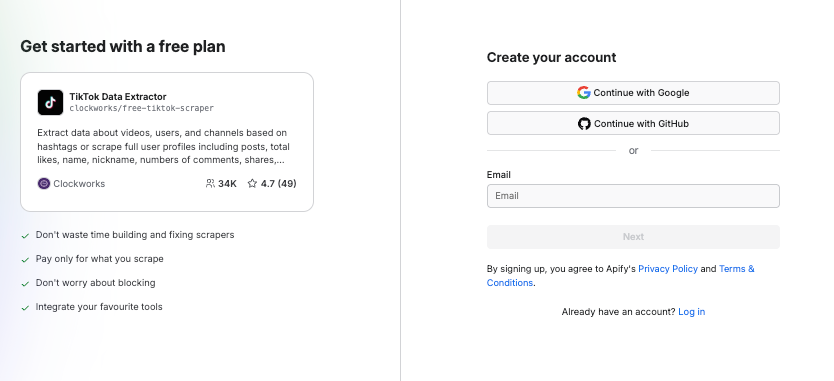
TikTok Data Extractor is hosted on Apify Store - a library of pre-built web scraping tools designed to handle the challenges of scraping websites. Like every web scraper there, you can use TikTok Data Extractor with a free Apify plan (no credit card required).

If you have an account, clicking the Try for free button on TikTok Data Extractor will take you to your dashboard. If you don't have an Apify account yet, you'll be prompted to sign up first.
Step 2. Indicate TikTok video, profile, or hashtag to scrape
Now that you're in your workspace, it's time to decide what data you want to extract. Choose your starting point:
- section 1 – hashtags #️⃣
- section 2 – profiles 👨🍳
- section 3 – search 🔍
- section 4 – specific videos 📼
How to scrape data from TikTok hashtags?
Type in or copy-paste one or more TikTok hashtags that interest you. You will be able to scrape all videos posted with this hashtag and their details.

How to scrape data from TikTok profiles?
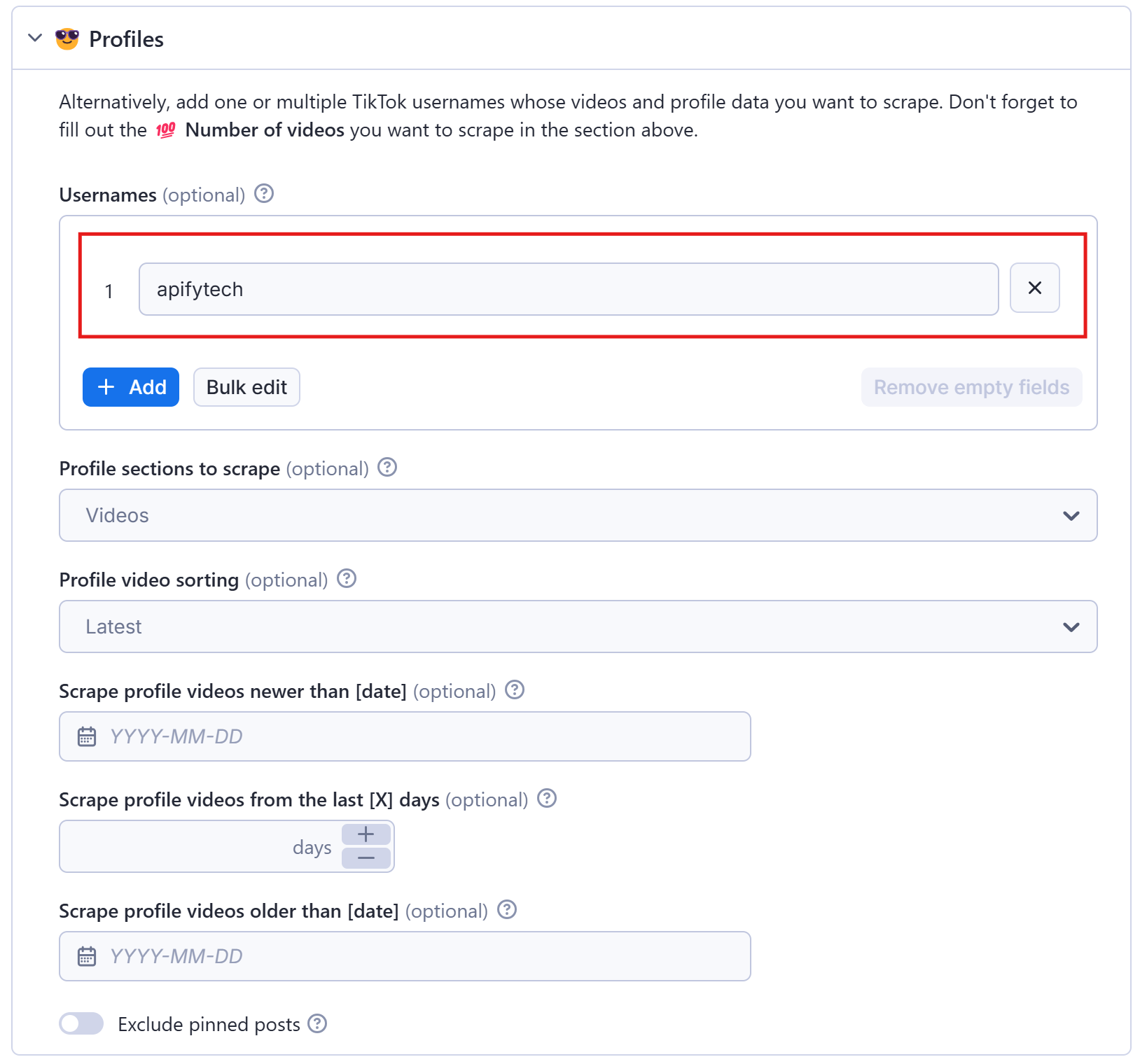
Alternatively, you can also scrape not just hashtags, but TikTok videos uploaded by a specific user. Think of a user profile page you want to scrape; in this case, we used our apifytech profile. Just add the username into the field.
How to scrape TikTok search results?
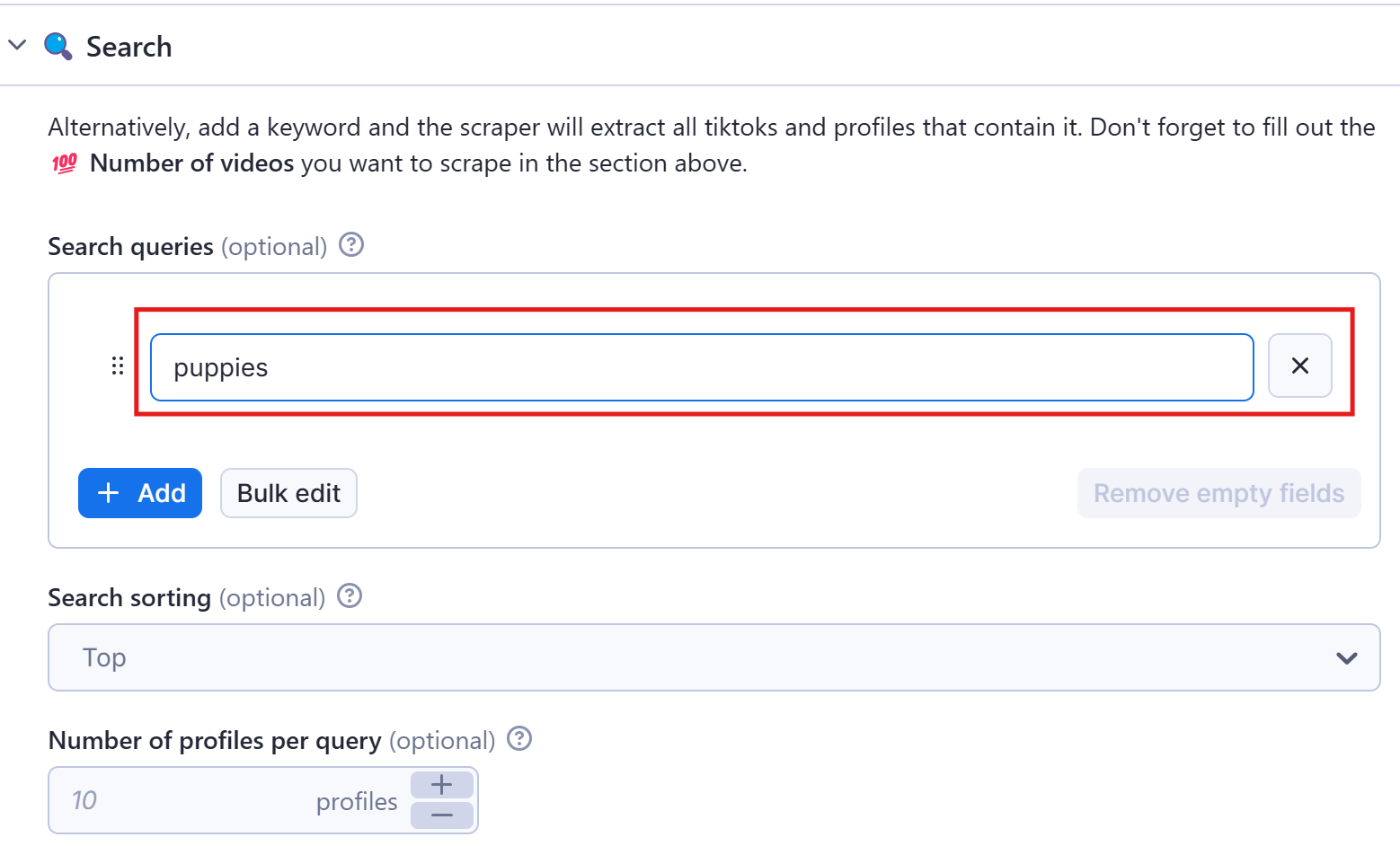
You can scrape TikTok search by simply typing in or pasting queries and choosing the search section (top, by video, or by profile).
How to scrape data from specific TikTok videos?
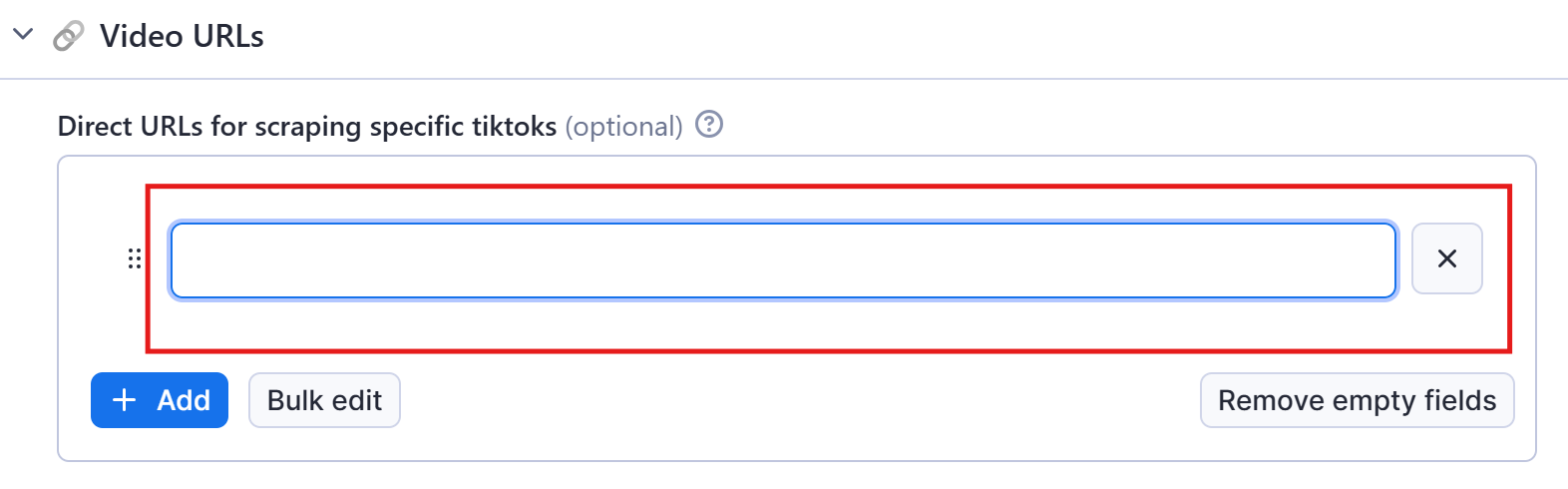
You can scrape data from specific TikTok videos by simply adding their URLs.
Three final remarks before we start extracting data:
- In each section, you can add as many fields as you want or paste a prepared list into Bulk edit field
- You can fill several sections at once or keep it to one
- You can set how many results you want in Max results field. It counts results per field, so if you set it to 20 and add 3 hashtags (for instance), you'll get 60 results in total.
Step 3. Click Start
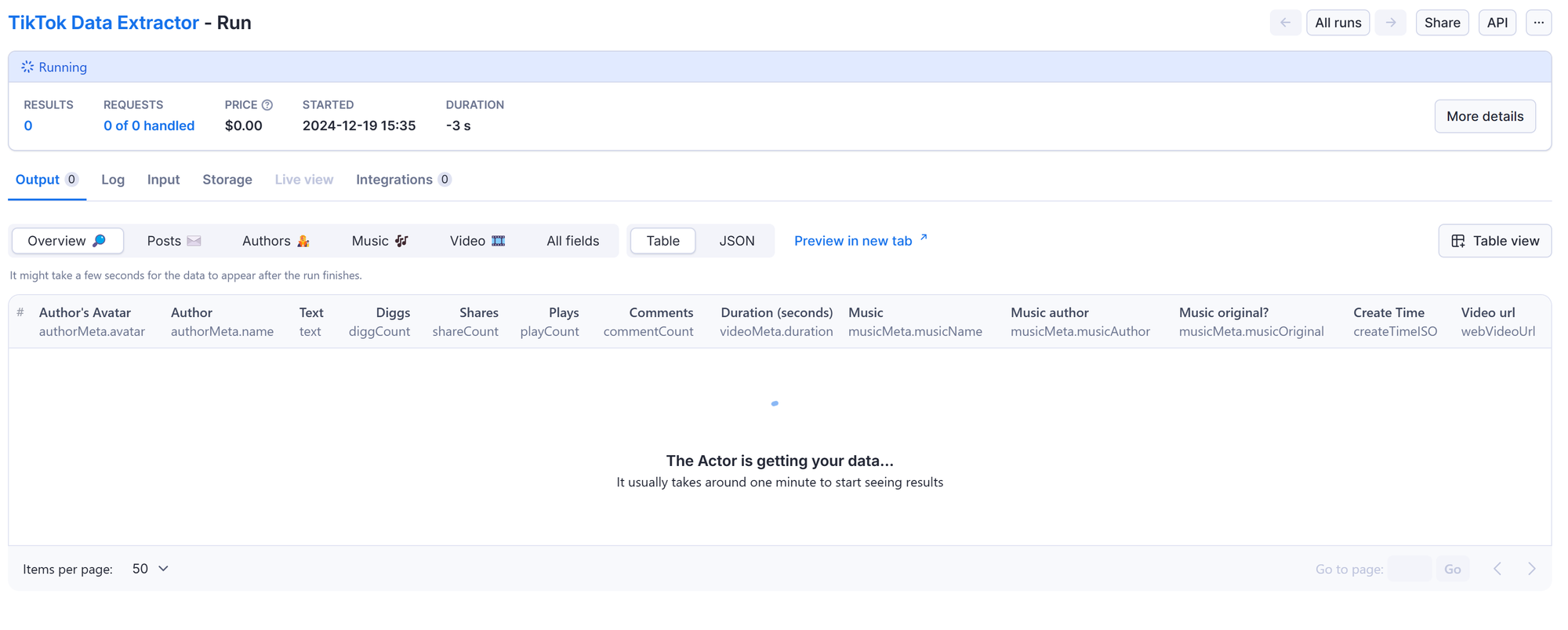
Once you are all set, click the Start button. The status will change to Running, so wait for the scraper's run to finish. It will be just a few minutes before you see the status switch to Succeeded.
Step 4. View and collect your data
After the run has finished, you can preview the scraped data in the output table or in a new tab. You can choose the format before downloading the dataset.
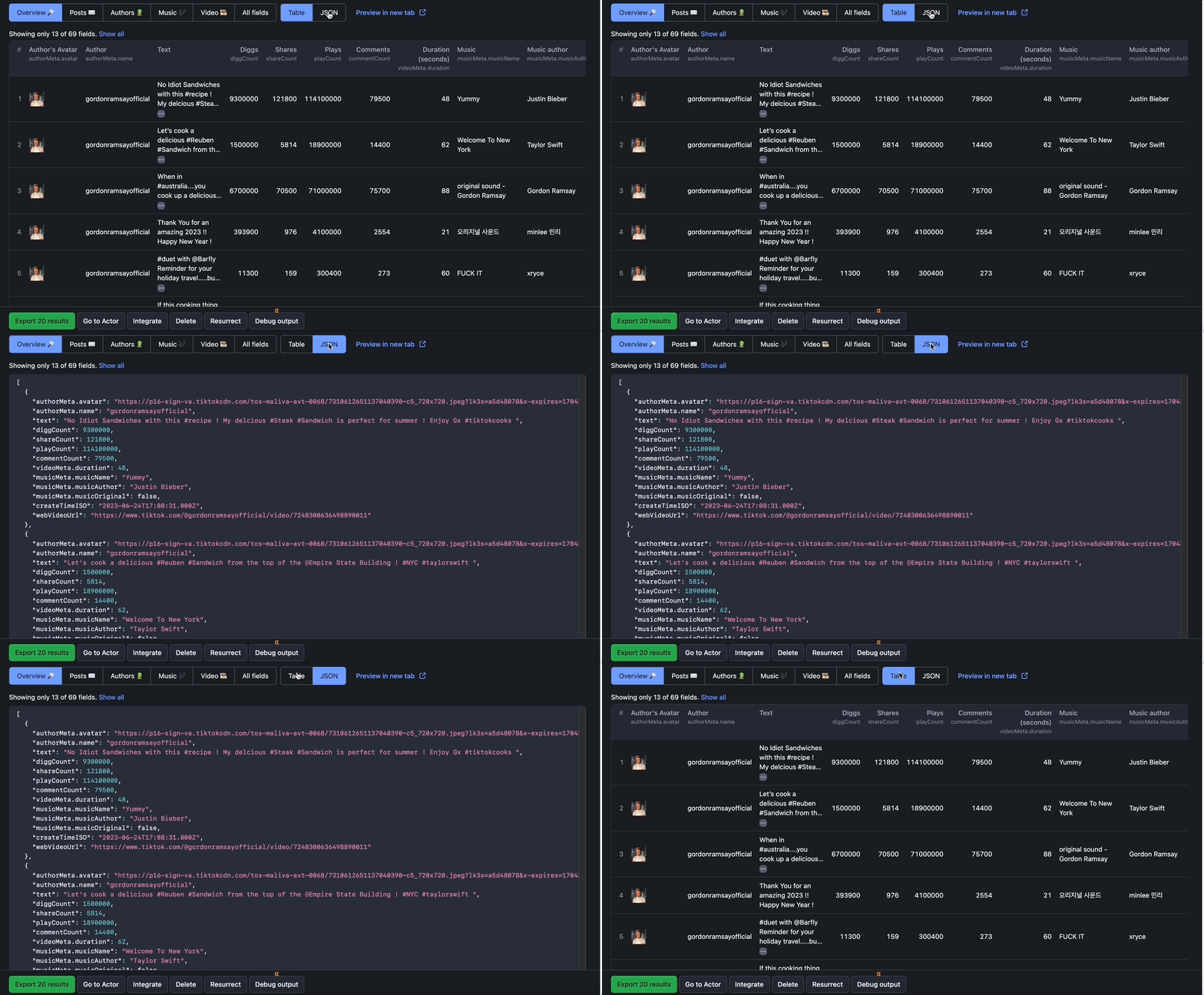
You can also preview the data by category: by posts, authors, videos, overview table, or all results. This categorization will help you see clearly through very large datasets and complex search queries.
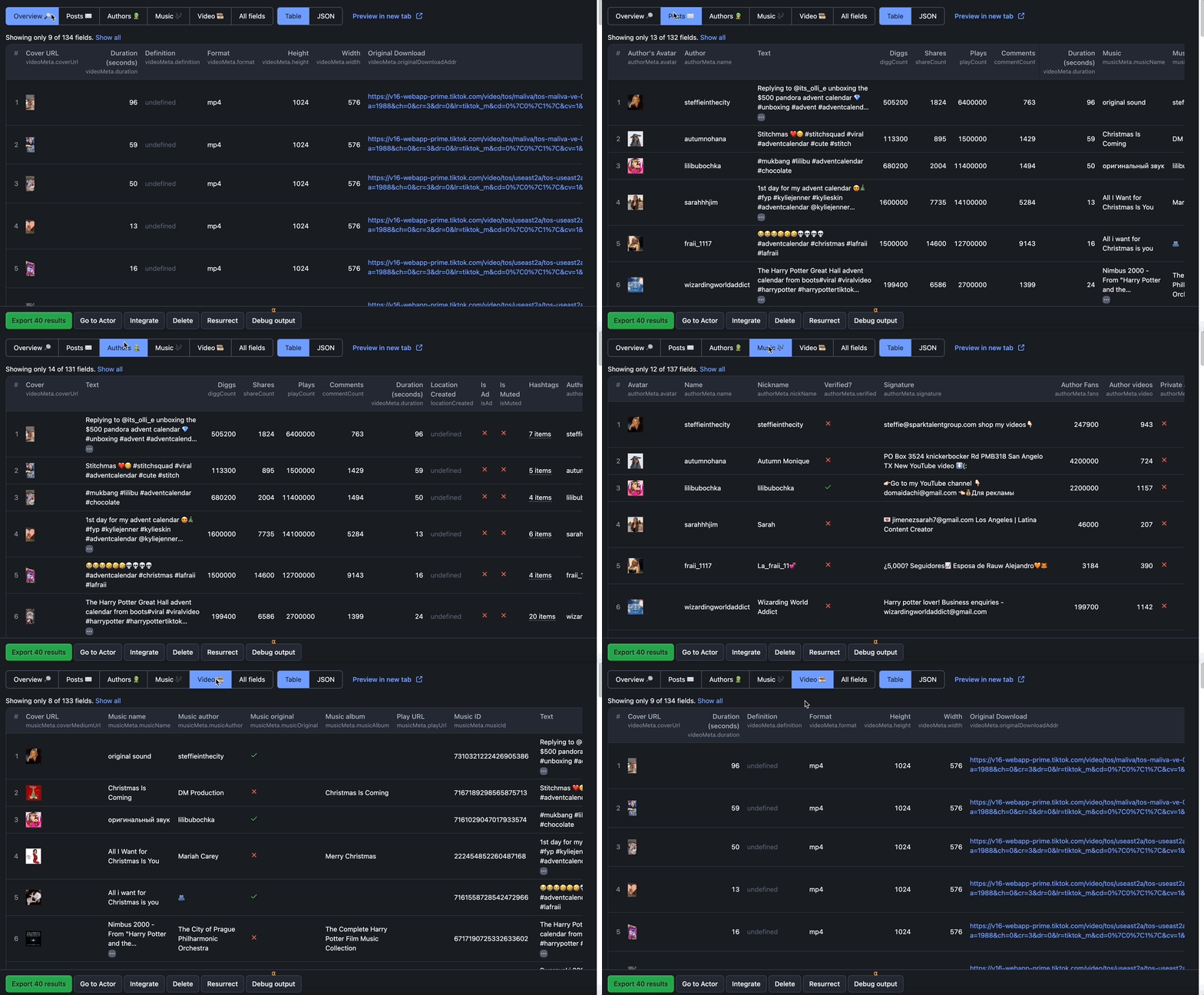
To export the data, click on the Export button or go to the Storage tab. Storage contains your scraped data in many formats, including HTML table, JSON, CSV, Excel, XML, and RSS feed. There you can download it in a format that suits your needs. You can also export all the data you're seeing or only a part of it: by category or even specific fields.
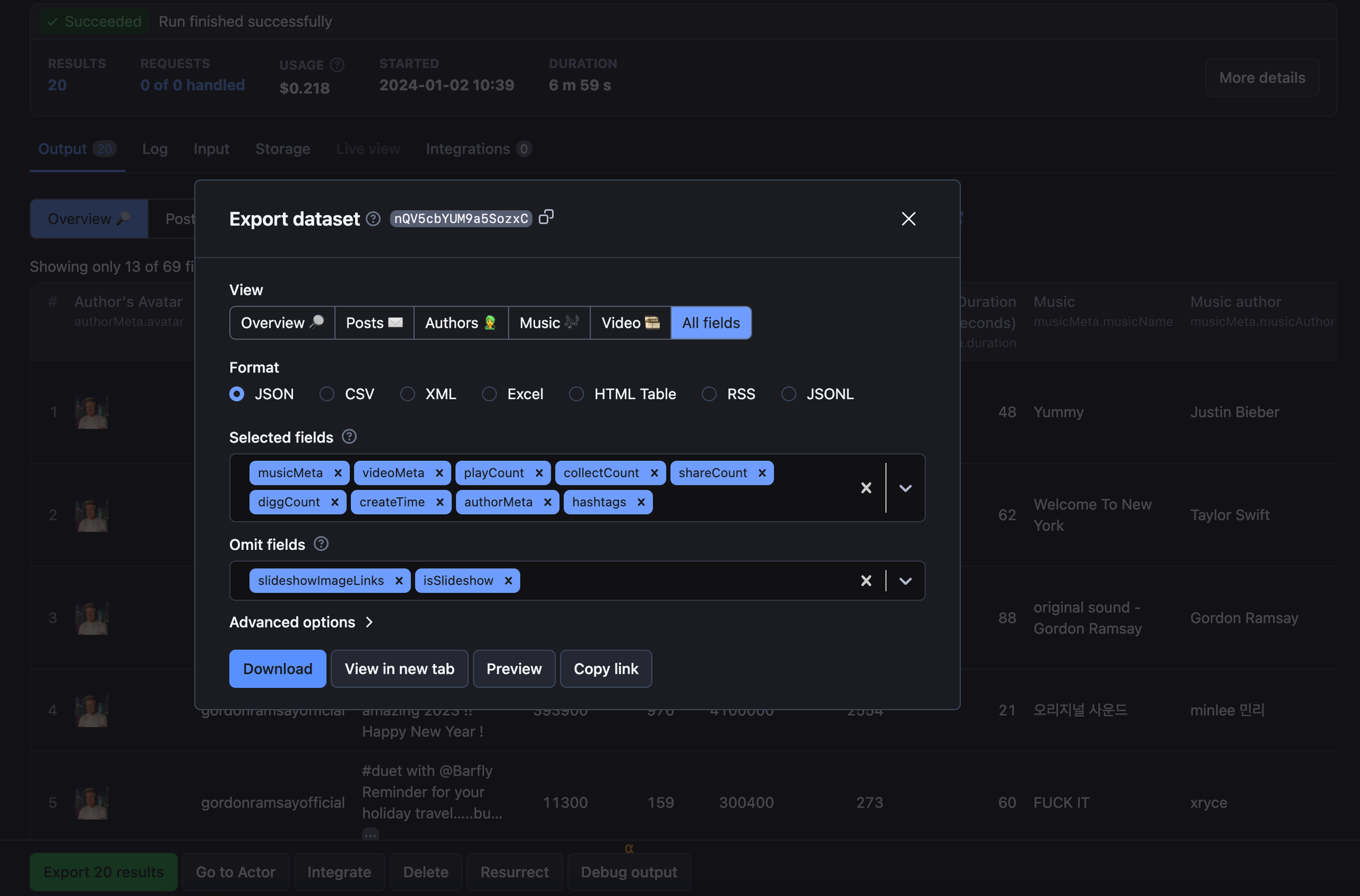
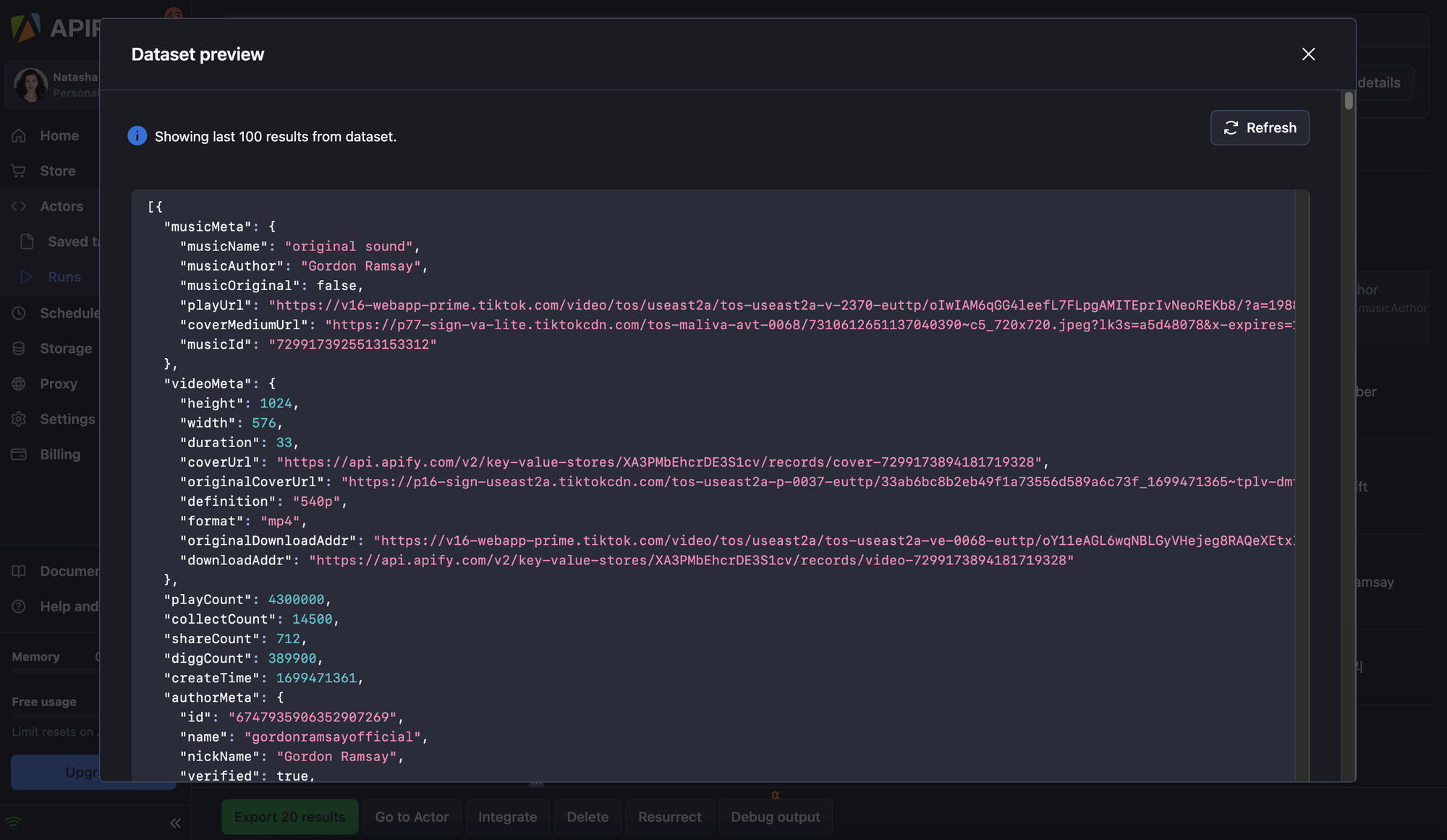
Preview and pre-clean your results before downloading them. You can download the TikTok data in Excel, JSON, CSV, and HTML.
That’s it - your datasets are ready. If you want to learn more about TikTok scrapers and their use cases, watch the webinar below:
Watch this webinar to learn how to use TikTok scrapers and what data it can give you.

FAQ
Is it legal to scrape TikTok?
Just like with any other Apify data extraction tools, web scraping publicly available data on any website, including TikTok, is legal. But it’s still important to take several regulations into account, such as the GDPR and CCPA, as these protect personal data. Here you can learn more about the legality of web scraping and scraping ethically.
Can I use AI to scrape TikTok?
AI is currently unable to scrape websites directly, but it can help generate code for scraping TikTok if you prompt it with the target elements you want to scrape. Note that the code may not be functional, and website structure and design changes may impact the targeted elements and attributes.
How can I use TikTok data?
With its highly engaged audience, TikTok provides a flexible dataset you can use to refine strategies across research and marketing. Common use cases include:
- Tracking trends and emerging topics
- Running social studies and fast survey-style research
- Detecting misinformation and verifying content
- Analyzing product reviews and consumer insights
- Planning and optimizing marketing campaigns
- Identifying and collaborating with influencers
- Growing and refining your own TikTok presence
Does TikTok have an API?
TikTok does offer official APIs, but they don’t provide access to public video data, hashtags, profiles, comments, or analytics - the things you typically need for research, marketing, or trend tracking. TikTok provides 4 APIs through its Developer Portal:
- Login Kit: Provides secure TikTok login integration for apps or websites.
- Share Kit: Allows users to create content in third-party apps and share it directly on TikTok.
- Content Posting API: Lets users post videos or drafts directly to TikTok from other platforms.
- Data Portability API: Available only to users in the European Economic Area (EEA). Allows data transfer from TikTok to third-party apps.
To access these APIs, you generally need a TikTok Developer account, a standard TikTok account, and registration approval for specific products. The Data Portability API, for example, is limited to specific use cases and regions.
Can I scrape TikTok without an API?
As an approval-free alternative, you can use scrapers and crawlers as a stand-in for a web scraping API, e.g. TikTok Data Extractor or TikTok Scraper.
These TikTok scrapers are among the Actors available on Apify Store. You can use them via API or scheduler. Consider them your own personal TikTok API. You can call them using an API Client in Python, JavaScript, and cURL. You can also use available API endpoints to get the scraped TikTok data to where you need it.