Scraping idealista real estate data is challenging due to top-tier anti-bot measures and highly unstructured property listings. Even if you manage to gather data from it, maintaining custom scraping scripts for such a site can quickly become a maintenance nightmare. Thus, adopting a ready-to-use solution is a much more practical choice.
In this article, you’ll learn how to overcome those obstacles by using Idealista Scraper - Real Estate Data for Spain, Italy, Portugal - a cloud-based data extraction tool available on Apify Store. You’ll see how to integrate it into Python to retrieve property listings via API, as well as how to run it visually on the Apify platform.
Why scraping idealista is complex
Assume you’re looking for houses and flats in the Sol neighborhood in the heart of Madrid. This is what you would normally see on idealista when browsing from your machine:
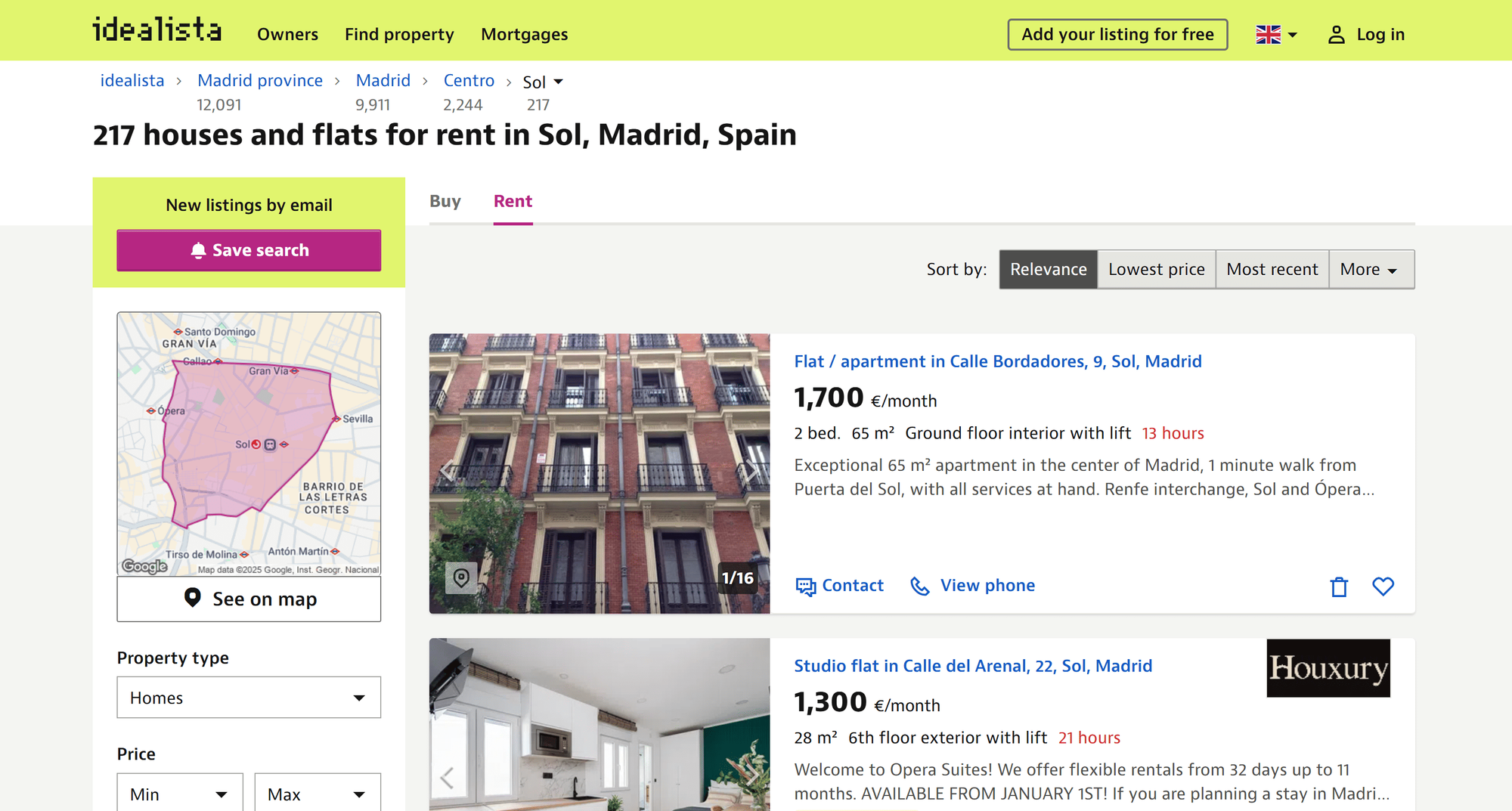
The URL of the target idealista page is:
https://www.idealista.com/en/alquiler-viviendas/madrid/centro/sol/To verify whether the page is scrapable, try replicating your browser’s GET request using a simple cURL request with a real-world User-Agent:
curl "https://www.idealista.com/en/alquiler-viviendas/madrid/centro/sol/" -H "user-agent: Mozilla/5.0 (Windows NT 10.0; Win64; x64) AppleWebKit/537.36 (KHTML, like Gecko) Chrome/142.0.0.0 Safari/537.36"The result will look like this:

Note that the server returned a “Please enable JS and disable any ad blocker” error page instead. That means idealista protects its pages with sophisticated anti-bot systems. Simple HTTP clients without the right cookies, correct TLS fingerprinting, or full browser behavior are quickly blocked. You might think the solution is to use a browser automation tool, but even when loading the page through Playwright, Puppeteer, or Selenium, you’ll likely still encounter this user-verification page:
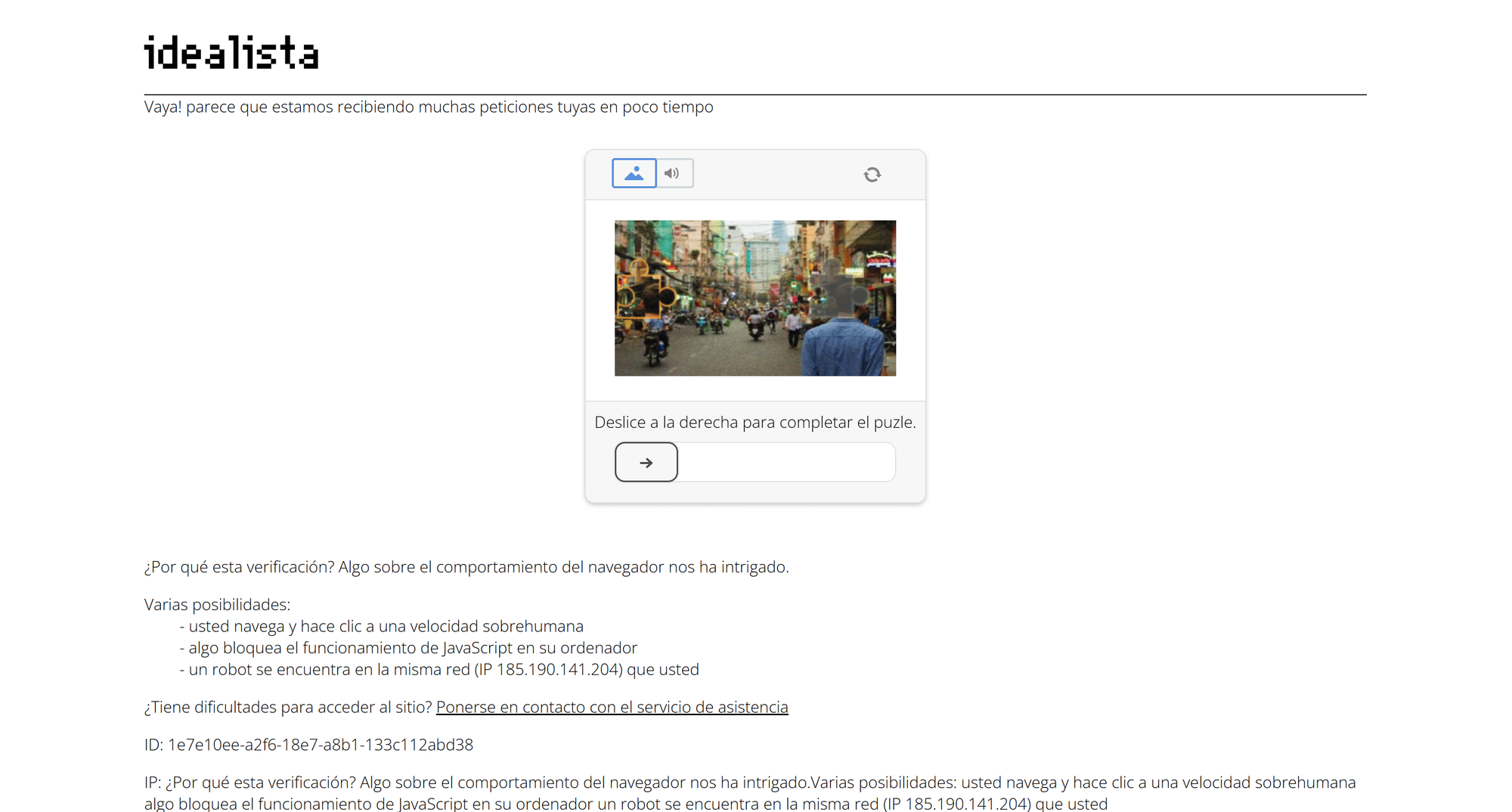
Specifically, this verification screen comes from DataDome, a popular WAF (Web Application Firewall) solution - one of the most advanced anti-bot and anti-scraping systems on the market.
On top of that, idealista listings include long, unstructured text descriptions, making it difficult to build a uniform parser that works reliably across all listings.
A dedicated cloud-based idealista scraper accessible via API combats these challenges: It takes care of IP rotation, CAPTCHA solving, and anti-bot bypassing for you, while ensuring continuous maintenance and edge-case handling.
How to scrape idealista property listings via API in Python
In this step-by-step guide, you’ll understand how to use an Apify Actor to scrape idealista via API.
Apify currently offers over 10,000 Actors, with more than 30 dedicated to idealista scraping. Here, you’ll see how to connect to one of these Actors via API and programmatically scrape property listings within a Python script by following these steps:
- Create a Python project
- Select the idealista Real Estate Apify Actor
- Test the Actor
- Prepare the API integration
- Set up your Python script for idealista real estate data scraping via API
- Obtain and set your Apify API token
- Configure your idealista property listing scraping runs
- Complete code
Let’s dive in!
Prerequisites
To follow this guide, make sure you have:
- An Apify account
- Basic understanding of how Apify Actors work when called via API
Since this tutorial uses Python to scrape idealista, you’ll also need:
- Python 3.10+ installed locally on your machine
- A Python IDE (e.g. Visual Studio Code with the Python extension or PyCharm)
- Familiarity with Python syntax
- Understanding of how HTTP RESTful endpoints work
1. Create a Python project
If you don’t already have a Python project ready, follow the steps below to create one.
Start by creating a new folder for your idealista property listing scraper:
mkdir idealista-scraper
Navigate to the folder and set up a virtual environment:
cd idealista-scraper
python -m venv .venv
Open the project in your Python IDE and create a new file named scraper.py. This is where you’ll add the API-based scraping logic.
To activate the virtual environment on Linux/macOS, in your IDE’s terminal, run:
source .venv/bin/activate
Equivalently, on Windows, execute:
.venv\Scripts\activate
2. Select the idealista Real Estate Apify Actor
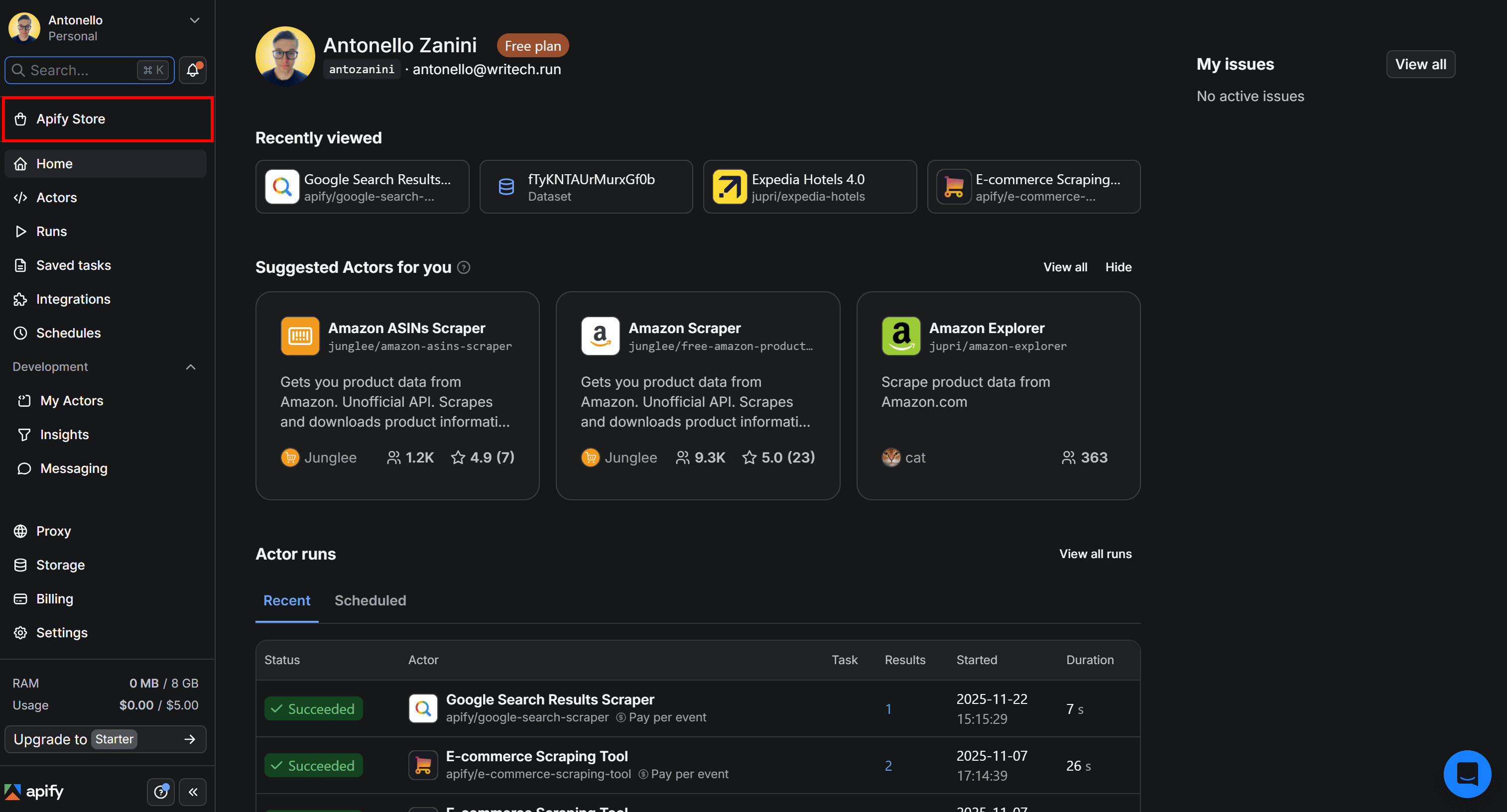
To get started with idealista property listing scraping via API, log in to your Apify account, open Apify Console, and select Apify Store from the left-hand menu:
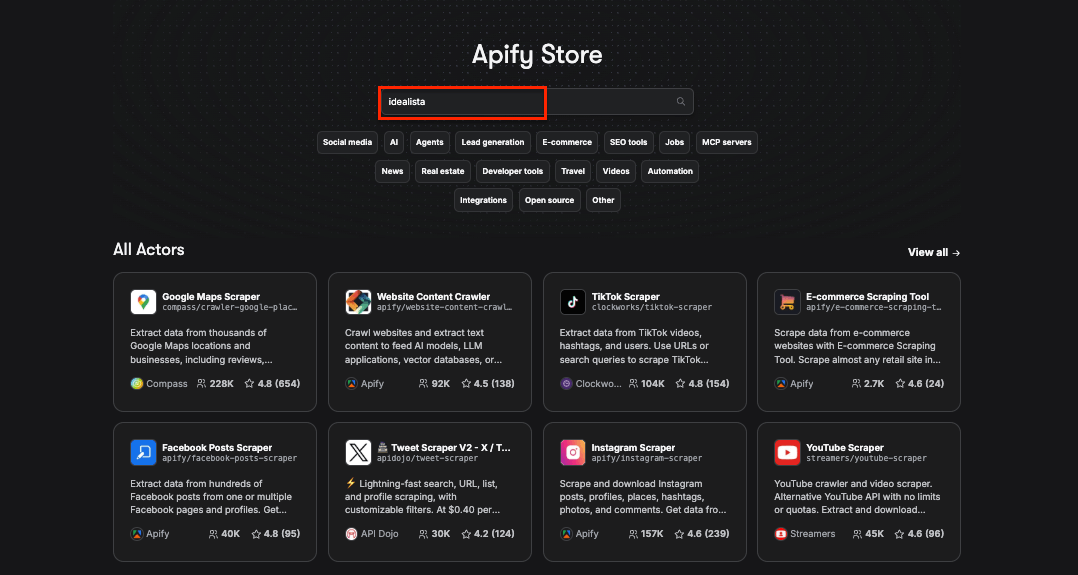
On Apify Store, search for “idealista” and press Enter.
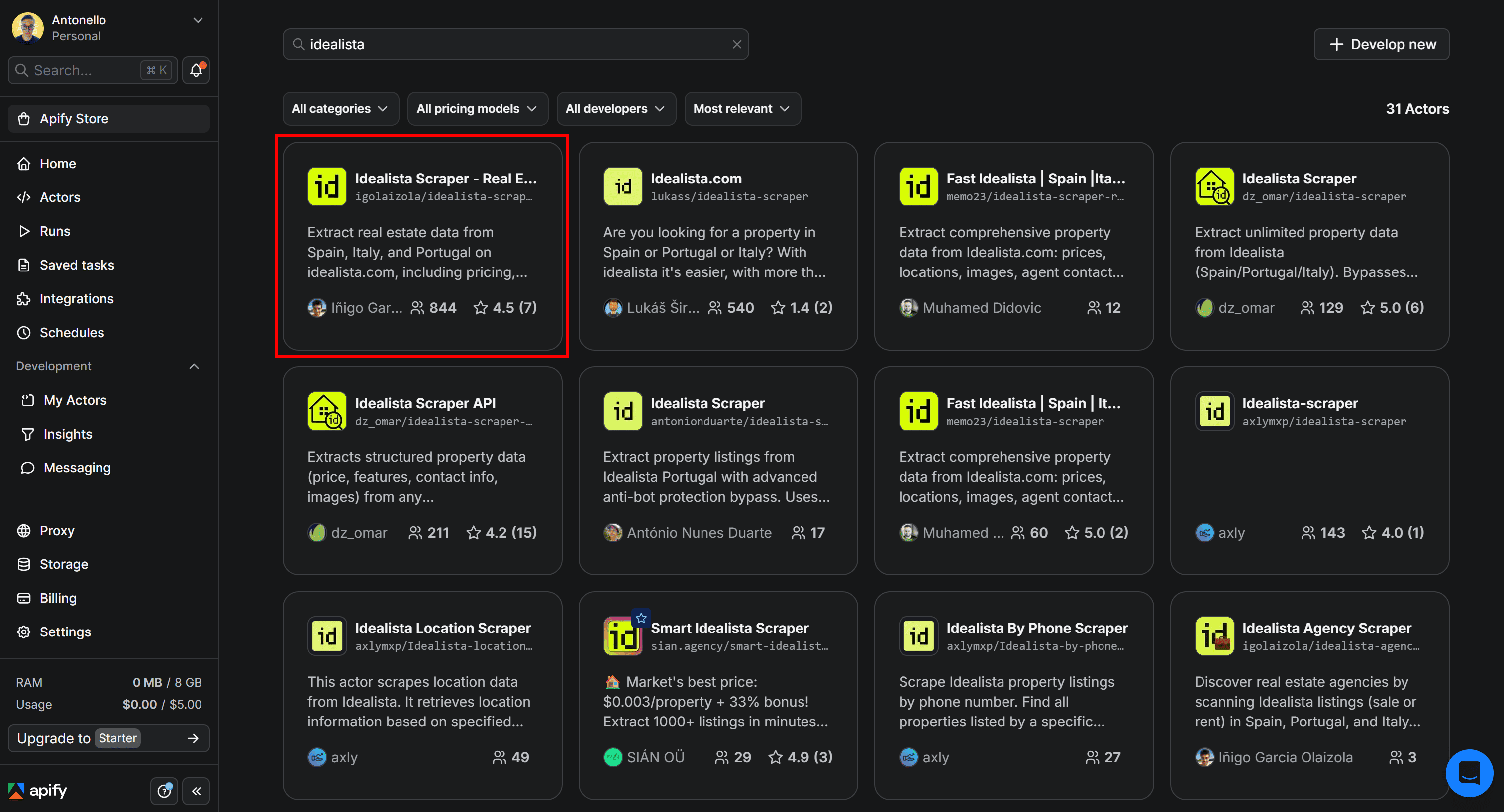
As you can see, there are over 30 idealista scraping Actors available. Let's choose the one with the highest reviews - Idealista Scraper - Real Estate Data for Spain, Italy, Portugal.
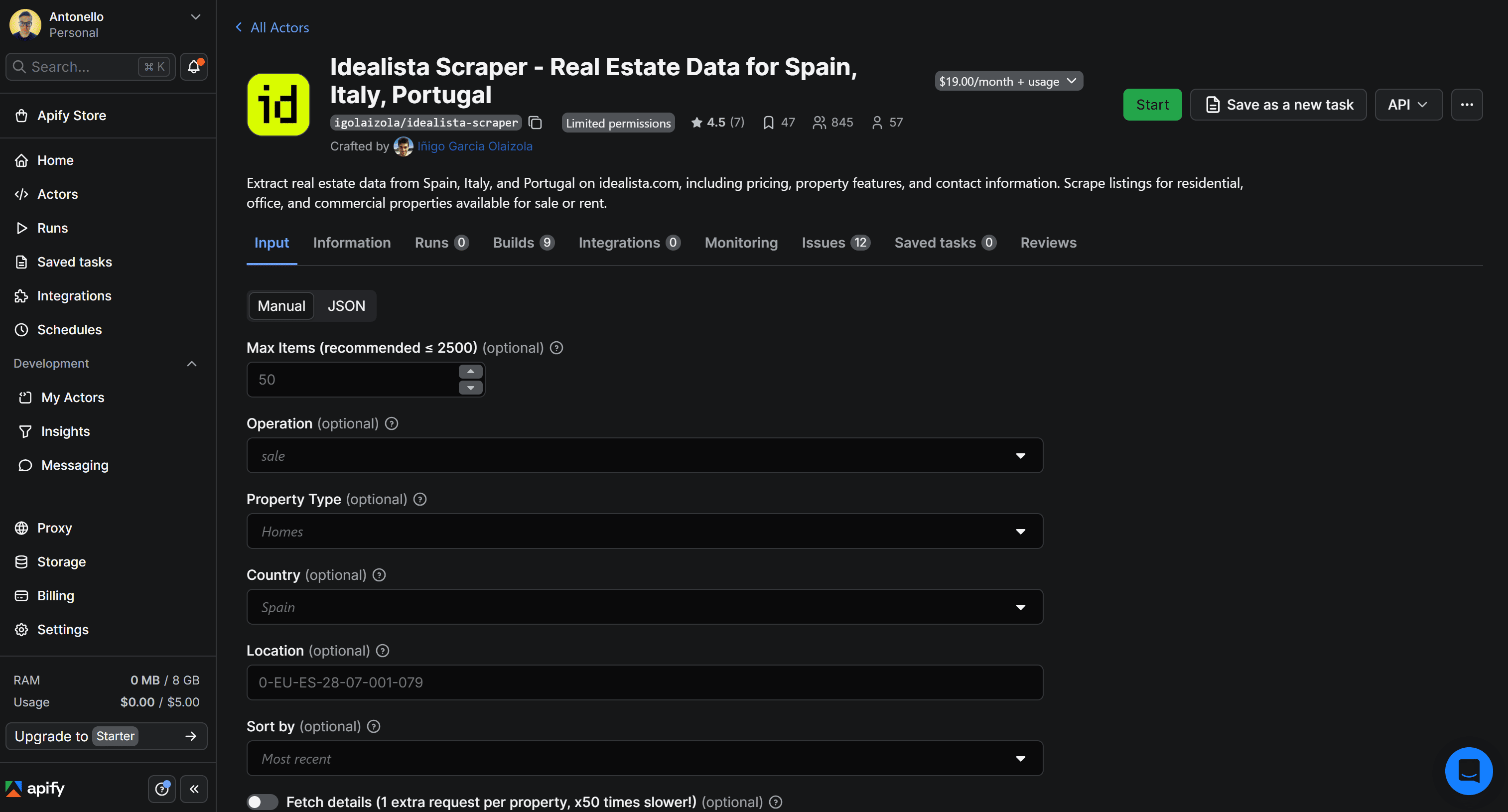
You’ll then be redirected to the Actor page:
3. Test the Actor
Before diving into the Python integration, let’s first test the chosen Actor in a no-code workflow inside Apify Console. This is a convenient way for non-technical users to retrieve idealista property listings.
First, click the Start button to begin renting the Actor:

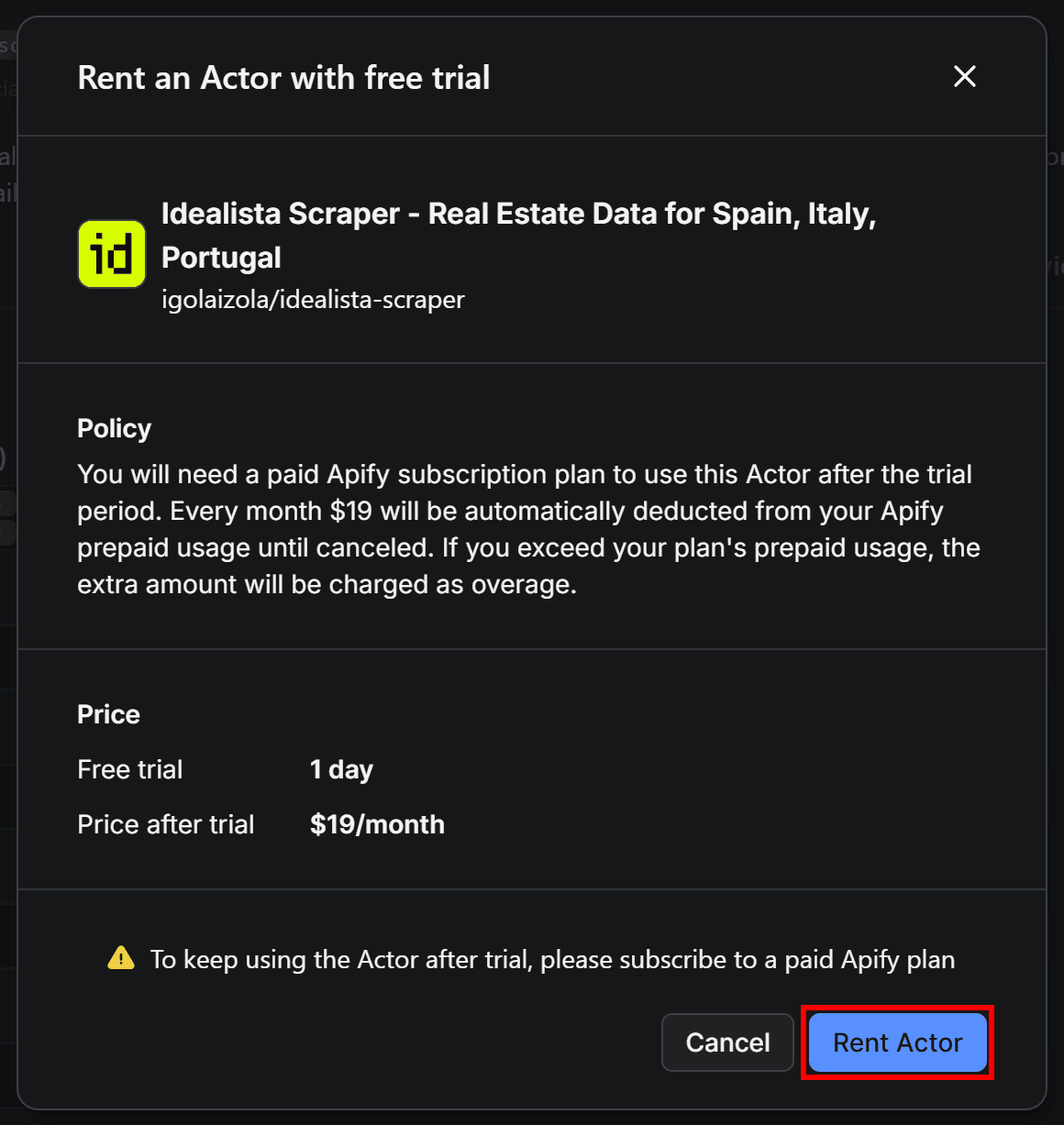
Next, confirm by pressing the Rent Actor button:
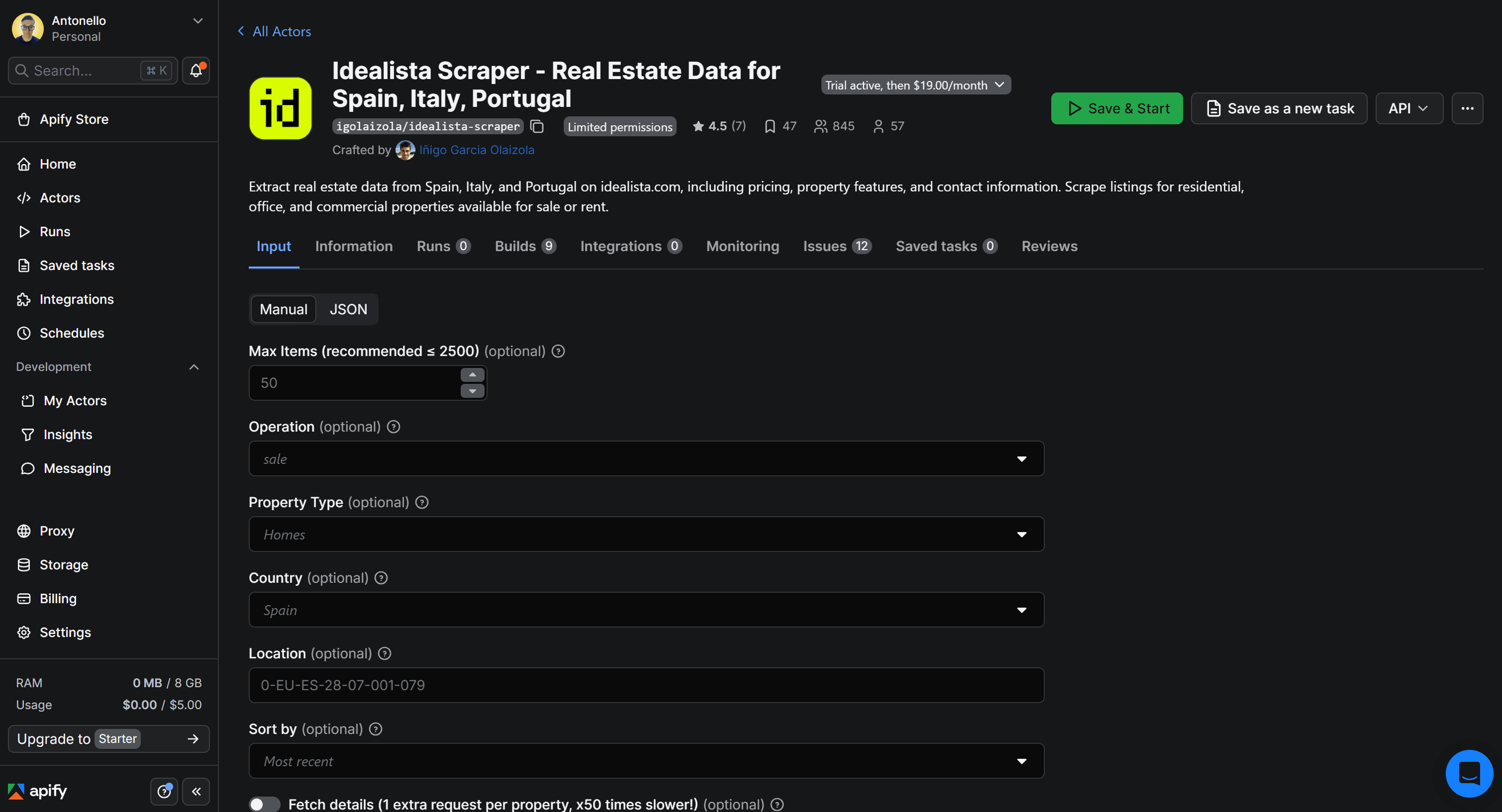
You can now launch the Actor directly in Apify Console by clicking the Save & Start button:
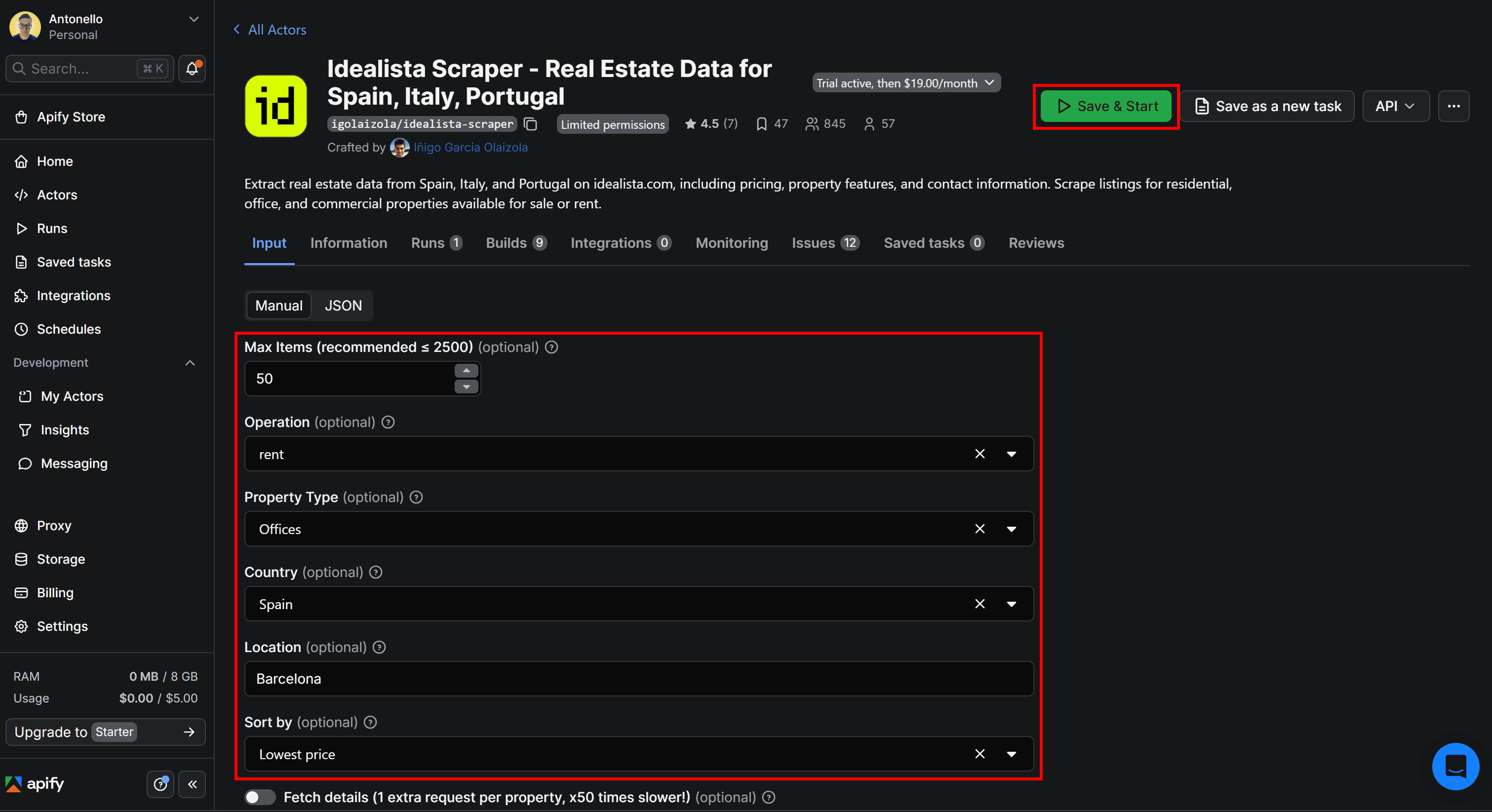
Before starting it, configure the Actor for a specific property search. For example, search for no more than 50 offices to rent in Barcelona, Spain, sorted by the lowest price. Then click Save & Start to launch the Actor:
Once the scraper finishes running, you’ll find the scraped real estate data in the Output tab:
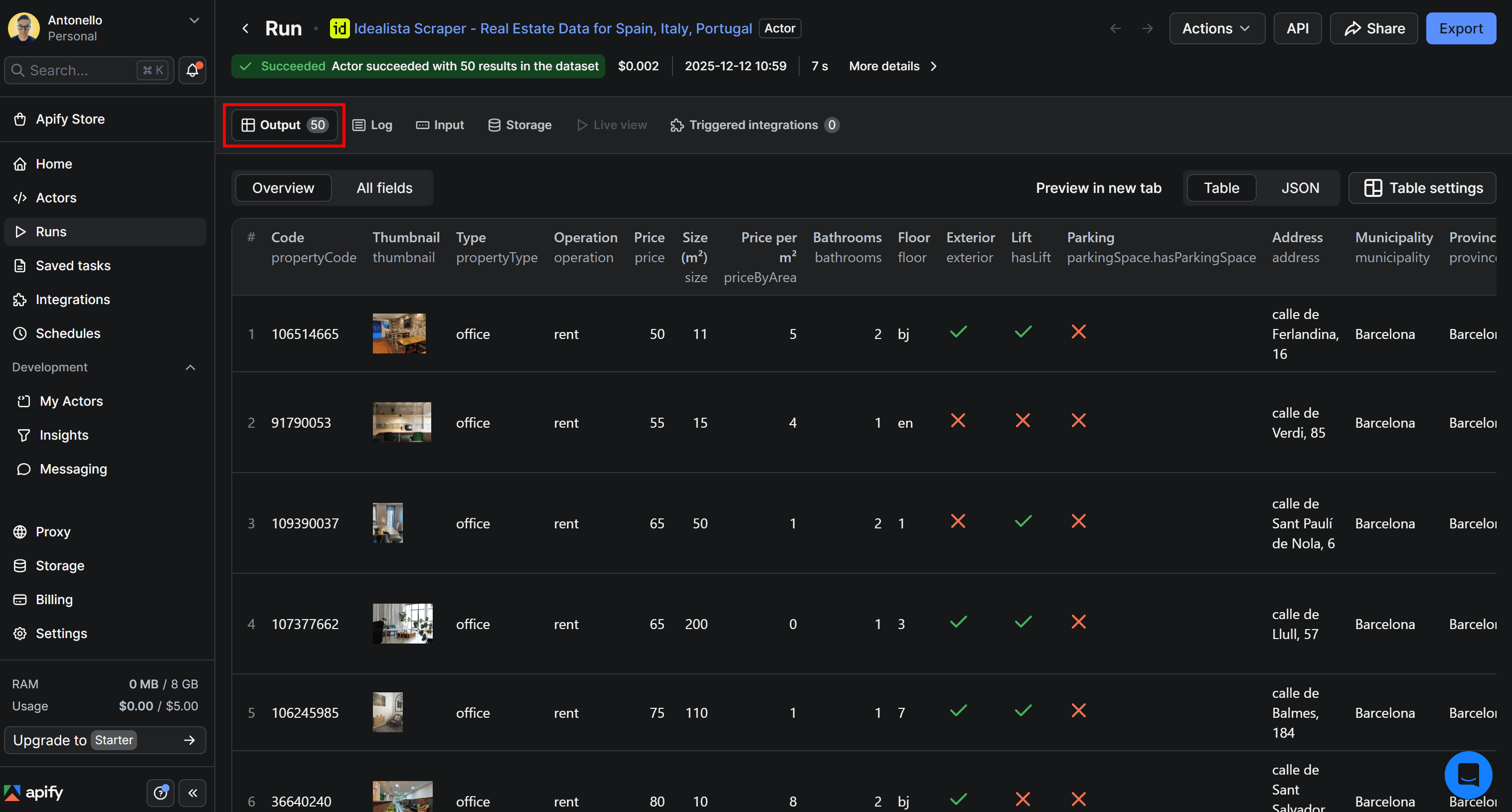
Note that the table displays the property listings for your search query exactly as they appear on the equivalent idealista page:
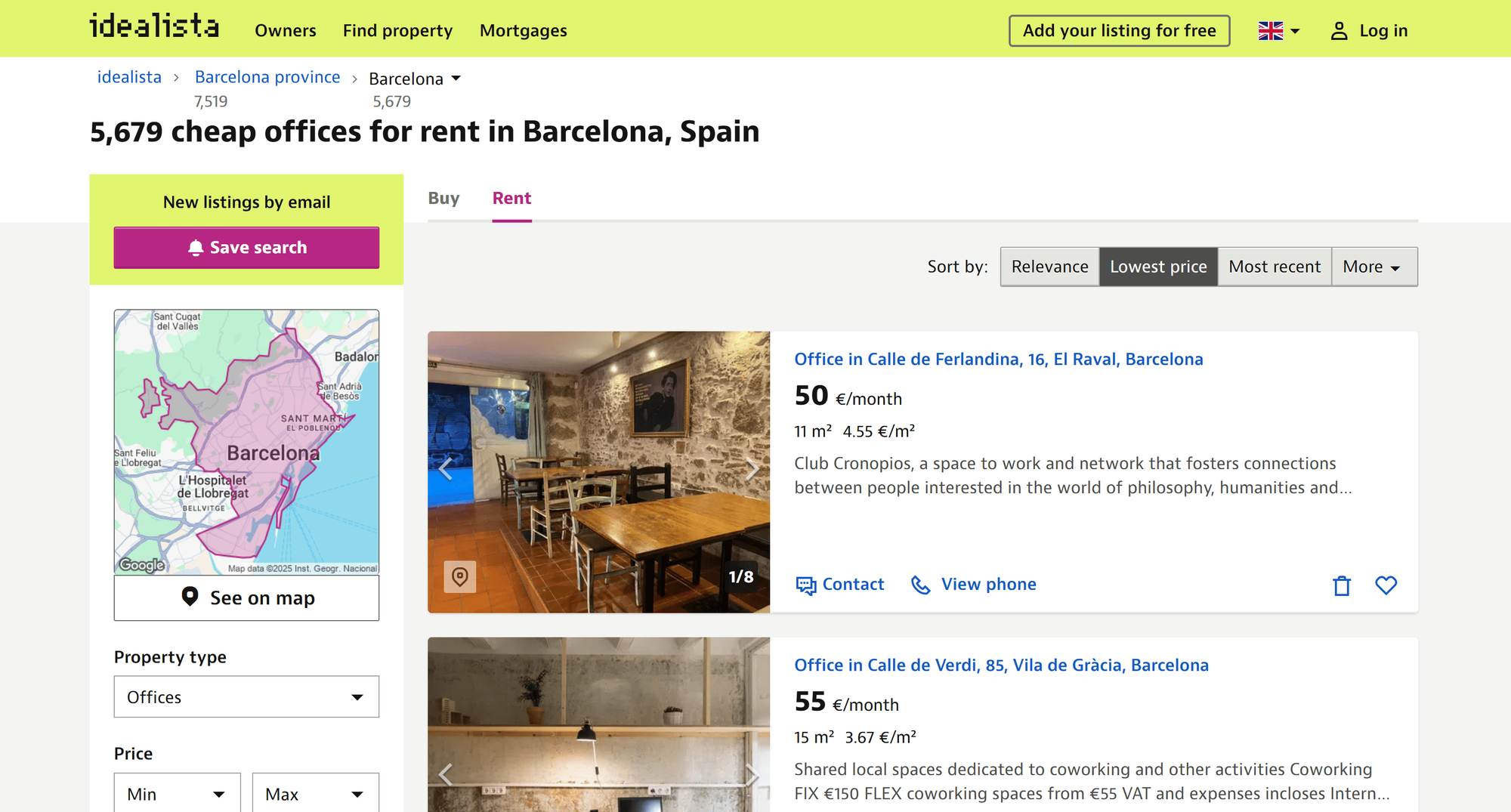
We can see that Idealista Scraper - Real Estate Data for Spain, Italy, Portugal works perfectly, retrieving property listings as intended. This no-code approach makes accessing idealista real estate data simple, even for non-technical users.
4. Prepare the API integration
Now that you’ve confirmed the Actor works correctly, get ready to set it up for API access.
On the Idealista Scraper - Real Estate Data for Spain, Italy, Portugal Actor page, open the API dropdown in the top-right corner and choose the API clients option:
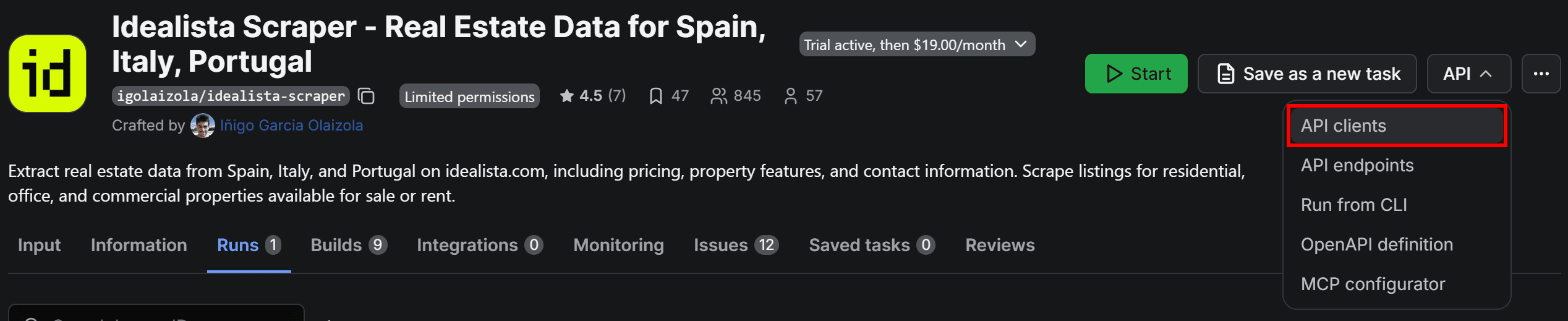
The following modal will open:
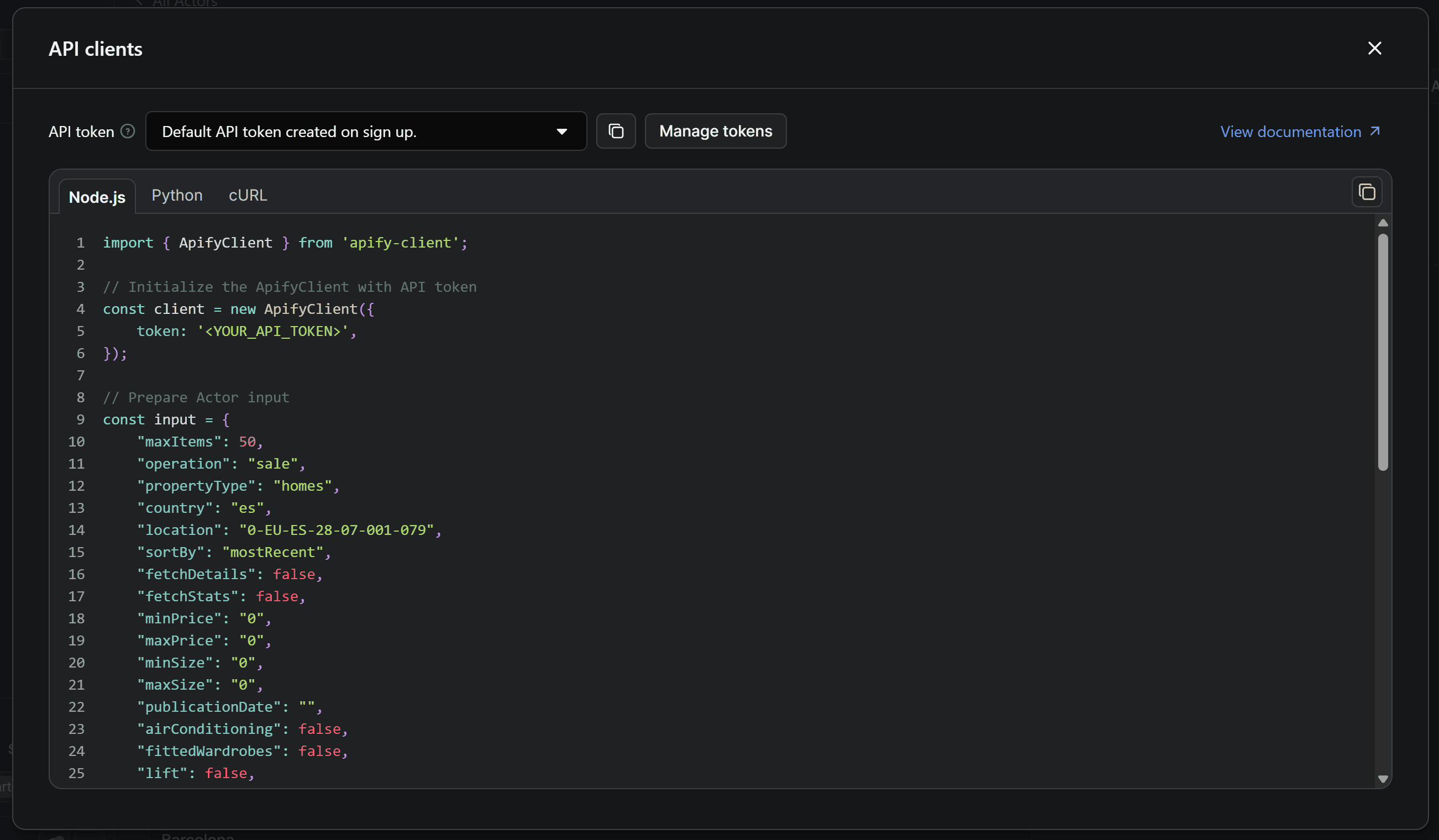
This includes ready-to-use snippets for calling the Actor via API through the Apify API client. By default, it shows the Node.js integration, but you’re coding in Python. Therefore, move to the Python tab:
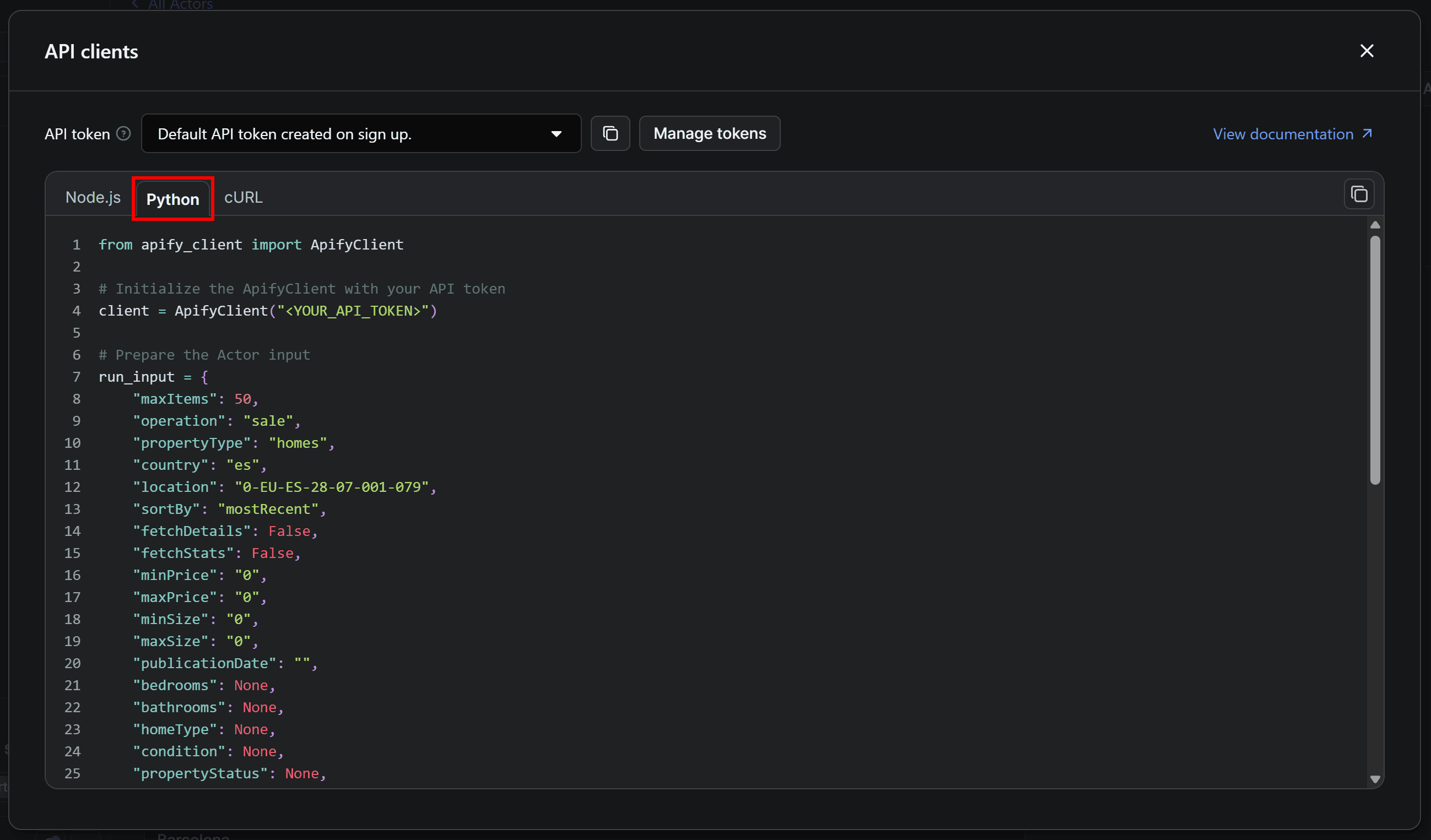
Now, copy the Python snippet from the modal and use it to populate your scraper.py file. Keep the modal open, as we’ll come back to it in minutes!
5. Set up your Python script for idealista real estate data scraping via API
If you examine the code snippet copied from Apify Console, you’ll notice it relies on the apify-client Python library. In your activated virtual environment, install it with:
pip install apify-client
In the Python snippet you copied earlier, you’ll also see a placeholder for your Apify API token. That’s required to authenticate requests made by the Apify API client to the configured Actor in your account.
python-dotenv library, which allows you to load environment variables from a .env file.Within your activated virtual environment, install it with:
pip install python-dotenv
Proceed by adding a .env file to the root of your project's folder, which will now look like this:
idealista-scraper/
├── .venv/
├── .env       # <-----
└── scraper.py
Define an APIFY_API_TOKEN environment variable in the .env file:
APIFY_API_TOKEN="YOUR_APIFY_API_TOKEN"
Here, "YOUR_APIFY_API_TOKEN" is just a placeholder, but you’ll replace it with your actual Apify API token in the next step.
Now, modify scraper.py to load the environment variables through python-dotenv and read the APIFY_API_TOKEN env:
from dotenv import load_dotenv
import os

# Load environment variables from the .env file
load_dotenv()

# Read the required Apify API token from the envs
APIFY_API_TOKEN = os.getenv("APIFY_API_TOKEN")
The load_dotenv() function from python-dotenv loads the environment variables from the local .env file. Next, access their values in your code with os.getenv().
Lastly, pass the retrieved Apify API token to the ApifyClient constructor:
client = ApifyClient(APIFY_API_TOKEN)

# ...
And that’s it! Your scraper for idealista property data is now securely authenticated.
6. Obtain and set your Apify API token
As anticipated earlier, it’s time to retrieve your Apify API token and set it in your .env file.
Back to the Python tab of the API clients modal in Apify Console, press the Manage tokens button:
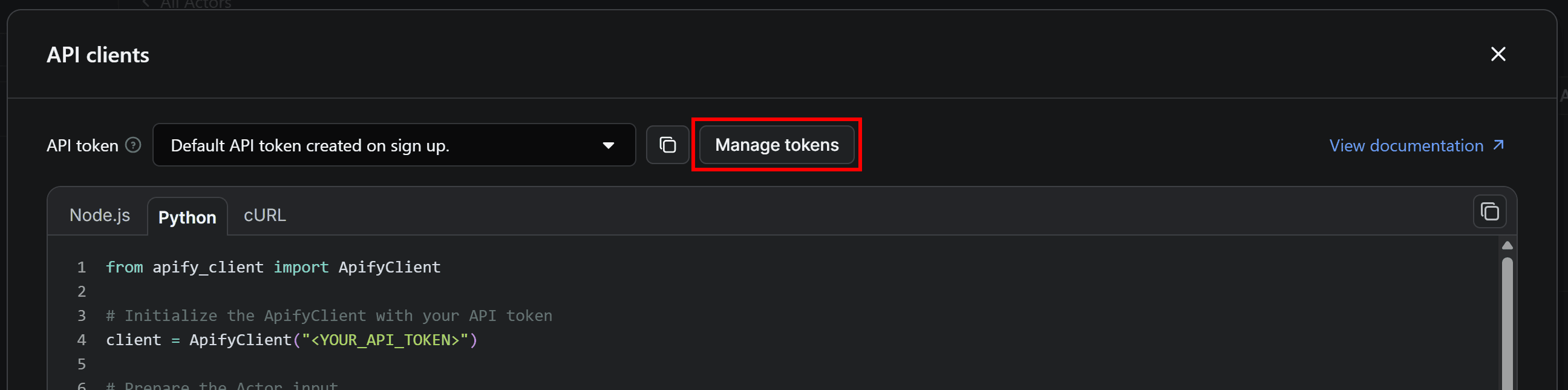
You’ll be redirected to the API & Integrations section of the Settings page. To get your Apify API token, click the Copy to clipboard icon next to Default API token created on sign up:
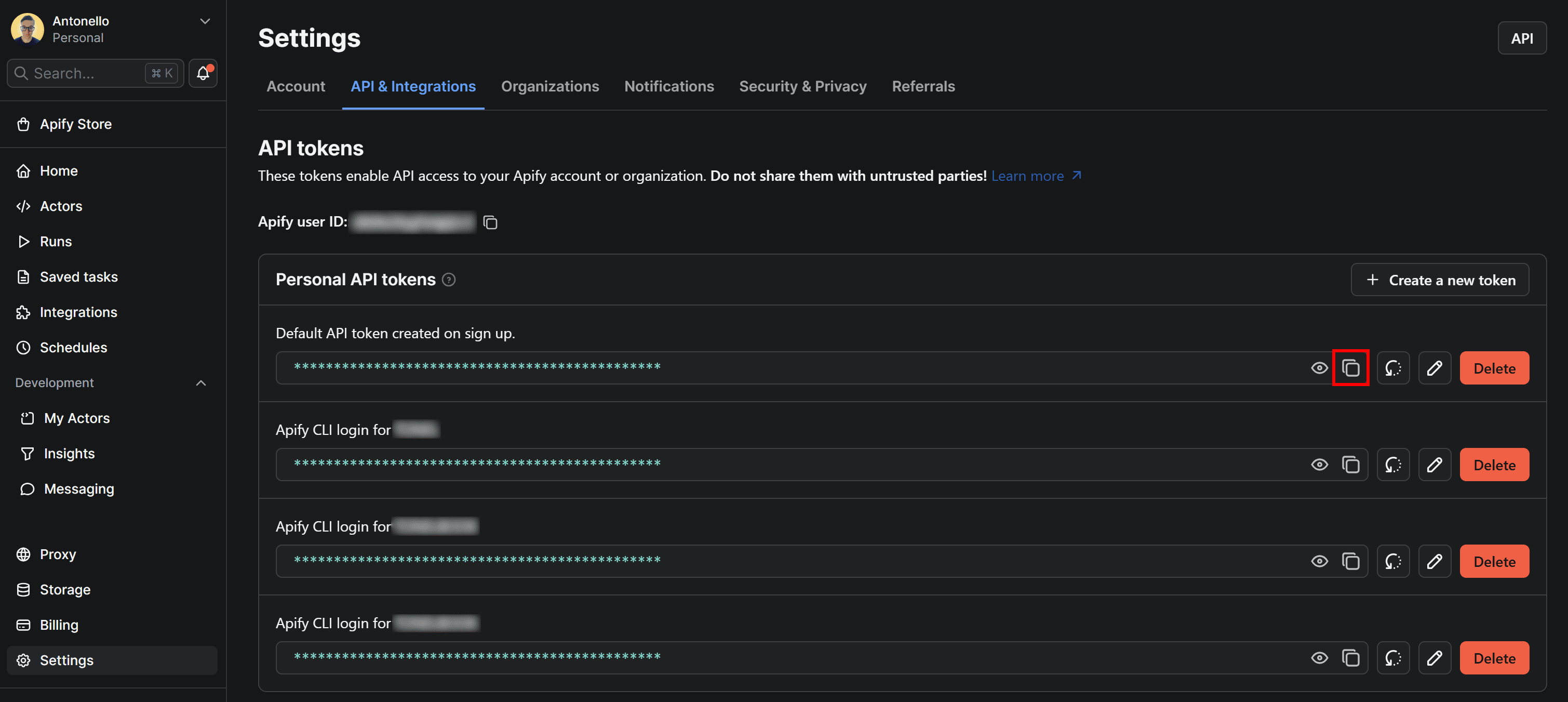
Next, paste the copied token into your .env file like this:
APIFY_API_TOKEN="PASTE_YOUR_TOKEN_HERE"
Make sure to replace PASTE_YOUR_TOKEN_HERE with the actual token you copied. This overrides the placeholder value for APIFY_API_TOKEN defined in the previous step.
Once set, the Apify API client can authenticate to your account and call the configured Actor successfully.
7. Configure your idealista property listing scraping runs
The Idealista Scraper - Real Estate Data for Spain, Italy, Portugal Actor comes with a complex configuration input.
The easiest way to set it up for your needs is to configure it in the Input tab in Apify Console. Once you’re done, switch to the JSON tab to access the JSON version of the configuration:
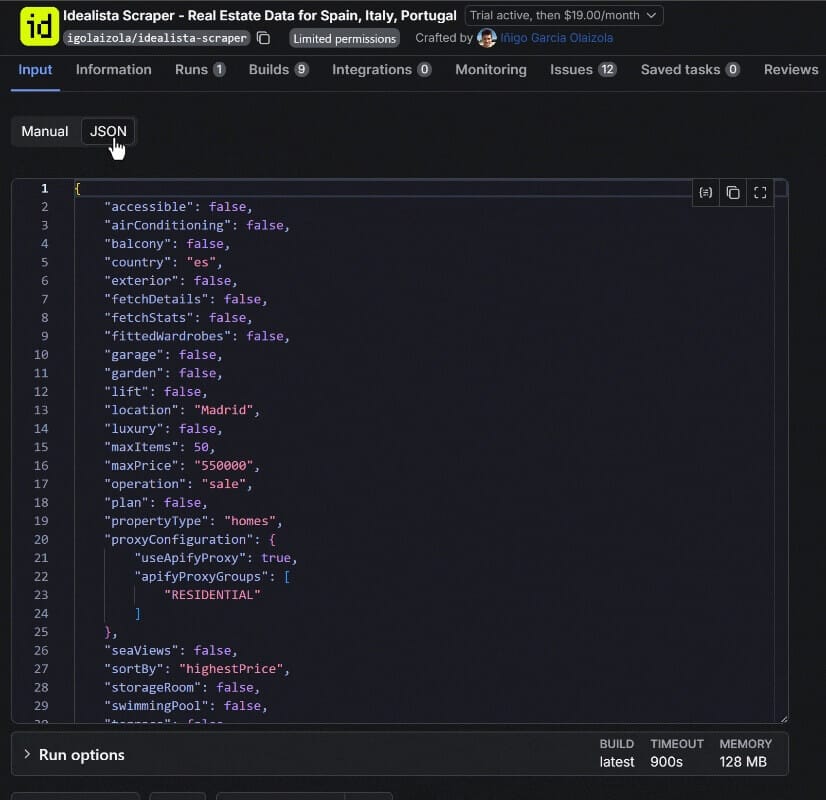
That JSON version of the input can be easily converted into a Python dictionary and assigned to run_input, which is then passed to the ApifyClient instance.
Another way to populate the input object is to refer to the Input documentation on the public Actor page:
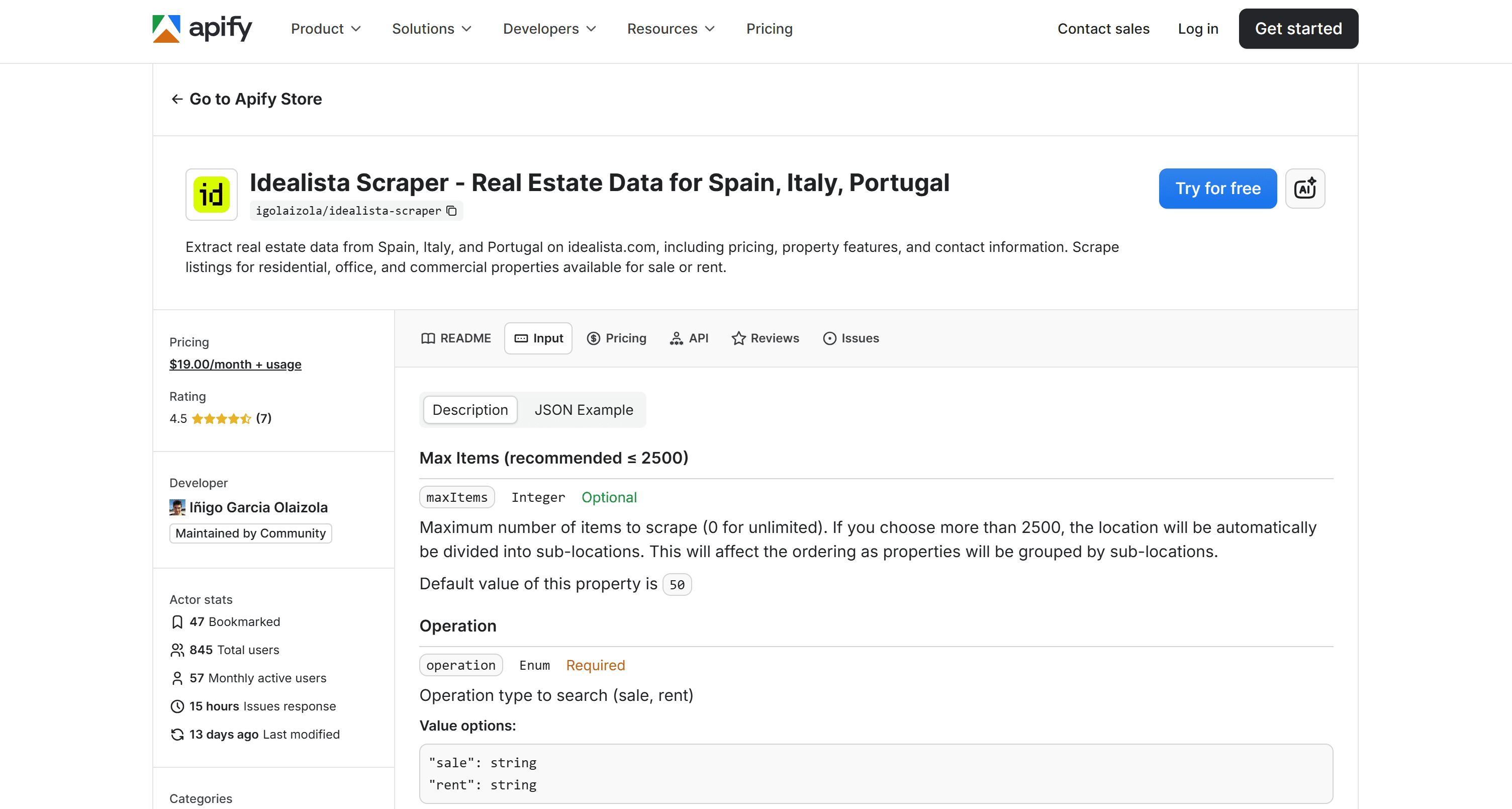
There, you’ll find detailed descriptions of all possible options and accepted values for each field.
One of the most important inputs is the Location field:
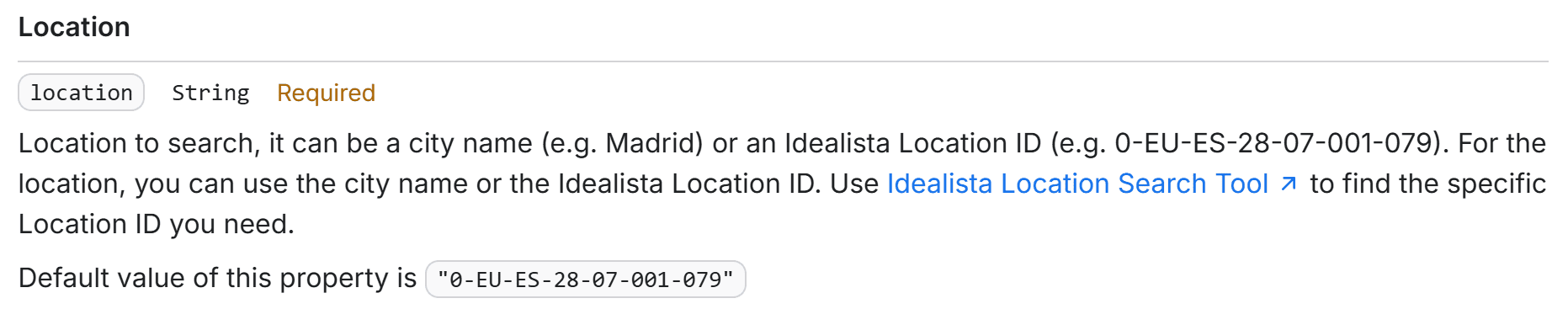
This defines the area where the scraper will search for properties. It accepts either:
- A city name (e.g., Madrid, Barcelona, etc.), or
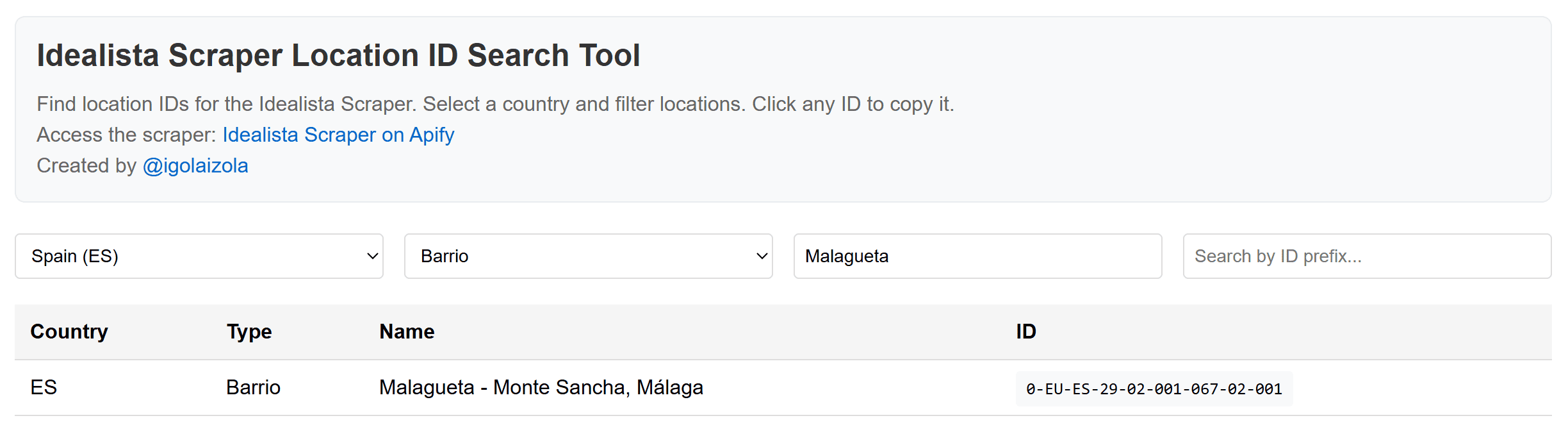
- An idealista Location ID (e.g.,
0-EU-ES-28-07-001-079), which you can retrieve using an online tool provided by the Actor's author. This allows you to translate a country, city, provincia, municipio, distrito, barrio, etc., into the corresponding idealista Location ID to filter properties geographically in the Actor.
For example, assume the desired input configuration is:
run_input = {
    "accessible": False,
    "airConditioning": False,
    "balcony": False,
    "country": "es",
    "exterior": False,
    "fetchDetails": False,
    "fetchStats": False,
    "fittedWardrobes": False,
    "garage": False,
    "garden": False,
    "lift": False,
    "location": "Madrid",
    "luxury": False,
    "maxItems": 50,
    "maxPrice": "550000",
    "operation": "sale",
    "plan": False,
    "propertyType": "homes",
    "proxyConfiguration": {
        "useApifyProxy": True,
        "apifyProxyGroups": [
            "RESIDENTIAL"
        ]
    },
    "seaViews": False,
    "sortBy": "highestPrice",
    "storageRoom": False,
    "swimmingPool": False,
    "terrace": False,
    "virtualTour": False
}
8. Complete code
Here’s the final scraper.py Python script to perform idealista scraping by calling an Actor via the Apify API:
from apify_client import ApifyClient
from dotenv import load_dotenv
import os

# Load environment variables from the .env file
load_dotenv()

# Read the required Apify API token from the envs
APIFY_API_TOKEN = os.getenv("APIFY_API_TOKEN")

# Read the required Apify API token from the envs
client = ApifyClient(APIFY_API_TOKEN)

# Prepare the Actor input
run_input = {
    "accessible": False,
    "airConditioning": False,
    "balcony": False,
    "country": "es",
    "exterior": False,
    "fetchDetails": False,
    "fetchStats": False,
    "fittedWardrobes": False,
    "garage": False,
    "garden": False,
    "lift": False,
    "location": "Madrid",
    "luxury": False,
    "maxItems": 50,
    "maxPrice": "550000",
    "operation": "sale",
    "plan": False,
    "propertyType": "homes",
    "proxyConfiguration": {
        "useApifyProxy": True,
        "apifyProxyGroups": [
            "RESIDENTIAL"
        ]
    },
    "seaViews": False,
    "sortBy": "highestPrice",
    "storageRoom": False,
    "swimmingPool": False,
    "terrace": False,
    "virtualTour": False
}

# Run the Actor and wait for it to finish
run = client.actor("REcGj6dyoIJ9Z7aE6").call(run_input=run_input)

# Fetch and print Actor results from the run's dataset (if there are any)
for item in client.dataset(run["defaultDatasetId"]).iterate_items():
    print(item)
Instead, your .env file should look like this:
APIFY_API_TOKEN="apify_api_XXXXXXXXXXXXXXXXXXXXX"
As discussed earlier, customize the scraping run by updating the run_input dictionary. Run your idealista property listing scraper with:
python scraper.py
The script may take a few minutes to complete, so please be patient.
After the execution finishes, you should see output in the terminal similar to this:
[
    {
        "propertyCode": "108666804",
        "thumbnail": "https://img4.idealista.com/blur/WEB_DETAIL_TOP-XL-P/0/id.pro.es.image.master/cb/3b/d7/1351581908.webp",
        "propertyType": "flat",
        "operation": "sale",
        "price": 550000,
        "size": 97,
        "priceByArea": 5670,
        "rooms": 2,
        "bathrooms": 2,
        "floor": "3",
        "exterior": true,
        "hasLift": true,
        "parkingSpace.hasParkingSpace": true,
        "address": "Barrio Valdeacederas",
        "municipality": "Madrid",
        "province": "Madrid",
        "url": "https://www.idealista.com/inmueble/108666804/",
        "description": "Impeccable duplex penthouse in Valdeacederas. Presented by Engel & Völkers, this home stands out for its brightness and functionality. It features two bedrooms, the master en suite with dressing room, two full bathrooms, ... (omitted for brevity...)",
        "contactInfo.commercialName": "Engel & Völkers Madrid",
        "contactInfo.contactName": "Engel & Völkers Madrid MMC",
        "contactInfo.phone1.phoneNumber": "919386811"
    },
    // Other 98 property listings omitted for brevity...
    {
        "propertyCode": "109878515",
        "thumbnail": "https://img4.idealista.com/blur/WEB_DETAIL_TOP-XL-P/0/id.pro.es.image.master/fd/2f/85/1388371039.webp",
        "propertyType": "flat",
        "operation": "sale",
        "price": 550000,
        "size": 95,
        "priceByArea": 5789,
        "rooms": 3,
        "bathrooms": 1,
        "floor": "3",
        "exterior": true,
        "hasLift": true,
        "address": "Calle de la Ribera de Curtidores",
        "municipality": "Madrid",
        "province": "Madrid",
        "url": "https://www.idealista.com/inmueble/109878515/",
        "description": "Real estate in La Latina - Puerta de Toledo - El Rastro - Palacio, Madrid. Presented by Tecnocasa Consulting Estudio Puerta de Toledo SL, this charming and spacious 95 m² home is located in one of Madrid’s most authentic, vibrant, and historically rich neighborhoods... (omitted for brevity...)",
        "contactInfo.commercialName": "Consulting Estudio Puerta de Toledo",
        "contactInfo.contactName": "Consulting Estudio Puerta de Toledo",
        "contactInfo.phone1.phoneNumber": "919492095"
    }
]
The script will return up to 50 idealista property listings for houses for sale in Madrid, with a maximum price of €550,000, sorted from highest to lowest price.
Once the run completes, the dataset will be available in your Apify account for 7 days by default. You can access it under Storage > Datasets in your account:
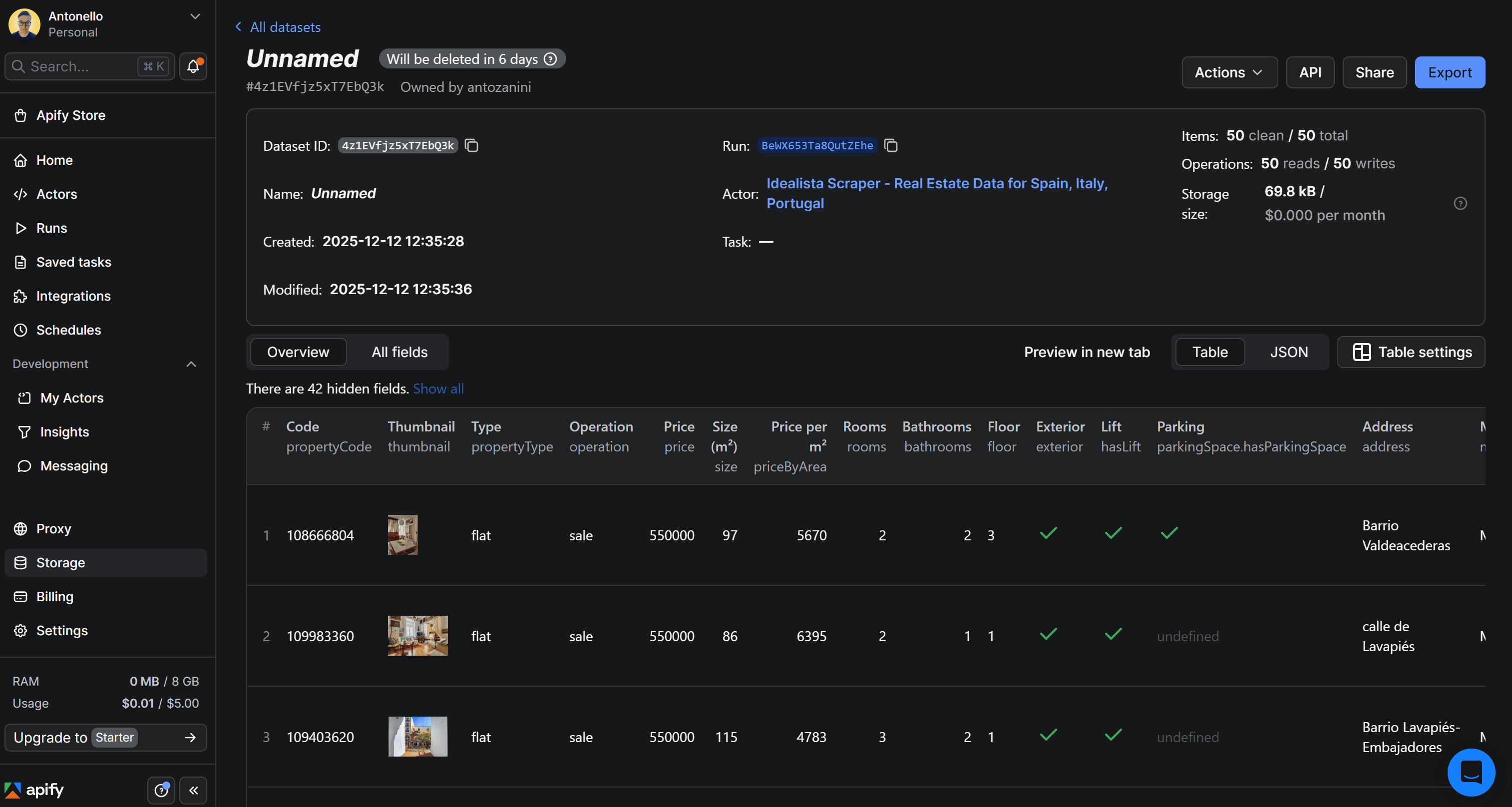
In the dataset page, you can explore the results in table view or as raw JSON. Also, you have the option to export the dataset to multiple formats such as JSON, CSV, Excel, or HTML.
Your idealista scraper is now fully operational.
Conclusion and next steps
This project shows how an always-up-to-date Apify Actor makes collecting real estate data from a complex, anti-bot-protected site like idealista easy - saving you from building and maintaining your own scraper.
To enhance your scraper further, consider these advanced approaches:
- Data export: Store the collected real estate data in Excel for easier filtering and analysis, or save it in a database for future processing.
- Automated execution: Set up your Actor to run on a schedule, keeping your dataset up-to-date automatically by leveraging the
ScheduleClientclass. - Data analysis: Use Python’s extensive ecosystem of data processing and visualization libraries to visualize the scraped property information.

FAQ
Why scrape idealista real estate data?
Scraping idealista gives you access to thousands of property listings. It’s a rich data source for analyzing market trends, tracking price fluctuations, monitoring competitors, generating leads, and researching rental yields or investment opportunities.
Which countries can I scrape idealista real estate data from?
You can scrape idealista real estate data only from Spain, Portugal, and Italy. That’s because the platform operates primarily in these Southern European markets. Headquartered in Madrid, Idealista is one of the leading online real estate marketplaces in those countries.
Is it legal to scrape idealista property listings?
Yes, it’s legal to scrape idealista as long as you only extract publicly available real estate data. Make sure to act responsibly by avoiding excessive requests that could overload their servers, and anonymize any PII found in listings to stay compliant with GDPR and similar regulations. Learn more in the Is web scraping legal? blog post.
How to scrape idealista property information in Python?
To scrape idealista property information in Python, it’s best to use a dedicated cloud-based scraping solution. The reason is that listing pages vary widely and you need a dedicated service that stays up to date, handles edge cases, manages proxy rotation and bypasses anti-bot protections for you.