Instagram hashtags remain one of the most powerful - yet least transparent - drivers of influencer and trend discovery. While anyone can turn a word into a hashtag, only a small fraction carries real reach, community engagement, or strategic value.
The official Instagram API technically supports hashtag search, but only within narrow limits: you must know the exact tags in advance, queries are capped at 30 per week, and the data is restricted to approved business accounts.
That's why marketers and social media analysts often rely on intuition instead of data, or spend hours on manual work: typing keywords into Instagram search, exploring related tags, and checking metrics one post at a time.
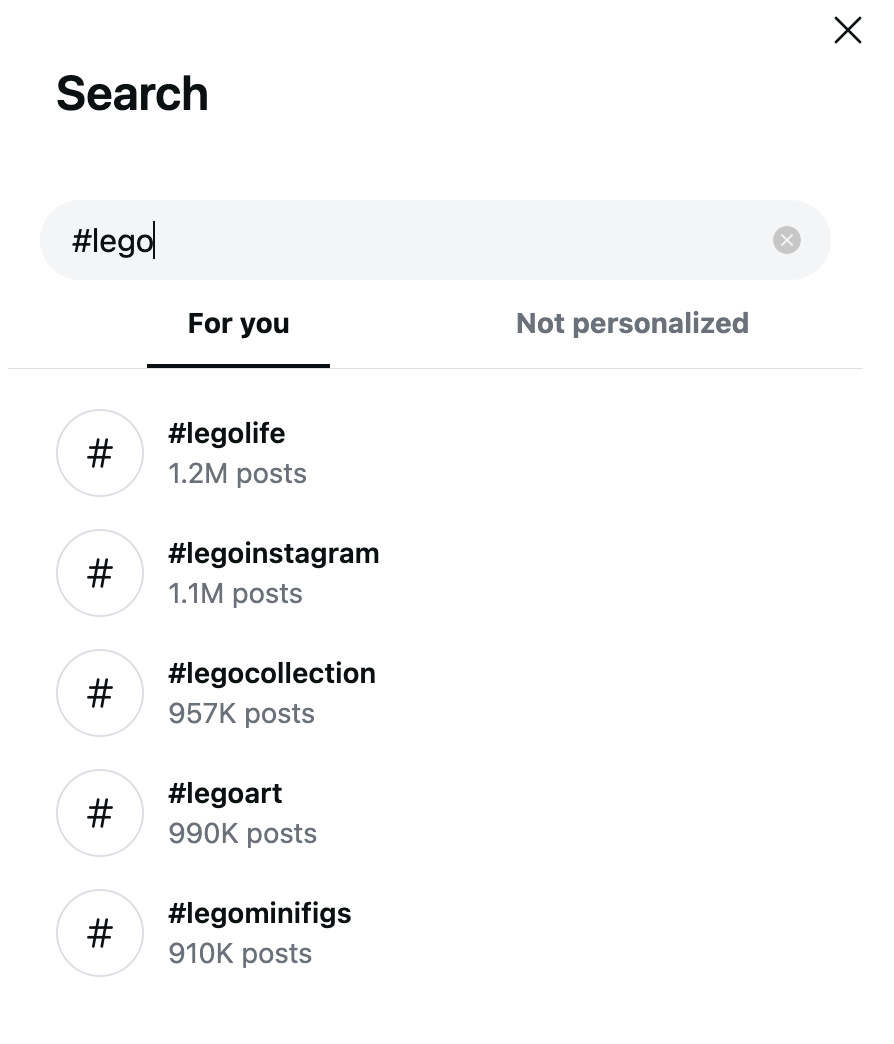

Instagram native hashtag search
If you want to conduct proper hashtag research and see where genuine visibility exists, you need an automated scraping workflow. Instagram Hashtag Analytics Scraper does exactly that: it allows you to scrape full related Instagram hashtag metadata, see how widely a hashtag is used, explore popular posts, discover related tags, and more.
How does hashtag discovery with Instagram Hashtag Analytics Scraper work?
We’ll show you how to build your own automated data collection workflow - scrape hashtags, send data to Google Sheets, and analyze your findings further. You can follow along with this guide on the free Apify plan, meaning you can test the entire setup and get your first dataset at no cost.
- Built-in proxy management
- Anti-bot evasion support
- Integrated storage with structured exports in CSV/Excel/JSON
- Standardized input parameters (URLs, keywords, limits, etc.)
- Easy integration with third-party apps or other Actors
Every Apify Actor can also be triggered programmatically via the Apify API, opening up lots of ways to integrate it into your workflows.
We’ll use Instagram Hashtag Analytics Scraper to discover relevant hashtags for a specific topic or brand, and expand our discovery activities with another Actor - Instagram Hashtag Scraper.
Step-by-step guide to scraping related hashtags
The entire workflow setup takes just a couple of minutes and consists of four steps:
- Set up the integration between Instagram Hashtag Analytics Scraper and Google Drive
- Scrape hashtags from Instagram
- Create a schedule for the scraper to run automatically
- (Optional) Get more insights with Instagram Hashtag Scraper
Let’s start.
Step 1: Integration with GDrive
First, let’s make sure our data flow is configured. Go to Instagram Hashtag Analytics Scraper. If you don’t have an Apify account yet, you’ll be prompted to create one for free. You’ll access Apify Console, a workspace for running and building web automation tools.
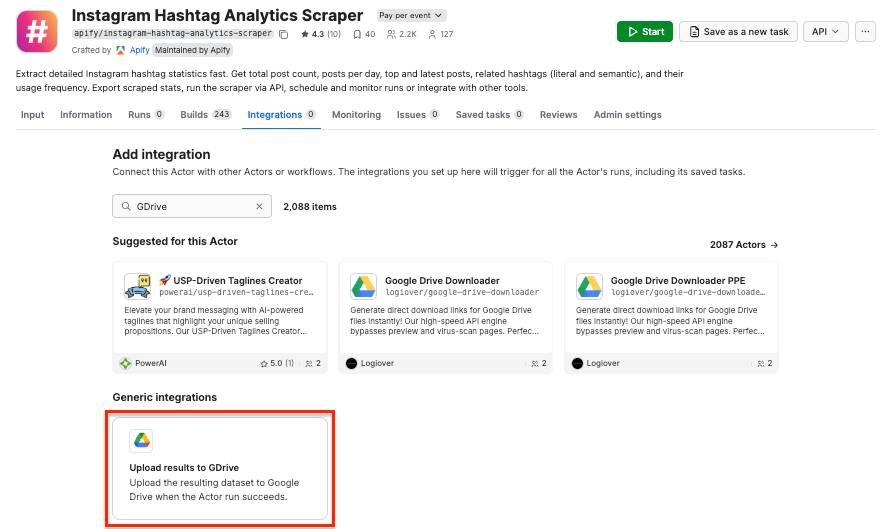
Once you open the Actor page, select the Integrations tab. Start typing “GDrive” in the search bar, and select the Upload results to GDrive integration.
Give the integration a unique name. In our example, we’ll extract tags related to Lego, so we’ll use Lego - discovery hashtags. Click Save to continue and connect your Google account. If you’re using your Google account with Apify Console, your email address might already be on the list of accounts to select.
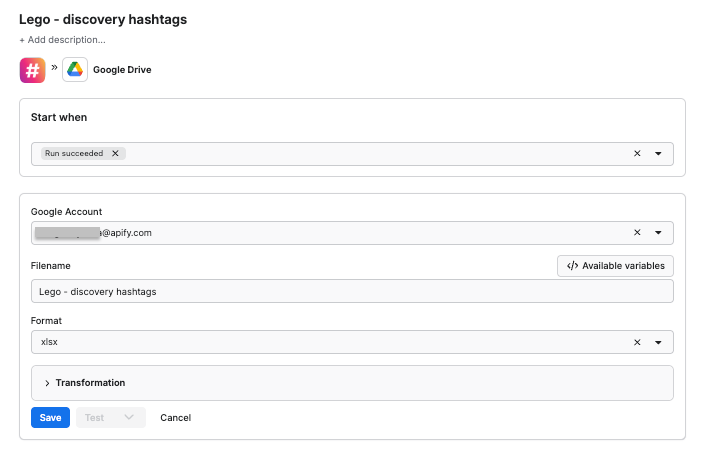
Since we want the data to be sent to the spreadsheet once the scraper finishes running, we’ll select Run succeeded as our starting point. Select a format of the Google Drive file that the Apify integration will create (we’ll go with the XLSX). Remember to name your file. Click Save.
Step 2: Hashtag discovery with Instagram Hashtag Analytics Scraper
Time to set up the scraper. Head to the Actor page and make sure the Input tab is selected.
Let’s discover relevant hashtags for the popular #lego tag. With the quick Instagram search, we got several other tags we can now use as input to expand our discovery:
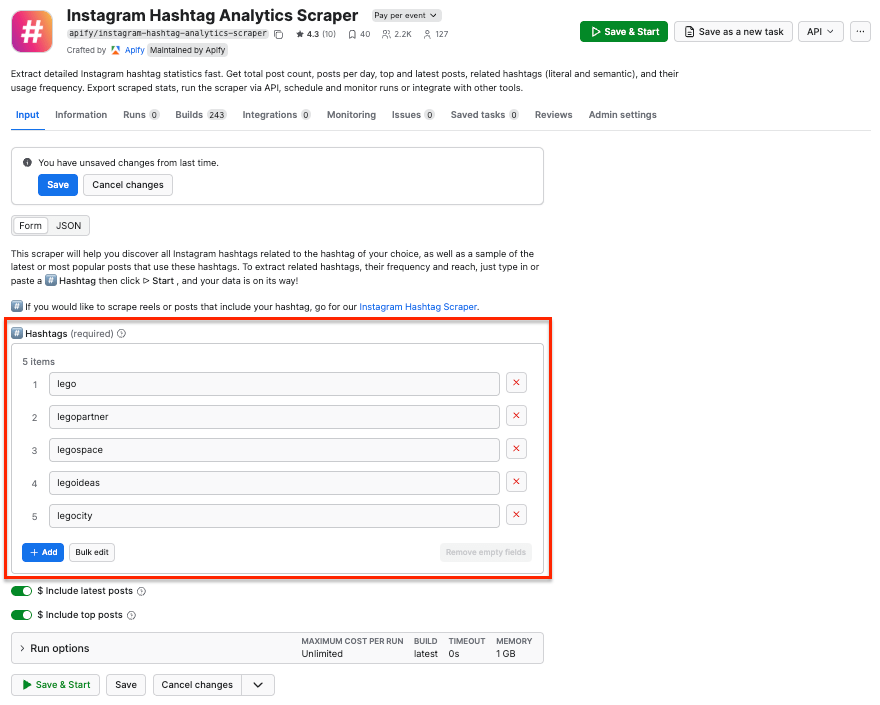
Note: Remove the “#” symbol from your tags to ensure the scraper works correctly.
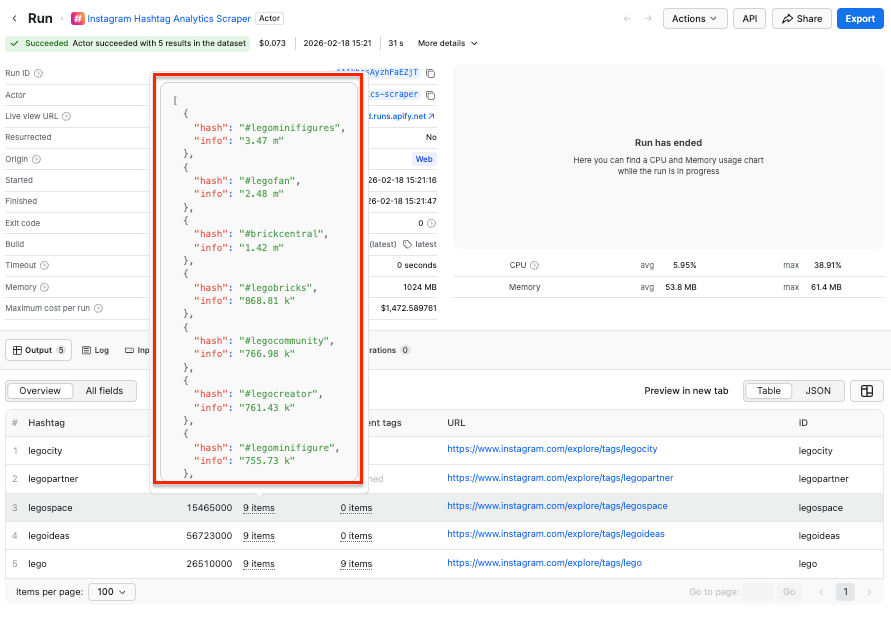
Click Save & Start. After a couple of minutes, the run will finish, and you’ll be able to check the results in the preview table.
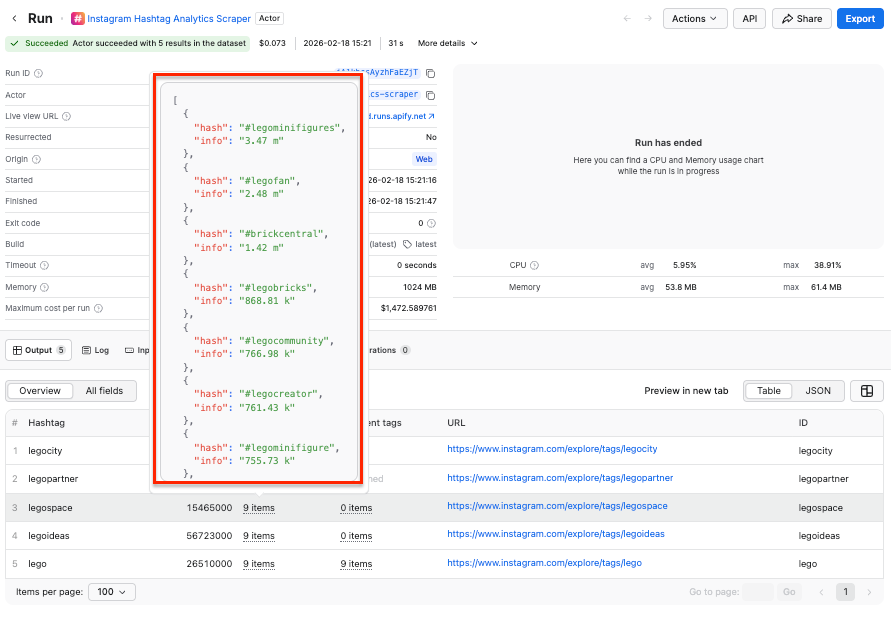
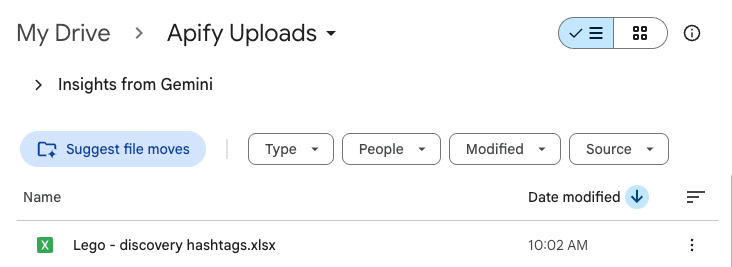
Now you can also check your Google Drive for a newly created spreadsheet. Each time you execute the scraper, it will automatically generate a new file with fresh data, ready for analysis.
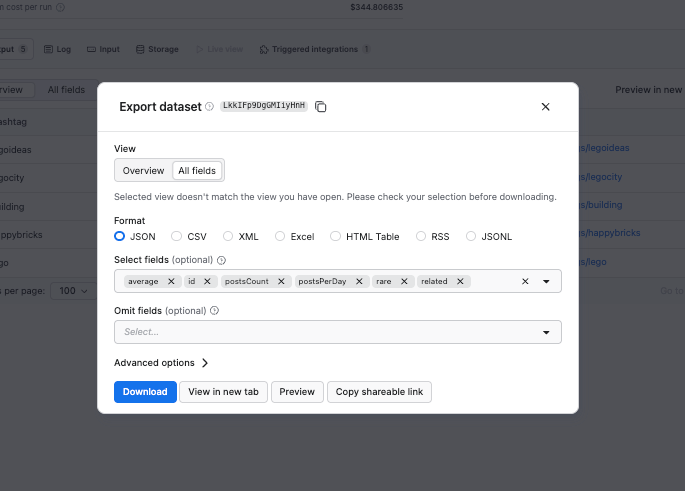
If you want to download your results in another format, simply click the Export button. You can download the results as JSON, Excel, CSV, and more. You can also select or omit fields to reduce the information noise.
Step 3: Schedule automated runs
If you want to scrape hashtags regularly, you can schedule the scraper to run automatically and collect data without manual input.
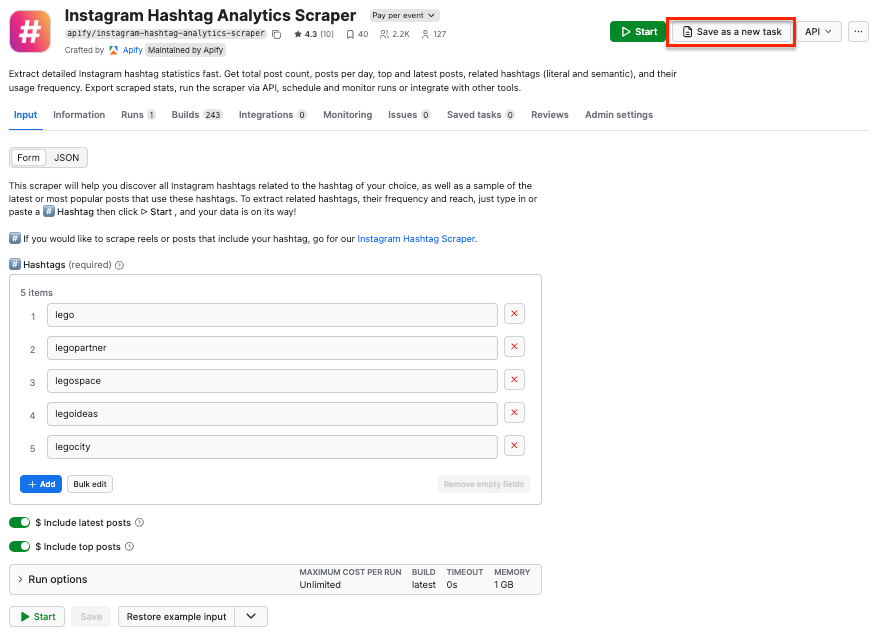
First, make sure your scraper is properly configured, then click the Save as a new task button in the top-right corner.
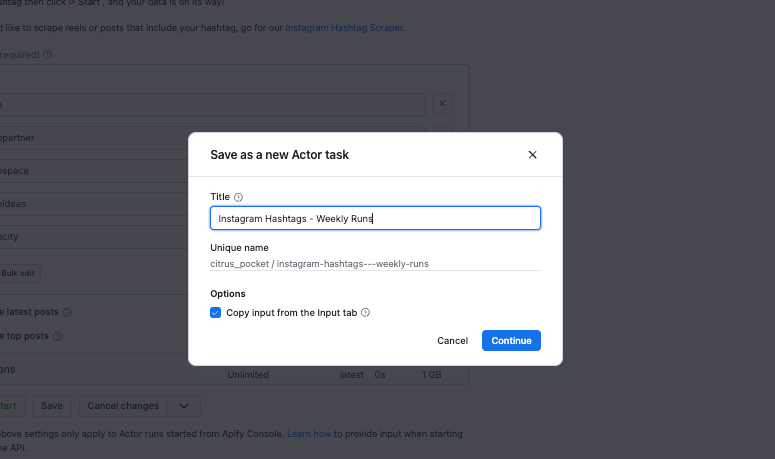
Give your task a name and save it.
Now, you can easily schedule the task by accessing Schedules in the left-hand navigation and clicking the Create a schedule button:
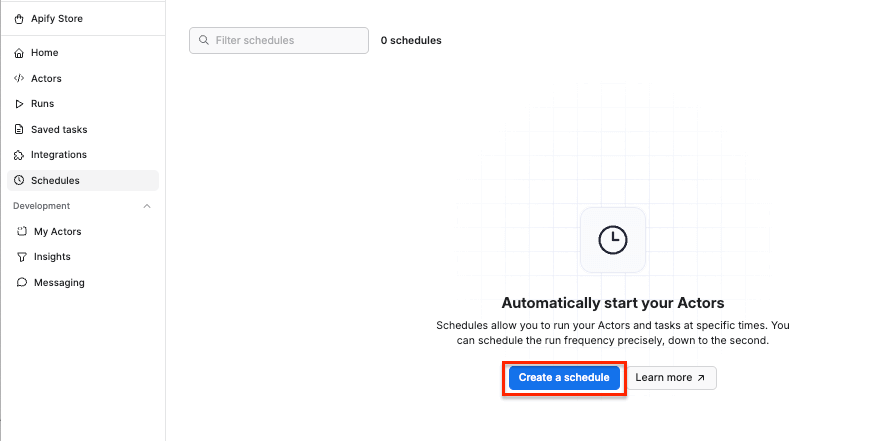
We’ve already saved our task, so now it’s time to add it to the schedule. Click Add task at the bottom to customize your schedule, select a task, and choose how often you want the scraper to run - weekly, monthly, or on any day that works best for you.
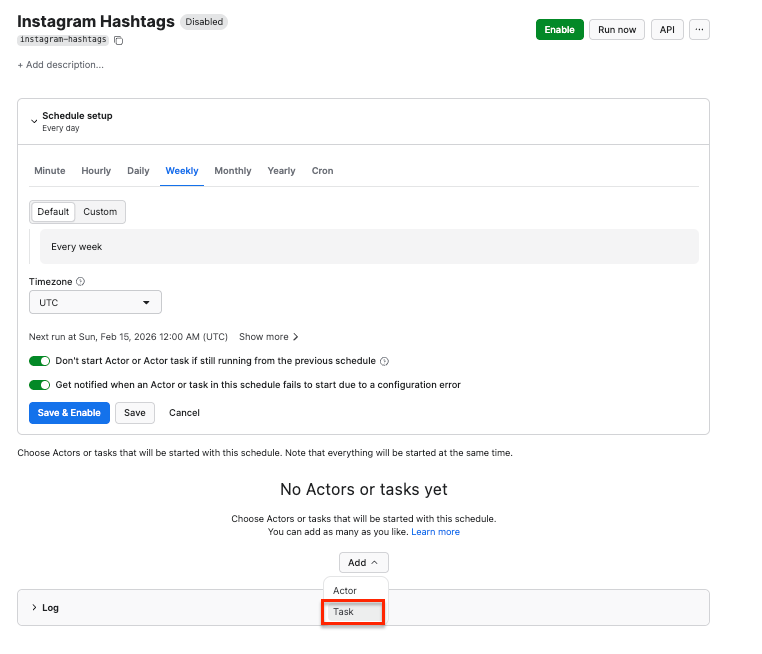
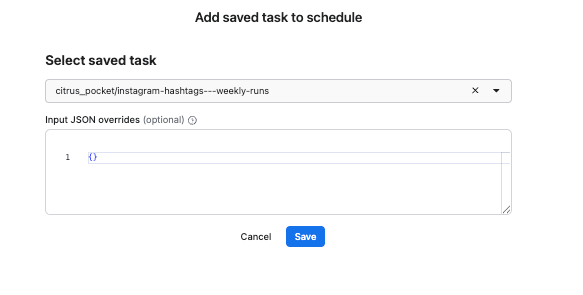
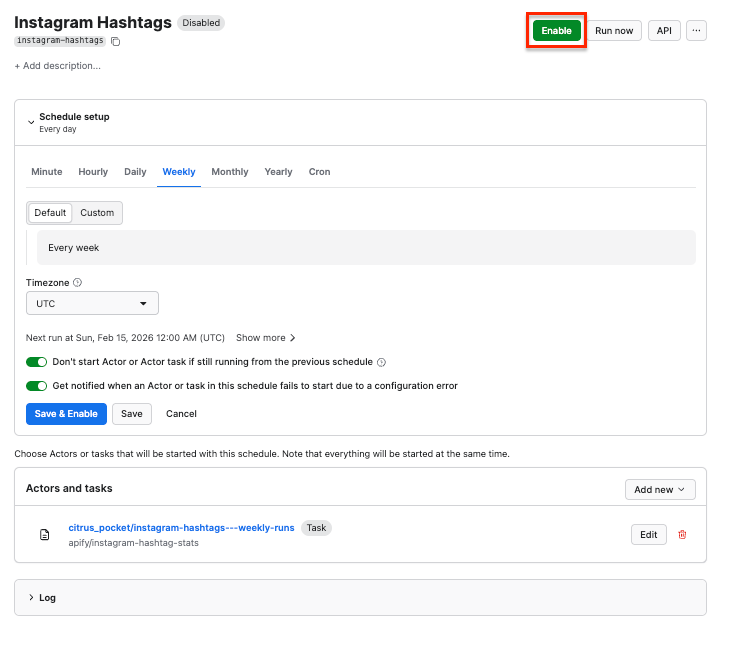
Customizing the schedule
Click Enable, and your schedule will be up and running. It will automatically start the scraper at your chosen time and send the results to Google Drive, thanks to the integration we set up earlier.
That’s it - you’ve built a workflow for extracting Instagram hashtags that runs without manual effort.
Step 4 (optional): - Scraping posts with Instagram Hashtag Scraper
Once you get your hashtags ready in Google Sheets, you can use another Apify Actor - Instagram Hashtag Scraper - to track trending content for topic research, marketing campaigns, or viral pattern analysis.
This scraper uses hashtags as input, and scrapes posts and reels associated with them. It will also return engagement metrics and metadata, such as captions, timestamps, locations, latest comments, or music info.
Now, let’s get back to our spreadsheet with scraped results. To make things quicker, we’ll use Gemini to analyze the content. We used a simple prompt to get a narrowed-down list of tags: Get me a list of hashtags that appear in ≥ 1 million posts, remove random/spam tags, and deduplicate the tags. Using AI can help you label your hashtags - showing you which ones are highly competitive, mid-volume, or niche but relevant.
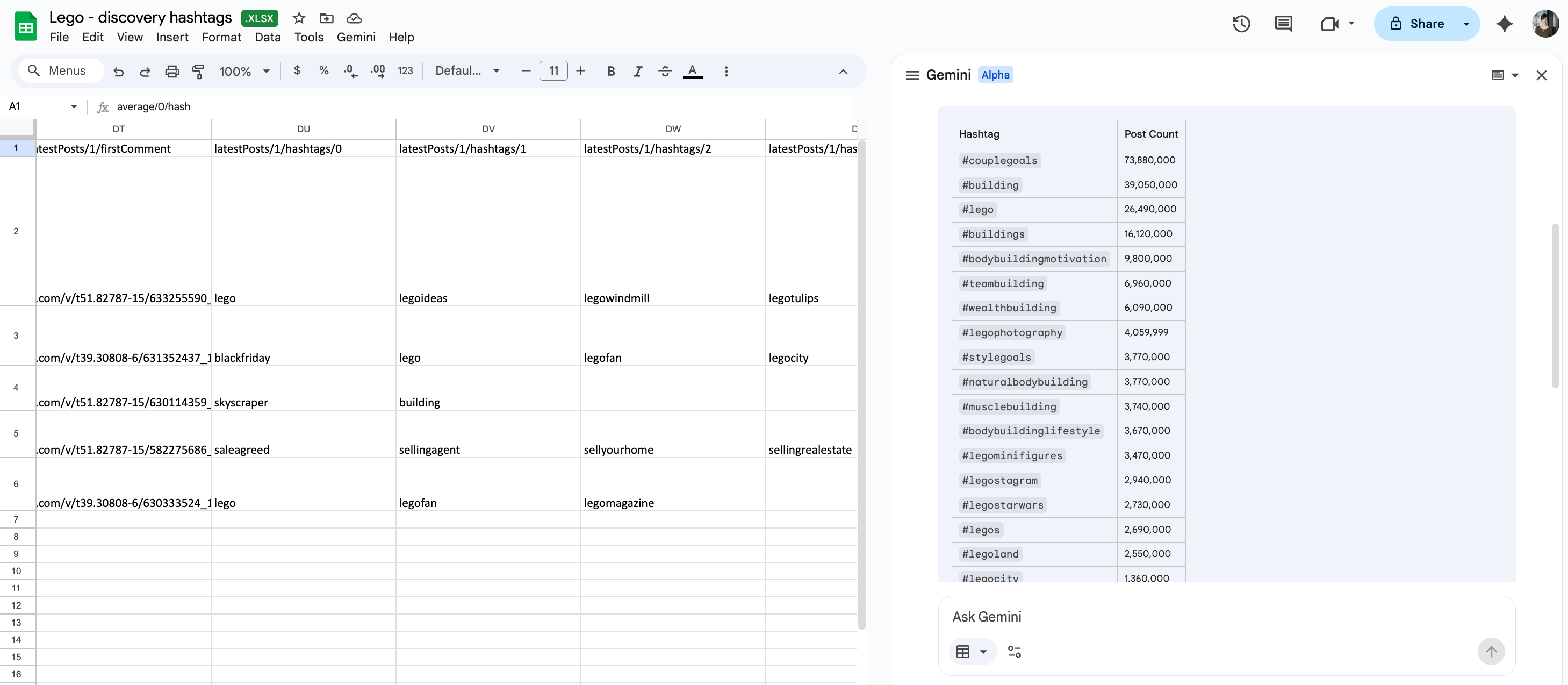
We now have a clean list of tags we can explore or use as a foundation for Instagram Hashtag Scraper.
If you want your results to be sent to Google Sheets as before, create the integration by following the instructions from the previous step. You can, however, get your results in a structured Excel file or a JSON by exporting your dataset after the scraper finishes running.
To get posts and metadata from the hashtags, head to Instagram Hashtag Scraper and paste the list of tags into the # Hashtags input field.
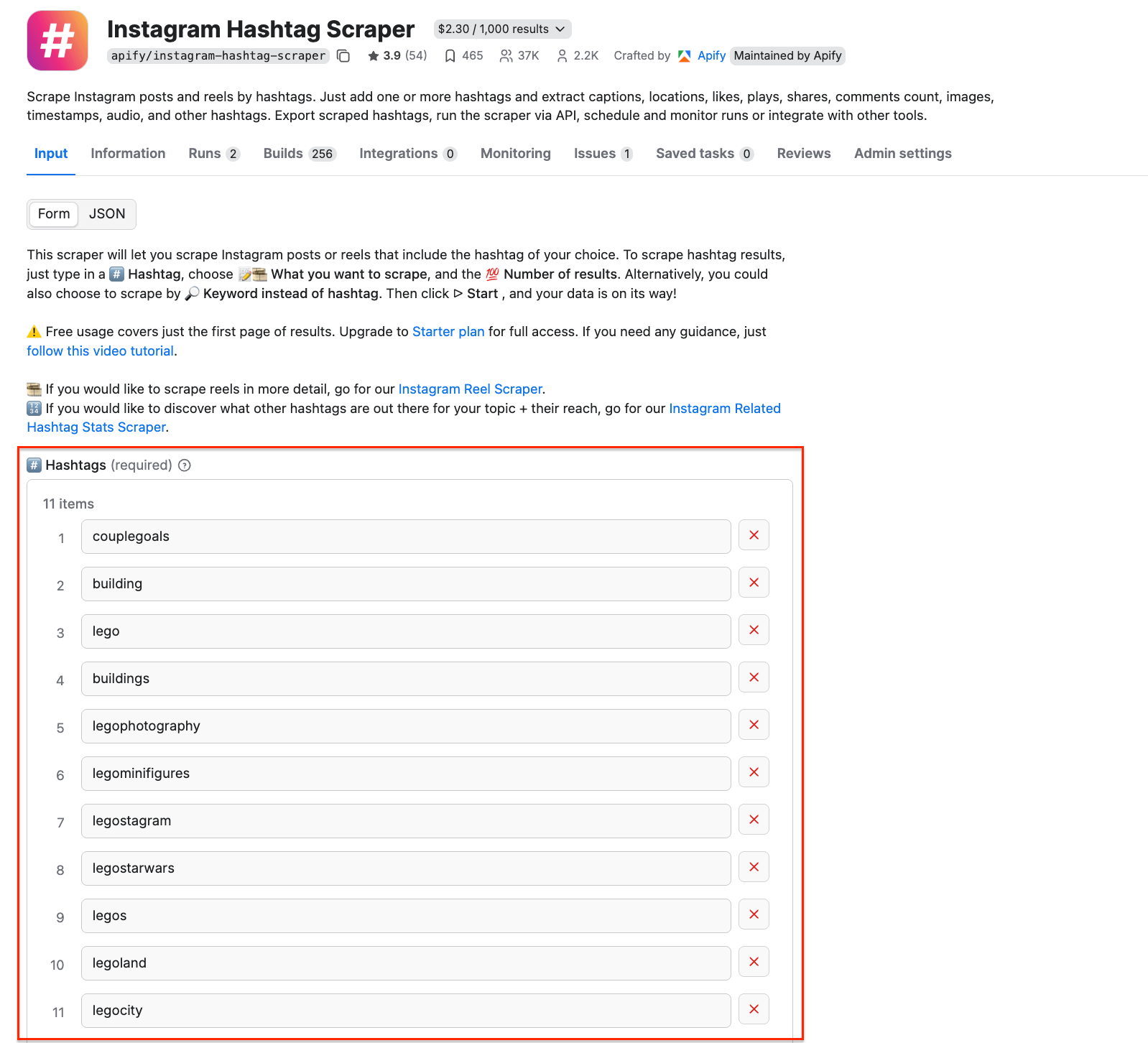
Click Save & Start to run the scraper. It only took 34 s to extract over 200 posts related to our hashtags.
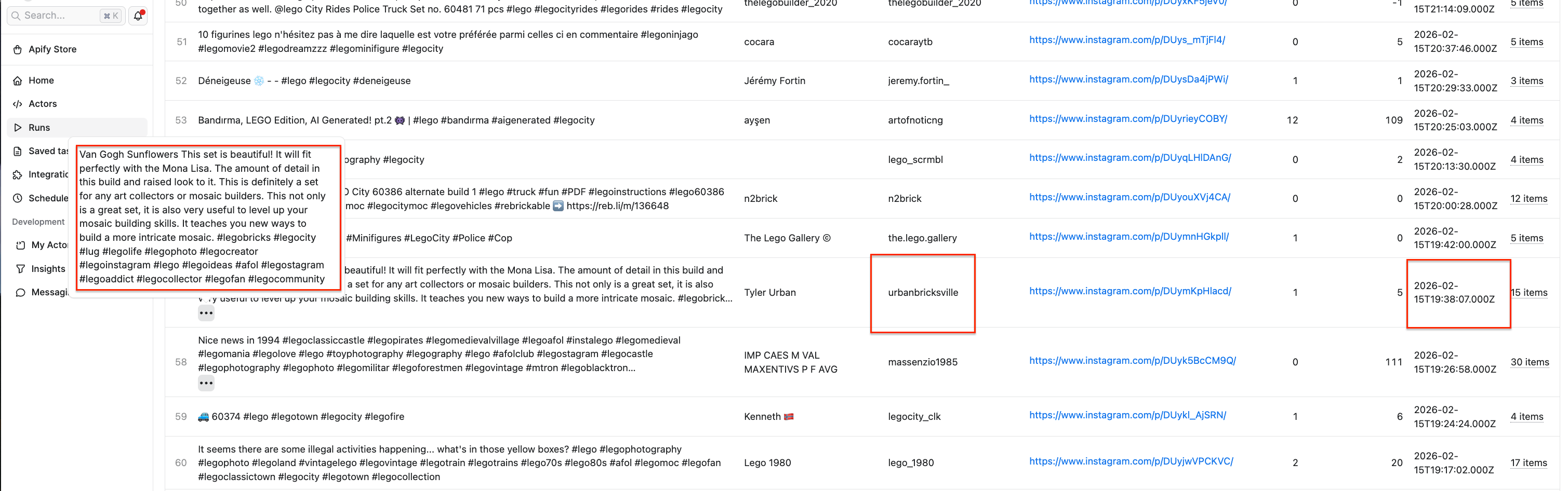
As you can see in the dataset preview, the run provided us with post copy, timestamp, author, and more.
Using extracted data in your social media strategy
Now that you’re able to build reusable hashtag libraries, you can use them as a foundation for deeper, more structured research:
- Group hashtags that frequently appear together to understand sub-niches within broader topics.
- Analyze posts inside a hashtag ecosystem to build influencer shortlists and filter creators by engagement, relevance, or consistency.
- Enrich your research with additional Apify tools, such as Instagram Profile Scraper, to evaluate creators based on audience size, posting behavior, and overall positioning.
- Study hashtag combinations used in high-performing posts to understand what strategies resonate within specific communities.
Conclusion
Hashtag research doesn’t have to rely on guesswork or endless manual browsing. With Apify, your hashtag data can power an ongoing research pipeline - helping you move beyond one-time discovery tasks and toward a more data-driven social media strategy.

FAQ
How to check popular hashtags on Instagram?
You can manually explore hashtag popularity using Instagram’s native search, but this approach is slow and limited. With Apify, you can automate the process using Instagram Hashtag Analytics Scraper and Instagram Hashtag Scraper. These scrapers show you hashtag volume, related tags, and popular posts within a topic, making it much easier to identify which hashtags are widely used and worth targeting.
How to discover trending hashtags?
Trending hashtags are best identified by analyzing fresh data over time rather than relying on static lists. By running hashtag scrapers on schedule, you can track new tags appearing in your niche, monitor growth in post volume, and analyze which hashtags are used in recent high-performing posts.