


With 26k GitHub stars, Crawlee is the most popular web crawling library for TypeScript, and it has a Python version. Now there's a Rust version, too. We've ported Crawlee, together with the Apify SDK, from TypeScript to Rust (crawlee-rs, apify-sdk-rs), enabling us to build high-performance Actors that are up to 7x faster and more compute-efficient than their TypeScript versions. We follow the software carcinization 🦀 trend where every program morphs into its high-performance Rust version.
The Rust implementation mimics the TypeScript code as closely as possible, while adding additional optimizations. We ported Crawlee's whole API except for browser-based crawlers because the performance benefit wouldn't be significant there; most of the CPU work is spent in browsers themselves.
The rewrite was driven by an LLM agent, and an agentic routine automatically ports new updates from the TypeScript version to the Rust version. While we test the Rust version on real production Actors, there can still be subtle bugs or unwanted differences from the TS code. A few deliberate differences are listed in the repository. This project is still in the experimental phase, but we plan to maintain it long-term.
How to get started
Port with an agent
Modern LLMs are very good at porting existing software. Tell your agent to port your Actor to Rust, staying as close to the original as possible, and give it links to crawlee-rs and apify-sdk-rs, and it will most likely one-shot the rewrite.
If you have tests that run your Actors on the Apify platform, it is a good idea to keep those tests running as is and just point them to the Rust implementation. We did the same internally using the recently open-sourced apify-test-tools library; we run the exact same tests (written in TypeScript) on both the TypeScript and Rust versions of the Actor.
Start from a template
Copy the directory of the Rust Actor template. You can run it locally with cargo run or push it to the platform. As with Crawlee for TypeScript, if you don't want to run on the Apify platform or use the Apify SDK, check the pure Crawlee templates.
Here is a snippet from it:
async fn run() -> anyhow::Result<()> {
    let input = match Actor::get_input::<Input>().await {
        Ok(input) => input,
        Err(err) if err.code == ActorInputErrorCode::NotFound => Input::default(),
        Err(err) => return Err(err.into()),
    };

    let proxy_configuration = Actor::create_proxy_configuration(ProxyConfigurationOptions {
        ..Default::default()
    }).await?;

    let mut crawler = HtmlCrawler::builder()
        .services(Actor::services().clone())
        .max_requests_per_crawl(input.max_requests_per_crawl)
        .router(routes::router());
    if let Some(proxy_configuration) = proxy_configuration {
        crawler = crawler.proxy_configuration(proxy_configuration);
    }
    let crawler = crawler.build()?;

    let start_requests = input
        .start_urls
        .into_iter()
        .map(StartUrl::into_request)
        .collect::<anyhow::Result<Vec<_>>>()?;
    crawler.run(start_requests).await?;
    Ok(())
}
Performance benefits
Rust is an ahead-of-time compiled language that generates optimized machine code. This translates to efficient data structures and less indirection. There are 3 main advantages of Rust vs TypeScript:
- More efficient CPU usage
- Significantly less memory usage
- Multithreaded runtime
CPU efficiency
In Actors and web scraping, the CPU work is spent mostly on HTTP requests and HTML/JSON parsing. Rust makes both steps several times faster.
Unlike Node.js, Rust doesn't spend hundreds of milliseconds loading modules at startup, making it a great fit for latency-critical Actors.
Memory
Rust provides efficient data structures with a memory footprint several times smaller than TypeScript. Moreover, Rust runs a compiled binary directly and doesn't carry a big runtime like Node.js. A single URL scrape uses about 60 MB in Node.js vs 10 MB in Rust. This allows Rust-based Actors to efficiently use the 128 MB Actor run memory.
Multithreaded runtime
Rust's async runtime can utilize multiple CPU cores via system threads. This is technically possible in Node.js, too, but it is very cumbersome and thus rarely used. Rust provides this feature as a core part of its ecosystem.
Actors with 8 GB, 16 GB, and 32 GB thus scale efficiently, reducing the need to split a workflow into multiple runs.
Throughput and latency
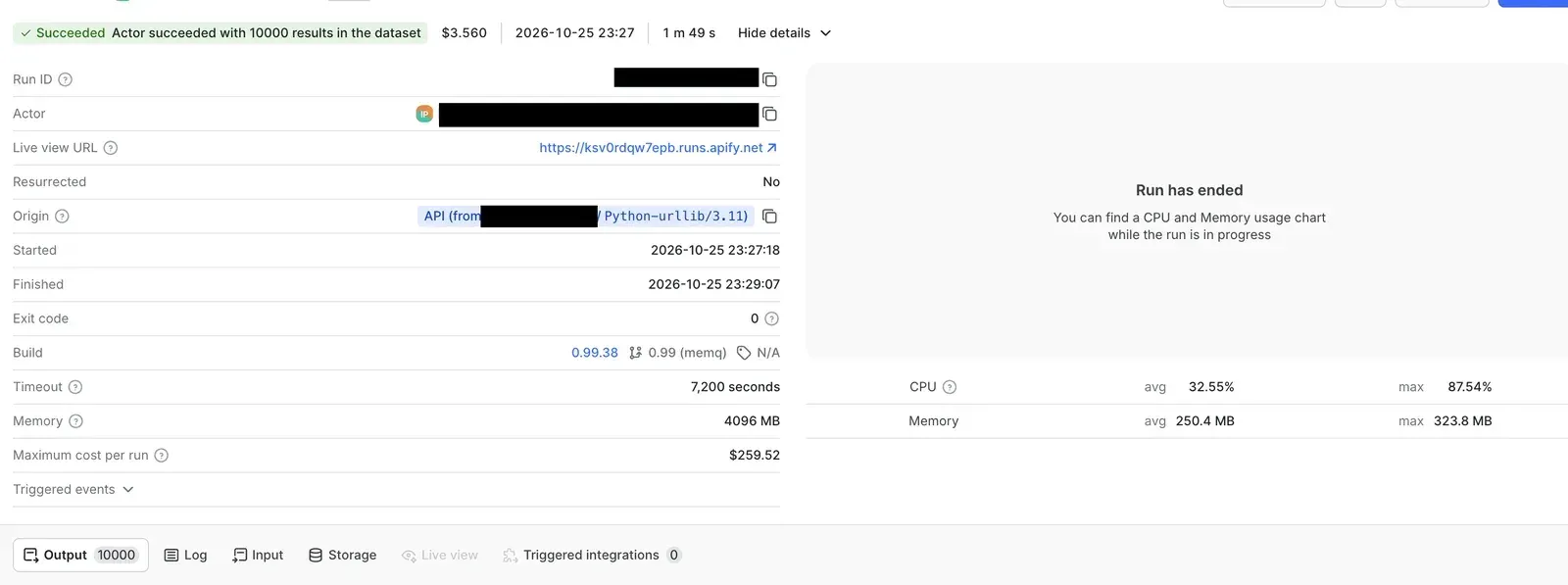
Due to CPU efficiency and multithreading, we were able to scrape 10,000 URLs (including 3,000 retries) in under 2 minutes with 4 GB. A similar run in TypeScript would take well over 10 minutes.
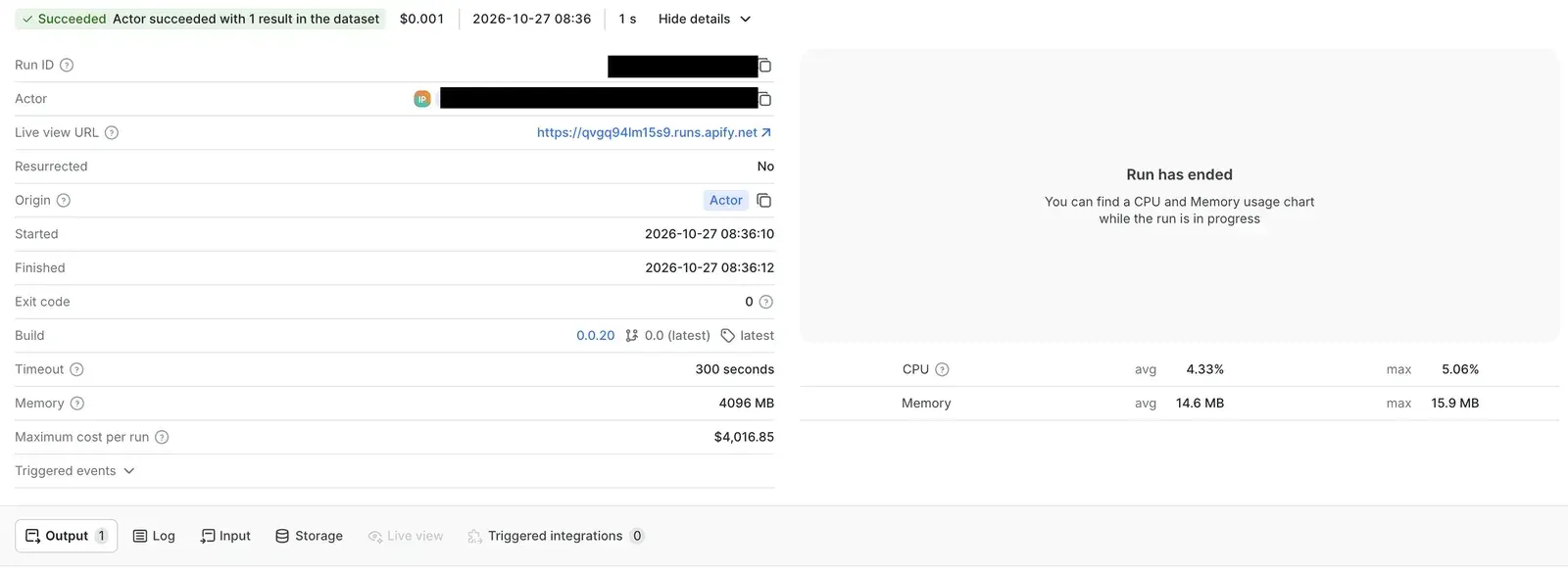
A different example shows a production Actor run scraping a single URL using a residential proxy, taking only 1.5 seconds. This includes the whole Actor run lifecycle. In TypeScript, the best we can get is around 3 seconds.
Trade-off: longer build times
Rust's notoriously long compile times, unfortunately, also affect Actor build times. On a larger project, a fresh Actor build can take up to 10 minutes. Fortunately, this is a largely solvable problem. First of all, the Apify platform naturally caches build image layers, so if you don't change dependencies, the build can be much shorter. Secondly, you can publish a precompiled base image on GitHub and use it in your Actor; that way, the build time can get below 2 minutes.
Extra performance tips
To squeeze the last drops of performance with Rust, you can apply some of the techniques mentioned below. They might add extra complexity to your code.
- Start with a high
desired_concurrency. Rust can scale to multiples of typical JS concurrency. - Don't
.clone()scraped data (which tends to be large), pass them as references. Ideally, the reference goes all the way from the response body to dataset item output. - Don't parse JSON data into an intermediate
Valuethat holds all fields, even ones you don't output. Instead,serdeallows you to parse the response body right into your type. - Use
sonic-rsto parse and stringify JSON data, instead of standardserde_json. - For runs that take only a few seconds, use an in-memory queue. The standard platform queue can add a few hundred milliseconds of overhead. This applies to JS and Python Actors as well.
Try it
Start from the Rust Actor template and tell us how it goes. crawlee-rs is experimental, so bug reports and feedback on GitHub help a lot.