Building a YouTube strategy without data is mostly guesswork: you look at a few competitor channels, note which videos perform well, and try to replicate what seems to work for your audience. That approach can work early on, but as your channel grows and your niche becomes more competitive, manual research starts eating hours every week.
The problem is that the data you need is scattered across thousands of videos and channels: titles, thumbnails, view counts, comments, and engagement patterns. Manually tracking all of it doesn't scale.
YouTube scraping tools solve this. Scrapers automatically collect structured datasets from videos, channels, and comments - with performance metrics, subtitles, and audience discussions ready for analysis or AI-powered workflows.
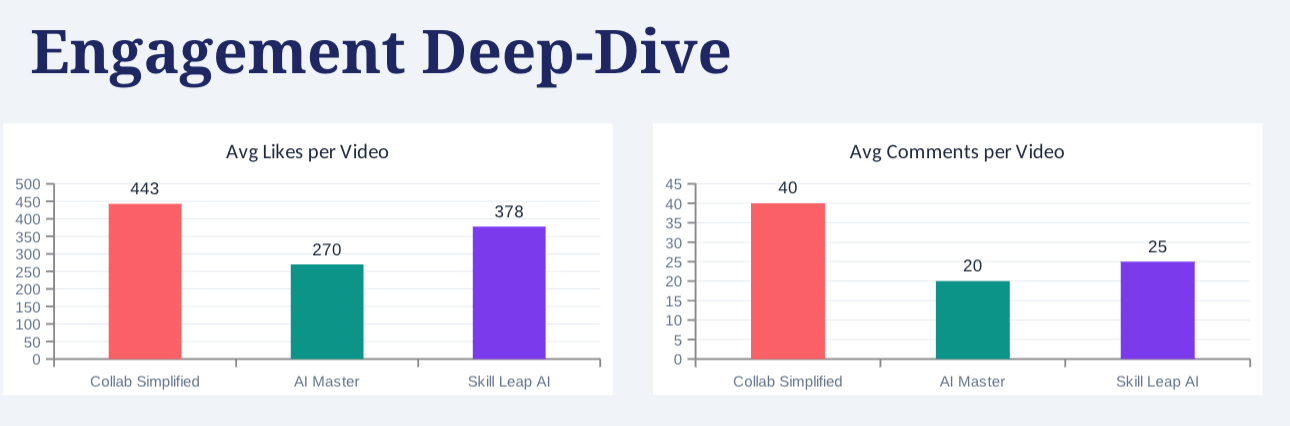
With a data-driven strategy, you can identify which topics perform best in your niche, which formats drive the most engagement, and what viewers are actually asking for in your comments.
Plus, with the right workflow, this research can be fully automated.
Automating YouTube research with scraping
Apify’s dedicated YouTube scrapers help you collect the data needed for both competitor monitoring and measuring engagement with your own content.
We’ll demo how to use YouTube Scraper to discover what already works in your niche, and YouTube Comments Scraper to understand audience sentiment.
Actors have access to platform features such as built-in proxy management, anti-bot evasion support, integrated storage with structured CSV/Excel/JSON exports, and standardized input parameters (URLs, keywords, limits, etc.).
Actors also integrate easily with third-party apps and can be configured via tools such as n8n using Apify nodes. See the workflow example for n8n below.
How to scrape videos from competitor channels
Let’s start with tracking competitors on YouTube. To extract their videos, along with signals such as views, likes, publish dates, and engagement, head to YouTube Scraper.
If you don’t have an Apify account yet, you’ll be prompted to create one for free. You’ll access Apify Console, a workspace for running and building web automation tools.
YouTube Scraper can extract data by search terms or URLs. Note that you can use only one extraction method.
In this tutorial, we’ll monitor popular channels in the AI space. Copy the channels’ URLs and paste them into the Direct URLs field.
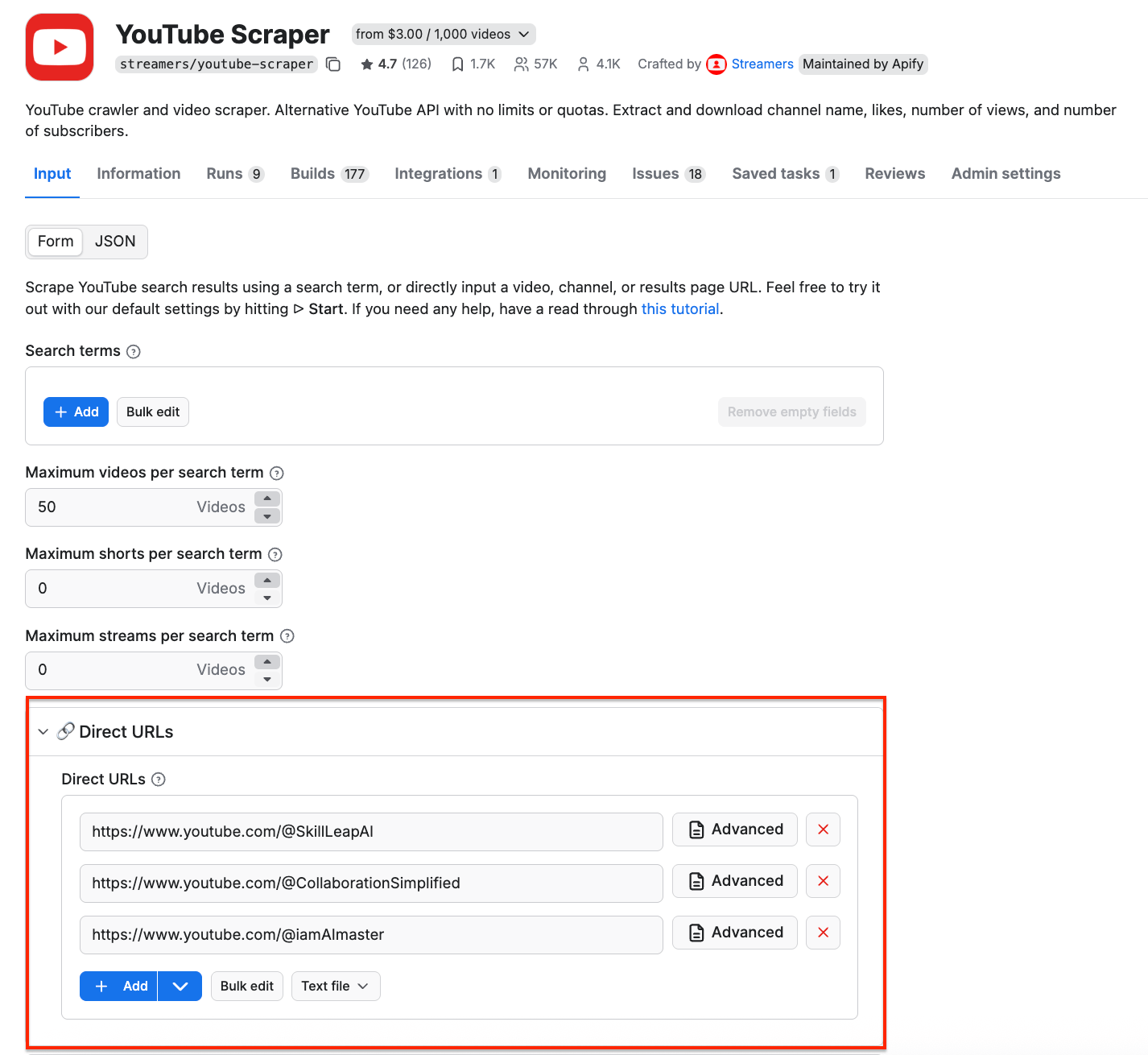
If you want to discover competitors instead, use search terms.
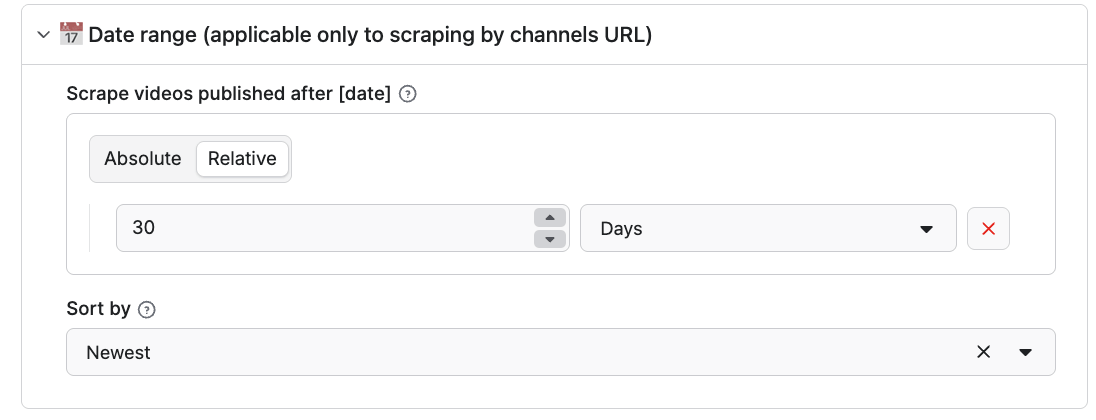
To focus on recent trends only, use the Date range filter to scrape only videos published after a certain date. We’ll go with the last 30 days.
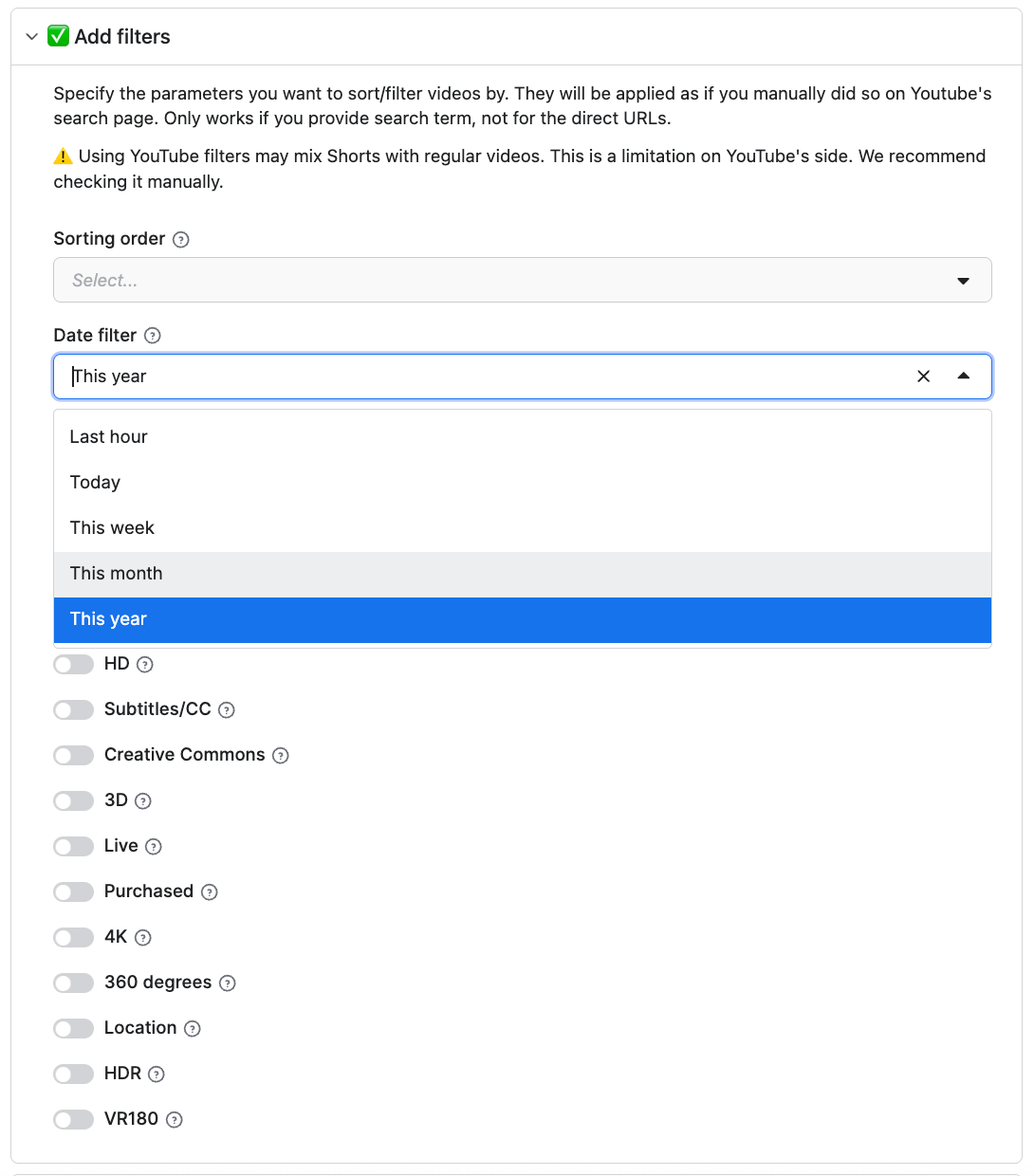
You can customize your search further with the filtering options, such as time range, sorting order, video type, or features. The scraper can also fetch video subtitles and convert them to a format of your choosing - particularly useful for AI workflows, since LLMs process text much more efficiently than video.
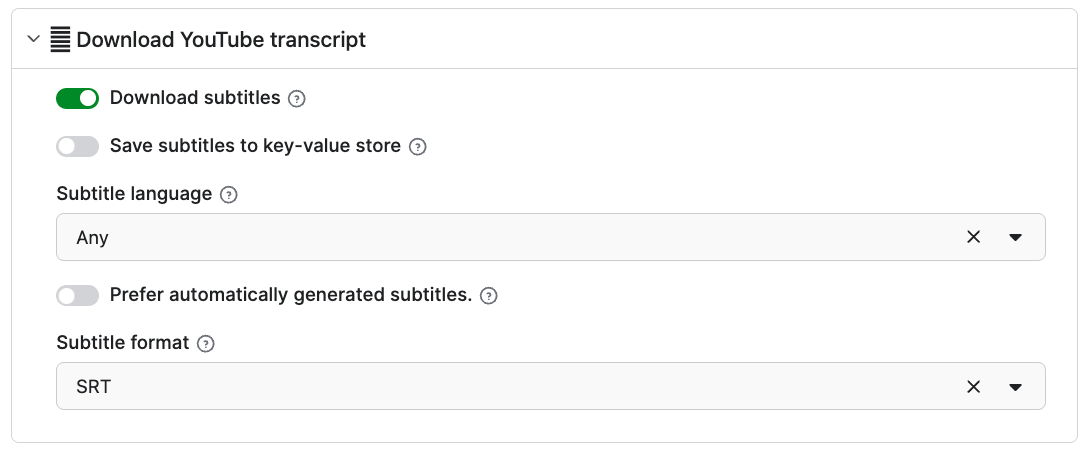
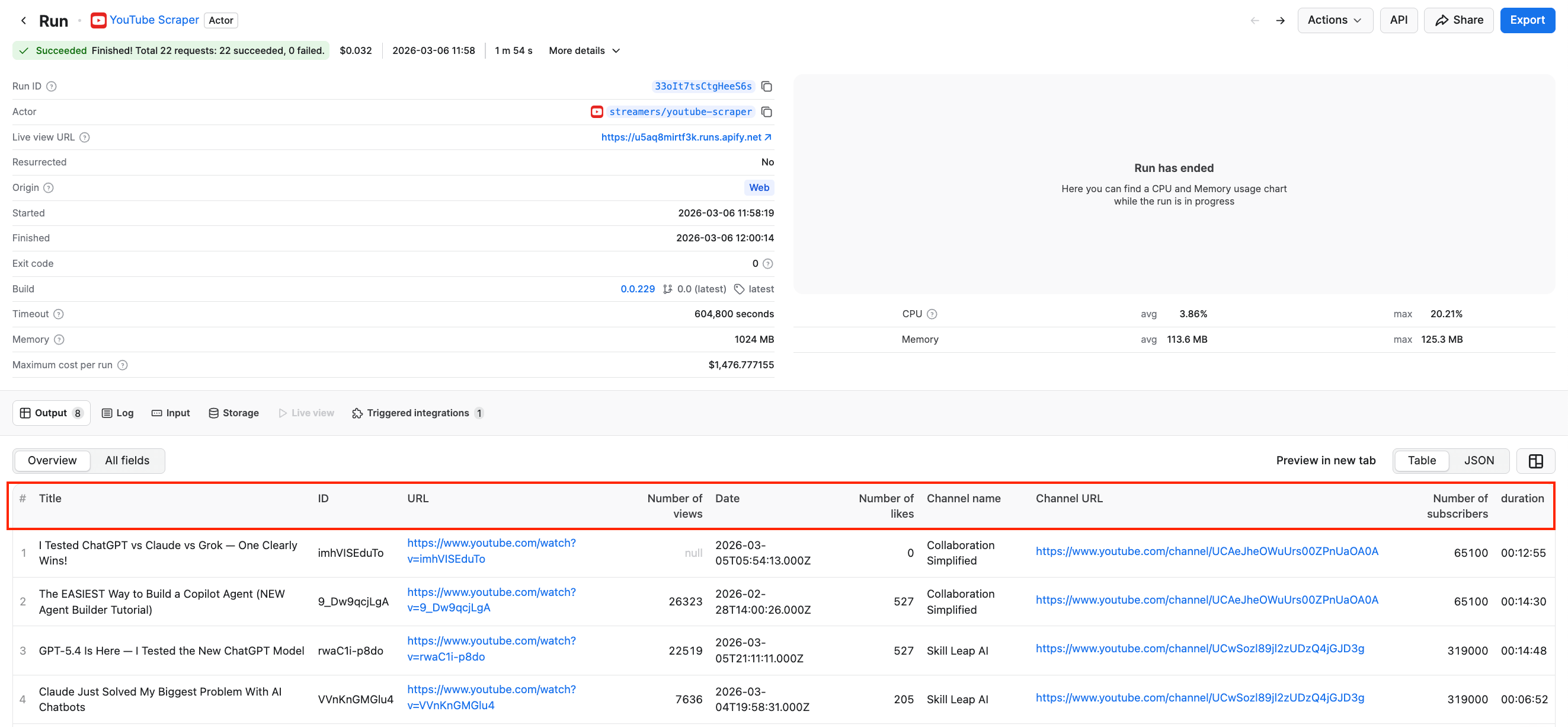
Once you’re happy with your choices, click Save & Start. After a couple of minutes, the run will finish, and you’ll be able to check the results in the preview table, along with the engagement metrics such as number of views, likes, and subscribers.
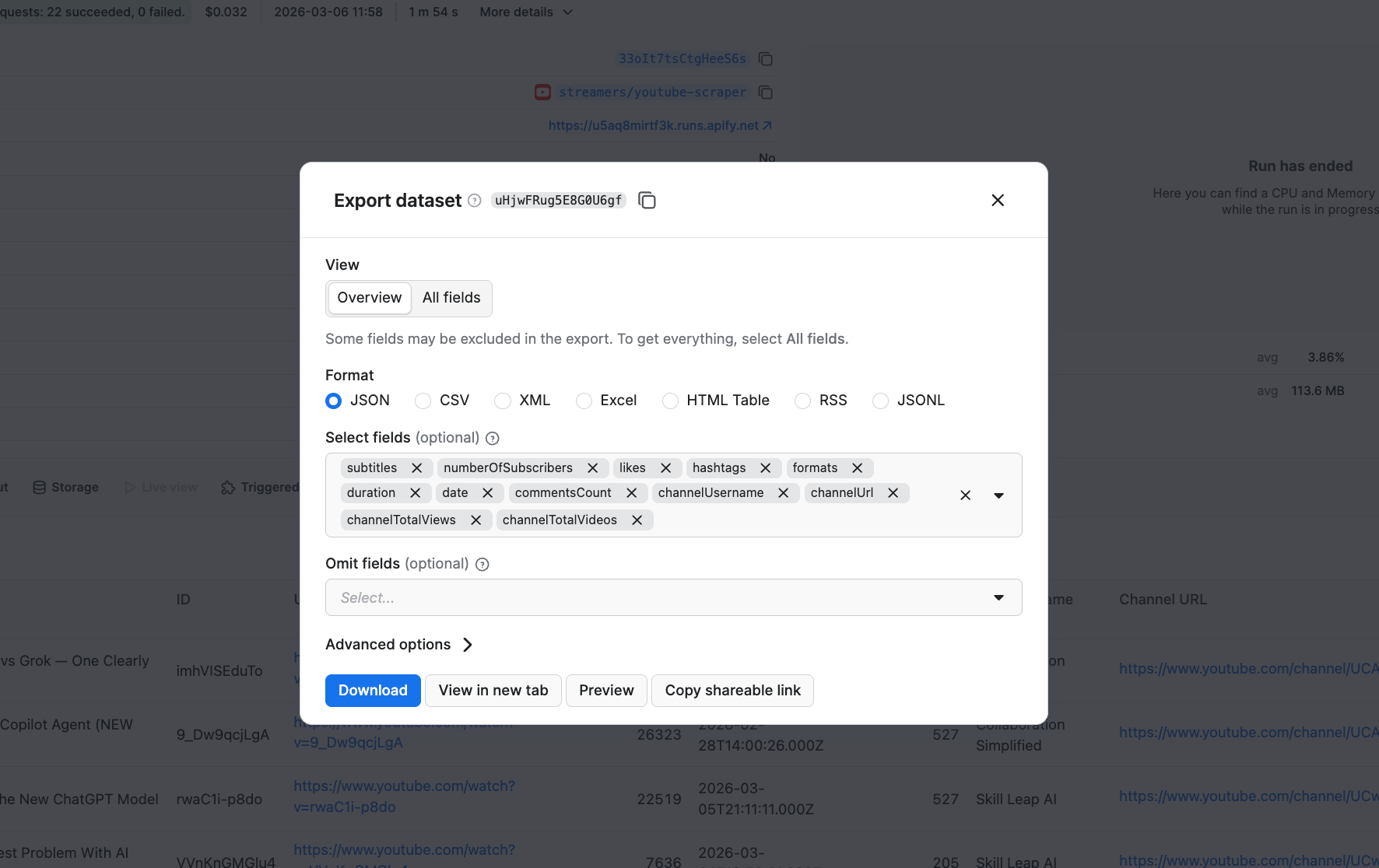
You can download the results as JSON, Excel, CSV, and more. If you’re going to proceed with your analysis using LLMs, JSON files are one of the most reliable output formats for AI workflows, as the predictable syntax helps models make fewer structural mistakes compared to CSV or free text.
You can also select or omit fields to reduce the information noise.
Understanding the scraped video data
The scraper returns detailed data for each video, including video URL, title, description, comment count, number of likes, and more.
Using this dataset in your competition analysis can reveal what topics competitors talk about and how they package them. If you enable subtitle downloads in the scraper input, you can also retrieve video subtitles and see how successful videos are built.
Over time, you can also track how competitors evolve their content strategy and compare their performance against benchmarks from your own channel.
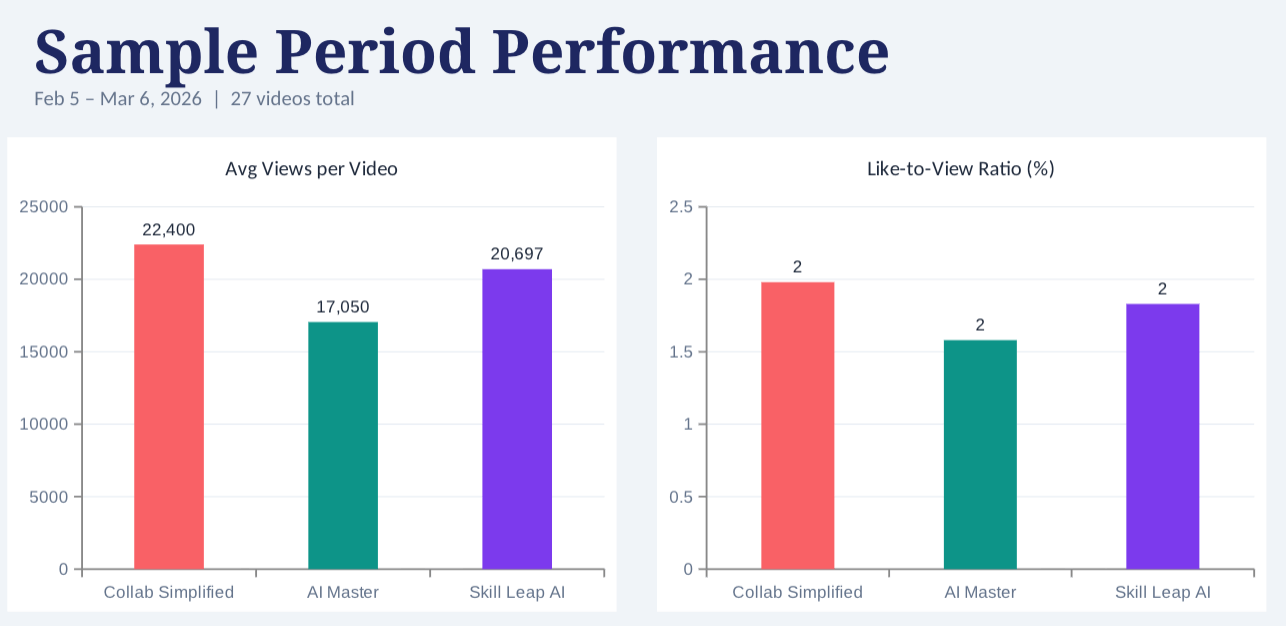
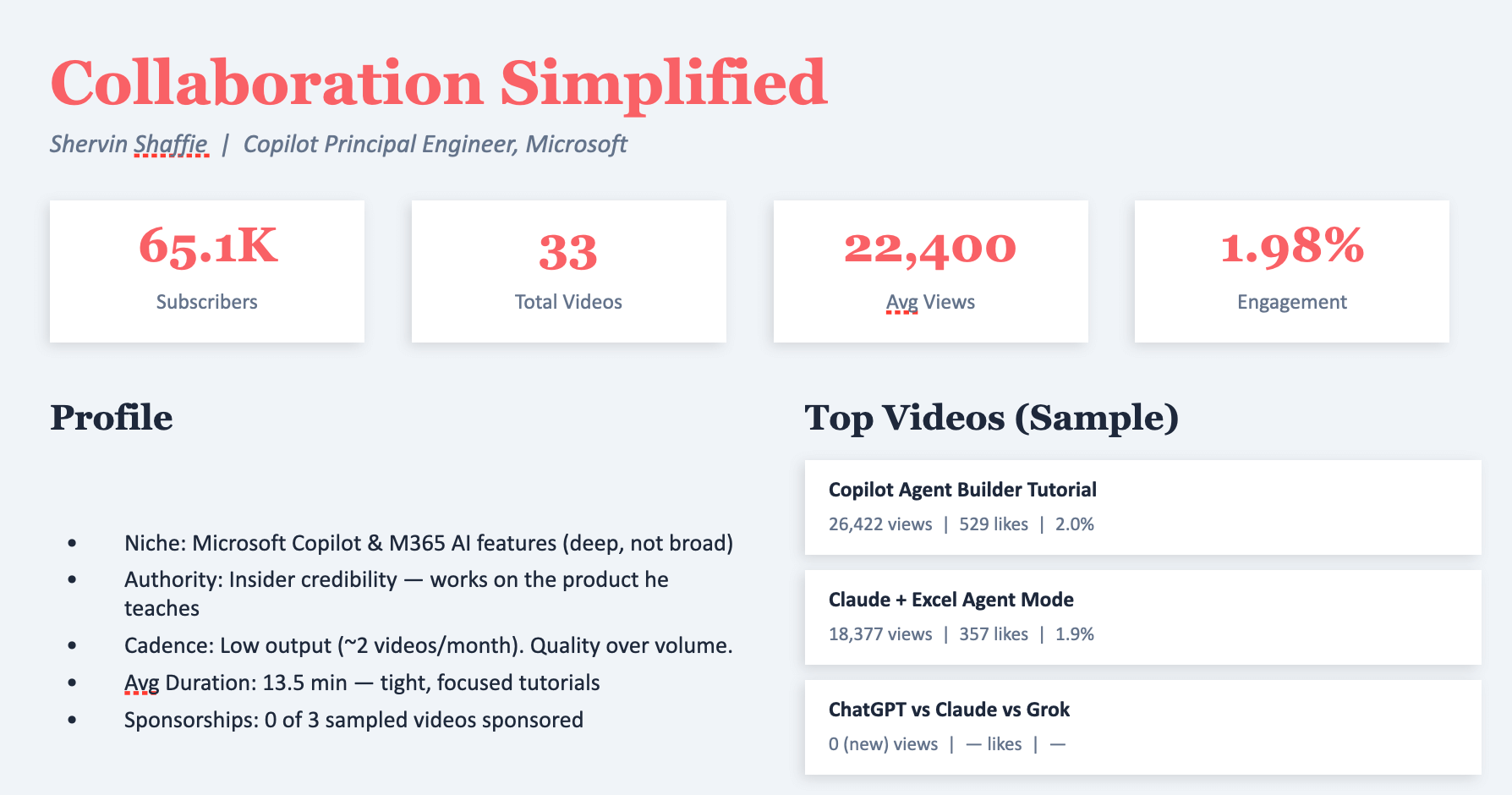
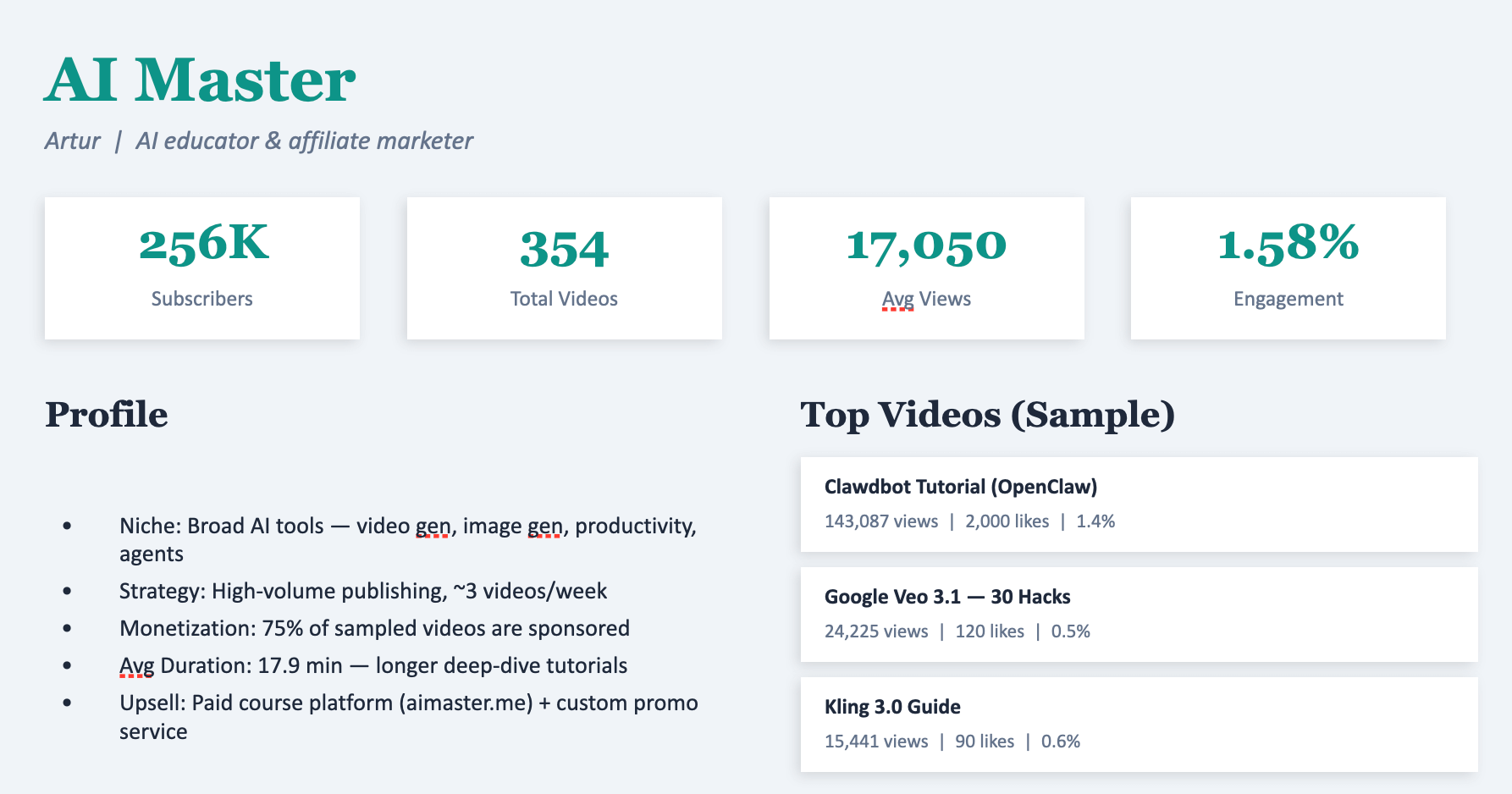
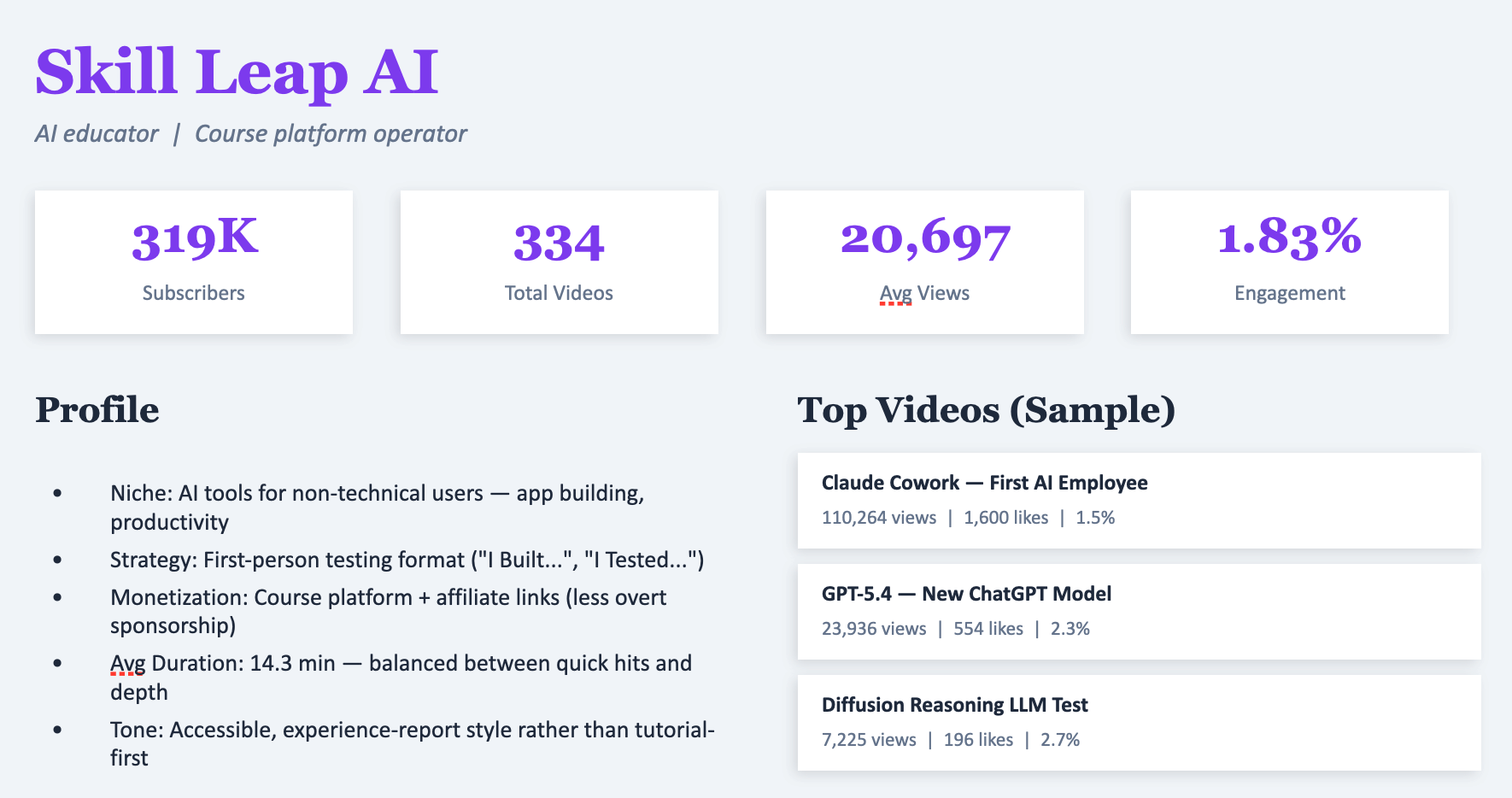
Example of competitor data analysis using Claude
How to scrape YouTube comments
While monitoring competitors gives you insight into what videos have proven to work best, your own audience comments show you what your viewers actually want. YouTube Comments Scraper allows you to collect and analyze comments at scale - and the input schema works similarly to YouTube Scraper we used above.
To start, paste the URLs of your own videos as input.
You can optionally set a date filter to scrape only comments published after a certain date. This makes it easy to monitor new feedback from recent uploads.
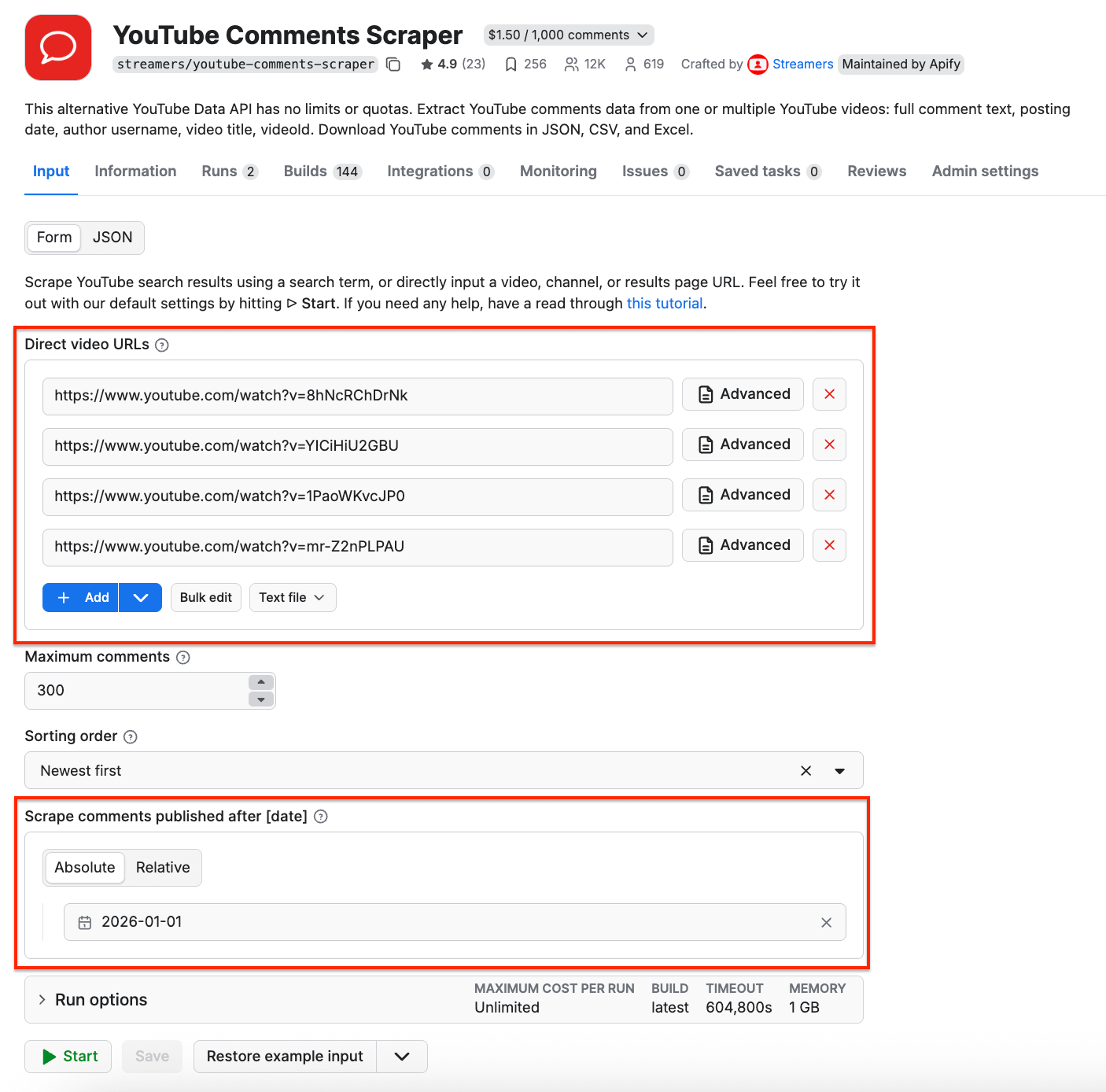
As before, click Save & Start. After a couple of minutes, the run will finish, returning full comment text, author’s handle, number of likes, and replies. Note that the scraper fetched 69 comments, and it only cost $0.624.
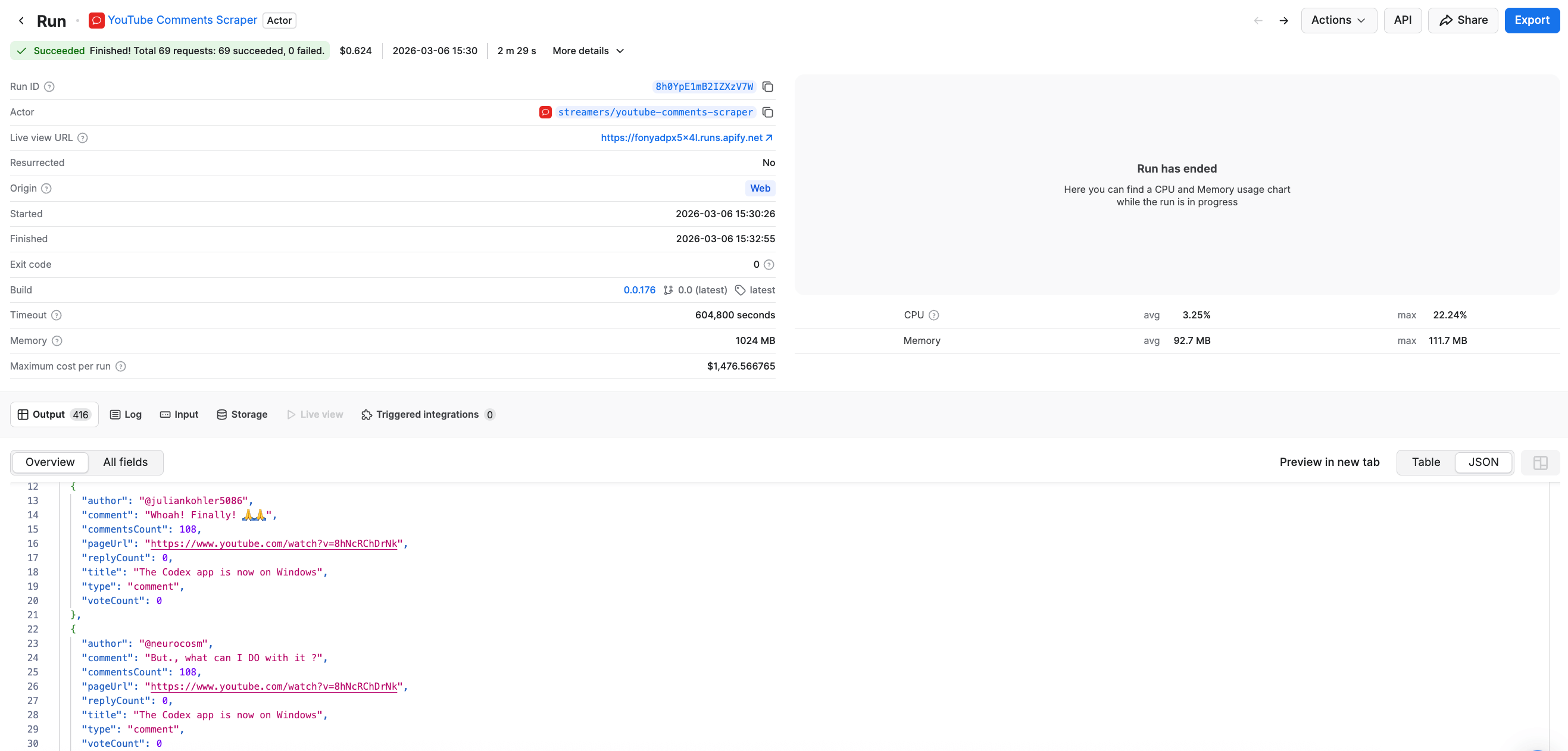
Just like any other Apify scraper, here you can also export your results in multiple formats.
Identifying sentiment and feedback patterns
By analyzing comment data with an LLM, you can quickly understand:
- Which videos receive mostly positive feedback
- Which ones generate criticism or confusion
- What topics viewers request more of
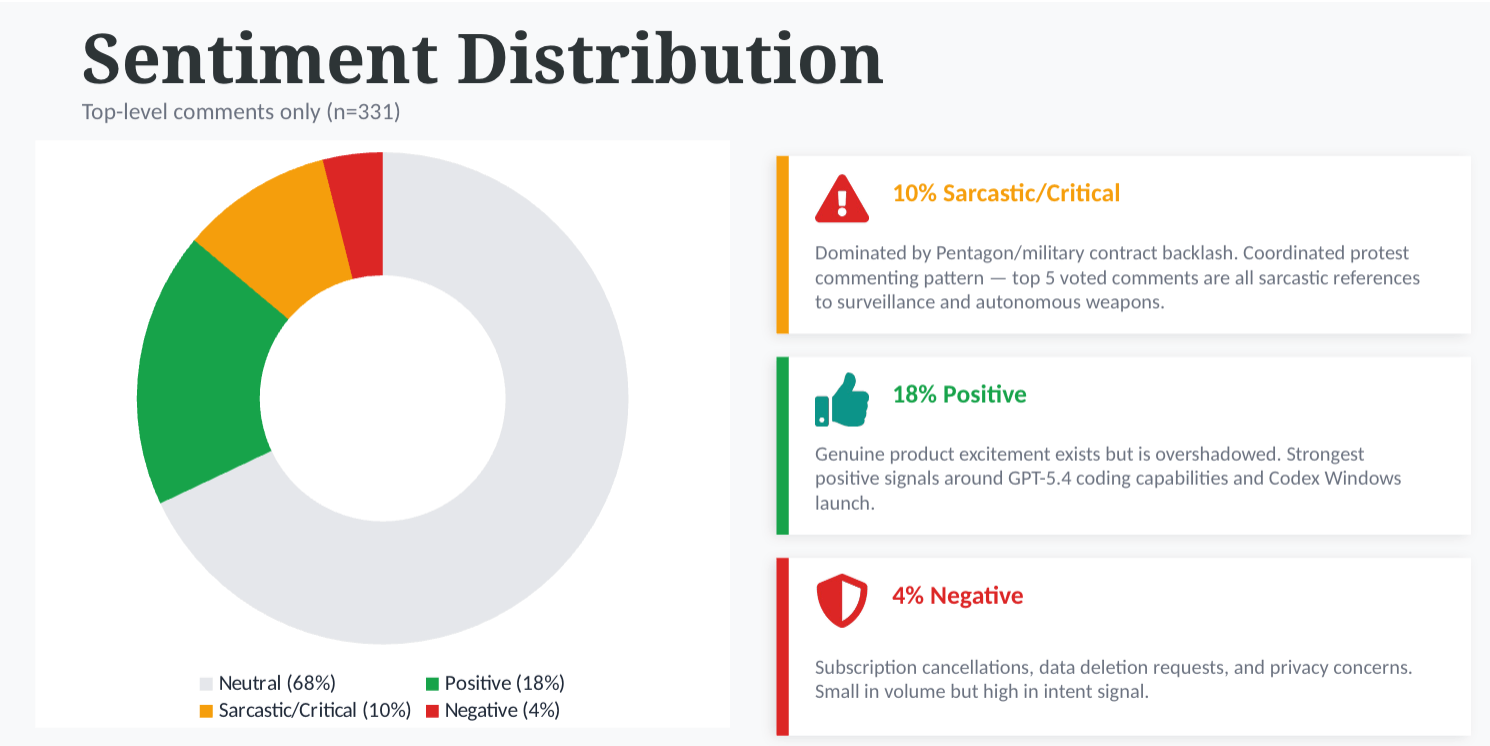
Here’s an example of the sentiment analysis, using Claude:
Scheduling automatic runs
If you want to scrape YouTube data regularly, you can schedule the scrapers to run automatically and collect data without manual input.
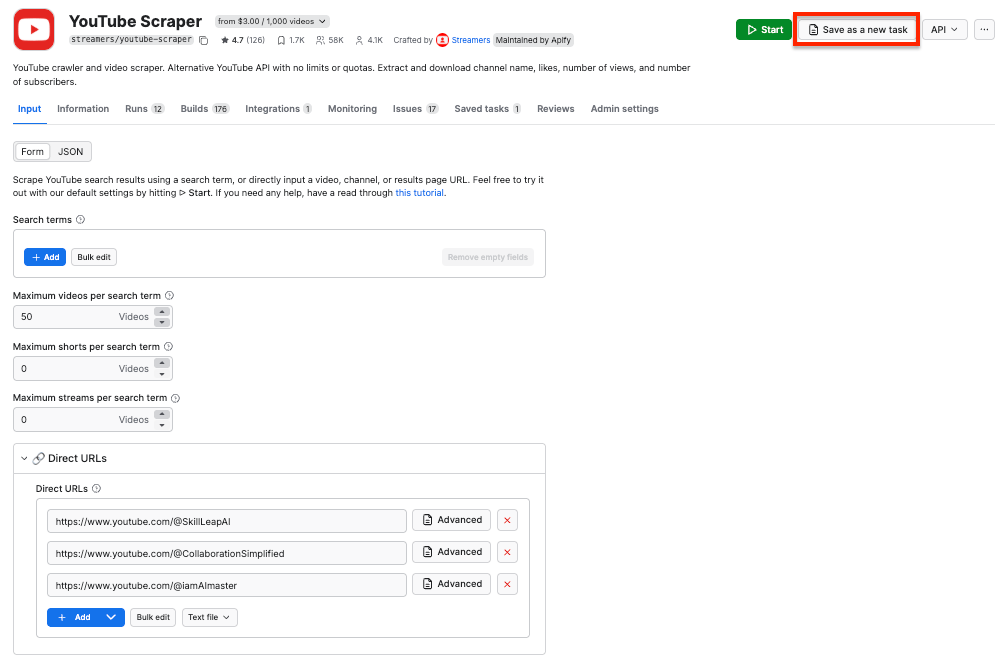
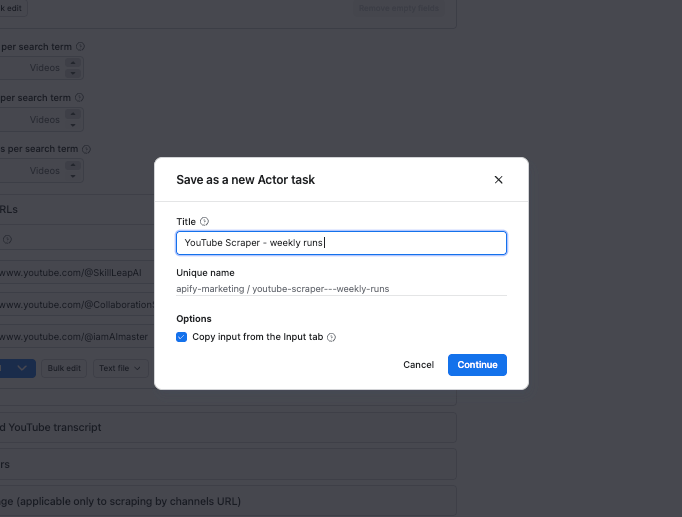
First, make sure your scraper is properly configured, then click the Save as a new task button in the top-right corner. Next, give your task a name and save it.
Now, you can easily schedule the task by accessing Schedules in the left-hand navigation and clicking the Create a schedule button:
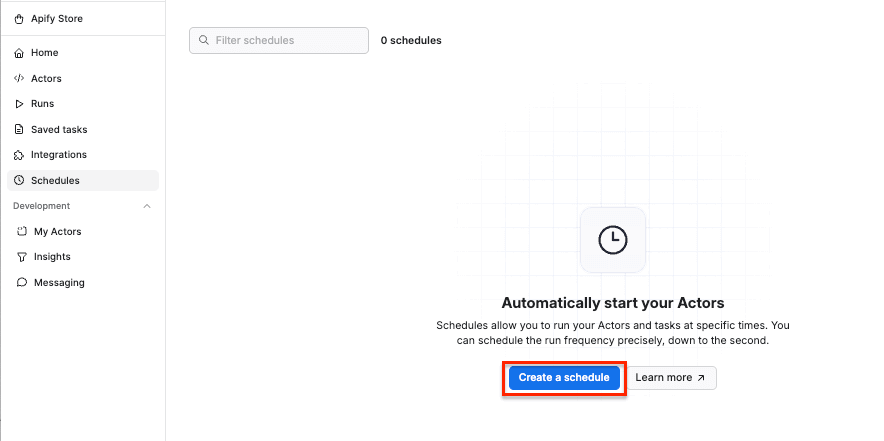
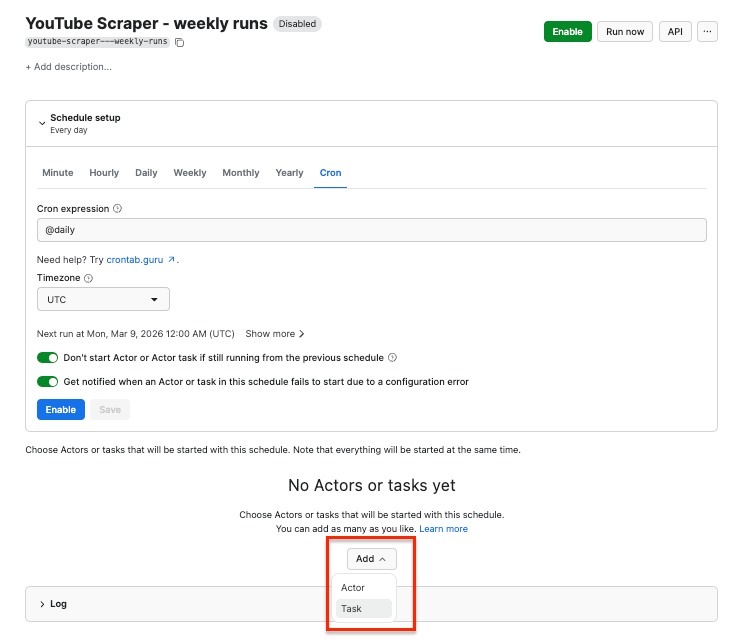
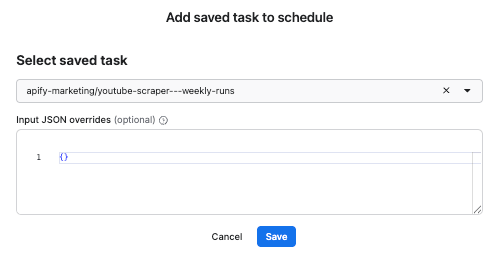
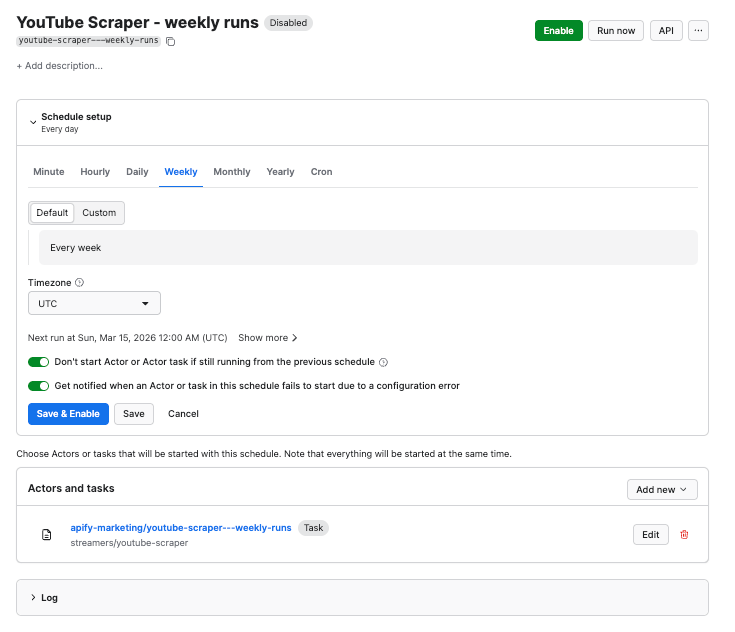
We’ve already saved our task, so now it’s time to add it to the schedule. Click Add task at the bottom to customize your schedule, select a task, and choose how often you want the scraper to run - weekly, monthly, or on any day that works best for you.
Building a YouTube data pipeline with n8n
If you want to take your scraping workflow one step further, you can combine multiple YouTube Actors into a single repeatable pipeline. n8n can orchestrate the entire process:
- Run Apify YouTube Actors
- Merge datasets into a structured database (Google Sheets, Airtable, or Notion)
- Send the data to an LLM for analysis
One example is a workflow built with n8n and Apify by Nate Herk. His system continuously analyzes competitor videos and audience comments and turns those signals into content ideas. According to Nate, this approach helped his channel reach over $6,000/month in YouTube revenue.
The system runs in three main cycles:
- Competitor analysis (manual trigger): Scrapes top videos from selected channels in the same niche and analyzes their titles and thumbnails to identify patterns behind high-performing content.
- Trend monitoring (weekly + daily): Uses Apify to scrape trending videos from both the broader topic area and the creator’s specific niche. AI then extracts insights such as power words, title formats, and thumbnail strategies that correlate with strong performance.
- Audience feedback and ideation (daily): Collects comments from the creator’s recent videos and uses AI to summarize what viewers like, dislike, and request. These insights are combined with trending video patterns to generate several new video ideas each day, including suggested titles and thumbnail concepts.
All insights are stored in Google Sheets, creating a continuously growing database of successful content patterns and audience signals.
Watch a full tutorial below.
Conclusion
YouTube growth doesn't have to rely on intuition. With Apify's scraping tools, you can turn competitor channels and your own comment sections into a research engine that runs on autopilot. Pair it with n8n and an LLM, and you'll spend less time guessing what to make - and more time making content you already know will perform.