
Search marketers are facing a growing disconnect between what their data shows and what’s actually happening in the SERPs. Impressions are up. Clicks are down. Pages that once drove consistent results now seem invisible, even if rankings haven't changed.
The root of the issue is AI search interfaces, such as Google AI Mode, Perplexity, and ChatGPT. These interfaces synthesize answers from multiple sources and present users with complete responses. Instead of ten blue links, users see summaries, citations, and follow-up prompts generated by large language models.
For many teams, the only way to investigate these AI search results has been manual checks: entering prompt after prompt into Google AI Mode, ChatGPT, or Perplexity, scanning summaries to see how they’re structured, and noting which sources are cited.
That approach doesn’t scale. It’s slow, inconsistent, and impossible to operationalize, especially when:
- AI features roll out unevenly by region
- Results change by model and interface
- You need structured data, not just screenshots
And the usual SEO toolkit doesn’t help. Rank trackers ignore AI answers, GSC blends AI-driven clicks into overall traffic, and GA4 provides no way to isolate LLM-originated visibility.
The cost problem with AI visibility tools
The limitations of traditional SEO tools become even more apparent when you look at the alternatives. Established tools like Profound — which is built specifically for tracking how brands appear in AI-generated answers across engines like ChatGPT, Perplexity, and Google AI Mode — are positioned as specialized AI visibility platforms rather than conventional rank trackers, and often come with enterprise-oriented pricing.
Other emerging AI visibility solutions similarly charge $99/month and up for even basic monitoring of AI search citations, with more comprehensive plans quickly increasing in price as you scale coverage across engines and queries.
Meanwhile, legacy platforms such as Semrush and Ahrefs — often used for traditional rank tracking — have only recently added AI features, and these are typically bundled into higher-tier subscriptions rather than standalone, LLM-focused analytics.
An affordable way to track AI search results at scale
Web scraping is the only reliable and affordable way to get AI search data at scale. But traditional web scraping methods come with challenges: custom scripts break easily, pagination and retries are tricky, and blocking can stop a project cold.
Apify’s Google Search Results Scraper handles all of that out of the box. And it captures not only classic SERPs, but also Google AI Mode, ChatGPT answers, and Perplexity AI answers.
With that data, you can analyze:
- The AI-generated answers themselves — to understand how models phrase responses, what they emphasize, and what formats they prefer
- The cited sources — to see which brands, pages, or passages are being pulled into AI answers, and which are being ignored
- The model’s query fan-out — additional search queries ChatGPT generates behind the scenes to answer a single question. This retrieval step is normally hidden from users, but it reveals how the model expands, reframes, and explores a topic before producing its final response
And you can get all this data in a single dashboard from a single run.
You don’t have to configure complex settings or write code. You just type your queries, toggle AI Mode, Perplexity, and ChatGPT, and export clean, structured results.
Here, we show you to use it to get the data you need. We'll cover both manual scraping (below) and automated workflows using Claude Cowork + Apify MCP. If you're looking to scale this into recurring audits and reporting, jump to the Claude section after the first tutorial.
How to scrape AI search results
Step 1. Go to Google Search Results Scraper (on Apify Store)
Click the Try for free button to sign up for a free Apify account and start using Google Search Results Scraper straight away.
It’s easy to sign up with your GitHub or email account from any provider. You’ll enter Apify Console, a workspace to run or build web scraping tools.
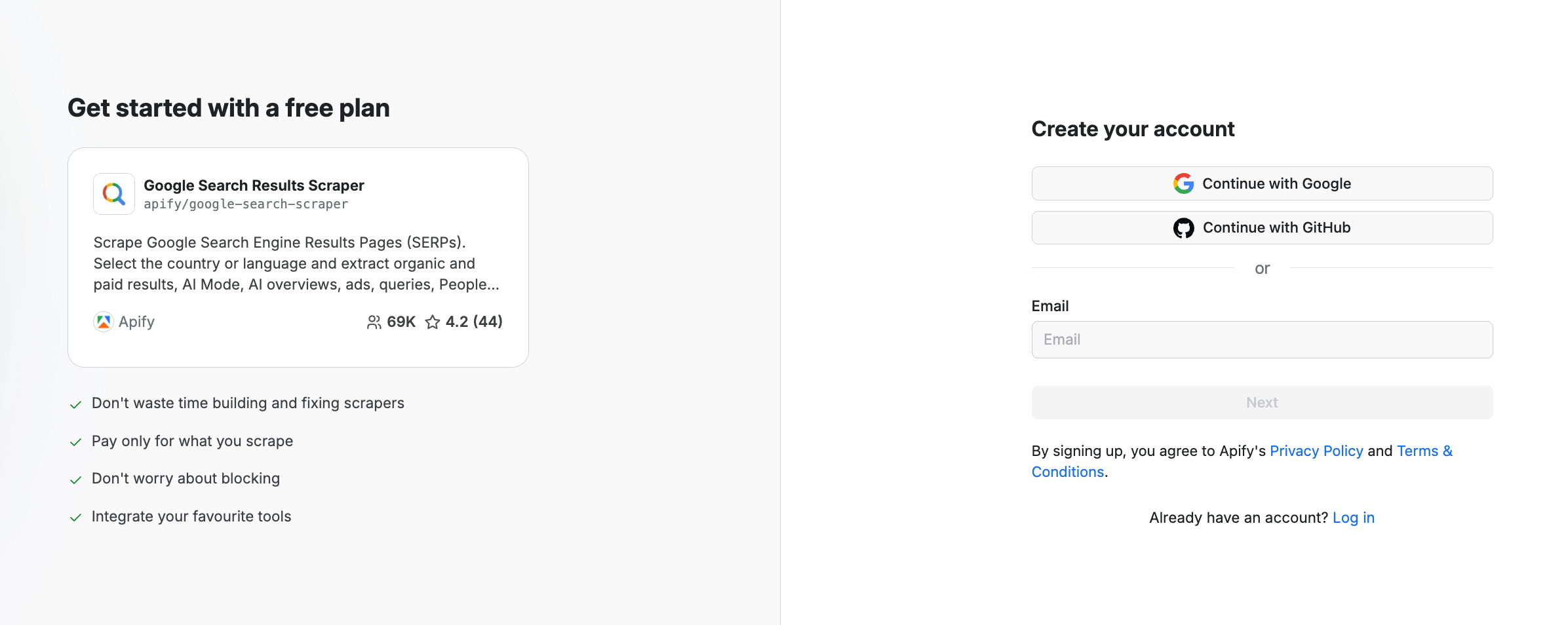
You can test the scraper with $5 of monthly compute usage and no credit card. But note: to use the AI search features, you need to be on a paid plan (starting from $29/month).
Step 2. Fill in the input
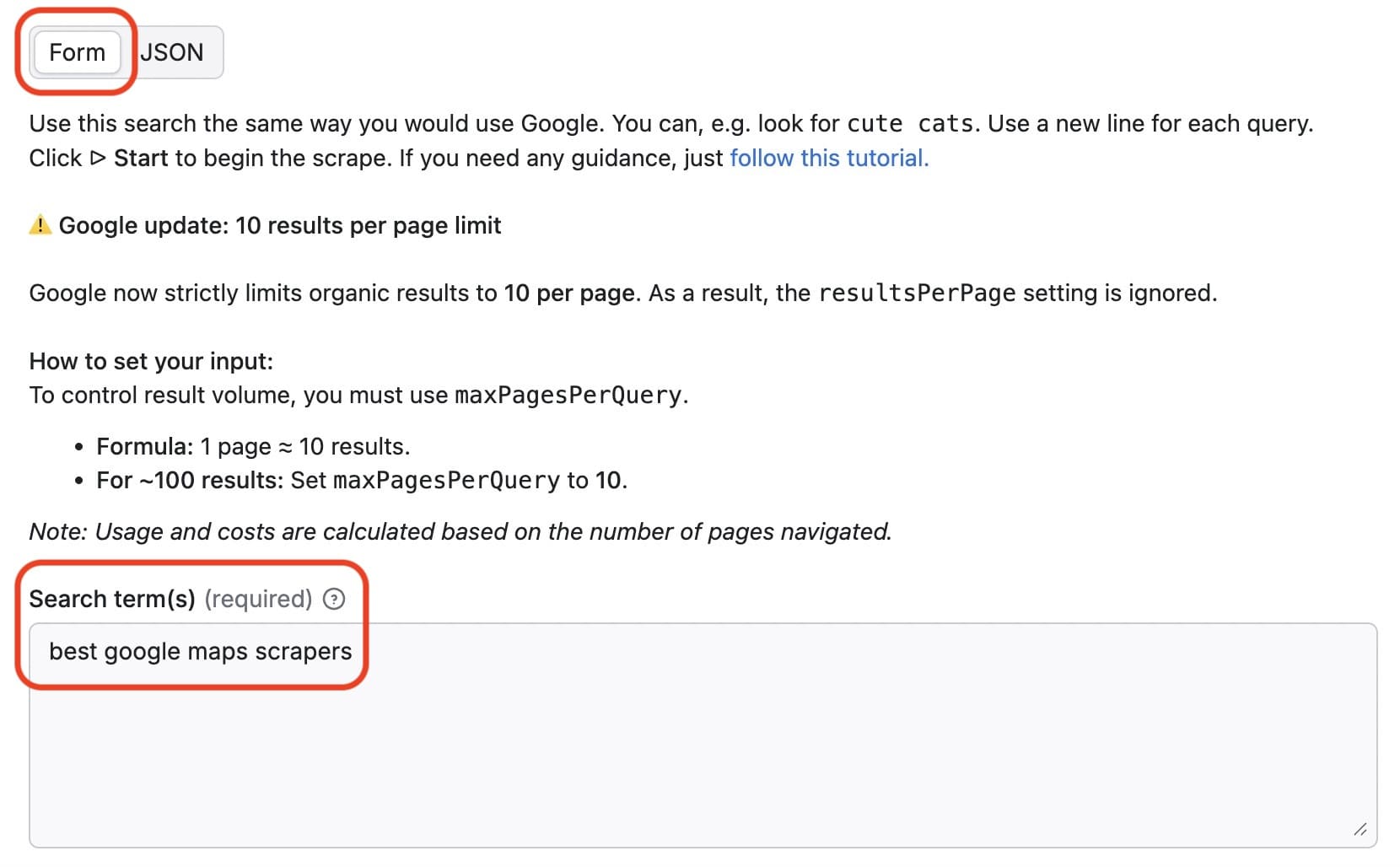
Now fill in the input fields. You can configure the input using the form or JSON. Provide keywords in the search terms field. We’ll use best Google Maps scrapers as our search term.
Step 3. Customize your search
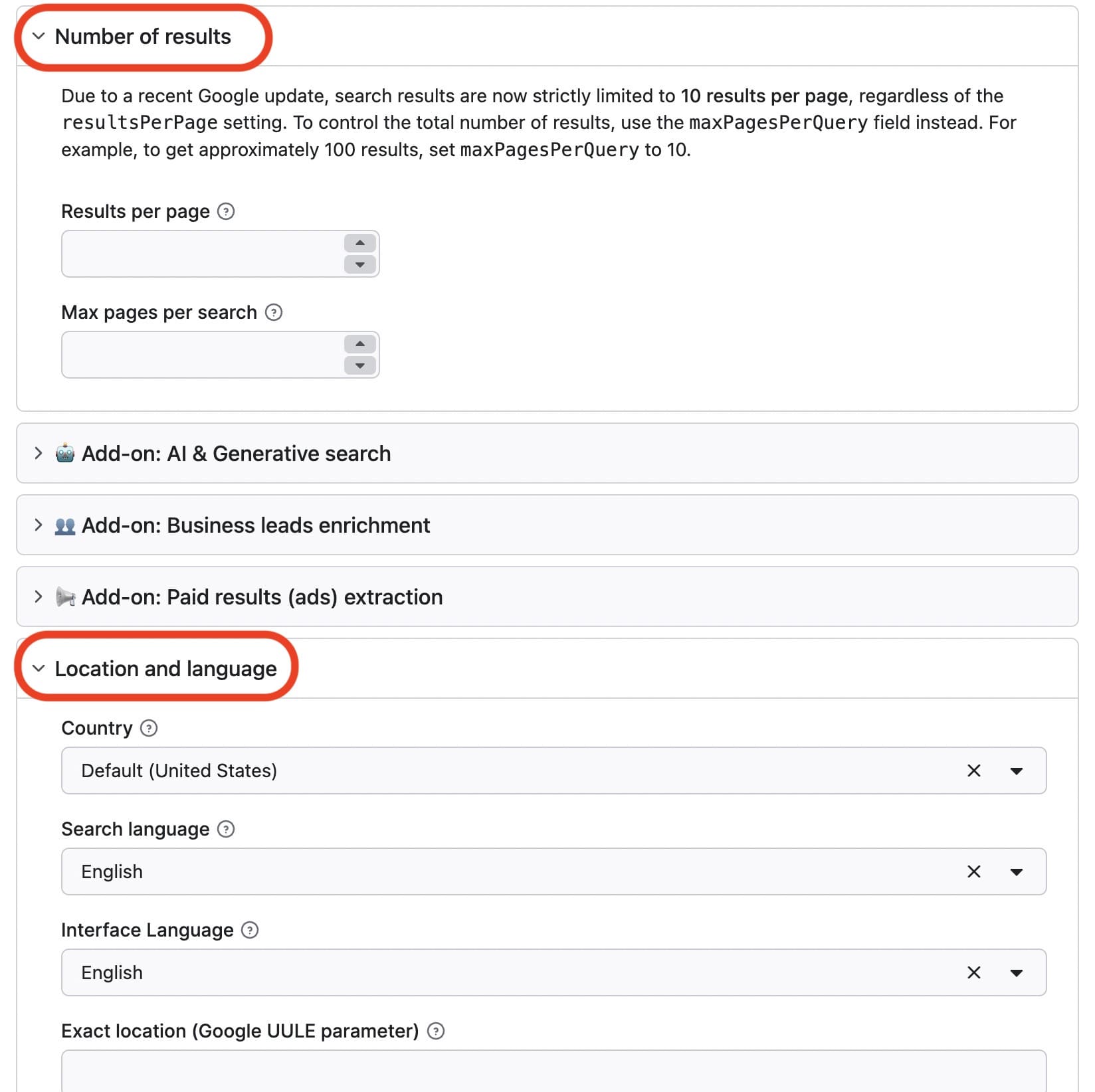
Google Search Results Scraper allows you to specify language preferences, result geolocation, and other parameters.
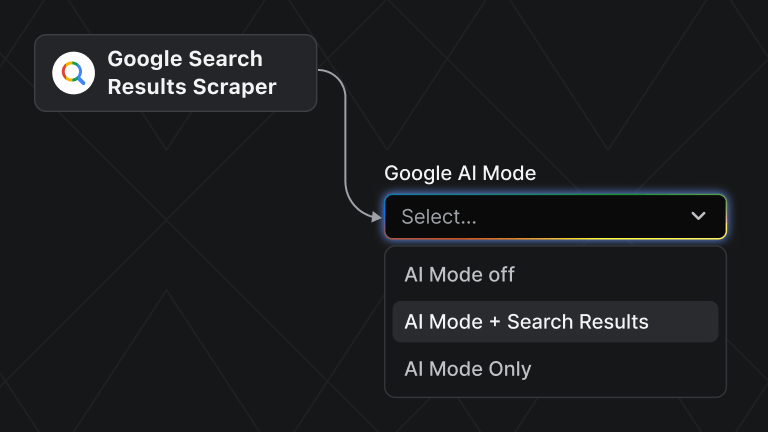
Step 4. Enable AI search: Google AI Mode, Perplexity, or ChatGPT
If you're on any of Apify's paid plans, you can scrape Google AI Mode, Perplexity AI, and ChatGPT. While dedicated GEO tools cost hundreds per month, Apify's Google Search Results Scraper starts at $2 per 1,000 AI Mode results.
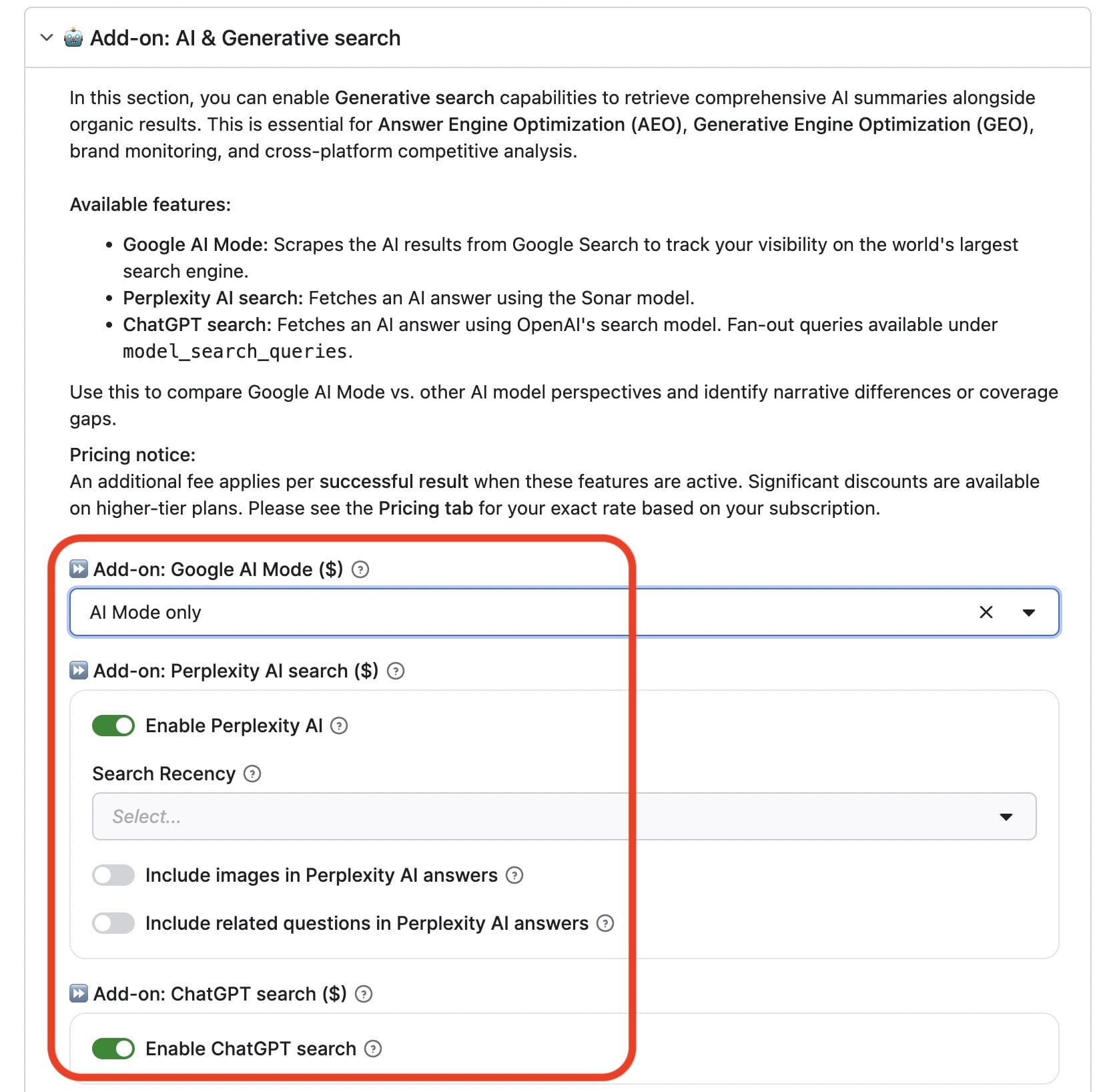
queryFanOut, showing additional search queries the model generated to answer your question. This is usually hidden from users.Once you run the scraper, it will generate structured AI-generated responses either on its own or along with your organic search results (depending on how you configured it), with a description, related links, and key information.

Step 5. Run the scraper by clicking Start
Hit Save & Start to save your configuration and run the Actor.

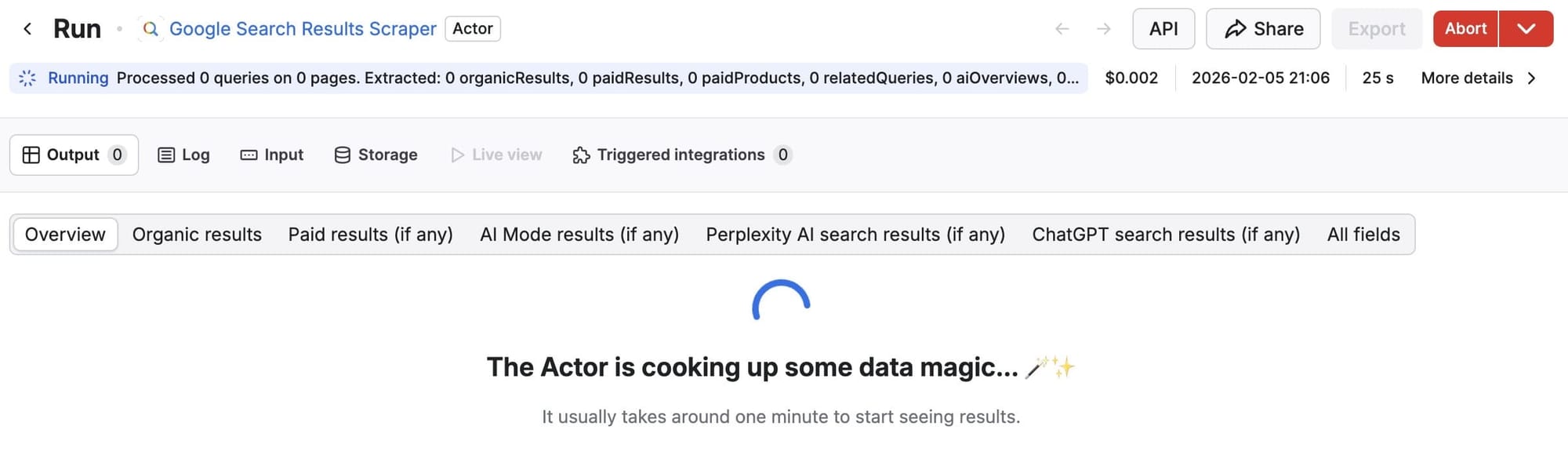
Once the status changes from Running to Succeeded, you can export your dataset.
Step 6. Export your dataset

Now that the run is complete, you can see all the results in 'Overview', or select the specific data you want. For example, you can choose AI Mode results:
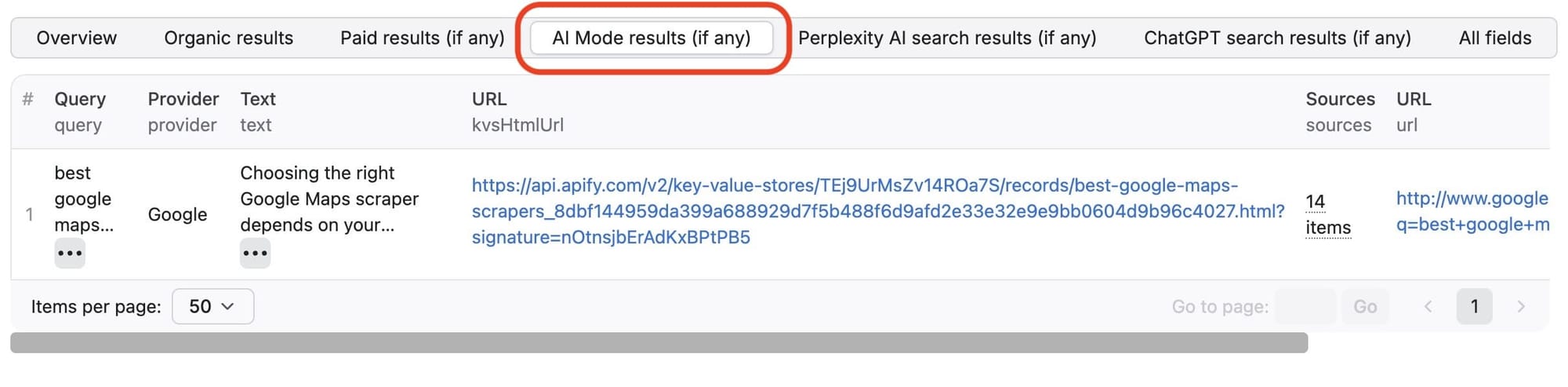
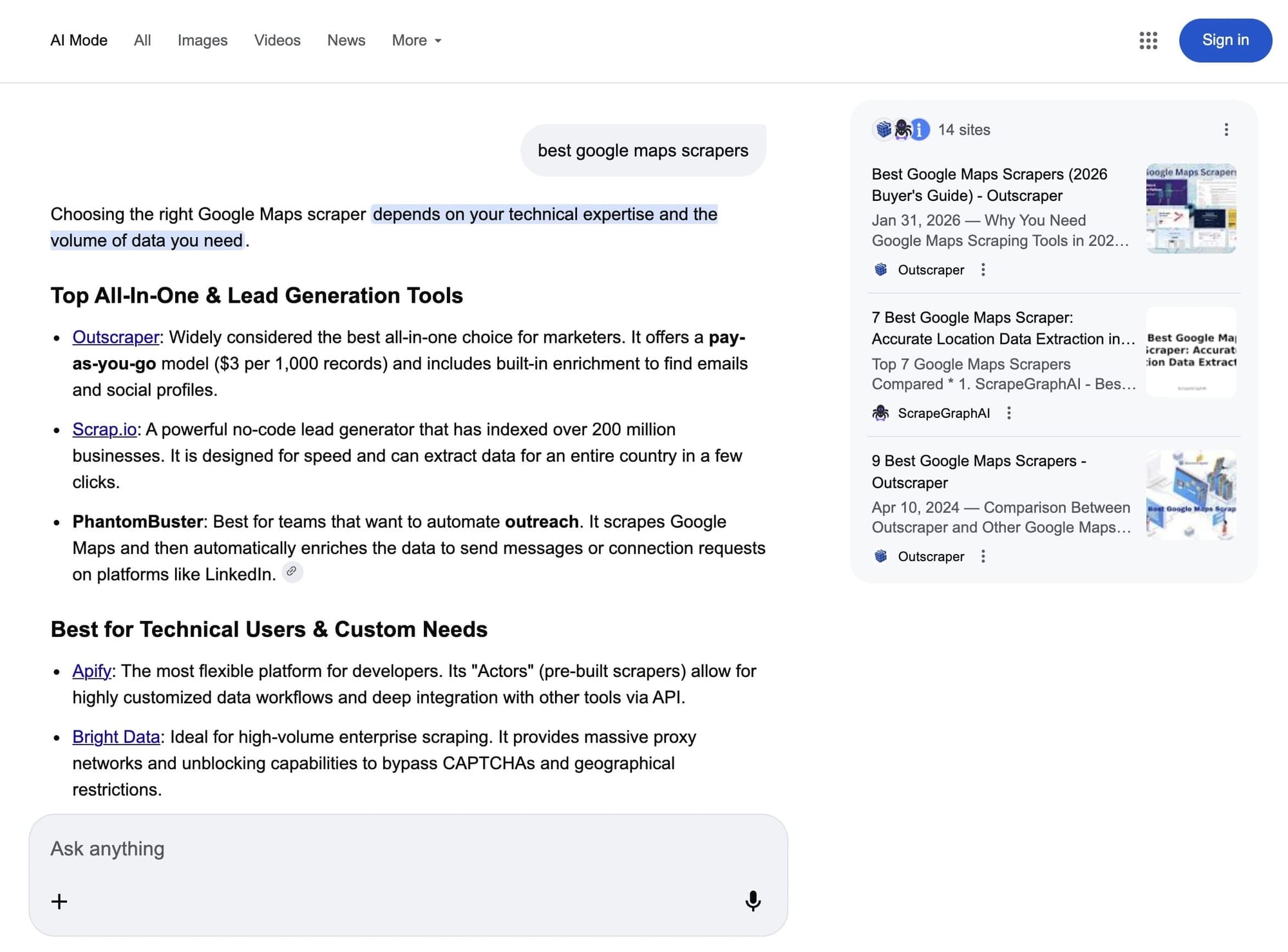
Clicking on the URL in the output shows you exactly what users see for the search term, 'best Google Maps scrapers' in Google AI Mode:
You can download your scraped data in many formats by clicking on the storage tab. You can also select specific fields to view or download. For example, let's take a look a the Perplexity search results from this run in XML:
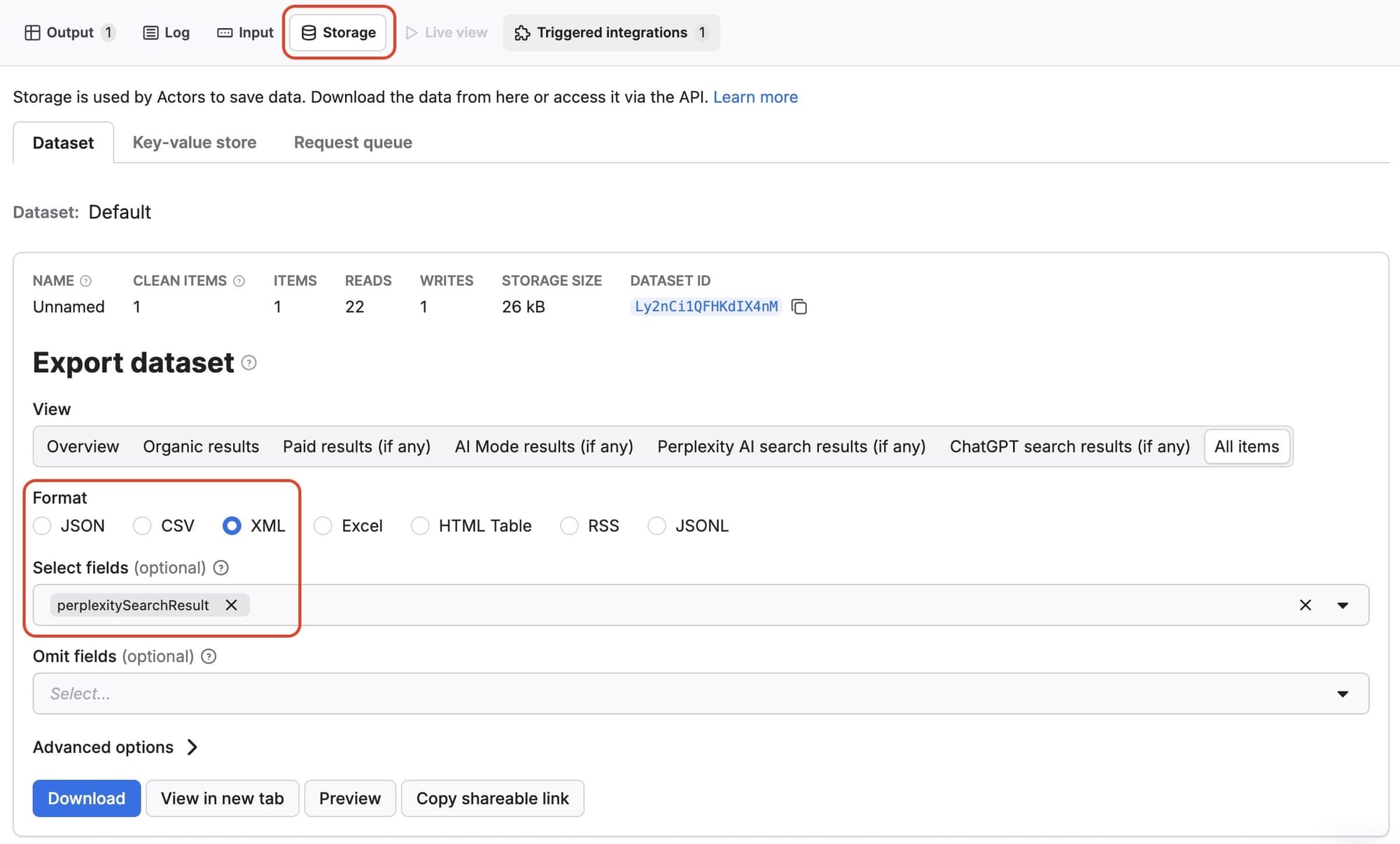
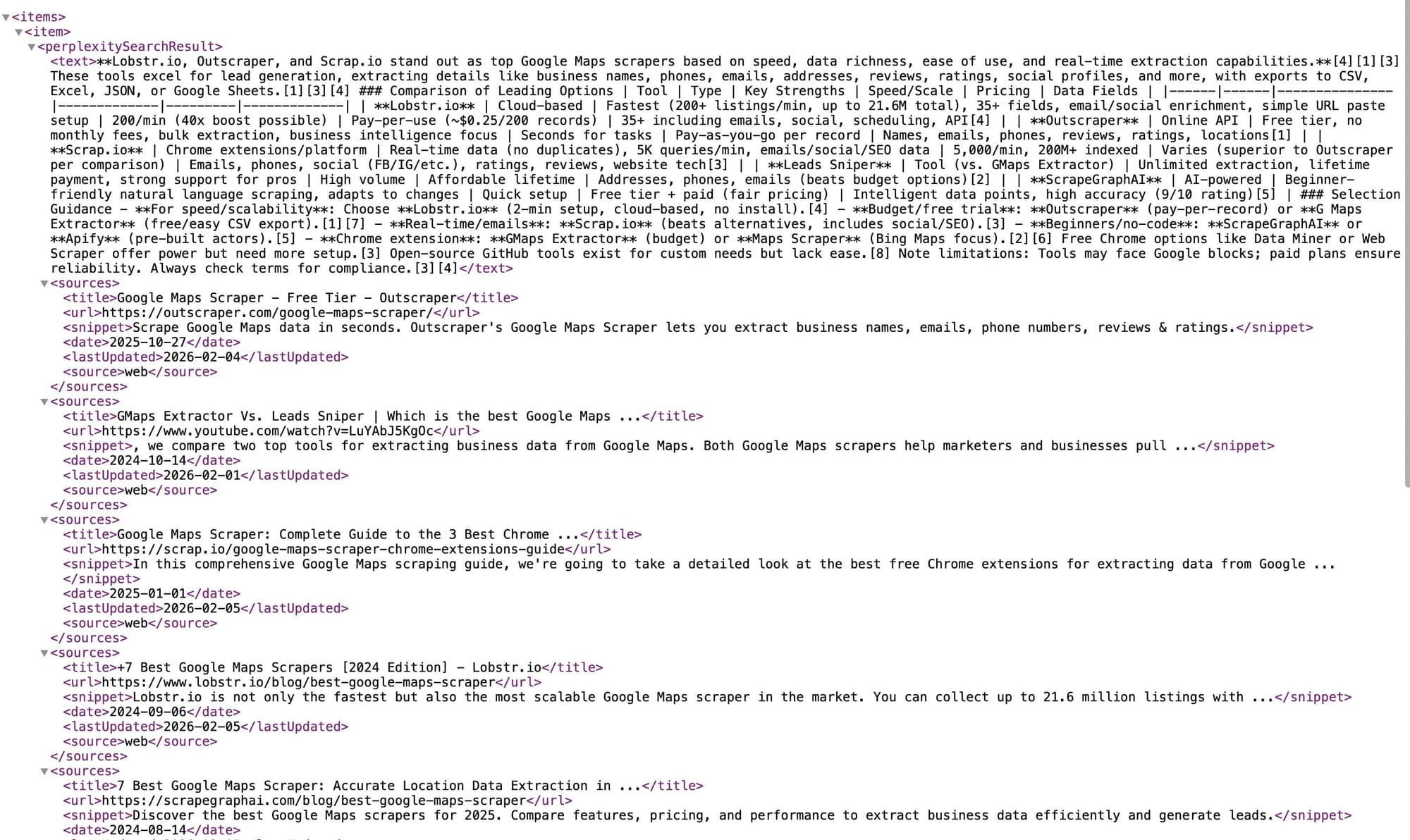
Now, you can export scraped data to CSV, JSON, or Excel and integrate the results with Looker Studio, Power BI, Airtable, or internal systems. This allows you to analyze which brands are being cited, how your domain appears (or doesn't), and compare this to traditional SERPs.
Now, let's automate that entire workflow so you can run it across dozens of queries at once.
Turn this workflow into automated AI visibility audits (Claude + Apify MCP)
The manual workflow above works well for one-off checks. But if you're tracking AI visibility across multiple queries, platforms, and competitors, repeating these steps quickly becomes time-consuming and inconsistent.
Instead of running the scraper manually each time, you can automate the entire process – from data collection to analysis and reporting – using Claude Cowork with Apify's MCP integration.
Prefer video? Watch Claude Cowork and Apify MCP in action
The Claude Cowork architecture
Claude Cowork is a folder-based workspace in Claude Desktop designed for handling complex, multi-step workflows like the audit you just ran – only at scale. Unlike traditional Claude.ai conversations that can hit token limits, Cowork maintains all artifacts, data, and analysis within a persistent folder structure.
For AI visibility audits, this architecture enables:
- Multiple scraping runs with different AI mode configurations
- Processing large JSON datasets from Google Search Results Scraper
- Maintaining context across dozens of queries and platform comparisons
- Generating comprehensive Excel reports with multiple analysis sheets
- Preserving all audit history for trend tracking
Setting up Apify MCP with Claude Cowork
The Apify MCP server connects Claude to thousands of web scraping tools, including Google Search Results Scraper with its integrated AI search capabilities.
Configuration steps
- Navigate to mcp.apify.com
- Search for and add Google Search Results Scraper (apify/google-search-scraper)
- Copy the generated server URL
- Open Claude Desktop and navigate to the Cowork tab
- Create a new folder for your audit project (e.g., "ai-visibility-audit")
- Go to Settings → Connectors → Add Connector → Custom MCP
- Choose "Direct Configuration"
- Name your connector (e.g., "Apify Search MCP")
- Leave protocol as HTTP
- Paste your MCP server URL
- Save the connector
The first time you trigger the scraper, Claude will request authorization. This is a one-time setup that persists across all projects.
Another method to install Apify MCP is to use the ready-made desktop extensions from the Connectors menu:
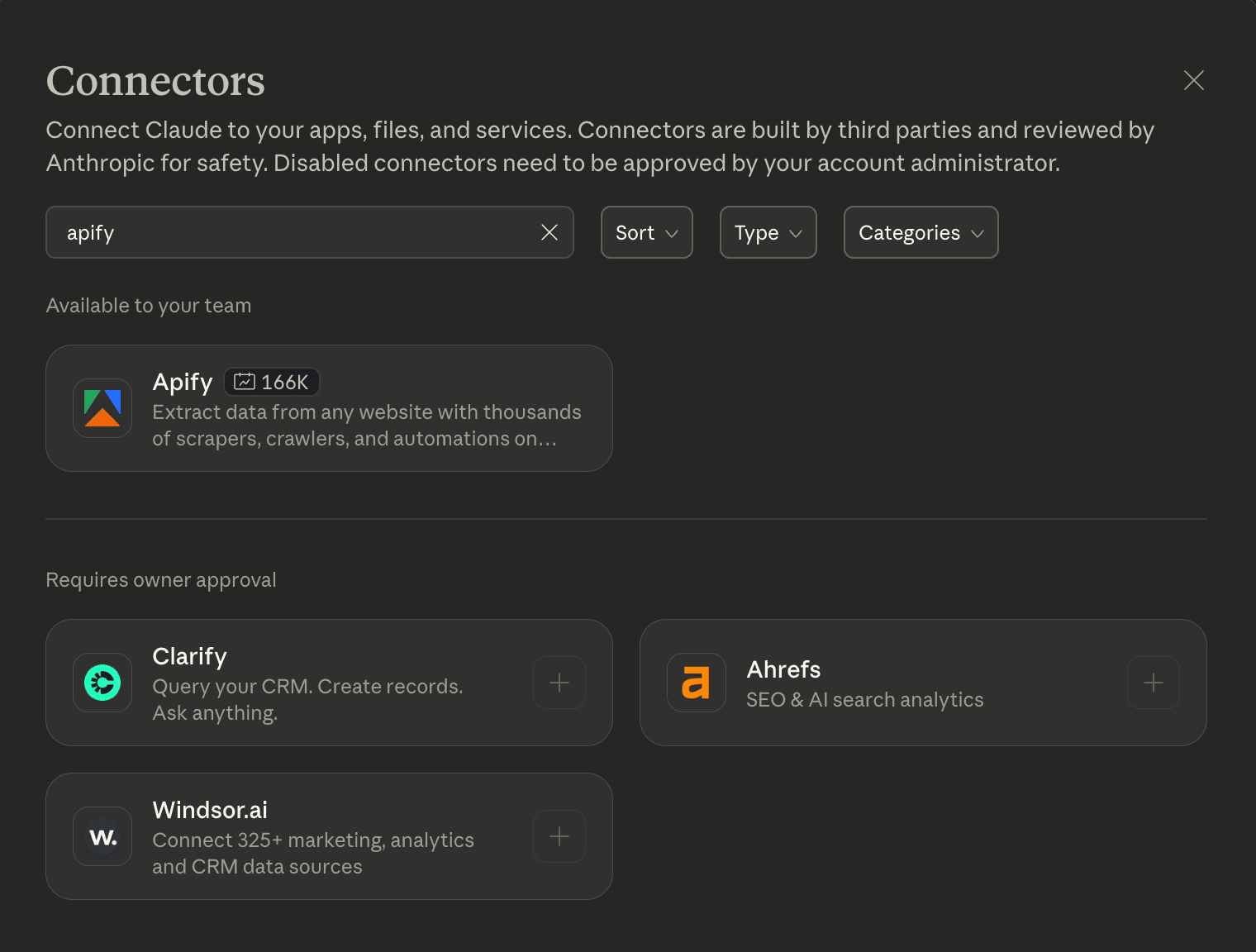
Then you can add the tools, for example apify/google-search-scraper in the Enabled tools field:
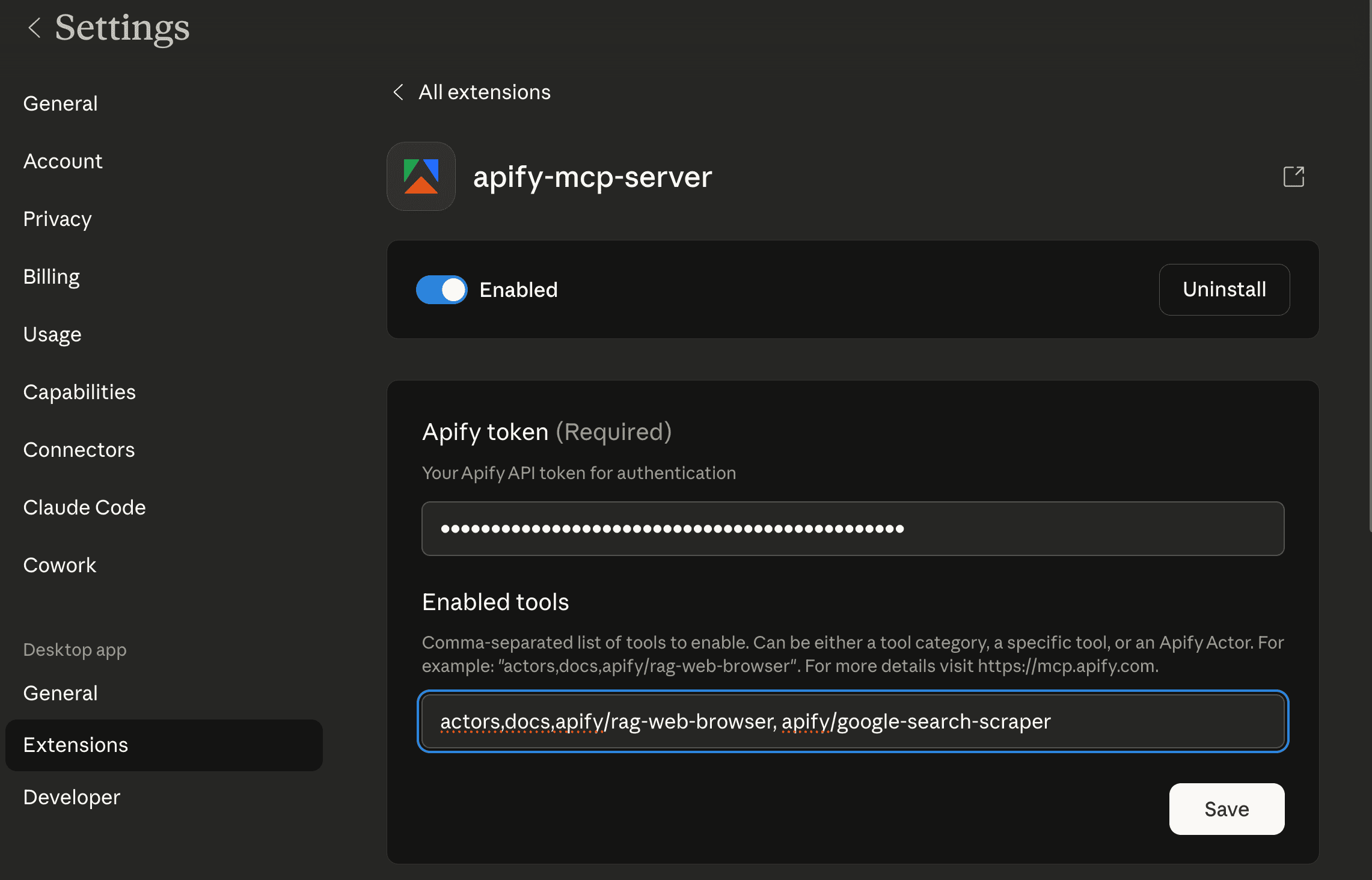
Running automated AI visibility audits
Once configured, you can run comprehensive audits using natural language prompts in Claude Cowork:
I need to conduct a complete AI visibility audit for Apify across major AI search platforms.

Use the Apify Google Search Results Scraper with the following configuration:

For the query "web scraping platform":
1. Run with includeAiMode: true to get Google AI Mode results
2. Run with includeChatGptSearchMode: true to get ChatGPT Search results
3. Run with includePerplexityMode: true to get Perplexity results
4. Also get standard organic results for baseline comparison

Then repeat for the query "web automation API"

For each platform and query combination, identify:
- Does Apify appear in AI-generated responses?
- What position does Apify hold?
- Which competitors appear?
- What content gets cited?
- How do responses differ across platforms?

Create a comprehensive Excel report with:
- Organic rankings by query
- AI platform analysis (Google AI Mode, ChatGPT, Perplexity)
- Cross-platform visibility comparison
- Competitor benchmarking
- Recommended action items
- Raw response data for each platform
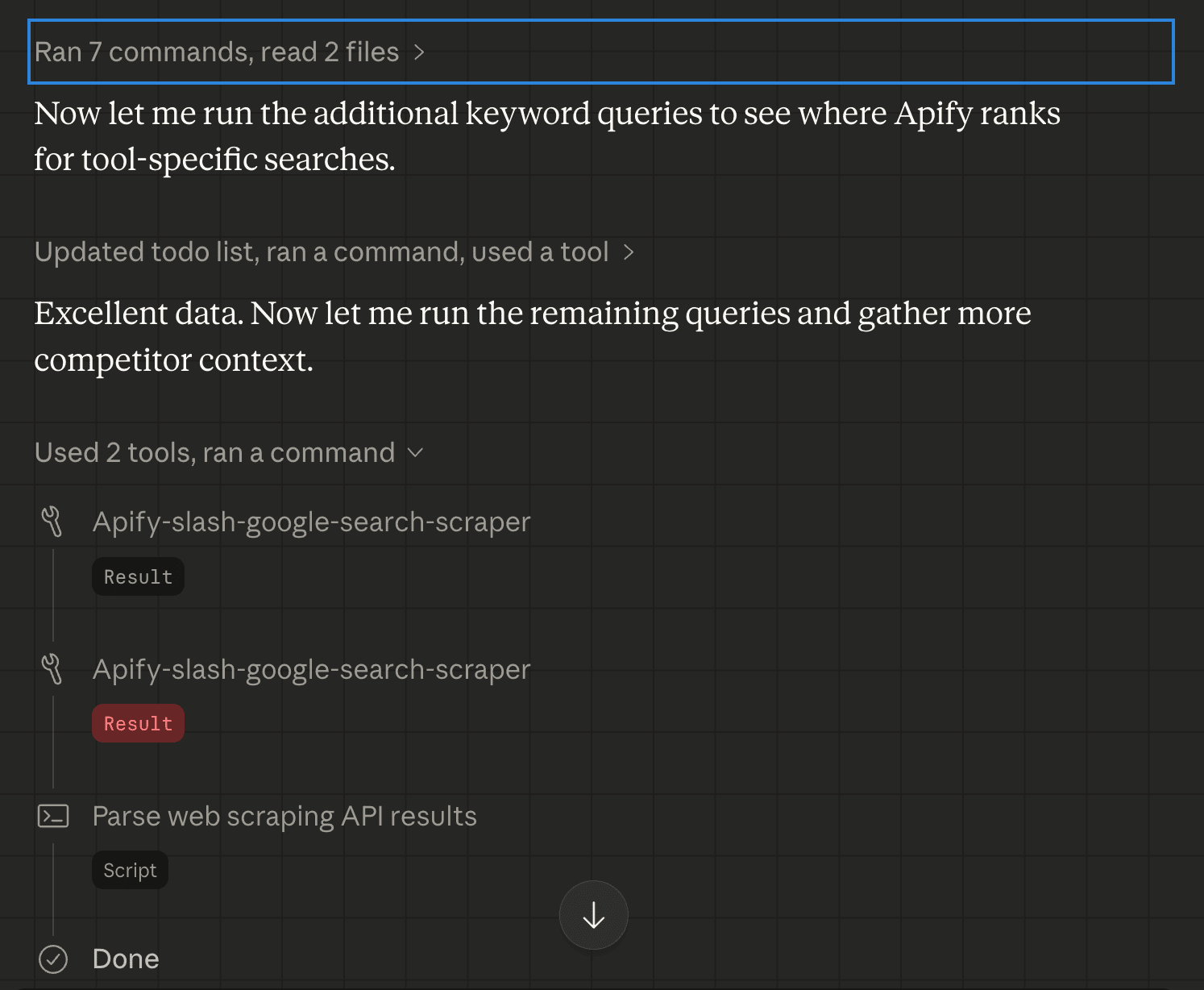
Claude will execute the workflow autonomously, running multiple scraper configurations and processing all results:
Understanding the AI modes in the scraper
The scraper's AI features work as optional add-ons to standard SERP scraping:
enableAiMode: Captures AI-generated overviews powered by Gemini that appear at the top of Google Search results. Returns structured data including the overview text, cited sources, and related questions.enableChatGpt: Queries ChatGPT's search interface and returns AI-synthesized answers with source citations. Includes "query fan-out" data showing additional queries the model generated internally.enablePerplexity: Uses Perplexity's Sonar model to generate research-focused answers with academic-style citations and source credibility indicators.
Each mode can be enabled independently or combined in a single run for comprehensive cross-platform analysis.
This is what the Actor input JSON looks like when Claude triggers AI visibility mode:
{
    "aiModeSearch": {
        "enableAiMode": true
    },
    "beforeDate": "2 weeks",
    "chatGptSearch": {
        "enableChatGpt": true
    },
    "disableGoogleSearchResults": false,
    "focusOnPaidAds": false,
    "forceExactMatch": false,
    "includeIcons": false,
    "includeUnfilteredResults": false,
    "maxPagesPerQuery": 3,
    "maximumLeadsEnrichmentRecords": 0,
    "mobileResults": false,
    "perplexitySearch": {
        "enablePerplexity": true
    },
    "queries": "best web scraping tool",
    "resultsPerPage": 10,
    "saveHtml": false,
    "saveHtmlToKeyValueStore": false,
    "searchLanguage": "en"
}
Analyzing automated audit results
After 5-10 minutes, Claude completes the audit and generates a comprehensive Excel file with:
- Organic rankings sheet: Your position and competitor positions in traditional Google Search results.
- Google AI Mode analysis: Breakdown of Gemini-powered AI overviews showing whether your brand appears, citation frequency, and which competitor content gets highlighted.
- ChatGPT search analysis: Detailed view of ChatGPT's research process including query fan-out, final synthesized answer, and source attribution.
- Perplexity analysis: Academic-style research responses with credibility scoring for cited sources.
- Cross-platform comparison: Side-by-side visibility metrics across all AI platforms, highlighting strengths and competitor dominance.
- Competitor benchmark: Consolidated view of which brands appear most frequently and which content strategies drive AI visibility.
- Action items: Specific, prioritized recommendations such as:
- "Strengthen technical documentation - ChatGPT cites competitor docs 3x more frequently"
- "Optimize for Perplexity academic style - currently invisible in research-focused queries"
- "Google AI Mode favors comparison content - we have none for [category] vs [alternative]"
- Raw AI responses: Full JSON output preserving citations, formatting, and metadata.
Scheduling automated monitoring
For continuous tracking, you can automate audits to run weekly or monthly:
- Save your Cowork audit workflow as a prompt template
- In Apify Console, navigate to Google Search Results Scraper
- Configure input with target queries and enable all AI modes
- Save as a task and create a schedule (weekly recommended)
- Set up data export to Google Sheets or Airtable
- Configure webhooks for visibility change alerts
Since all AI platforms are queried through a single Actor, scheduling is simpler than coordinating multiple scrapers.
Cost structure for automated audits
Running comprehensive AI visibility audits via Apify MCP is cost-effective:
- Pricing for Google Search Results Scraper:
- Standard SERP scraping: ~$0.002 per query (includes 10 organic results)
- Google AI Mode add-on: ~$2 per 1,000 AI Mode results
- ChatGPT Search add-on: Requires paid plan ($29/month minimum)
- Perplexity add-on: Requires paid plan ($29/month minimum)
- Typical automated audit costs for 20 queries across all three AI platforms:
- Base scraping (20 queries × $0.002): $0.04
- Google AI Mode (20 queries): ~$0.04
- ChatGPT Search (20 queries): ~$0.10
- Perplexity (20 queries): ~$0.10
Total per audit: ~$0.30 plus monthly platform subscription
Compare this to traditional GEO monitoring tools that charge $200-500/month for similar capabilities. Apify's approach is significantly more flexible and affordable.
Get started with AI visibility monitoring
Frequently asked questions
What is the SEO impact of AI-powered search?
AI search changes how visibility works. Models select passages based on semantic relevance, not just rankings. A lower-ranking page can be cited while a top-ranking page is ignored. Traditional analytics tools don’t isolate this behavior. Scraping AI answers is currently the most reliable way to see what users actually see.
What’s the difference between Google AI Mode, ChatGPT, and Perplexity?
They use different models, retrieval methods, and citation behavior. Google AI Mode is tightly coupled to Google’s index. ChatGPT and Perplexity blend search retrieval with conversational context. Scraping all three lets you understand how visibility shifts across ecosystems.
Is it legal to scrape Google AI Mode data?
Yes. You're allowed to scrape publicly available data for personal or business insights, as long as you comply with local regulations, which you can learn more about in this article on the legality of web scraping.