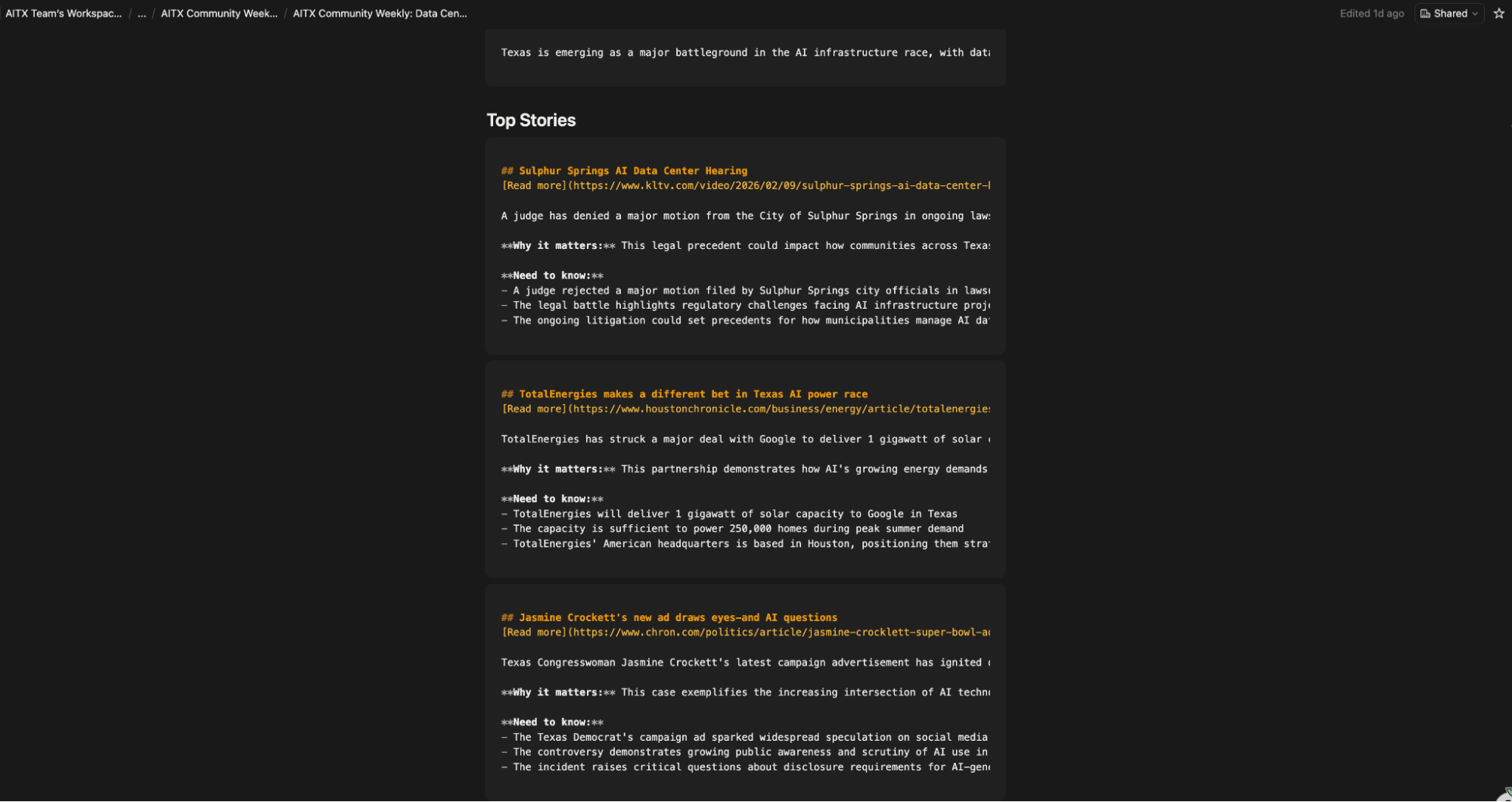
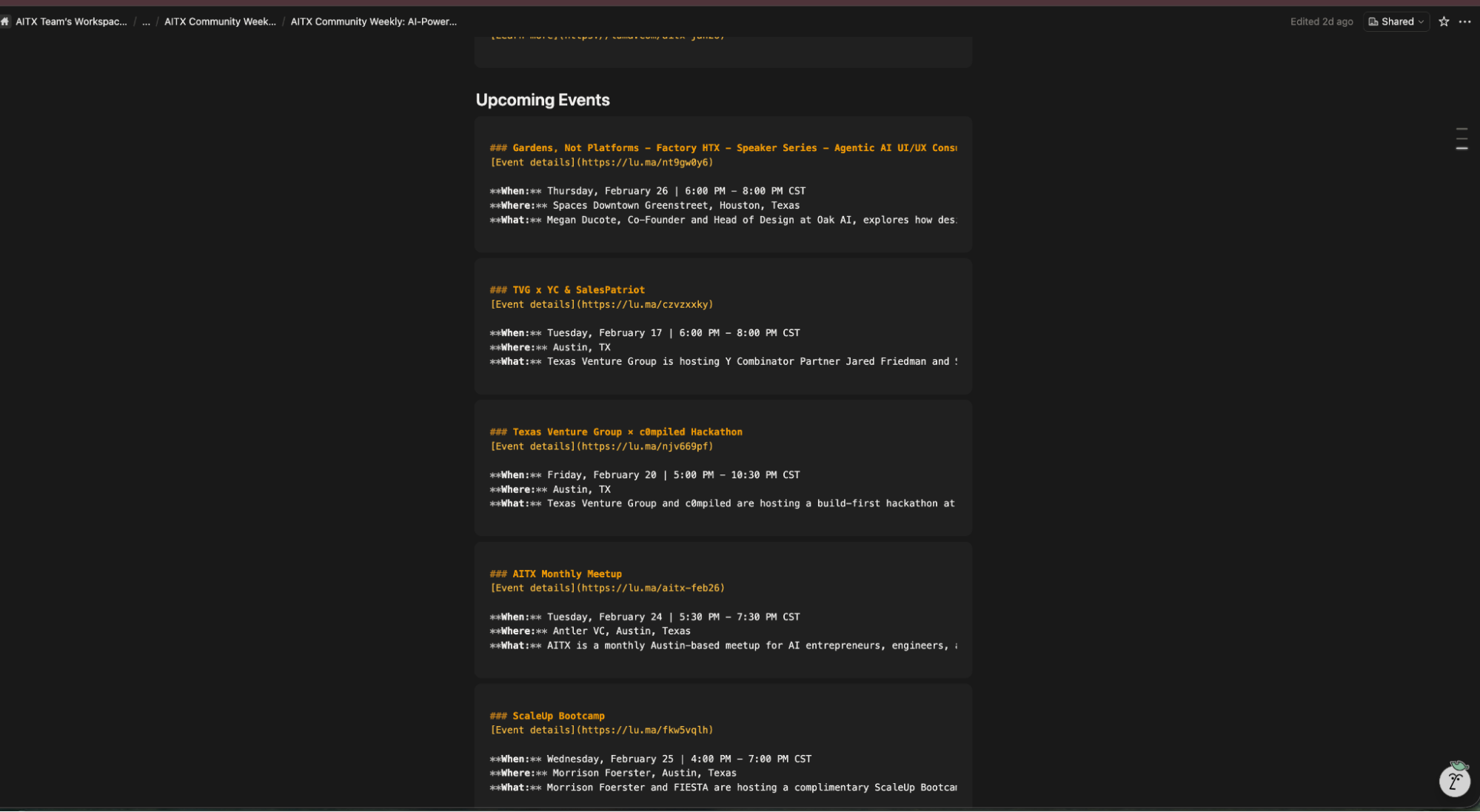
I run a weekly newsletter for AITX Community: a community of over 3,000 AI builders across Texas. Every issue needs five upcoming in-person, AI-related events, three AI news stories with a Texas angle, and community highlights (if someone wishes to be highlighted).
Doing that manually meant opening a dozen tabs, scrolling through RSS feeds, checking Lu.ma and Meetup across two cities, pulling member updates from Notion, and writing everything up for beehiiv.
It took me roughly 3 hours every week. It doesn't sound like much but it adds up, not to mention the mental overhead of knowing I had to do that every week.
With the help of Apify, I built a two-Actor pipeline that scrapes all my sources, filters content with Anthropic's API, and drops a publication-ready draft into Notion. The whole thing runs on a schedule every Thursday, giving me Thursday afternoon to quickly review before scheduling the newsletter to go out Friday morning.
This post covers everything I built, everything that broke along the way, and what I learned about building scraping pipelines on Apify.
The problem I was actually solving
Every issue of the AITX Community newsletter requires at minimum three AI stories with a Texas angle and five upcoming in-person AI events. The stories come from RSS feeds that I read through and filter for Texas relevance. The events come from Lu.ma city pages (Austin and Houston) and Meetup.com.
The manual process was slow and I couldn't keep it consistent. Some weeks I'd miss events happening in Houston because I didn't have time to check every city, or I just forgot.
Other weeks I'd waste 45 minutes reading through articles trying to pick which three had the strongest Texas connection because I didn't have summaries in front of me to compare. The actual editorial decision ("which stories matter this week?") should have been the only part requiring my attention, but I was spending most of my time on the gathering.
How the pipeline works
Two Actors, connected by a webhook.

Actor 1 (Newsletter Digest Scraper) handles data ingestion. It scrapes RSS feeds with CheerioCrawler, pulls Lu.ma events via their undocumented discover API, and calls an existing Meetup scraper from Apify Store. Everything gets normalized into a single Dataset.
Actor 2 (Newsletter Synthesizer) handles filtering and content generation. It reads Actor 1's Dataset, uses Claude Sonnet 4.5 to score articles for Texas + AI relevance, enriches Lu.ma events via their event API, generates summaries, queries Notion for community content, and saves a formatted draft to a Notion database.
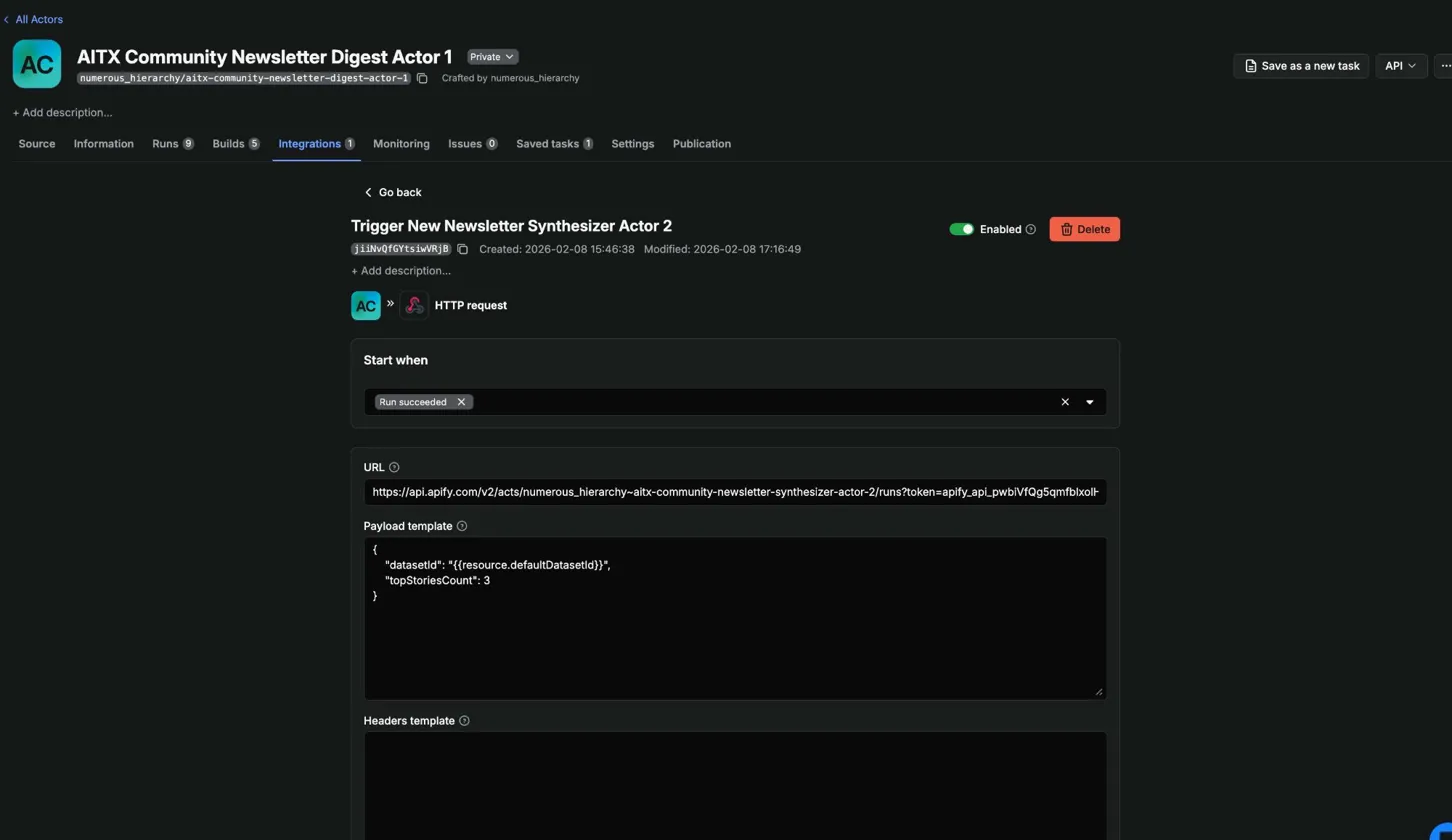
A webhook on Actor 1 fires when the run succeeds and triggers Actor 2 with the Dataset ID:
{
  "datasetId": "{{resource.defaultDatasetId}}",
  "topStoriesCount": 3
}
{{resource.defaultDatasetId}} is an Apify webhook template variable. It resolves to whatever Dataset Actor 1 produced. No hardcoded IDs.
Building Actor 1: three sources, three strategies
I scaffolded Actor 1 with the Apify CLI:
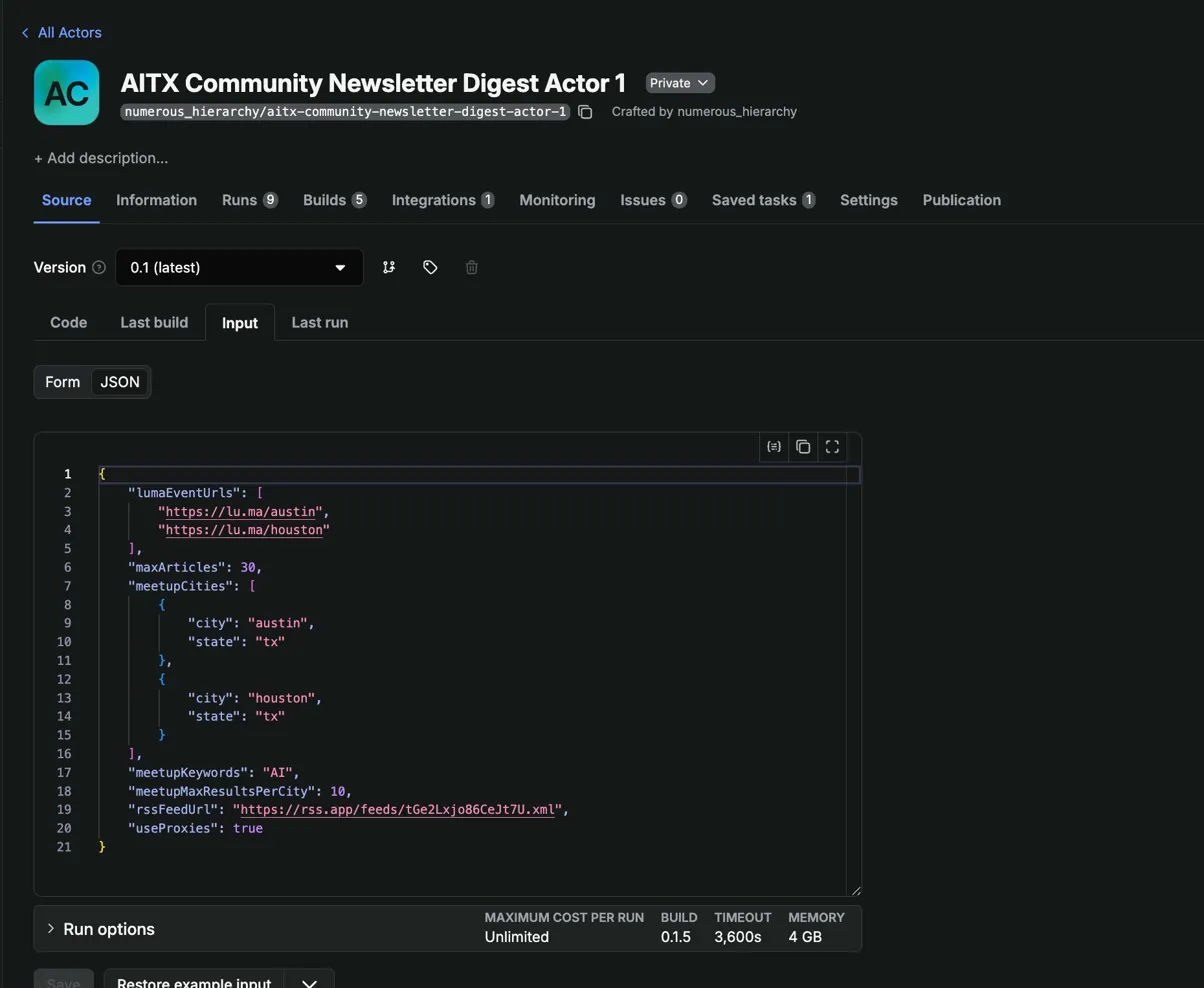
apify create newsletter-digest-scraperI picked the TypeScript empty template. It gives you src/main.ts, .actor/actor.json for metadata, .actor/input_schema.json for the input form, and a Dockerfile. The input schema defines what parameters your Actor accepts as JSON Schema, and Apify Console auto-generates a form UI from it:
{
    "title": "Newsletter Digest Scraper Input",
    "type": "object",
    "properties": {
        "rssFeedUrl": {
            "title": "RSS Feed URL",
            "type": "string",
            "description": "URL of the RSS feed to scrape articles from",
            "editor": "textfield"
        },
        "meetupCities": {
            "title": "Meetup cities",
            "type": "array",
            "description": "Cities to search for AI meetups",
            "default": [
                {"city": "austin", "state": "tx"},
                {"city": "houston", "state": "tx"}
            ]
        }
    }
}
RSS feeds: CheerioCrawler
RSS is structured XML. No JavaScript rendering, no anti-bot measures. CheerioCrawler parses HTML/XML fast with minimal resource overhead.
The scraper uses the rss-parser package to parse the feed, then feeds each article URL into a CheerioCrawler that visits the page and extracts full text. One thing I ran into: some sources like the Houston Chronicle return 403s behind paywalls. Instead of failing the whole item, I fall back to the RSS description as the article body. Out of ~25 articles per run, 24 scrape fully and one hits a paywall. The description gives Claude enough context to determine relevance, so it still works.
// Parse the feed first
const parser = new Parser();
const feed = await parser.parseURL(input.rssFeedUrl);

const crawler = new CheerioCrawler({
    async requestHandler({ request, $ }) {
        const userData = request.userData as {
            headline: string;
            rssContent: string;
        };

        let textContent = extractArticleText($);

        // If page scrape fails or is too short, fall back to RSS content
        if (textContent.length < 100 && userData.rssContent) {
            textContent = userData.rssContent;
        }

        await Actor.pushData({
            type: 'article',
            headline: userData.headline,
            url: request.url,
            text_content: textContent,
            source_name: new URL(request.url).hostname.replace('www.', ''),
            scraped_at: new Date().toISOString(),
        });
    },
});

// Queue each article URL with RSS metadata in userData
const requests = feed.items.map((item) => ({
    url: item.link || '',
    userData: {
        headline: item.title || 'Untitled',
        rssContent: item.contentSnippet || item.description || '',
    },
}));

await crawler.addRequests(requests);
await crawler.run();
Lu.ma events: the long road to a simple fetch call
Lu.ma is where I learned the most and wasted the most time. The final solution is two lines of code. Getting there took a good day of poking around.
Lu.ma is a Next.js app that renders event data client-side. I confirmed this the hard way. First I checked for a __NEXT_DATA__ script tag in the raw HTML. Nothing. Then I built a CheerioCrawler that completed requests fast and cheap but returned zero event data. The HTML is a shell. The events load via JavaScript after the page renders.
So I reached for PlaywrightCrawler to launch a real browser. That introduced two problems that each took me a full debugging session to solve.
Problem 1: proxies weren't being used, and the logs didn't tell me.
My first cloud deployment timed out on every Lu.ma request. Pages hung for 90 seconds and produced nothing. No error, no blocked message. Just silence.
I had set useProxies to false as the default in my input schema. Even on Apify's cloud, the Actor wasn't using residential proxies. Lu.ma blocks datacenter IPs aggressively. It doesn't return an error or a 403. It serves a challenge page or hangs indefinitely. Without proxies, Playwright sits there waiting for content that never renders.
The fix was two things. Default useProxies to true in the input schema, and actually pass the proxy configuration to the crawler constructor. I had created the config object but never wired it in:
// What I had (broken: proxy config created but not passed to crawler)
const proxyConfiguration = await Actor.createProxyConfiguration({
    groups: ['RESIDENTIAL'],
});

const lumaCrawler = new PlaywrightCrawler({
    // proxyConfiguration was missing here
    requestHandlerTimeoutSecs: 60,
    async requestHandler({ page }) {
        // ...
    },
});

// Fixed version
const lumaCrawler = new PlaywrightCrawler({
    proxyConfiguration,  // one line
    requestHandlerTimeoutSecs: 60,
    async requestHandler({ page }) {
        // ...
    },
});
Nothing in the logs said "you're not using proxies." The Actor ran, Playwright launched, pages timed out. If I hadn't compared against my working production Actor, I might have blamed Lu.ma's anti-bot detection for hours. Log your proxy status at startup. A single log.info() confirming proxy configuration would have saved me a full debugging session.
Problem 2: Chromium eats all your memory, then your later pages fail.
After fixing proxies, I saw a new pattern. The first 3-4 Lu.ma pages scraped fine. Pages 5-8 timed out every single time. Same URLs, same order, every run.
The logs had the answer:
Memory is critically overloaded. Using 1004 MB of 977 MB (103%)The Apify Playwright Docker image (apify/actor-node-playwright-chrome:22) bundles Node.js + Playwright + Chromium. That base layer alone uses ~600-700 MB. In a 1 GB container (977 MB usable), you have almost no headroom.
Crawlee with maxConcurrency: 1 reuses the same browser instance across requests. It opens a tab, navigates, scrapes, closes the tab. But Chromium doesn't fully release memory when a tab closes. Compiled JavaScript, decoded image buffers, V8 heap fragments all accumulate. After 3-4 pages, the container hits its ceiling. Every page load after that stalls until the timeout fires.
The failing URLs weren't special. If I randomized the order, different URLs failed. It was always whichever pages came after memory hit 100%.
I bumped Actor memory to 2048 MB in Apify Console settings. That had its own gotcha though. I changed memory in the Actor settings, ran it, and still saw 977 MB in the logs. I was running the Actor from a Task that had its own memory override. Task-level settings take priority over Actor defaults. I had to update the memory on the Task too.
After all that, Playwright worked. Actor 1 scraped both city pages in about 45 seconds with residential proxies and 2 GB of memory. Actor 2 needed to enrich those events with details (full descriptions, venue addresses) that weren't on the listing page, so I built another PlaywrightCrawler for the individual event pages. Same memory problems. Same timeouts. Four out of eight pages failing every run.
Then I did what I should have done first.
I opened the browser Network tab on a Lu.ma event page, watched what requests the app made, and found their internal API:
curl -s 'https://api.lu.ma/event/get?event_api_id=aitx-feb26' | python3 -m json.tool | head -20{
"api_id": "evt-TOAYV1umVcz9DsZ",
"name": "AITX Monthly Meetup",
"start_at": "2026-02-24T23:30:00.000Z",
"end_at": "2026-02-25T01:30:00.000Z",
"geo_address_info": {
"full_address": "800 Brazos St #340, Austin, TX 78701"
}
}Everything Actor 2 needed. No auth or proxies were required. I replaced the entire PlaywrightCrawler in Actor 2 with simple fetch calls. Eight API requests finished in under 2 seconds.
That got me thinking. If the individual event pages call an API, the city listing pages must too. I opened the Network tab on lu.ma/austin, filtered by XHR, and found this:
https://api2.luma.com/discover/get-paginated-events
  ?discover_place_api_id=discplace-0tPy8KGz3xMycnt
  &pagination_limit=25
No auth. No cookies required. Returns every event on the city page with full details: name, dates, venue, host info, guest count, ticket status. I tested Houston too:
https://api2.luma.com/discover/get-paginated-events
  ?discover_place_api_id=discplace-aQeJaEtqg3shHZ1
  &pagination_limit=25
Same thing. I replaced the PlaywrightCrawler in Actor 1 with two fetch calls:
const LUMA_PLACE_IDS: Record<string, string> = {
    austin: 'discplace-0tPy8KGz3xMycnt',
    houston: 'discplace-aQeJaEtqg3shHZ1',
};

async function fetchLumaDiscoverEvents(placeId: string): Promise<LumaApiEntry[]> {
    const url = `https://api2.luma.com/discover/get-paginated-events?discover_place_api_id=${placeId}&pagination_limit=25`;
    const response = await fetch(url, {
        headers: { Accept: 'application/json' },
    });
    const data = await response.json();
    return data.entries ?? [];
}

for (const [city, placeId] of Object.entries(LUMA_PLACE_IDS)) {
    log.info(`Fetching Lu.ma events for ${city}...`);
    const entries = await fetchLumaDiscoverEvents(placeId);
    log.info(`Found ${entries.length} events for ${city}`);

    for (const entry of entries) {
        await Actor.pushData({
            type: 'event',
            source: 'luma',
            title: entry.event.name,
            url: `https://lu.ma/${entry.event.url}`,
            start_date: entry.event.start_at,
            end_date: entry.event.end_at,
            timezone: entry.event.timezone,
            location: entry.event.geo_address_info?.full_address ?? null,
            city: entry.event.geo_address_info?.city ?? null,
            host_name: entry.hosts?.[0]?.name ?? null,
            guest_count: entry.guest_count ?? 0,
            is_free: entry.ticket_info?.is_free ?? true,
        });
    }
}
42 events from two cities in under 2 seconds. No Playwright. No residential proxies. No 2 GB memory allocation. I switched Actor 1's Docker image from apify/actor-node-playwright-chrome:22 to apify/actor-node:22 and dropped the memory back to 1 GB.
I spent days debugging Playwright memory issues, proxy configurations, and timeout cascades. The fix for all of it was opening the Network tab. Client-side rendered apps have to get their data from somewhere. Before reaching for a headless browser, find out where.
Meetup events: calling an existing Store Actor
For Meetup, I didn't build a scraper. Apify Store already has filip_cicvarek/meetup-scraper that which handles Meetup's interface. Actor 1 calls it with Actor.call():
// Simplified — full version checks run.status and handles missing datasets
const run = await Actor.call('filip_cicvarek/meetup-scraper', {
    searchKeyword: 'AI',
    city: cityEntry.city,
    state: cityEntry.state,
    maxResults: input.meetupMaxResultsPerCity || 10,
});

const dataset = await Actor.openDataset(run.defaultDatasetId);
const { items } = await dataset.getData();
Actors compose. I don't need to reverse-engineer Meetup's interface when someone already has a working scraper in the Store. Call it, grab the Dataset, and normalize the output.
The normalization problem
All three sources produce different data shapes. RSS gives me title, link, pubDate. Lu.ma's API gives me name, start_at, geo_address_info. The Meetup Store Actor uses headline instead of title and combines date and time into a single eventDate field.
I normalize everything before pushing to the Dataset so Actor 2 doesn't need to know which source produced what. Every item gets a type field (article or event), a common date format, and consistent field names.
I didn't do this at first. Actor 2 was silently dropping all 26 Meetup events because it looked for a title field that Meetup calls headline. No errors, no warnings. Just empty event sections in the newsletter. Took me longer to find than I want to admit.
Building Actor 2: AI filtering and content generation
Actor 2 takes a datasetId from Actor 1 and a topStoriesCount parameter. That's its entire input.
Anthropic-powered relevance filtering
Actor 1 produces 25-30 articles and 40+ events per run. Most of those aren't relevant to a Texas AI newsletter. Some articles cover AI but have zero Texas connection. Some events are only tangentially AI-related.
I send each article to Claude (Sonnet 4.5) and ask for a relevance score on two dimensions: Texas connection and AI relevance. Articles below the threshold get filtered out. From ~25 articles, 3-5 make the cut. Events go through the same filter. From 42 events in the last run, 8 passed.
I picked Sonnet 4.5 over Opus for cost. The filtering task is classification. When you're processing 30+ items per run, the cost difference adds up.
Lu.ma event enrichment via API
Actor 2 enriches the Lu.ma events that pass the relevance filter with full details using the individual event API (https://api.lu.ma/event/get?event_api_id={slug}). The discover API in Actor 1 provides most of the data, but event descriptions aren't included in the listing response. The individual event endpoint fills that gap - still no auth, no proxies, sub-second responses.
One quirk: Lu.ma stores event descriptions as structured JSON rather than plain text, so Actor 2 passes them through Claude Haiku to generate a clean summary for the newsletter.
The checkpoint system
Actor 2 makes multiple expensive external calls. Claude API costs money. Notion API is rate-limited. If Notion times out at step 4, I don't want to re-run Claude filtering on 30 articles I already processed.
I built a checkpoint system using Apify's Key-Value Store. After each major step, the Actor saves its progress:
// After filtering articles with Claude
await Actor.setValue('PIPELINE_STATE', {
    step: 2,
    filteredArticles,
    timestamp: new Date().toISOString(),
});

// On startup, check for existing checkpoint
const checkpoint = await Actor.getValue('PIPELINE_STATE');
if (checkpoint?.step >= 2) {
    log.info(`Resuming from checkpoint at step ${checkpoint.step}`);
    filteredArticles = checkpoint.filteredArticles;
    // Skip straight to step 3
}
If a run fails, I use Apify's resurrection feature to restart it. The KV Store persists across resurrection. The Actor reads its checkpoint and picks up where it left off.
Development workflow: Claude Code + AGENTS.md
I built both Actors using Claude Code with Apify's AGENTS.md file. This file ships with Apify's Actor templates and contains best practices for AI-assisted development. Things like "use CheerioCrawler for static content," "always validate input early," and "use the apify log package instead of console.log because it censors sensitive data."
My workflow:
- Write a detailed PRD for each Actor in Claude Chat, working through architecture decisions
- Paste the PRD into Claude Code in plan mode
- Claude Code reads the PRD, the project template, and AGENTS.md, then proposes an implementation plan
- Review the plan, approve, let it build
npm run buildto verify TypeScript compilesnpm run start:devto test locally- Push to GitHub, auto-deploy via Apify's GitHub integration, run in Console
The PRD matters because Claude Code doesn't read documentation the way you'd expect. It pattern-matches. Without explicit decisions in the PRD ("use PlaywrightCrawler for Lu.ma because it renders client-side," "default useProxies to true"), Claude Code makes reasonable-looking but wrong choices. That useProxies: false default that cost me a debugging session? Claude Code set it.
Deployment: GitHub integration
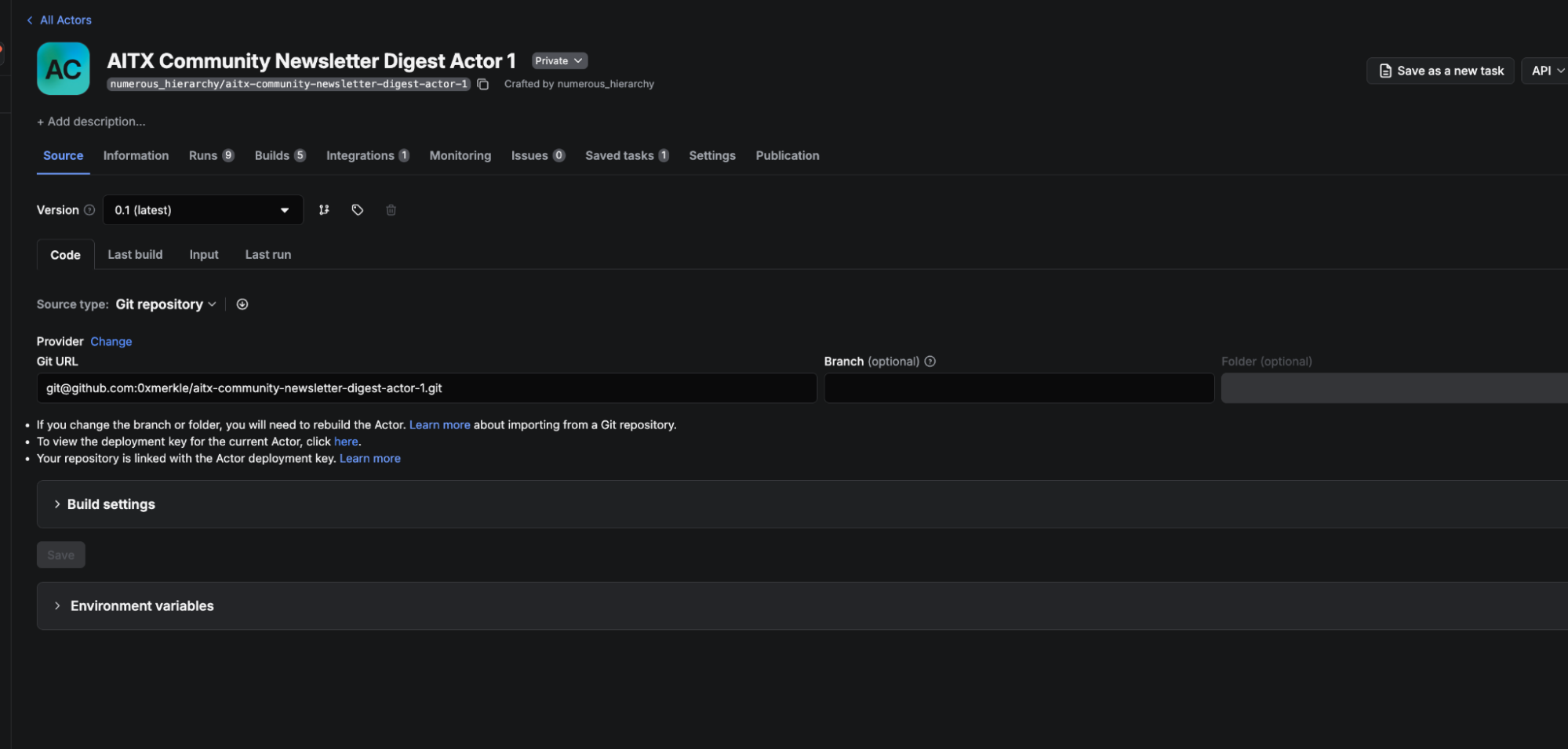
Both Actors deploy automatically through Apify's GitHub integration. Every push to main triggers a new build. Apify pulls the code, builds the Docker image, and deploys it.
I created a GitHub repo for each Actor separately, then connected them in Apify Console. In the Code tab, there's a Source type dropdown. I switched it from "Web IDE" to "Git repository", connected my GitHub account, selected which repos Apify could access, and pasted the SSH URL for the repo. I set the branch to main and enabled automatic builds so every push triggers a rebuild.
First deployment still needs an initial apify push to create the Actor on the platform. After that, GitHub handles everything.
One mistake I made early: I had two Actors with similar names on the platform from an earlier iteration. I was pushing code to one and running the other. My fixes never showed up in the logs, and I couldn't figure out why. The Actor IDs didn't match.
Running the full pipeline
A typical run:
- Actor 1 starts on its Thursday schedule (or I trigger it manually)
- Scrapes RSS articles in seconds with CheerioCrawler
- Fetches Lu.ma events from Austin and Houston via the discover API (~2 seconds)
- Calls
filip_cicvarek/meetup-scraperfrom Apify Store for events across two cities (~1 minute) - Normalizes everything and pushes all items to a single Dataset
- Webhook fires, triggers Actor 2 with the Dataset ID
- Actor 2 fetches the Dataset, runs Sonnet 4.5 filtering (~35 seconds for articles, ~8 seconds for events)
- Enriches filtered Lu.ma events via the individual event API (~1 second)
- Queries Notion for community highlights and initiatives
- Generates summaries and formats the newsletter draft
- Saves the draft to a Notion database
Total Actor 1 runtime: about 2 minutes (most of that is waiting on the Meetup Store Actor). Total Actor 2 runtime: about 90 seconds. I review the draft in Notion, copy the markdown into beehiiv, and hit send. Five minutes of editorial work instead of four hours of gathering.
What I'd do differently
Open the Network tab before writing a single line of scraping code. I cannot overstate this. I spent days debugging Playwright proxy configs, memory cascading, and timeout issues across both Actors before discovering that Lu.ma's frontend calls two perfectly usable APIs. One curl command replaced hundreds of lines of crawler code. Client-side rendered apps have to get their data from somewhere. Find the API first.
Log proxy status at startup. My Actor ran without proxies on the cloud and nothing in the logs told me. A single log.info('Proxy configuration:', proxyConfiguration ? 'enabled' : 'disabled') would have caught it immediately.
Budget 2 GB memory if you do use Playwright. The 1 GB default is not enough when you're running Chromium alongside anything else. I burned compute credits on multiple failed runs before I realized the container was too small.
Normalize data schemas in Actor 1, not Actor 2. I let Actor 2 handle the field mapping between sources at first. Actor 2 silently dropped all Meetup events because it expected title and got headline. Normalize as early as possible.
Bind Actor IDs in your deploy script. Having two Actors with similar names and pushing to the wrong one is embarrassing, but easy to do.
Wrapping up
The pipeline runs every Thursday. What used to take 3-4 hours of manual work takes 5 minutes of review. I'm not missing events because I forgot to check Houston, and I'm not spending 45 minutes reading articles to figure out which three are worth including.
If you want to build something similar:
- Apify CLI documentation for scaffolding and local development
- Crawlee documentation for CheerioCrawler and PlaywrightCrawler
- Apify Store for existing Actors you can compose into your pipeline
- Webhook documentation for chaining Actors together
The full code for both Actors is on GitHub:
Actor 1 Github: https://github.com/0xmerkle/aitx-community-newsletter-digest-actor-1
Actor 2 Github: https://github.com/0xmerkle/aitx-community-newsletter-synthesizer-actor-2